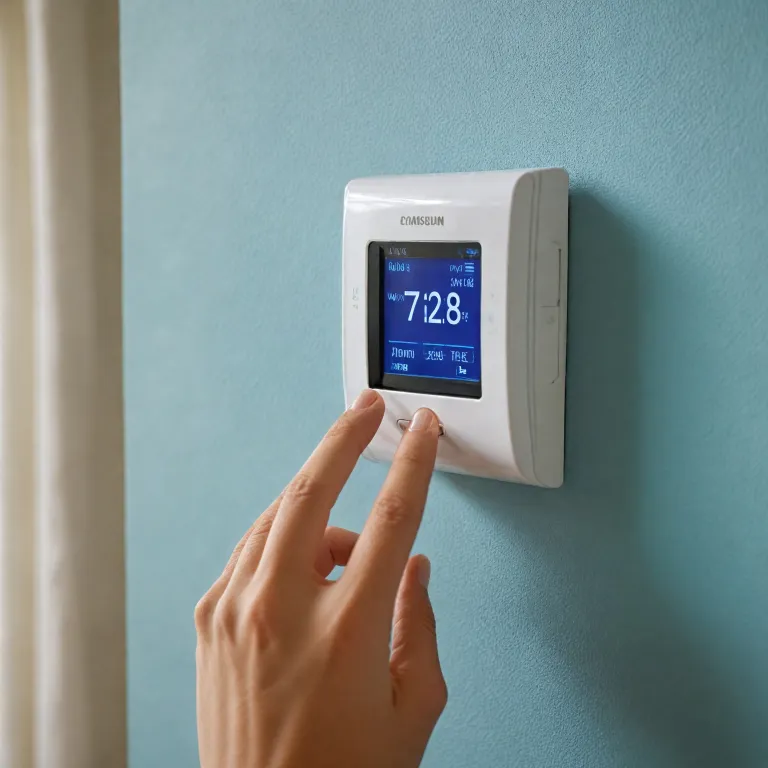

Understanding your Honeywell digital thermostat type and model
Before learning how to set a Honeywell digital thermostat, you need to identify the exact thermostat type installed on your wall. Different Honeywell thermostat models offer distinct options for programming, temperatures, and system control, which affects every step you take. Take a moment to find the label on the front, then open the housing gently to look for the printed model number inside.
This model number tells you whether you are dealing with a basic manual thermostat, a programmable thermostat, or a connected smart thermostat with Wi Fi features. When you know the model, you can download the correct Honeywell manual, which explains each button, press sequence, and menu option in clear diagrams. If you cannot find the printed label, check your circuit breaker panel or heating system cabinet, where some installers write the thermostat model and contact details.
Once you have the right manual, compare the screen layout and button labels with the diagrams to confirm you have the correct thermostat model. This step prevents trouble later, because using the wrong instructions can lead to incorrect temperatures, wasted energy, and confusion about system modes. If you still feel unsure, call a local heating professional or the Honeywell support team and provide the full model number for tailored help.
Many people skip content in manuals and rely on guesswork, but that habit often causes programming errors and comfort complaints. Instead, read the first pages that describe thermostat safety, power type, and compatible systems, especially if you have a heat pump or multi stage boiler. These details influence how to set a Honeywell digital thermostat correctly so that the system cycles safely and efficiently.
Basic controls, system modes, and temperature settings
Once you know your thermostat type, you can start with the essential controls that govern daily comfort. On most Honeywell digital thermostat models, you will press dedicated buttons to change temperatures, select system modes, and adjust fan operation. The screen usually shows the current room temperature, the setpoint, and icons that indicate whether heating or cooling is active.
To learn how to set a Honeywell digital thermostat for simple daily use, begin by pressing the up or down arrows to raise or lower the set temperature. Many models respond with a brief backlight and a small indicator that confirms your new temperatures, which helps avoid accidental changes. If the thermostat does not respond when you press the buttons, check the batteries or the circuit breaker for the heating system before assuming a technical fault.
Next, choose the correct system mode, usually labeled Heat, Cool, Off, or Auto on the thermostat screen or housing. The Auto option lets the thermostat switch between heating and cooling automatically, which is useful in regions with wide daily temperature swings. For homes with gas fireplaces or auxiliary heaters, make sure the system wiring matches the thermostat manual, or ask a pro to verify the connections before enabling advanced modes described in guides about enhancing a gas fireplace with a smart thermostat.
If you experience trouble with the fan running constantly, review the manual thermostat section that explains Fan Auto versus Fan On. Fan Auto allows the fan to run only when the system actively heats or cools, which usually helps save energy and reduces noise. When in doubt, call your local service team and provide the thermostat model number so they can help you adjust the basic options correctly.
Programming schedules to save energy and improve comfort
After mastering basic controls, the next step in how to set a Honeywell digital thermostat is programming daily and weekly schedules. Programming allows the thermostat to change temperatures automatically based on your routine, which can significantly save energy without sacrificing comfort. Many Honeywell thermostat models support 5 2, 5 1 1, or 7 day programming, each offering different options for weekday and weekend patterns.
To start, press the Schedule or Prog button, then follow the prompts on the screen to set wake, leave, return, and sleep periods. For each period, you will choose the time and the desired temperatures for heating and cooling, depending on your system type. If you are unsure which pattern suits your lifestyle, the manual usually provides example schedules that balance comfort and efficiency for typical households.
When you program your thermostat, remember that small temperature setbacks often provide the best balance between savings and comfort. For example, lowering the heating setpoint by 1 to 2 °C at night can save energy without making mornings uncomfortably cold. If your model supports smart features similar to those described in a Honeywell smart thermostat review, you may also have geofencing or occupancy based programming options.
Some homeowners experience trouble when they skip content in the programming section of the manual and accidentally overlap time periods. To avoid this, carefully review each programmed block and confirm that times progress logically through the day without gaps or overlaps. If the interface feels confusing, call the Honeywell support team or a local pro, provide your model number, and ask them to walk you through one full day of programming step by step.
Advanced options, system configuration, and manual overrides
Many Honeywell digital thermostat models include advanced options that fine tune how the system cycles and responds to temperature changes. Understanding these options is essential when you want precise control over comfort, noise, and energy use in different rooms. You will usually access these settings by pressing and holding specific buttons, then navigating through configuration numbers shown on the screen.
In the configuration menu, you can select the system type, such as conventional furnace, heat pump, or multi stage equipment. Choosing the correct type ensures that the thermostat sends the right signals to the heating and cooling system, preventing trouble like short cycling or insufficient temperatures. The manual explains each configuration number in detail, so keep it nearby and avoid guessing when you change any option.
Even when you rely on programming, there will be times when you need a temporary manual override. Most Honeywell thermostat models let you press the up or down arrows to change the setpoint, then automatically resume the schedule at the next programmed period. If you prefer a permanent hold, look for the Hold button or menu option, which maintains your chosen temperature until you cancel it.
When you explore advanced options, remember that some settings are intended only for qualified technicians or a professional service team. If you feel uncertain, call your local contractor, provide the thermostat model number, and ask whether a pro should adjust those parameters. For homeowners interested in broader smart home integration, resources that explain the benefits of a Z Wave thermostat can help you compare your current Honeywell thermostat capabilities with more connected models.
Troubleshooting common Honeywell thermostat problems
Even when you follow every step on how to set a Honeywell digital thermostat, issues can still appear over time. Common trouble includes blank screens, unresponsive buttons, incorrect temperatures, or systems that fail to start when expected. Before assuming a major fault, work through a structured checklist that begins with simple visual inspections and basic tests.
First, check whether the thermostat display is lit and responds when you press any button. If the screen remains blank, replace the batteries if your model uses them, or verify that the heating system breaker is on and the furnace door is fully closed. Many manuals include a quick reference section for power related problems, so do not skip content in those early troubleshooting pages.
If the system runs but the room temperatures feel wrong, compare the thermostat reading with a separate thermometer placed nearby. A difference of 0,5 to 1 °C is usually acceptable, but larger gaps may indicate a poor mounting location, drafts, or internal sensor issues. In such cases, the manual thermostat section often recommends relocating the device away from direct sunlight, exterior walls, or heat sources.
When you cannot resolve the issue alone, call the Honeywell support line or your local HVAC team and provide the full model number and a clear description of the symptoms. They may ask you to press specific buttons or change an option while they listen, so keep the manual open during the call. If they suspect a wiring or system fault, they will usually advise scheduling a visit from a qualified pro who can test voltages, inspect the system, and confirm whether the thermostat itself needs replacement.
When to seek professional help and how to communicate effectively
Knowing how to set a Honeywell digital thermostat includes recognizing when professional help is necessary for safety and reliability. Complex systems such as heat pumps, multi stage furnaces, or integrated ventilation often require configuration beyond what a typical manual explains in simple terms. In these situations, a trained pro can interpret the thermostat options in relation to your specific system type and home layout.
When you decide to contact a technician, gather essential information before you call or send a message. Write down the thermostat model number, the heating and cooling system model numbers if available, and any error codes or unusual temperatures you have observed. This preparation allows the service team to understand your situation quickly and bring the right tools and replacement parts.
During the visit, ask the technician to walk you through the key programming steps and any advanced option changes they make. Request that they mark important configuration numbers in your manual, so you can reference them later without guessing. If language or technical terms feel overwhelming, do not hesitate to ask them to slow down, repeat, or press each button while you watch carefully.
After the appointment, keep the technician’s business card or local contact number near the thermostat for future reference. If your home uses multiple thermostats or zones, label each device with its corresponding area and system type to avoid confusion. Clear communication and organized documentation help you maintain control over your comfort while ensuring that any future trouble can be resolved efficiently by the right professional team.
Common questions about setting a Honeywell digital thermostat
How do I find the model number on my Honeywell thermostat ?
In most cases, you can gently pull the thermostat front plate away from the wall base to reveal a label on the back. This label usually shows the Honeywell logo, the exact model number, and sometimes a serial number. If you cannot find it there, check the original packaging or any installation paperwork left by your local installer.
What is the difference between a manual thermostat and a programmable model ?
A manual thermostat requires you to press the buttons every time you want to change temperatures, with no automatic scheduling. A programmable thermostat lets you create daily or weekly programming so the system adjusts setpoints automatically according to your routine. This automation can help save energy and improve comfort, especially in homes that are empty for several hours each day.
Why does my Honeywell thermostat show the wrong temperature ?
If the displayed temperature does not match the actual room conditions, the thermostat may be affected by drafts, sunlight, or nearby heat sources. Compare the reading with a separate thermometer placed close by, then move the thermostat or improve insulation around the wall opening if needed. Persistent discrepancies may indicate a sensor issue, which often requires evaluation by a qualified pro or a replacement unit.
How can I reset my Honeywell digital thermostat if I have trouble with programming ?
Many Honeywell thermostat models include a reset option in the settings menu or behind a small recessed button. Consult the specific manual for your model number to confirm the correct reset procedure and any consequences for stored schedules. After resetting, you will need to re enter your preferred temperatures and programming, so keep your routine written down for quick reference.
When should I call a professional instead of adjusting settings myself ?
You should contact a professional when you suspect wiring problems, repeated system shutdowns, or error codes that the manual does not clearly explain. Complex systems such as heat pumps, multi stage furnaces, or integrated ventilation often require expert configuration to avoid damage or inefficiency. If you ever feel unsure about a configuration number or advanced option, calling a local HVAC team is the safest way to protect both comfort and equipment.