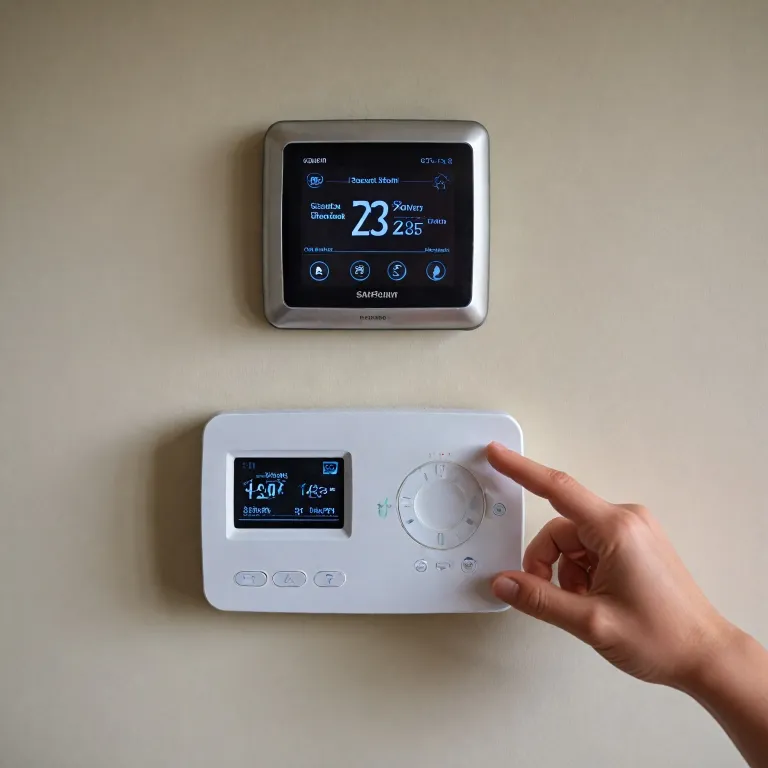
Why thermostat battery health matters for smart comfort
A modern smart thermostat depends on a stable thermostat battery to keep your home comfortable. When the battery or thermostat batteries weaken, the device can lose power, forget schedules, and interrupt heating cooling at the worst moment. A low thermostat battery can even stop communication with your HVAC system, leaving rooms cold or overheated.
Many wall units still rely on AA or AAA alkaline batteries, even when a wire provides partial power from the HVAC system. These alkaline batteries usually last between twelve and eighteen months, but frequent screen use or extreme temperatures can shorten that lifespan significantly. Choosing high quality alkaline batteries and checking them regularly is a simple way to protect an expensive smart thermostat and the wider hvac system.
Smart models such as a nest thermostat or another learning thermostat often use batteries both for backup and for powering Wi-Fi radios. When the internal battery runs low, the thermostat display may dim, freeze, or show a persistent low battery warning that confuses homeowners. If you ignore repeated low battery alerts, the thermostat can shut down entirely and interrupt air conditioning or heating cooling cycles.
Professionals emphasize that a good maintenance habit is to change batteries before they fail. As one technician notes, “Regularly replacing thermostat batteries ensures consistent performance and prevents unexpected system failures.” Treat the thermostat battery as part of routine hvac care, just like filter changes, because this small component quietly protects comfort, safety, and energy efficiency.
Understanding thermostat battery types, brands, and lifespans
Most non wired models use AA or AAA alkaline batteries, while some compact designs rely on AAA alkaline cells to save space. These alkaline batteries are affordable and widely available, making them a practical choice for quick battery replacement in busy households. However, if your thermostat battery sits in an unheated hallway or garage, lithium batteries may offer more reliable power in low temperatures.
Smart brands such as nest design each nest thermostat to work within a specific voltage range, so mixing battery types can cause low battery warnings. Always check the manual for the recommended battery replacement type and preferred brand before you change batteries in any learning thermostat. Using high quality alkaline batteries or approved lithium cells helps the thermostat display stay bright and responsive, even when your hvac system cycles frequently.
Some homeowners assume that a good smart thermostat connected to a C wire never needs batteries. In reality, many nest learning models and other learning thermostat designs still include internal batteries or thermostat batteries that stabilize power during brief outages. When those internal batteries low alerts appear, you may need to replace batteries in the wall unit or schedule service if you cannot easily remove batteries yourself.
Energy efficient devices place very low power demands on their batteries, but Wi-Fi radios and bright screens still consume energy. Choosing a reputable brand of alkaline batteries and planning an annual thermostat battery replacement can prevent nuisance low battery messages. For broader guidance on selecting efficient models, you can review this resource on the benefits of choosing an Energy Star certified smart thermostat, then match those insights with careful battery maintenance.
How thermostat batteries interact with your HVAC system
Behind the thermostat display, a network of wire connections links the device to your hvac system. Even when a thermostat battery provides primary power, those wires carry control signals that start air conditioning or heating cooling cycles. If thermostat batteries fail mid cycle, the system can stop abruptly, which may stress compressors or blowers over time.
In many installations, a C wire delivers continuous low voltage power, reducing the load on each thermostat battery. However, smart devices such as a nest thermostat or other nest learning models often keep internal batteries as a backup against outages. When those internal batteries low alerts appear, they signal that the device is struggling to maintain true high reliability during brief power interruptions.
Some homeowners worry that a battery replacement might reset the learning features of a learning thermostat. In practice, most smart brands store schedules and learning data in non volatile memory, so you can change batteries without losing carefully tuned comfort patterns. Still, it is helpful to check settings after you replace batteries, ensuring that air conditioning and heating cooling programs remain aligned with your daily routine.
If you must pull thermostat units off the wall to remove batteries, handle the wire bundle gently to avoid loosening connections. A loose wire can mimic the symptoms of batteries low, causing the thermostat display to flicker or the hvac system to ignore commands. For a deeper understanding of how these components work together, consult this guide on understanding the key components of a heat pump, then relate that knowledge to your own thermostat battery setup.
Recognizing low battery symptoms and avoiding sudden failures
Early signs of a low thermostat battery often appear subtly on the thermostat display. You may notice the screen dimming, delayed responses to button presses, or intermittent low battery icons that vanish after a few seconds. In smart models such as a nest thermostat, you might also receive mobile alerts warning that thermostat batteries are running low.
As batteries continue to weaken, the device can lose Wi-Fi connectivity, which undermines the learning features of a learning thermostat. Without reliable power, a nest learning model cannot accurately learn your schedule or adjust heating cooling patterns to save energy. Eventually, the thermostat battery may fail completely, shutting down the hvac system and leaving rooms uncomfortable until you perform a battery replacement.
To avoid these disruptions, treat any low battery message as a prompt to change batteries within a day or two. Keep a small stock of high quality alkaline batteries or compatible lithium cells so that thermostat batteries can be replaced immediately. When you pull thermostat units from the wall to remove batteries, inspect the compartment for corrosion, which can indicate leaking batteries low in quality.
If corrosion appears, carefully clean the contacts according to manufacturer guidance before you replace batteries and restore power. After installing fresh AAA alkaline or AA cells, confirm that the thermostat display returns to normal brightness and that the hvac system responds quickly. These simple checks help ensure that a good smart thermostat continues to manage air conditioning and heating cooling efficiently, without unexpected downtime.
Step by step guide to safe thermostat battery replacement
Before starting any thermostat battery replacement, switch your hvac system to off at the thermostat to prevent mid cycle interruptions. Gently pull thermostat units straight toward you to avoid stressing each wire that connects the device to the wall plate. Once removed, locate the battery compartment, which usually holds AA or AAA alkaline batteries in a simple clip or tray.
Note the orientation of the existing thermostat batteries, then remove batteries carefully to avoid bending contacts. If you see white residue or rust, the old batteries low in quality may have leaked and damaged the compartment. In that case, use a cotton swab and a small amount of approved cleaner to help restore good contact surfaces before inserting new cells.
Install fresh high quality alkaline batteries or the specific brand recommended for your nest thermostat or other learning thermostat. Confirm that each thermostat battery sits firmly in place, then reattach the device to the wall, ensuring every wire remains secure. When the thermostat display powers up, check for any lingering low battery warnings and verify that the hvac system responds to a call for air conditioning or heating cooling.
After you replace batteries, take a moment to review schedules and comfort settings, especially on a nest learning model that adapts to your habits. This quick review helps the smart system learn accurately and maintain true high efficiency over time. For broader planning, you can consult this guide on how to choose the best smart thermostat for your home, then align your thermostat battery maintenance with the capabilities of your chosen brand.
Best practices to extend thermostat battery life and reliability
To maximize thermostat battery life, start by choosing high quality alkaline batteries from a reputable brand rather than untested discount options. These better thermostat batteries provide more stable voltage, which helps a nest thermostat or other smart model avoid nuisance low battery alerts. In colder spaces, consider lithium cells if the manufacturer allows them, because they maintain power more effectively when temperatures drop low.
Adjusting screen brightness and timeout settings on a learning thermostat can significantly reduce power consumption. A dimmer thermostat display that turns off quickly still provides helpful information while placing less strain on the thermostat battery. Over months of operation, this lower power demand can delay the next battery replacement and keep your hvac system running smoothly.
Schedule a reminder to change batteries at least once a year, even if no low battery icon has appeared. During that appointment, pull thermostat units gently from the wall, inspect each wire, and remove batteries to check for early signs of leakage. Reinstall fresh AAA alkaline or AA cells, then confirm that air conditioning and heating cooling respond promptly to new commands.
Finally, dispose of old batteries responsibly through local recycling programs rather than throwing thermostat batteries into household waste. This practice protects the environment and aligns with emerging policies that may restrict certain battery types in the future. By combining thoughtful battery replacement habits with a good smart thermostat and a well maintained hvac system, you create a reliable, energy efficient comfort strategy for every season.
Key statistics about thermostat batteries
- Typical AA or AAA alkaline thermostat batteries provide around 12 to 18 months of service in standard home conditions.
- Lithium batteries used in some thermostats can operate effectively for approximately 24 to 36 months before replacement.
- Upgrading to an energy efficient smart thermostat, supported by a reliable thermostat battery, can save an estimated 150 USD per year on energy bills.
- Smart thermostat adoption continues to grow among homeowners, renters, and commercial property managers, with roughly three quarters of users reporting regular interaction with their devices.
Frequently asked questions about thermostat batteries
How often should I replace thermostat batteries in a smart thermostat?
Most manufacturers recommend replacing thermostat batteries every twelve months, even if no low battery warning appears. Heavy use of Wi-Fi features or bright displays may justify more frequent checks. An annual schedule reduces the risk of sudden shutdowns during extreme weather.
Can a thermostat work without batteries if it has a C wire?
Some thermostats can operate entirely from the C wire, but many smart models still include internal batteries. These batteries stabilize power and preserve functions during brief outages. Always follow the manufacturer’s guidance on whether batteries remain necessary.
What type of batteries are best for my thermostat?
High quality alkaline batteries suit most residential thermostats and offer a good balance of cost and performance. In colder or unconditioned spaces, lithium batteries may provide more reliable power. Check the user manual to confirm which battery chemistry your model supports.
Why does my thermostat show a low battery warning soon after replacement?
This can happen if the new batteries were old stock, partially discharged, or not the recommended type. It may also indicate corroded contacts or a wiring issue that stresses the thermostat battery. Inspect the compartment and wiring, then try another set of fresh, brand approved cells.
Can dead thermostat batteries damage my HVAC system?
Dead batteries usually do not directly damage the hvac system, but they can cause abrupt shutdowns or erratic control signals. Over time, repeated interruptions may place extra wear on components such as compressors. Timely battery replacement helps maintain smoother, more predictable operation.