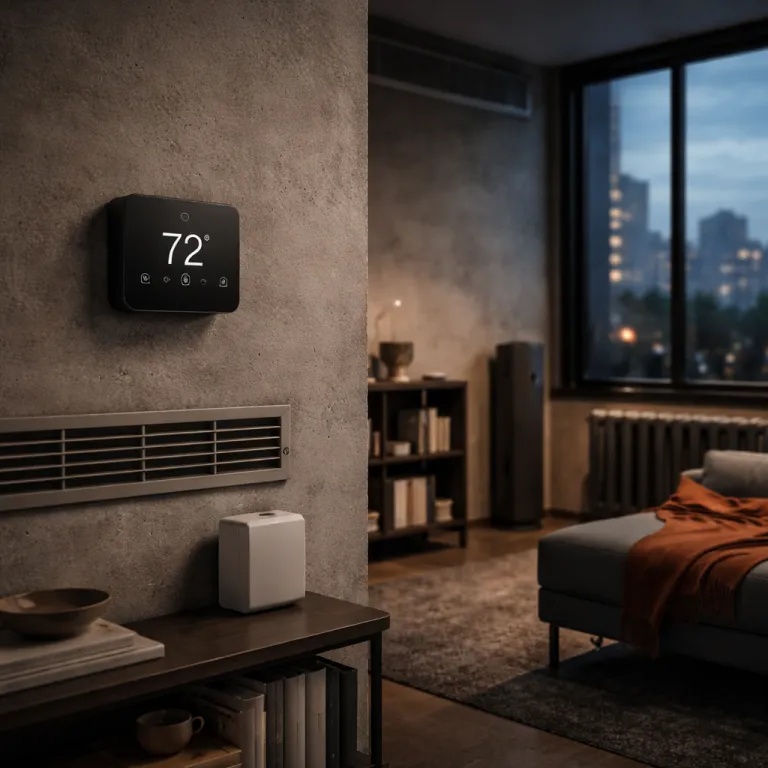

When smart thermostat AI features move from hype to real control
Smart thermostat AI features now claim to manage every temperature decision for you. Behind the marketing, only a few smart thermostats actually use adaptive learning to coordinate heating, cooling, and energy saving across the whole HVAC system. The gap between a basic connected thermostat and a true learning thermostat is now wide enough to affect your comfort and your gas or electric heating bill.
The latest Nest Learning Thermostat 4th Gen and Ecobee Smart Thermostat Premium show how artificial intelligence can shape real time temperature control rather than just run a fixed schedule. Nest Learning uses on device algorithms, a Soli radar presence sensor, and a temperature sensor network to build an auto schedule in roughly one week of use, while Ecobee leans on remote sensors and its Eco+ software to react to time of use price signals from utilities. In independent field tests cited by manufacturers and utility pilot programs, Nest style learning has cut heating and cooling use by around 10–15% in typical homes, while Ecobee’s time of use optimization has shifted a measurable share of run time out of peak price windows. Both products try to save energy by cutting unnecessary heating cooling cycles, but they do it with very different system logic that matters for users with complex HVAC systems or hybrid heat pump and electric heating setups.
Homeowners comparing thermostat gen options now need to look past the word smart and focus on specific behaviors such as auxiliary heat lockout, smart recovery, and geofencing quality. A thermostat that simply drops to a fixed eco temperature when the Google app geofence triggers away mode is not using advanced learning, even if the app calls it AI. The best way to judge real energy savings is to open your thermostat app history, check the schedule that the system created, and see whether the control patterns actually changed after several weeks of use.
For readers who want a broader view of touchscreen and programmable devices before diving into AI, a detailed comparison of top touchscreen programmable thermostats is available on a specialized smart thermostat review site. That kind of guide helps you separate basic connected devices from smart thermostats that genuinely adapt to users and rooms through sensors. Once you understand the baseline, it becomes easier to see when a thermostat Google integration or smart speaker control is just voice convenience and when it is part of a deeper learning system that can really save money.
Learning thermostats, Nest, and Ecobee: where AI actually earns its keep
AI in a smart thermostat matters most when it touches the HVAC systems themselves, not just the app interface. Nest Learning 4th Gen, often called the flagship Google Nest Learning Thermostat, uses its Soli radar sensor to detect presence, its temperature sensors to track Nest temperature in different rooms, and its learning algorithms to shape a schedule that reduces wasted heating time. Ecobee Smart Thermostat Premium takes a different path, using multiple room sensors, Eco+ demand response features, and time of use price optimization to shift heating cooling loads away from the most expensive hours.
Both brands now talk about system level intelligence, where the thermostat, the heat pump, and the grid signals work together for energy savings. In practice, that means features like auxiliary heat lockout for electric heating with heat pumps, smart recovery that starts the system early so the temperature reaches the set point exactly at the scheduled time, and demand response events that automatically pre cool or pre heat before a peak price window. These behaviors go beyond simple geofencing and show up clearly in the schedule log, where users can see the system adjusting start times and run lengths without manual control changes.
Some features that sound advanced are still just rules, not learning. A basic smart thermostat might offer a fixed eco mode, a simple away temperature, and a one zone temperature sensor, then market this as AI driven temperature control, but the system never actually adapts to your patterns. When you read about AI powered air quality management or thermostat Google integrations, check whether the device is only turning the fan on when a sensor crosses a threshold or whether it is correlating occupancy, outdoor conditions, and time based energy price signals to change how the HVAC system runs.
Quick comparison: Nest Learning vs Ecobee Premium
- Learning style: Nest builds an auto schedule from occupancy and manual changes; Ecobee uses comfort profiles and Eco+ adjustments.
- Aux heat lockout: Both support lockout for heat pumps, but Ecobee typically exposes more granular lockout temperature controls.
- Smart recovery: Nest emphasizes early on learning so set points are met on time; Ecobee focuses on pre heating and pre cooling tied to comfort profiles.
- Time of use handling: Nest can respond to utility programs and seasonal savings; Ecobee’s Eco+ is built around time of use and demand response events.
- Sensor strategy: Nest relies on a mix of built in and optional sensors; Ecobee leans heavily on multiple room sensors for occupancy and temperature averaging.
Homeowners who care about a calmer interface and less fiddling may also look at more minimalist options such as the Zen style thermostat designs covered in a dedicated guide to tranquil thermostat interfaces. Those products still rely on smart sensors and apps, yet they prioritize simple control and clear feedback over dense data screens. For many users, that balance between visible intelligence and quiet operation matters more than one extra AI feature in the Google app.
How to audit your own AI thermostat and what to watch next
Once a smart thermostat is on the wall, the real question is whether its AI is doing anything measurable for your home. The most direct test is to open the app, look at the schedule history, and compare the first week of use with the latest week, checking whether the learning thermostat has shifted set points, start times, or temperature control patterns based on your behavior. If the schedule still looks like the original template, you are probably seeing rules dressed up as smart thermostat AI features rather than genuine learning.
On Nest Learning and other thermostat gen models, you can usually see icons or logs for auto schedule changes, early on smart recovery events, and eco or away activations triggered by sensors or the Google app geofence. Ecobee Premium and similar smart thermostats with Eco+ will show demand response events, time of use adjustments, and comfort profile changes that aim to save money during peak price windows while keeping the temperature within a narrow comfort band. These are the concrete signs that the system is coordinating with HVAC systems and grid signals instead of just following a static program.
Sample app schedule and activity log (text mockup)
Week 1 (initial)
06:00  Heat to 70°F
08:00  Setback to 65°F (Away)
17:30  Heat to 70°F
22:30  Setback to 66°F (Sleep)

Week 4 (after learning)
05:40  Early-On: Heat to 70°F (Smart recovery)
08:15  Auto-Away: 65°F (No motion detected)
16:45  Pre-heat to 69°F (TOU pre-heat event)
18:00  Comfort: 70°F (Occupancy detected in living room)
22:15  Eco Sleep: 66°F (Schedule adjusted from 22:30)

Events log
• Tue 17:00  Utility DR event: Setpoint raised by 2°F for 1 hour
• Thu 06:00  Auto-schedule: Morning setpoint reduced from 71°F to 70°F
• Sat 10:30  Aux heat lockout active: Heat pump only (outdoor 40°F)
Looking ahead, the most meaningful firmware updates will be the ones that expand system level optimization rather than add another app skin or smart speaker integration. Watch for updates that improve compatibility with more complex HVAC system types, refine how temperature sensors are weighted in different rooms, and add more granular control over auxiliary heat lockout for electric heating and dual fuel setups. Also pay attention to any new real time air quality features that can run the fan or ventilation system in smarter ways, because those can improve comfort and health without a big energy penalty.
For homeowners still choosing between brands, independent comparisons of top learning thermostats can help clarify which models already deliver these behaviors and which are still catching up. Those reviews often highlight subtle but important differences in compatibility, sensor accuracy, and long term energy saving performance that do not show up on the box. In the end, the smartest thermostat is the one that quietly reshapes your heating and cooling patterns so that the only number you really notice is not the app interface, but the February gas bill.
Key statistics on AI smart thermostats and learning systems
- Global adoption of smart thermostats has grown steadily, with millions of devices now coordinating HVAC systems, heat pumps, and grid signals for improved energy savings according to manufacturer sales data and utility program reports.
- Independent field studies and utility pilots have shown that learning thermostats can reduce heating and cooling energy use by double digit percentages in many homes, especially when paired with time of use electricity tariffs and demand response incentives.
- Utilities in multiple regions now offer demand response programs that pay users to let AI enabled thermostats shift temperature set points during peak periods, creating measurable grid level benefits and documented peak load reductions.
- Modern smart thermostats increasingly rely on multiple temperature sensors and occupancy sensors, which improves comfort by reducing room to room temperature swings compared with single point control and supports more precise zoning.
- Before buying, a quick compatibility checklist should confirm support for your HVAC system type, the presence of a C wire or a reliable power alternative, any zoning or dual fuel controls, and whether extra sensors or accessories such as humidifiers will integrate cleanly.
Questions homeowners also ask about smart thermostat AI features
How can I tell if my smart thermostat is really using AI?
Check the schedule and activity logs in your thermostat app over several weeks and look for automatic changes to set points, start times, and eco or away modes that you did not program manually. If the system is adjusting based on occupancy, time of day, and past behavior, it is likely using learning algorithms rather than just fixed rules. If everything looks identical to the initial setup, the AI claims may be mostly marketing.
Do learning thermostats always save money on energy bills?
Learning thermostats can save money when they reduce unnecessary heating and cooling without sacrificing comfort, especially in homes with regular occupancy patterns and responsive HVAC systems. Savings are usually higher when the thermostat can react to time of use electricity prices or demand response events from your utility. In homes with very irregular schedules or poorly insulated envelopes, the impact may be smaller, so results vary by building and behavior.
What compatibility issues should I check before buying a smart thermostat?
Before purchasing, confirm that the thermostat supports your HVAC system type, including heat pump, dual fuel, multi stage equipment, or electric heating with baseboards or radiant systems. Check whether you have a C wire for power or whether the thermostat can work reliably without one, and verify compatibility with any existing zoning controls or accessories such as humidifiers. Reviewing the manufacturer’s compatibility tool and, when in doubt, consulting an HVAC professional can prevent expensive rewiring or returns.
Are extra temperature sensors worth paying for?
Additional temperature sensors can significantly improve comfort in homes where the main thermostat location does not represent the average room temperature, such as hallways or near exterior doors. By averaging or prioritizing readings from occupied rooms, the system can reduce hot and cold spots and run the HVAC equipment more efficiently. For multi story homes or open plan layouts, the extra cost of sensors often pays off in both comfort and more stable energy use.
How do smart thermostats help with air quality?
Some smart thermostats integrate with air quality sensors or use built in sensors to monitor metrics such as humidity, volatile organic compounds, or particulate levels. When thresholds are crossed, the thermostat can run the fan, activate ventilation equipment, or adjust temperature and humidity targets to maintain healthier indoor air. These features can improve comfort and health, although they should complement, not replace, dedicated filtration and ventilation strategies.