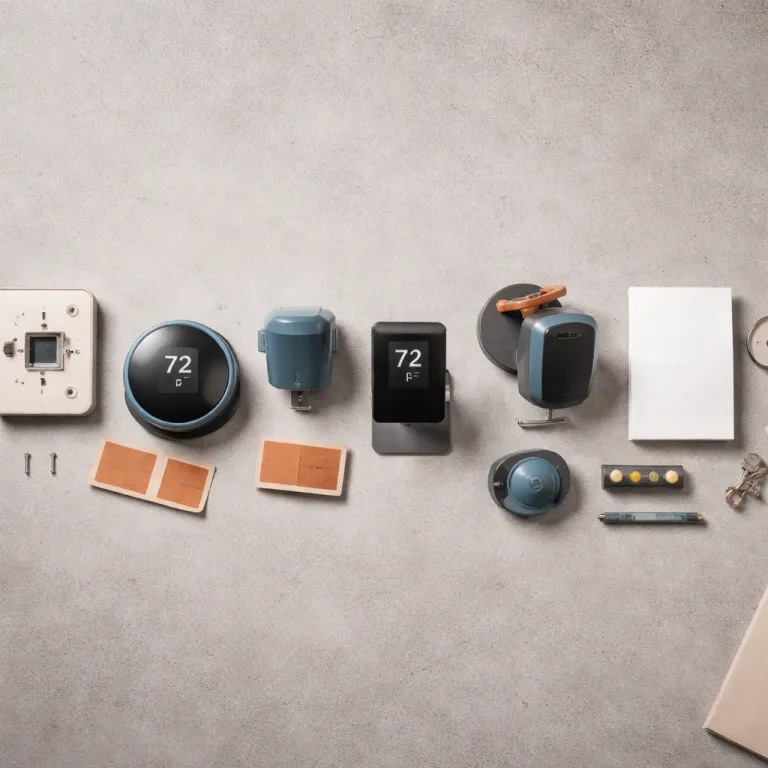
Why a smart thermostat for renters lives or dies on the lease
A smart thermostat for renters only makes sense if it keeps both tenants and landlords comfortable. When you choose connected thermostats that swap in and out without scars, you protect your deposit while still gaining real energy savings and better temperature control. The goal is simple yet strict: enjoy smart devices and smarter heating and cooling without changing anything your property owner can see once you move out.
Think of your rental as a temporary shell where the thermostat is the only negotiable part of the heating system. If the only change is behind the thermostat face and the original control can be reinstalled in five to ten minutes, most landlords and property owners quietly accept the upgrade because the wall looks untouched. That lease‑safe rule of thumb is what separates the best smart options for tenants from the kind of thermostat hardware that belongs in a long‑term home you actually own.
Many renters search for a smart thermostat because they want to save money on heating and cooling without fighting clunky dials. A modern Wi‑Fi thermostat lets you set precise temperature schedules, use sensors to avoid overheating empty rooms, and track energy use in an app that makes waste obvious. The right smart thermostats help you save energy and protect the property while still respecting every privacy policy and house rule in your building.
The three wiring scenarios every renter must identify first
Before you buy any smart thermostat for renters, you must know what kind of heating or cooling system your apartment actually uses. Every smart thermostat, from a basic Amazon Smart Thermostat to a premium learning thermostat, expects either low‑voltage wires, high‑voltage lines, or something in between for window units and PTACs. Get this wrong and you will either waste money on incompatible smart devices or, worse, damage the property and upset your landlords.
The first and most common scenario is a standard 24‑volt HVAC system, usually central heating and cooling with a wall thermostat that has thin multi‑colored wires. In these homes, models such as the Amazon Smart Thermostat, Honeywell Home T5, and many ecobee smart thermostats can usually replace the existing thermostat safely, especially when a C‑wire adapter is included in the box. These smart options give tenants app control, voice integration with Amazon Alexa or Google Assistant, and enough automation to save energy without touching anything beyond the thermostat plate.
The second scenario is line‑voltage baseboard or electric radiant heating, which is common in older apartments and some compact rentals. Here you need a thermostat smart enough to handle high voltage, such as Mysa thermostats that are designed specifically for electric baseboard heating systems and that still let you set schedules and track energy savings through an app. Because line‑voltage circuits can be hazardous, many renters are required by building rules or local codes to involve a licensed electrician or obtain landlord approval before replacing an existing control.
A third scenario involves window air conditioners or PTAC units, where you may need a plug‑in smart device or a dedicated controller rather than a wall thermostat, and renters who travel with similar gear can learn more from guides about enhancing comfort with a thermostat upgrade in small spaces such as RVs. To match wiring to specific products, use this quick compatibility table:
| System type | Typical wiring clues | Smart control options | Key cautions for renters |
|---|---|---|---|
| 24‑volt central HVAC | Thin multi‑colored control wires on a low‑voltage wall plate | Amazon Smart Thermostat, Honeywell Home T5, or comparable ecobee models with a power extender or C‑wire adapter | Check whether your system has a true C‑wire; some Nest and ecobee models can “power share” from other wires, but unstable power may cause short cycling or Wi‑Fi drops, so a proper common wire or adapter is often safer in rentals |
| Line‑voltage electric baseboard | Thick conductors, wire nuts, and labels such as 120 V or 240 V inside the box | Mysa or other line‑voltage smart thermostats rated for your amperage and voltage | High‑voltage work can be dangerous; follow manufacturer instructions, shut off breakers, and use a qualified electrician or landlord‑approved installer when required |
| Window AC or PTAC | Plug‑in unit with onboard controls or a hotel‑style wall chassis | Smart plug, IR‑based controller, or PTAC‑specific module that adds app scheduling without opening the unit or rewiring the wall | Avoid devices that demand permanent modifications to the unit, wall sleeve, or building wiring unless your lease explicitly allows it |
What not to buy as a renter who values a clean exit
Some smart thermostats are built for permanent property management projects, not for tenants who need to leave walls pristine. Avoid any thermostat ecosystem that requires drilling new holes, running low‑voltage cables through walls, or installing wired‑in hubs that stay with the property after you move. Those systems might be the best smart choice for property owners planning whole‑building energy savings, but they are the worst fit for renters who must reinstall the original thermostat quickly.
Be wary of premium bundles that include hard‑wired sensors for every room, especially when they require cutting into drywall or modifying baseboards. A renter‑friendly smart thermostat should rely on wireless sensors, adhesive mounts that release cleanly, and simple screw holes that match the existing thermostat footprint so that landlords never see a change. If a product page suggests professional installation, panel rewiring, or integration with building‑wide HVAC systems, treat it as a red flag unless your landlord has explicitly asked for that level of control.
Also skip any smart thermostats that lock you into a single property management platform where your landlord can change temperature settings remotely without clear consent. Renters should choose smart thermostats that keep control in the tenants’ hands, offer transparent privacy policy terms, and allow you to erase data when you leave. For a deeper breakdown of which smart thermostat models actually work in rentals without a C‑wire or landlord permission, you can consult a dedicated guide on smart thermostats for rentals that focuses on non‑invasive options.
Lease safe models and why wiring details matter more than logos
For a renter, the best smart thermostat is not the flashiest one; it is the one that goes on and off the wall without drama. The Amazon Smart Thermostat sits near the top of that list because it includes a C‑wire adapter, works with many standard HVAC systems, and usually lets tenants swap the original thermostat back in about five minutes. Honeywell Home T5 thermostats offer a similar lease‑safe profile, with a simple rectangular footprint that often covers old paint lines and gives you reliable app control without demanding a professional installer.
If your apartment uses electric baseboard heating, Mysa thermostats are among the few smart devices designed for that specific heating type. They handle line voltage safely, give you detailed energy usage reports, and let you set temperature schedules that help you save money without touching the building’s main electrical panel. In both cases, the key is that these smart thermostats respect the property by using existing wiring and screw holes, which keeps landlords calm and security deposits intact.
Renters tempted by a premium Google Nest or ecobee smart model should look closely at wiring requirements before buying. A Nest Learning Thermostat or an ecobee smart thermostat with voice control and built‑in speaker can be excellent in a house you own, but they sometimes need a stable C‑wire or a separate power extender kit that not every rental can support. While some Nest and ecobee units can operate by drawing “power steal” from other control wires, that workaround may not be reliable on older furnaces or shared systems, so reading a detailed guide on thermostat compatibility traps helps you avoid discovering missing wires only after you have already removed the old thermostat.
The move out kit and the one sentence to your landlord
A smart thermostat for renters only pays off if move‑out day is boring. When you first remove the original thermostat, take a clear photo of the wiring, label each conductor with tape, and store the old thermostat, screws, and wall anchors in a small bag marked with the property address. That simple move‑out kit lets tenants reverse the upgrade in ten minutes, leaving the property looking exactly as it did before any smart thermostats arrived.
During installation, avoid over‑tightening screws or enlarging holes, because those small details are what landlords notice during inspections. Keep the wall plate from the original thermostat in the same bag as the device, and write down the exact model number so you can look up wiring diagrams later if the photo is not enough. When it is time to leave, you simply set the smart thermostat aside, reinstall the original thermostat using your photo as a map, and wipe the wall so there is no dust ring around the plate.
For a clear, step‑by‑step process, think in two phases: install and restore. On install day, (1) shut off power to the heating and cooling system, (2) photograph the old wiring, (3) label each wire, (4) mount the new backplate using existing holes, and (5) connect wires to the labeled terminals before turning power back on and running the app setup. On move‑out day, (1) power the system off again, (2) remove the smart thermostat, (3) use your original photo to reconnect each wire to the old thermostat, (4) remount the original wall plate, and (5) clean the area and factory‑reset the smart device so you can safely take it to your next home.
How to use smart features without annoying your neighbors or your bill
Once a smart thermostat for renters is on the wall, the real value comes from how you use it day to day. Start by setting a basic schedule that lowers the temperature when you are at work and raises it shortly before you return, because that alone can deliver meaningful energy savings in most heating systems. Many smart thermostats also let you add occupancy sensors or use your phone’s location, so the thermostat can automatically set back the temperature when everyone leaves the property.
If you choose a Google Nest or Nest Learning Thermostat, the device will gradually learn your patterns and build a schedule that balances comfort with efficiency. Ecobee smart thermostats often include remote sensors that help even out hot and cold spots, which is especially useful in long apartments where the thermostat sits in a hallway far from the bedroom. Both brands integrate with Amazon Alexa, Google Assistant, and other smart devices, so you can control heating and cooling with your voice or a quick app tap instead of walking to the wall.
For renters who value privacy, it is worth reading each thermostat’s privacy policy carefully before enabling voice features or linking extra services. A premium model with a built‑in speaker can be convenient, but you should understand what data is stored, how long it is kept, and whether landlords or property management companies can access any of it. Used thoughtfully, a smart thermostat helps tenants save energy, save money, and stay comfortable, and the real test of success shows up not in the app interface but in the winter gas bill.
Key statistics on smart thermostats and rental energy use
- According to the United States Environmental Protection Agency’s ENERGY STAR program (most recently summarized in 2023 on the official ENERGY STAR website), programmable and smart thermostats can reduce heating and cooling energy use by around 8 percent when schedules are set correctly, which translates into noticeable savings for tenants on tight budgets.
- Data from the United States Energy Information Administration’s Residential Energy Consumption Survey (2015 and 2020 releases, available through the EIA’s official data portal) shows that space heating and cooling together account for roughly half of household energy consumption, so even small efficiency gains from smart thermostats can significantly lower overall apartment energy costs.
- Studies cited by the American Council for an Energy‑Efficient Economy, including analyses published between 2018 and 2022 in ACEEE research reports and conference papers, report that households using connected thermostats with occupancy‑based control features often achieve 10 to 12 percent lower heating bills compared with manual thermostats, especially in climates with large seasonal swings.
- Market research from firms such as Statista, reflected in smart home device reports from 2019 through 2023 on the Statista research platform, indicates that smart thermostat adoption has grown steadily over the past decade, with tens of millions of devices installed worldwide, and a rising share of those installations occurring in rental properties rather than only in owner‑occupied homes.
FAQ: smart thermostat for renters
Can I legally install a smart thermostat in my rental apartment ?
In many leases, tenants can replace a thermostat as long as they do not damage the property and they reinstall the original thermostat before moving out. You should always check your lease and get written permission from your landlord, especially in buildings with shared HVAC systems or strict maintenance rules. A short email explaining that the change is reversible and will help you save energy usually works well.
Which smart thermostats are easiest for renters to install and remove ?
Models such as the Amazon Smart Thermostat and Honeywell Home T5 are popular with renters because they work with common 24‑volt HVAC systems and often include clear wiring labels or C‑wire adapters. For electric baseboard heating, Mysa thermostats are designed for line voltage and still offer app control and scheduling. The best smart choice is the one that matches your wiring and uses the same screw holes as the original thermostat.
Will a smart thermostat really help me save money in a small apartment ?
Even in compact rentals, a smart thermostat can reduce wasted heating and cooling by automatically lowering the temperature when you are asleep or away. Over a full heating season, those small adjustments can add up to meaningful energy savings, especially in regions with cold winters or hot summers. Many tenants see the device pay for itself within one or two years through lower utility bills.
Do smart thermostats work with window air conditioners or PTAC units ?
Most traditional wall‑mounted smart thermostats are designed for central HVAC systems, not plug‑in window units or PTACs. However, some smart devices act as remote controllers or smart plugs for those systems, giving you app control and scheduling without rewiring the property. Always check compatibility details carefully and avoid any product that requires permanent modifications to the wall or electrical circuits in a rental.
What happens to my smart thermostat data when I move out ?
When you leave a rental, you can usually remove the smart thermostat, reset it to factory settings, and take it with you to your next home. Most manufacturers let you delete your account or clear historical temperature and occupancy data through the app or website. Reading the privacy policy before purchase helps you understand how long data is stored and what control you have over it after you move.