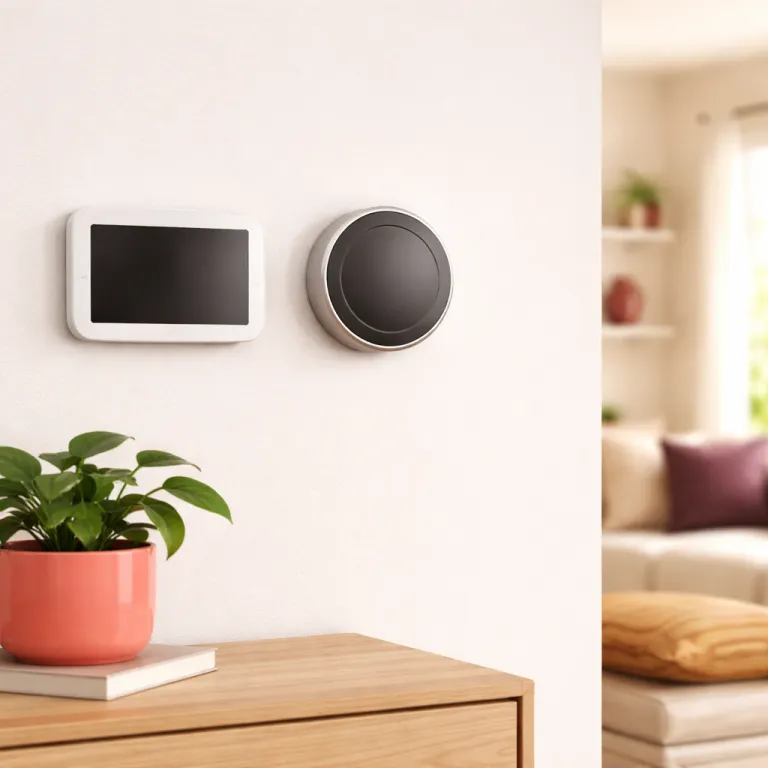
Wifi thermostat vs learning thermostat explained in plain language
A wifi thermostat connects to your home network and lets you change the temperature from an app. A learning thermostat goes further because it watches how you use heating and cooling over time and then builds its own schedule automatically. When people compare a wifi thermostat vs learning thermostat, they are really comparing manual control with remote access against a smart thermostat that tries to think for itself.
In practice, both types are smart thermostats because both connect online, talk to your HVAC system, and give you detailed energy reports. The difference is that a basic smart thermostat with Wi‑Fi, such as the Honeywell Home RTH9585 or the Sensi Touch 2 model, waits for you to program schedules and adjust temperature manually, while a learning thermostat such as the Nest Learning Thermostat or Ecobee Smart Thermostat Premium uses a learning feature and temperature sensor data to predict what you will want. That is why the same wifi thermostats can feel either empowering or annoying, depending on how much time you are willing to spend inside the app.
Think of it this way ; a wifi thermostat is like cruise control, while a learning thermostat is closer to adaptive cruise that speeds up and slows down for traffic. Both thermostats can run eco mode to save energy, both can integrate with the Google app or Apple Home, and both can support multiple HVAC systems if wired correctly. The real wifi thermostat vs learning thermostat decision is about whether you want to teach the thermostat once and lock in a schedule, or let the thermostat nest into your daily routine and keep changing settings in the background.
How learning thermostats actually work in real homes
A true learning thermostat does not just copy a seven day schedule that you type in once. Instead, devices such as the Nest Learning Thermostat and Ecobee Smart Thermostat Premium watch when you change the temperature, which rooms feel occupied, and how long your HVAC system takes to respond. Over one or two weeks, the learning feature builds a pattern so the smart thermostat can pre heat or pre cool before you wake up or arrive home.
Google Nest thermostats use built in motion and light sensors, optional remote temperature sensors, and the Google app to infer when you are home, then they adjust temperature automatically. Ecobee smart thermostats lean heavily on room temperature sensor accessories, which you can place in bedrooms or a home office to balance comfort, and the thermostat will average readings to avoid hot and cold spots. In both cases, the thermostat gen hardware and software try to reduce wasted energy by turning down heating cooling when nobody is around, then resuming comfort before you notice a change.
That learning sounds magical, but it is not always the best choice for every thermostat nest buyer. If your schedule is extremely predictable, such as a nine to five job with the same commute every day, a simple wifi thermostat with a clear app and manual schedule can match the energy savings of a premium nest thermostat or other learning thermostats. For households with irregular shifts, gig work, or frequent travel, the learning thermostat advantage compounds over time, because the smart thermostats keep adapting instead of relying on a fixed program that you will forget to change.
When a basic Wi‑Fi thermostat is all the smart you need
For many homeowners, the most cost effective answer in the wifi thermostat vs learning thermostat debate is a solid Wi‑Fi thermostat with a good app and no advanced learning. Units such as the Honeywell RTH9585 or Emerson Sensi Touch 2 cost between 50 and 100 dollars, yet they still give you remote control, flexible schedules, and clear energy usage reports. If you already know your routine and rarely change it, these thermostats can deliver nearly the same energy savings as a 250 dollar premium model.
Consider a household where everyone leaves at 8 in the morning and returns at 18 in the evening, five days a week, with lazy weekends at home. A smart thermostat with Wi‑Fi lets you program a weekday setback schedule once, then you only open the app to adjust temperature during vacations or heat waves, and the HVAC system simply follows orders. In this scenario, the learning thermostat has little extra to learn, so its advanced sensor array, eco mode algorithms, and power hungry screen do not translate into much additional energy savings.
There is also a wiring angle that matters more than marketing admits. Many older homes lack a dedicated C wire or power connector, so choosing a wifi thermostat without a C wire becomes a practical necessity, and guides about selecting a Wi‑Fi thermostat without an AC wire can be more relevant than spec sheets. A simpler thermostat model usually draws less power, plays nicer with marginal HVAC systems, and avoids the need for a separate power connector kit that some nest thermostats and ecobee smart models require.
Where learning thermostats earn their premium price
Learning thermostats start around 200 dollars and climb toward 280 dollars for the most premium models, so you should expect more than a pretty dial. The Nest Learning Thermostat, the latest gen Nest Thermostat, and the Ecobee Smart Thermostat Premium all justify their higher price when your schedule is messy, your climate is extreme, or your energy rates are high. In those conditions, the constant micro adjustments that learning thermostats make can shave real money off your bill over time.
Imagine a nurse working rotating shifts, a freelancer who sometimes travels for a week, or a family juggling school runs, hybrid office days, and weekend sports. A learning thermostat with a strong learning feature, motion sensor, and temperature sensor network can track when the house is actually empty, then drop into eco mode without you opening the app, and that is where the wifi thermostat vs learning thermostat gap widens. Google Nest thermostats use presence sensing and the Google app for geofencing, while Ecobee smart thermostats rely on room sensors and occupancy detection, but both systems aim to cut heating cooling when nobody benefits from that energy.
Over a year, those automatic setbacks can offset the premium price of a nest thermostat or ecobee smart thermostat, especially in regions with long winters or hot summers. If you have multiple zones or complex HVAC systems, the smarter control logic in these thermostat gen devices can also reduce short cycling and improve air quality by running fans strategically. The key is that you must let the learning thermostat do its job, resist constant manual overrides, and give it enough time to understand your real life patterns.
The underrated middle ground: smart scheduling without heavy learning
Between a bare bones wifi thermostat and a fully autonomous learning thermostat sits a middle category that often makes the most sense. Products such as the Ecobee Enhanced, some thermostat nest models, and the non learning Google Nest Thermostat offer Wi‑Fi, strong apps, and smart features without aggressive self programming. You still get remote control, energy reports, and eco mode, but you remain firmly in charge of the schedule.
This middle ground works well for homeowners who like technology but do not want the thermostat to surprise them by changing temperature on its own. You can build a detailed schedule in the app, use a temperature sensor in key rooms, and rely on features such as pre heating, pre cooling, and fan circulation to improve comfort and air quality, while the thermostat respects your plan. In many homes, that balance of smart thermostats features and predictable behavior feels more trustworthy than a fully autonomous learning thermostat that keeps experimenting.
Compatibility is another reason to consider this tier of smart thermostat. Some gen Nest Thermostat models and Ecobee Enhanced units handle older two wire or four wire systems more gracefully, especially when paired with an add on power connector, and detailed guides about using a Nest Learning Thermostat with just four wires can help you avoid surprises. If you care about future proofing, it is also worth reading about Matter, Thread, and how your thermostat will integrate with new smart home standards, because protocol support can matter as much as any single learning feature when you upgrade other devices later.
Practical buying checklist for wifi thermostat vs learning thermostat
Before you choose between a wifi thermostat and a learning thermostat, start at the wall, not in the app store. Remove your existing thermostat faceplate, count how many wires you have, and note labels such as R, W, Y, G, and C, because wiring determines which smart thermostat models will work safely with your HVAC system. If you only see two or three wires and no C wire, you may need a power connector kit or a thermostat specifically designed for low power systems.
Next, map your household schedule honestly, not aspirationally. If most days look the same and someone is almost always home, a well designed wifi thermostat with a clear app, manual schedules, and a simple eco mode will probably match the savings of a premium nest learning thermostat or ecobee smart thermostat, while costing far less. If your life is chaotic, with frequent absences and changing routines, the learning thermostat side of the wifi thermostat vs learning thermostat comparison starts to look more attractive, because the device can react faster than you will.
Finally, think about comfort details that rarely appear on the box. Remote temperature sensors can fix that one freezing bedroom, better fan control can improve air quality, and a responsive app can save you from digging through tiny menus on the wall, while support for standards such as Matter and Thread can keep your thermostat gen device relevant longer than any single brand ecosystem. When you evaluate thermostat nest models, nest thermostats, and ecobee smart options, focus less on the marketing screenshots and more on how each thermostat will behave on a dark February morning when nobody wants to get out of bed to adjust temperature, because the real test is not the app interface, but the February gas bill.
Key statistics on smart thermostats, energy, and savings
- Smart thermostats certified by ENERGY STAR typically reduce heating and cooling energy use by about 8 percent, which means a household spending 600 dollars per year on HVAC energy might save around 48 dollars annually.
- Studies of Nest Learning Thermostat users have reported average heating savings of roughly 10 percent and cooling savings of about 15 percent, which can translate into 100 to 150 dollars per year in climates with heavy HVAC usage.
- Ecobee has reported that homes using its smart thermostats with remote temperature sensors and occupancy detection features save up to 23 percent on heating and cooling costs compared with maintaining a constant temperature.
- Basic Wi‑Fi thermostats in the 50 to 100 dollar range often reach payback in one to two years in regions with moderate energy prices, while premium learning thermostats in the 200 to 280 dollar range usually need two to three years of consistent use to fully pay back their higher upfront cost.
- Surveys of homeowners upgrading from older manual thermostats show that more than half primarily value remote app control and clear scheduling over advanced learning features, which explains why wifi thermostat vs learning thermostat debates often come down to usability rather than raw energy savings.
FAQ about wifi thermostats and learning thermostats
Is a learning thermostat always better than a Wi‑Fi thermostat ?
No, a learning thermostat is not always better than a Wi‑Fi thermostat, because the benefits depend heavily on your schedule and habits. If your routine is very predictable, a well programmed wifi thermostat can match the energy savings of a learning thermostat at a lower cost. Learning models shine when schedules are irregular and you would not reliably adjust temperature yourself.
How much can I realistically save with a smart thermostat ?
Most households see heating and cooling energy savings in the range of 5 to 15 percent after installing a smart thermostat, whether it is a wifi thermostat or a learning thermostat. The exact number depends on your climate, insulation, and how aggressively you use eco mode or setback schedules. Larger savings usually come from bigger temperature setbacks when you are away and from letting the thermostat automate those changes.
Do I need a C wire for a Nest or Ecobee thermostat ?
Many Nest thermostats and Ecobee smart thermostats work best with a dedicated C wire, because that wire provides continuous power for Wi‑Fi, sensors, and the display. Some models include or support a power connector kit that can substitute for a missing C wire, but installation is more complex and not ideal for every HVAC system. Checking your existing wiring before buying is essential to avoid compatibility problems.
Will a learning thermostat work if I keep changing the temperature manually ?
A learning thermostat can still work if you change the temperature manually, but constant overrides slow down or confuse the learning feature. The thermostat will keep trying to infer patterns from your changes, which might lead to schedules that do not match what you really want. For best results, set broad preferences, let the device learn for a few weeks, and then fine tune rather than adjusting it every hour.
Is a smart thermostat worth it if someone is always at home ?
A smart thermostat can still be worthwhile when someone is always at home, but the savings will be smaller because there are fewer opportunities for deep setbacks. In that case, the main benefits are comfort, remote control, better temperature sensor placement, and features that can improve air quality or manage multi stage HVAC systems. A midrange wifi thermostat with a strong app often makes more sense than a top tier learning thermostat for such households.