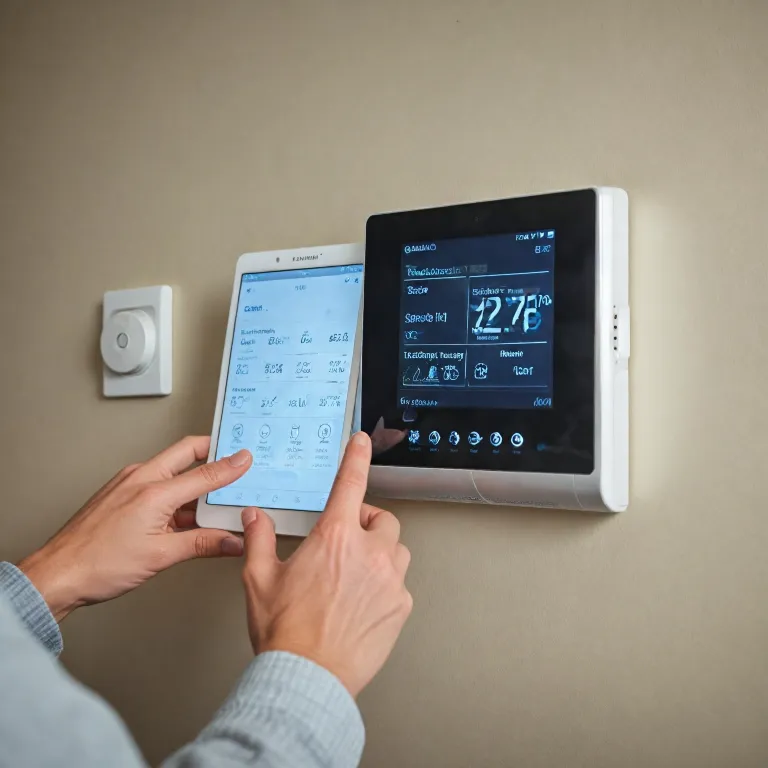

Understanding the Honeywell Pro Series thermostat
What Makes the Honeywell Pro Series Stand Out?
The Honeywell Pro Series thermostat is designed for both homeowners and professionals who want reliable control over their HVAC system. As a smart thermostat, it offers a blend of modern features and straightforward usability. You’ll find that the Pro Series is compatible with a wide range of equipment types, making it a flexible choice for many homes and businesses.
Key Features and Options
- Menu navigation: The device uses a clear menu system, allowing users to select options for heating, cooling, and fan settings. The menu also provides access to advanced features and system configuration.
- Product compatibility: The Pro Series supports various HVAC system types, including heat pumps, conventional systems, and multi-stage equipment. This flexibility ensures it can be installed in most setups.
- Wiring and installation: The thermostat comes with clear wiring diagrams in the user manual, making it easier for both DIY users and professional installers to connect the device correctly.
- Support and contact information: Honeywell provides a technical support number and contractor support options, which are especially useful if you run into issues during installation or setup. The user guide lists hours Monday to Friday and open hours for support calls.
Identifying Your Model and Getting Help
Before diving into setup or troubleshooting, it’s important to know your model number. This information appears on the thermostat or in the packaging. Having the correct model number ensures you find the right user manual and support resources. If you’re unsure about your equipment type or wiring, the manual and support call options can guide you. There’s also a contractor option if you prefer professional help.
For a deeper understanding of how smart thermostats like the Honeywell Pro Series work, and how they compare to other Honeywell products, check out this guide to Honeywell smart thermostats.
Where to find the Honeywell Pro Series thermostat manual PDF
Locating the Right Honeywell Pro Series User Manual PDF
When you need to troubleshoot your smart thermostat or explore its features, having the correct Honeywell Pro Series user manual PDF is essential. The manual provides detailed guidance for setup, wiring, programming, and support. Here’s how to find the right document for your device:
- Identify Your Model Number: Look for the model number on the thermostat itself, usually found behind the faceplate or on the packaging. This is crucial because Honeywell offers several Pro Series models, each with unique features and wiring options.
- Visit the Official Honeywell Support Site: Go to the Honeywell Home support page and use the search bar. Enter your model number or select your product type from the menu. This will display a list of user guides and manuals specific to your system.
- Check for Contractor or Installer Information: Some manuals include a contractor support section with a technical number for direct assistance. If you had your thermostat installed by a professional, the installer may have left a contact number or support card near your HVAC system.
- Explore Support Hours: Honeywell’s technical support is typically available Monday to Friday during open hours. The manual often lists these hours and the support call number, so you know when and how to reach out if you need help.
- Download the PDF: Once you find the correct manual, download the PDF to your device. This allows you to access it offline whenever you need to check wiring diagrams, menu options, or troubleshooting steps.
For a deeper look at what makes Honeywell smart thermostats stand out, you might find this resource helpful: why the Honeywell 9000 smart thermostat stands out for your home.
Having the right user manual ensures you can quickly find answers about your Honeywell Pro Series thermostat, whether you’re programming schedules, adjusting system settings, or seeking technical support. In the next section, we’ll cover how to navigate the manual PDF for fast solutions to common questions.
Navigating the manual PDF for quick answers
Quickly Locating What You Need in the User Manual PDF
Once you have the Honeywell Pro Series thermostat manual PDF open, it can feel overwhelming at first glance. These user guides are packed with details about your thermostat, system settings, wiring, and troubleshooting steps. Here’s how to make the most of the manual and find answers fast:
- Identify your model number: The first step is to confirm your exact product or device type. The model number is usually printed on the thermostat or its packaging. This ensures you’re looking at the right instructions for your Honeywell Pro Series thermostat.
- Use the table of contents: Most Honeywell user manuals include a detailed table of contents at the beginning. Look for sections about programming, wiring, or troubleshooting your HVAC system. Click or tap the section title to jump directly to the information you need.
- Search function: If you’re viewing the PDF on a computer or mobile device, use the search feature (Ctrl+F or Command+F) to quickly find keywords like "menu," "select," "options," or "support." This saves time compared to scrolling through every page.
- Look for diagrams and tables: Visual guides in the manual can help you understand wiring, menu navigation, or system settings. These are especially helpful if you’re unsure about which equipment or contractor option to select.
- Contact and support details: Manuals often include a technical support number or contractor support information. If you need help beyond what’s in the manual, look for sections labeled "support call," "call technical," or "installer contact." These usually list open hours (like Monday to Friday) and direct numbers to reach Honeywell or your HVAC contractor.
For a broader look at how smart thermostat manuals can help you get the most from your device, check out this guide to smart thermostat manuals and benefits.
By using these strategies, you can navigate the Honeywell Pro Series user manual efficiently and find the answers you need about your thermostat, system options, and support resources.
Common troubleshooting steps from the manual
Quick Fixes for Common Issues
When your Honeywell Pro Series thermostat isn’t working as expected, the user manual is a reliable source for troubleshooting. Many common problems can be resolved without calling technical support or your installer. Here are some practical steps often highlighted in the user guide:
- Check the wiring: Make sure all wires are connected securely to the correct terminals. If you recently installed or replaced the device, double-check the wiring diagram in the manual for your specific model number.
- Verify power to the thermostat: If the screen is blank, your system may not be receiving power. Inspect your HVAC system’s circuit breaker and ensure it hasn’t tripped.
- System settings: Use the menu to select the correct system mode (heat, cool, auto, or off). Sometimes, the wrong option is selected, which can prevent your HVAC system from running.
- Reset the thermostat: The manual describes how to reset the device to factory settings. This can resolve many software-related issues. Be sure to note your programmed schedules before resetting.
- Check for error codes: If an error code appears, refer to the troubleshooting section of the user manual. The code will guide you to the right solution or let you know if you need to contact support.
When to Contact Support or a Contractor
If you’ve tried the steps above and your Honeywell Pro Series thermostat still isn’t functioning, the manual provides contact numbers for technical support and contractor support. Look for the support call or contractor option in the menu. You may need to select your product type or model number to get the right number. Support is typically available Monday to Friday during open hours listed in the user guide.
For more complex issues, such as problems with your HVAC system or advanced wiring, the manual recommends reaching out to a professional installer or contractor. Use the select contractor or contractor support options in the menu to find pro assistance.
Tips for Efficient Troubleshooting
- Always have your model number and product details ready when you call technical support.
- Follow the step-by-step instructions in the user manual before making a support call.
- Keep the manual PDF accessible on your device for quick reference to wiring diagrams, menu options, and troubleshooting tips.
By using the Honeywell Pro Series user manual and these troubleshooting steps, you can resolve many issues on your own and make sure your smart thermostat is working efficiently with your HVAC system.
Programming your Honeywell Pro Series thermostat
Step-by-step programming for comfort and efficiency
Programming your Honeywell Pro Series thermostat is a practical way to maximize your HVAC system’s efficiency and comfort. The user manual provides clear instructions, but here’s a simplified guide to help you get started with your device.
- Access the menu: Press the Menu button on your thermostat. The display will show several options. Use the arrow keys to navigate through the menu.
- Select product type: If prompted, choose your product or model number. This ensures the right options appear for your specific Honeywell Pro Series thermostat.
- Set your schedule: Look for the Schedule or Program option. Here, you can set different temperatures for various times of the day and days of the week. Many models allow you to program separate settings for weekdays (Monday to Friday) and weekends.
- Choose system mode: Select Heat, Cool, or Auto based on your needs. The manual explains each mode and when to use them for optimal comfort.
- Confirm and save: After entering your preferences, be sure to save your settings. The thermostat will now follow your programmed schedule automatically.
Tips for advanced options and support
- Wiring and equipment: If you need to change equipment settings or wiring options, refer to the user guide’s dedicated section. Only adjust these if you are sure of your HVAC system’s requirements. Otherwise, contact your installer or contractor for support.
- Contractor and technical support: The manual lists a technical number for support calls. If you encounter issues, use the Contractor Option or Contact Number in the menu to find pro assistance. Many Honeywell Pro Series models display support information, including open hours (often Monday to Friday), so you know when to call.
Programming your smart thermostat can seem complex, but the Honeywell user manual breaks down each step. Always double-check your model number and use the correct options to ensure your system runs smoothly. If you’re unsure, don’t hesitate to select contractor support or call technical support for guidance.
Frequently asked questions answered by the manual
Answers to Popular User Questions
- How do I find my Honeywell Pro Series model number?
Check the front or back of your thermostat device for a label. The model number is usually printed there. You can also look in the user manual or on the packaging if you still have it. - What should I do if my thermostat display is blank?
This can be caused by wiring issues, dead batteries, or a tripped circuit breaker. Make sure the device is properly connected to your HVAC system and that the batteries are fresh. If the problem continues, refer to the troubleshooting section in your user manual or contact your installer or Honeywell support. - How do I reset my Honeywell Pro Series thermostat?
Go to the menu, select options, and look for a reset or factory reset option. The steps may vary by product type, so check the user guide for your specific model. If you’re unsure, contact technical support or your contractor for guidance. - Can I program my thermostat for different days?
Yes, most Honeywell Pro Series thermostats allow you to set schedules for weekdays and weekends. Use the menu to select the programming option, then choose the days and times you want. The user manual provides step-by-step instructions for your model. - Who should I contact for technical support?
If you have wiring or equipment questions, first check the contractor option in your menu. You can select contractor or installer support, or call the technical support number listed in your user manual. Honeywell’s support line is typically open hours Monday to Friday. Make sure you have your model number ready when you call. - How do I know if my thermostat is compatible with my HVAC system?
The user guide lists compatible equipment types. Before installation, review the wiring diagrams and compatibility information. If you’re not sure, contact your installer or use the contractor support option. - What should I do if I can’t find the answer in the manual?
Use the menu to select product support, or visit Honeywell’s official website for additional resources. You can also call technical support or your installer for help.
For any other questions, always refer to your user manual or contact Honeywell support to be sure you’re getting accurate information for your specific device and system.