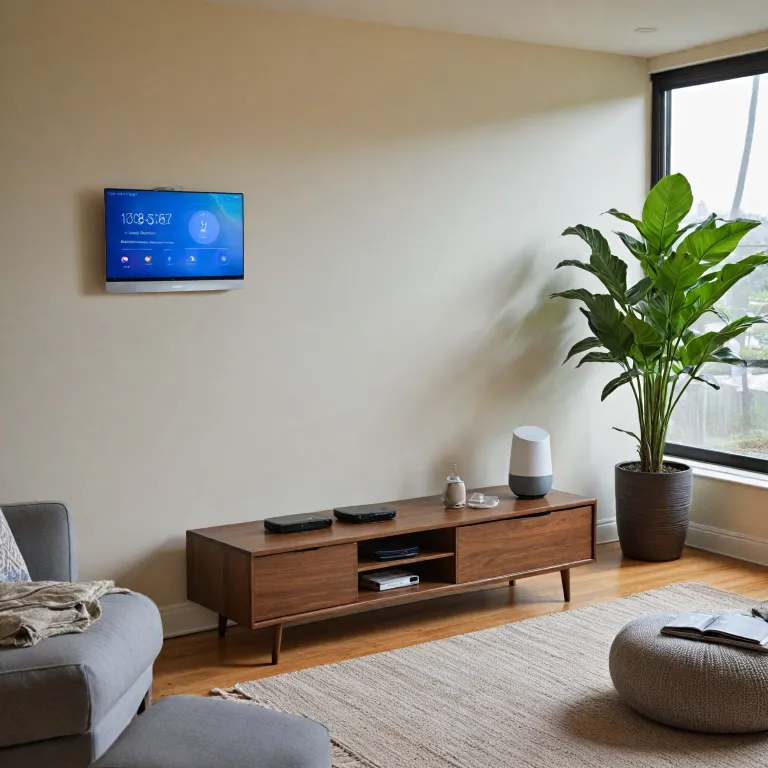

Understanding smart thermostat compatibility
How smart thermostats work with your home platform
When looking at smart thermostats, one of the first things to check is whether the device is compatible with your chosen home platform. The main players in the market are Google Home, Apple Home (also known as Apple HomeKit), and Amazon Alexa. Each platform has its own ecosystem, and not all smart thermostats work seamlessly with every system.
- Google Home: Works best with Google Nest thermostats and other devices that support Google Assistant. If you already use Google smart speakers or a Google Nest Hub, integration is usually straightforward.
- Apple Home: Relies on Apple HomeKit. Thermostats must be HomeKit compatible to appear in the Home app and respond to Siri voice commands. This is ideal for those who use iPhone, iPad, or HomePod as their main smart home control.
- Amazon Alexa: Many smart thermostats are compatible with Alexa, letting you control temperature with Amazon Echo devices and Alexa voice commands.
Before making a choice, check if your current or planned home devices (like smart speakers, security cameras, or other smart home products) are compatible with the thermostat you’re considering. Some thermostats, such as the Google Nest, are designed to work best within their own ecosystem, but many now offer broader compatibility with multiple platforms.
For those in cities like London, where older heating systems are common, it’s also important to verify if the thermostat supports your specific setup. Not all smart thermostats work with every type of boiler or HVAC system. For a deeper dive into whether a Nest thermostat can replace your existing heating and air conditioning system, see this guide on Nest thermostat compatibility.
Ultimately, the best smart thermostat for your home will depend on your preferred home platform, the devices you already own, and how you want to control your environment—whether that’s through an app, voice assistant, or smart speaker.
Ease of setup and user experience
Getting Started: Setup Process and User Experience
When choosing between Google Home and Apple Home for your smart thermostat, the setup process and daily user experience are key factors. Both platforms aim to simplify connecting your thermostat to your home devices, but their approaches differ.
- Google Home: Setting up a Nest thermostat with Google Home is generally straightforward, especially if you already use Google Assistant or own a Google Nest Hub or smart speakers. The Google Home app guides you through each step, and the process is typically smooth for compatible devices. Google’s ecosystem is broad, supporting a wide range of smart home devices, including security cameras and Amazon Alexa-compatible products via third-party integrations.
- Apple Home: Apple HomeKit focuses on privacy and seamless integration with Apple devices like iPhone, iPad, and HomePod. The Home app provides a clean interface, and setup is often as simple as scanning a code with your iPhone. If you’re already invested in Apple devices, the experience feels unified, especially when using Siri for voice commands.
Both platforms support voice control, but your experience will depend on which assistant you prefer—Google Assistant or Siri. Google Home’s voice assistant is known for its flexibility and compatibility with a wide range of smart speakers and home devices, while Apple’s Siri is tightly integrated with Apple hardware.
For those considering Amazon Alexa or Amazon Echo devices, it’s worth noting that Google Home and Apple HomeKit each have their own strengths and limitations in terms of cross-platform compatibility. Google Home tends to be more open, while Apple HomeKit prioritizes security and privacy.
If you’re wondering whether a Nest thermostat can fully replace your current heating and air conditioning system, check out this in-depth guide on Nest thermostat compatibility.
Ultimately, the best smart home platform for your thermostat depends on your existing devices, preferred voice assistant, and how much you value ease of use versus advanced customization. Both Google Home and Apple Home offer reliable control through their respective apps, but the user experience can feel quite different depending on your home setup in London or elsewhere.
Integration with other smart devices
How well do Google Home and Apple Home work with other smart devices?
When choosing a smart thermostat, it’s important to consider how it fits into your wider smart home ecosystem. Both Google Home and Apple Home offer strong integration with a variety of home devices, but the experience can differ depending on your existing setup and preferences.
- Google Home: Google’s platform is known for its broad compatibility. It works seamlessly with Google Nest thermostats, Google Assistant, and a wide range of smart speakers like Google Nest Hub. Google Home also supports many third-party devices, including security cameras, smart lights, and plugs. If you already use Google Assistant or have devices like Google Nest or Google Home smart speakers, adding a compatible thermostat is straightforward. Google Home also works with Amazon Alexa devices, giving you flexibility if you have a mix of brands at home.
- Apple Home: Apple Home, powered by HomeKit, is designed for users invested in the Apple ecosystem. If you use an iPhone, iPad, or HomePod smart speaker, Apple Home offers a smooth experience. The Home app provides centralized control for compatible devices, including thermostats, lights, and security cameras. Voice commands through Siri make it easy to adjust your smart thermostat. However, Apple HomeKit has a more limited list of compatible devices compared to Google or Amazon Alexa, so it’s essential to check if your chosen thermostat and other home devices are supported.
Both platforms allow you to control your thermostat and other smart home devices using voice commands. For example, you can ask Google Assistant or Siri to adjust the temperature or check the status of your home devices. Amazon Alexa is also widely supported, especially if you use Amazon Echo smart speakers, making it possible to control your thermostat with Alexa voice commands in addition to Google or Apple’s assistants.
For users in cities like London or those with a mix of smart speakers and brands, Google Home may offer better compatibility across devices. Apple Home is often the best smart choice for those deeply invested in Apple devices and looking for a unified experience with their iPhone, iPad, or HomePod.
It’s also worth considering the home platform’s ability to integrate with other smart products, such as security cameras or smart plugs. If you’re looking for advanced automation, check how well your chosen platform supports routines and scenes that include your thermostat and other home devices.
For a deeper dive into optimizing your smart home setup, including how to choose the best heat lamp thermostat timer with outlet, explore additional resources to make the most of your smart home investment.
Privacy and data security considerations
How Your Data Is Handled by Smart Home Platforms
When you connect a smart thermostat to your home platform, whether it’s Google Home, Apple Home, or even Amazon Alexa, you’re trusting these systems with a lot of personal information. This includes your daily routines, temperature preferences, and sometimes even your location in cities like London or elsewhere. Understanding how each platform manages your data is key to making an informed choice.
Comparing Privacy Approaches
- Apple Home and HomeKit: Apple is known for its strong privacy stance. Data from your smart devices, including thermostats and security cameras, is generally encrypted and processed locally on your iPhone, iPad, or HomePod. Apple claims not to build user profiles for advertising, and HomeKit-compatible devices often require strict security standards. Voice commands through Siri are processed with privacy in mind, and you have control over what is shared via the Home app.
- Google Home and Nest: Google Home and Nest devices integrate deeply with Google Assistant and other Google services. While Google offers robust security, it does use some data to personalize your experience and may use anonymized data for product improvement. You can manage your privacy settings in the Google Home app, but some users may prefer the additional transparency Apple provides. Google’s ecosystem is vast, connecting with smart speakers, smart displays, and other home devices, which can mean more data points are collected.
- Amazon Alexa: While not the focus here, Amazon Echo and Alexa devices are also popular for smart home control. Amazon’s privacy policies are similar to Google’s, with options to review and delete voice recordings, but data is often used to enhance Alexa’s capabilities.
Security Features and User Control
Both Apple and Google provide security features like two-factor authentication, regular software updates, and the ability to manage device access. Apple’s HomeKit Secure Video, for example, encrypts security camera footage end-to-end. Google Nest devices offer similar protections, but it’s important to regularly review your account settings, especially if you use multiple smart speakers or hubs in your home.
Ultimately, the best smart home platform for privacy and data security depends on your comfort level with each company’s approach. If you prioritize local processing and minimal data sharing, Apple HomeKit may be better. If you value seamless integration with a wide range of devices and voice assistants like Google Assistant, Google Home is a strong choice. Always check compatibility with your smart thermostat and review privacy settings in the respective app for the best experience.
Automation and scheduling features
How Smart Thermostats Handle Automation
When it comes to smart thermostats, automation is one of the main reasons people choose to upgrade their home devices. Both Google Home and Apple Home platforms offer automation and scheduling features, but the experience can vary depending on your ecosystem and devices.
- Google Home: Google Nest thermostats work seamlessly with the Google Home app and Google Assistant. You can set routines based on your daily schedule, location, or even weather conditions. For example, the thermostat can lower the temperature when you leave your home in London or turn up the heat before you arrive. Google Assistant voice commands make it easy to adjust settings hands-free, and the system can integrate with other smart home devices like security cameras or smart speakers.
- Apple Home: Apple HomeKit-compatible thermostats, such as those controlled via the Home app, offer robust automation options. You can create scenes that adjust your thermostat, lights, and security cameras with a single tap or Siri voice command. If you have a HomePod or use your iPhone or iPad as a hub, you can control your smart thermostat remotely and set up advanced automations, like adjusting the temperature when you unlock your smart lock or when certain Apple devices are detected at home.
Voice Control and Scheduling
Both platforms support voice assistants—Google Assistant for Google Home and Siri for Apple Home. If you have a smart speaker like Google Nest or Apple HomePod, you can use voice commands to change the temperature, set schedules, or check the current settings. Amazon Alexa is also compatible with many smart thermostats, offering another layer of flexibility if you use Amazon Echo devices in your home.
Scheduling is straightforward on both platforms. The Google Home app and Apple Home app allow you to set daily or weekly routines, ensuring your home is always at the right temperature. The best smart thermostats learn your habits over time, making automatic adjustments for comfort and energy savings.
Which Platform Offers Better Automation?
Choosing between Google Home and Apple Home for automation depends on your existing devices and preferences. If you already use Google Assistant or have multiple Google Nest products, the integration and automation will feel more natural. On the other hand, Apple HomeKit is ideal if you rely on Apple devices like iPhone, iPad, or HomePod, and value privacy and seamless control through the Home app and Siri.
For those who want the most flexibility, some thermostats are compatible with all major platforms, including Amazon Alexa, Google Home, and Apple HomeKit. This means you can mix and match devices and still enjoy advanced automation and scheduling features across your smart home.
Cost and long-term value
Weighing Upfront Price and Ongoing Savings
When comparing Google Home and Apple Home for your smart thermostat, cost is more than just the sticker price. Both platforms support a range of smart thermostats, from budget-friendly models to premium options like Google Nest. The initial investment can vary, especially if you want advanced features or a smart speaker hub like a HomePod or Google Nest Hub.
- Google Home: Works seamlessly with Google Nest thermostats and many third-party devices. Google Assistant integration is included, and you can often find bundles with Google smart speakers or displays. The Google Home app is free, and there are no ongoing subscription fees for basic control.
- Apple Home: Compatible with HomeKit-enabled thermostats. While Apple HomeKit devices can be pricier, the Home app for iPhone and iPad offers a unified experience. Using a HomePod or Apple TV as a hub adds cost, but enables remote access and automation. No subscription is required for basic use.
Long-Term Value: Energy Savings and Device Longevity
Both Google and Apple platforms help you save on energy bills by supporting smart scheduling and automation. Over time, these features can offset the initial cost, especially in cities like London where heating and cooling costs add up. Compatibility with other home devices—like security cameras, smart speakers, and voice assistants (Siri, Google Assistant, Amazon Alexa)—can extend the value of your investment.
Consider the lifespan of your chosen thermostat and whether it will stay compatible as you add more smart home devices. Google Nest and HomeKit-compatible thermostats are regularly updated, but check for ongoing support and app updates. If you already own Apple devices or use Google services, sticking with the same ecosystem often delivers a better long-term experience.
Hidden Costs and Ecosystem Considerations
- Smart Speaker Hubs: Some features, like voice control with Alexa, Siri, or Google Assistant, require a compatible smart speaker (Amazon Echo, HomePod, Google Nest Hub).
- Home Platform Expansion: Adding more home devices—such as security cameras or smart speakers—can increase costs but also boost convenience and automation.
- App and Service Fees: Most basic features are free, but advanced automation or third-party integrations may require paid services, especially with some third-party devices.
In summary, choosing between Google Home and Apple Home for your smart thermostat involves balancing upfront costs, the potential for energy savings, and how well the platform fits with your existing home devices and preferred voice assistant. Prioritize compatibility and ease of control through your chosen app—whether on iPhone, iPad, or Android—for the best smart home experience.