

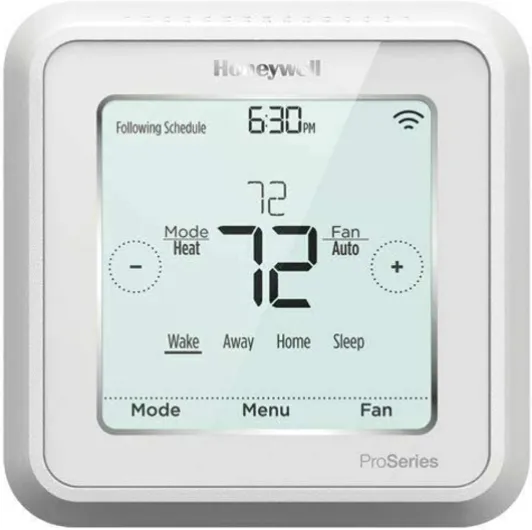
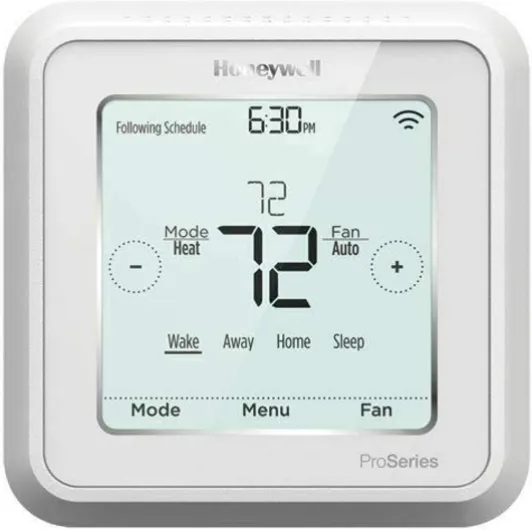
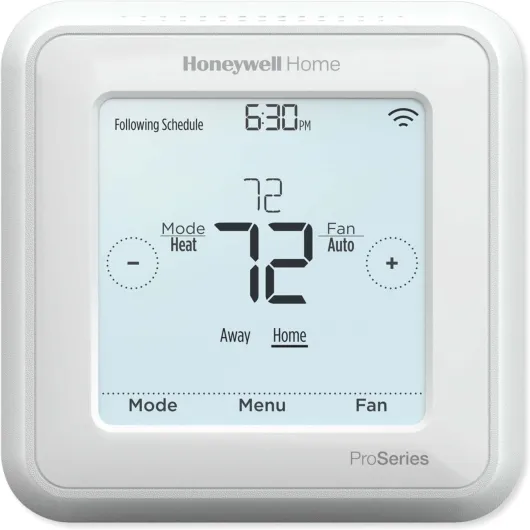
Understanding the honeywell z wave thermostat
What Makes the Honeywell Z-Wave Thermostat Stand Out?
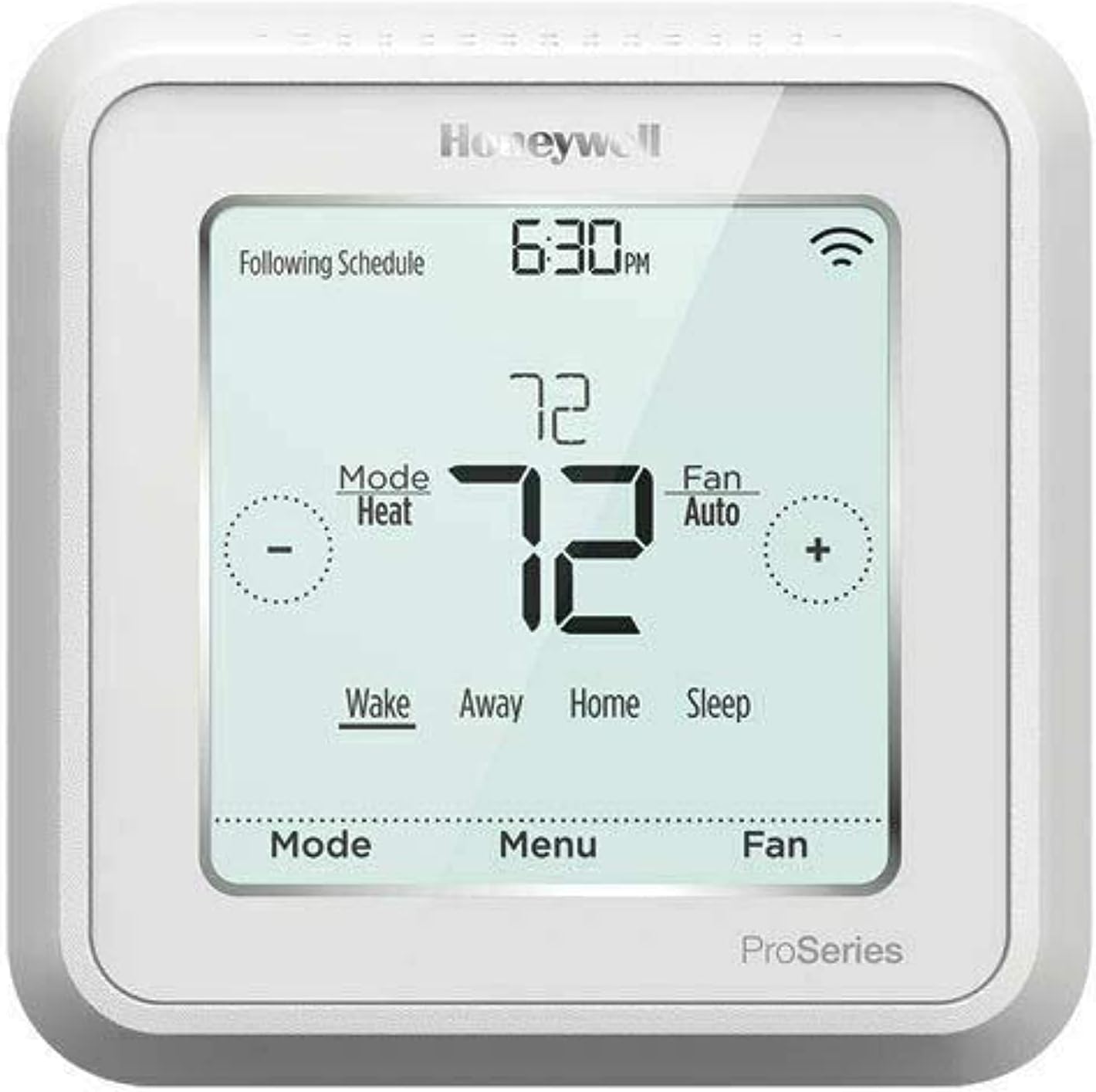
The Honeywell Z-Wave thermostat is a smart thermostat designed for those who want more control and flexibility over their home’s heating and cooling. This product is part of the Honeywell Pro series, which means it’s built for reliability and compatibility with a wide range of HVAC systems, including heat pump and cool conventional setups. With Z-Wave technology, it connects seamlessly to smart home systems, allowing you to manage your home’s temperature from anywhere using an app or connected device.
Unlike traditional programmable thermostats, the Honeywell Z-Wave model is designed for both heat and cool modes, making it suitable for year-round use. Its intuitive touch screen interface and battery-powered option make it a user-friendly choice for customers looking for an easy install. The UWP mounting system simplifies the installation process, ensuring a secure fit and straightforward setup, whether you’re upgrading from a basic thermostat or integrating into a more complex heating cooling system.
- Smart integration: Works with Z-Wave hubs and smart home systems for remote control and automation.
- Programmable flexibility: Set schedules for heat, cool, or auto modes to save energy and reduce energy costs.
- Pro-grade reliability: Built for long-term performance, with features like system sure and easy-to-read displays.
- Versatile compatibility: Supports a variety of HVAC systems, including heat pump and cool heat configurations.
For those interested in enhancing comfort and control, the Honeywell Z-Wave thermostat can also be paired with remote sensors. This allows for more precise temperature management in different rooms, which is especially useful for larger homes or spaces with varying heating and cooling needs. If you want to learn more about how remote sensors can work with your Honeywell thermostat, this guide on enhancing comfort with Honeywell’s thermostat and remote sensor offers practical insights.
As you explore the Honeywell Z-Wave thermostat, keep in mind its focus on energy efficiency, smart features, and straightforward installation. These qualities make it a strong contender for anyone looking to upgrade to a smart thermostat that balances convenience, savings, and comfort.

Key features that set it apart
What Makes This Thermostat Stand Out?
The Honeywell Z-Wave thermostat is designed for those who want more than just basic temperature control. As a smart thermostat, it brings together advanced technology and user-friendly features to help you manage your home’s heating and cooling system more efficiently. Here’s a closer look at what sets this product apart from other programmable thermostats on the market.
- Z-Wave Connectivity: This thermostat uses Z-Wave technology, allowing it to connect seamlessly with a wide range of smart home systems. Whether you’re integrating with a pro wave hub or expanding your connected home, Z-Wave ensures reliable communication between devices.
- Flexible Programming: With its programmable thermostat capabilities, you can set custom schedules for heat and cool cycles. This flexibility helps you save energy and reduce energy costs by only running your heating cooling system when you need it.
- Touch Screen Interface: The intuitive touch screen makes it easy to view and adjust temperature settings. The display is clear, with adjustable stroke width for better readability, making it accessible for all users.
- Battery Powered or Hardwired: The Honeywell pro wave thermostat offers both battery powered and hardwired installation options, giving you more choices during installation. The UWP mounting system also makes it an easy install for most customers.
- Compatibility: This product works with a variety of systems, including heat pump, cool conventional, and heat cool setups. The system sure feature helps you confirm compatibility before installation, reducing the risk of issues down the line.
- Remote Access: Once connected, you can control your thermostat smart features from anywhere using a compatible app. This means you can adjust the temperature, set schedules, and monitor your system even when you’re not at home.
For those who want to dive deeper into optimizing their Honeywell thermostat settings for a smarter home, be sure to read this comprehensive guide on mastering your Honeywell thermostat settings.
These features combine to make the Honeywell Z-Wave thermostat a strong contender for anyone looking to upgrade their home comfort and save energy. The focus on easy installation, compatibility, and smart connectivity addresses the needs of both new and experienced smart home customers.
Benefits of integrating with a smart home system
Seamless Smart Home Integration
Connecting the Honeywell Z-Wave thermostat to your smart home system opens up a new level of convenience and control. This product is designed to work with a wide range of Z-Wave hubs, making it easy to add to your existing smart ecosystem. Whether you use a pro wave hub or another compatible controller, the thermostat smart features allow you to manage your home’s temperature from anywhere using a dedicated app.
Personalized Comfort and Energy Savings
One of the biggest advantages of integrating this programmable thermostat is the ability to set custom schedules for heat and cool cycles. With the programmable features, you can ensure your heating cooling system runs only when needed, helping you save energy and reduce energy costs. The thermostat supports both heat pump and cool conventional systems, so it’s flexible for different home setups. Customers often appreciate the easy install process and the intuitive touch screen interface, which makes adjusting settings straightforward.
- Remote Access: View and adjust your temperature settings from your smartphone, whether you’re at home or away.
- Automated Routines: Link the thermostat to other connected devices for routines like "away mode" or "wake up heat."
- System Sure Compatibility: Works with battery powered and UWP mounting systems, making installation and integration hassle-free.
Enhanced Control and Insights
With the Honeywell Z-Wave thermostat, you get more than just basic temperature control. The system provides real-time feedback on your heating cooling performance, helping you make informed decisions to save energy. The app lets you monitor usage trends and receive alerts if your system needs attention. For those interested in advanced energy-saving features, it’s worth reading about Nest Airwave technology to see how smart thermostats can further optimize cool heat cycles.
Overall, integrating the Honeywell Z-Wave thermostat with your smart home system gives you more control, comfort, and confidence in your heating and cooling setup. The combination of programmable features, easy install, and smart connectivity makes it a strong choice for customers looking to modernize their home environment.
Installation process and compatibility considerations
Getting Ready for Installation
Before starting the installation of your Honeywell Z-Wave thermostat, it’s important to review your current heating and cooling system. The Honeywell Pro Wave thermostat is designed to work with a wide range of systems, including heat pumps, cool conventional setups, and even battery powered configurations. Make sure to check if your system supports smart thermostat integration. Most customers find the installation process straightforward, but reading the product manual and checking compatibility can save time and frustration.
Mounting and Wiring Made Simple
The Honeywell Z-Wave thermostat uses the UWP mounting system, which helps make installation easier for both professionals and DIY enthusiasts. This mounting system allows for a secure fit and simplifies wiring. Whether you’re upgrading from a programmable thermostat or installing a new smart thermostat, the clear labeling and touch screen interface guide you through the process. If your system includes both heat and cool functions, double-check the wiring to ensure proper temperature control.
- Easy install: The UWP mounting plate and clear instructions help reduce installation time.
- Battery powered or hardwired: The product supports both options, offering flexibility for different homes.
- Touch screen setup: The touch screen makes it easy to set preferences and view system status during installation.
Compatibility Considerations
Not all heating cooling systems are created equal. The Honeywell Pro Wave thermostat is compatible with most 24V systems, but it’s a good idea to check if your system is single-stage, multi-stage, or uses a heat pump. Some older systems may require a C-wire for full functionality, especially if you want to use all smart features. If you’re unsure, consult the product documentation or reach out to a professional installer.
Connecting to Your Smart Home
Once installed, the Honeywell Z-Wave thermostat connects to your smart home system using Z-Wave technology. This allows you to control your home’s temperature remotely via an app, set programmable schedules, and monitor energy costs. Make sure your Z-Wave hub is compatible and within range for a reliable connection. Customers appreciate the ability to view and adjust settings from anywhere, helping to save energy and maintain comfort.
By following these steps and considering your system’s requirements, you can enjoy the benefits of a connected, programmable thermostat that helps manage heat, cool, and energy usage with ease.
Common challenges and troubleshooting tips
Addressing Setup Hiccups and User Concerns
Even with a smart thermostat like the Honeywell Z-Wave, some customers encounter challenges during installation or daily use. Understanding these common issues can help you get the most from your product and ensure your heating cooling system runs smoothly.
- Connectivity Issues: Sometimes the thermostat may not connect properly to your Z-Wave hub or smart home system. Make sure your hub supports Z-Wave and is within range. Double-check that your app is updated and the thermostat is powered, whether battery powered or hardwired.
- Compatibility with Heating Cooling Systems: The Honeywell Pro Wave thermostat is designed to work with a wide range of systems, including heat pumps and cool conventional setups. However, some older systems may require additional wiring or a C-wire for full functionality. Always review the installation guide and, if needed, consult a pro for system sure compatibility.
- Programming and Scheduling: Setting up programmable schedules for heat cool cycles can be confusing at first. Use the touch screen or app to set your preferred temperature for different times of day. If the schedule isn’t working as expected, double-check your settings and ensure the thermostat is in the correct mode (heat, cool, or auto).
- Mounting and Power: The UWP mounting system makes for an easy install, but improper mounting can affect the thermostat’s ability to read room temperature accurately. Ensure the device is mounted away from direct sunlight, vents, or drafts. If you notice erratic temperature readings, check the mounting and consider recalibrating.
- Firmware and App Updates: Keeping your thermostat and connected app updated is crucial. Updates can resolve bugs, improve performance, and add features. If you experience glitches, view the manufacturer’s support page for the latest firmware or app version.
- Energy Savings Not as Expected: If you’re not seeing lower energy costs, review your programmable thermostat settings. Make sure you’re using energy-saving schedules and that your system is set to optimize both heat and cool cycles. Sometimes, small adjustments can help you save energy over time.
When to Seek Professional Help
If troubleshooting doesn’t resolve your issues, or if you’re unsure about wiring or system compatibility, it’s wise to contact a certified installer. This is especially important for complex systems like heat pumps or multi-stage heating cooling setups. A pro can ensure your Honeywell Pro Wave thermostat is set up correctly and safely.
For more detailed troubleshooting, always read the official Honeywell documentation or reach out to their customer support. Many customers find that a little patience and careful setup lead to a reliable, energy-saving smart thermostat experience.
Comparing the honeywell z wave thermostat to other smart thermostats
How Honeywell Z-Wave Stacks Up Against Other Smart Thermostats
When considering a smart thermostat for your home, it’s natural to compare the Honeywell Z-Wave thermostat with other popular options on the market. Each product brings its own strengths, and understanding these differences can help you make a more informed decision.- Integration and Connectivity: The Honeywell Z-Wave thermostat stands out for its seamless integration with Z-Wave hubs and smart home systems. While many smart thermostats offer Wi-Fi connectivity, Z-Wave provides a reliable mesh network, reducing interference and boosting system sure performance for connected devices.
- Programmable Features: Like other programmable thermostats, the Honeywell model allows users to set heat and cool schedules. However, its interface is designed for easy install and quick adjustments, whether you’re using the touch screen or the app. Some competitors may offer more advanced learning algorithms, but Honeywell focuses on user control and reliability.
- Compatibility: The Honeywell Z-Wave thermostat is compatible with a wide range of heating cooling systems, including heat pumps and cool conventional setups. Its UWP mounting system and battery powered option make installation flexible compared to some products that require a C-wire or more complex wiring.
- Energy Savings: Both Honeywell and other smart thermostats aim to help customers save energy and reduce energy costs. The programmable features, combined with remote access via app, make it easy to adjust temperature settings and optimize comfort. While some brands highlight AI-driven energy reports, Honeywell’s approach is straightforward and effective for most households.
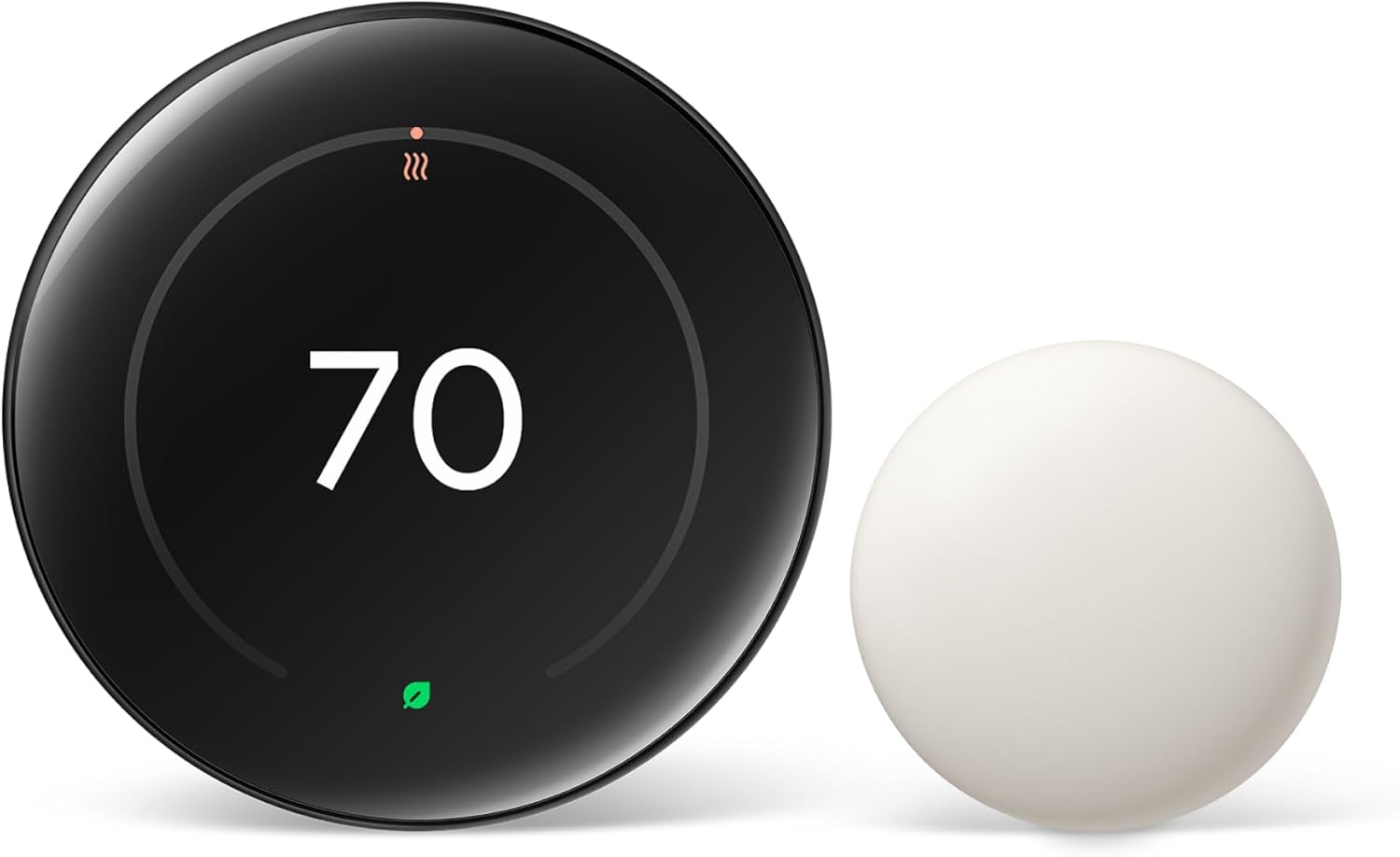
- Design and Usability: The touch screen interface and clear display, with adjustable stroke width for better readability, make the Honeywell Z-Wave thermostat user-friendly. Some competitors may offer sleeker designs or color screens, but Honeywell prioritizes function and durability.
| Feature | Honeywell Z-Wave | Other Smart Thermostats |
|---|---|---|
| Smart Home Integration | Z-Wave, app control, pro wave compatibility | Wi-Fi, Zigbee, proprietary systems |
| Installation | Easy install, UWP mounting, battery powered | Varies, some require C-wire |
| System Compatibility | Heat pump, cool heat, conventional systems | Some limited to specific systems |
| Programmable Options | Custom schedules, manual and app control | Some offer learning features, others manual only |
| Display | Touch screen, adjustable stroke width | Varies, some color, some basic |