Summary
Editor's rating
Is it worth the price compared to a regular thermostat?
Design and interface: looks nice, more importantly it’s easy to use
Power, wiring and reliability: what’s behind the shiny dial
Build quality and longevity: does it hold up over time?
Heating, cooling and learning: how well it actually runs your system
What this Nest actually does day to day
Pros
- Easy to use interface with clear display and simple rotating ring
- App control, Home/Away Assist and learning features can reduce energy use
- Clean design that looks better than most standard thermostats and still gets software updates
Cons
- Higher price than regular thermostats, especially without utility rebates
- Learning and Away features can be too aggressive if you don’t tune or disable them
- Install can be tricky on older HVAC systems without a C‑wire, may require extra parts or a pro

Specifications
View full product page →| Brand | Google Nest |
| Model Name | Nest Learning Thermostat |
| Product Dimensions | 1.21"D x 3.3"W x 3.3"H |
| Controller Type | Amazon Alexa, Google Assistant, nest |
| Special Feature | Wireless: Working Wi-Fi connection: 802.11b/g/n @ 2.4GHz, 5GHz, Wireless interconnect: 802.15.4 @ 2.4GHz, Bluetooth Low Energy (BLE) |
| Color | Stainless Steel |
| Specific Uses For Product | Air Conditioner |
| Temperature Control Type | Heating |
A thermostat that finally stops the constant fiddling
I’ve been using the Google Nest Learning Thermostat 3rd Gen (the stainless steel T3016US) for a while now, and I’ll be honest: I didn’t buy it because I love smart homes. I bought it because I was tired of running up and down the stairs to tweak the temperature and watching my energy bills creep up. My old basic programmable thermostat was technically “smart enough”, but in reality I never touched the schedule because the menus were annoying.
With the Nest, the first thing that stood out is that it actually reduces how often I think about heating and cooling. After a few days of use, it started to follow my routine without me digging through a 30‑page manual. That’s the main difference compared to the cheap programmable units: you don’t have to sit there on a Sunday afternoon programming every half-hour block for the whole week.
In daily use, the big win for me is remote control. Being able to grab my phone and bump the heat up before getting out of bed or cool the house down on my way back from work sounds lazy, but it’s exactly the kind of thing that makes this thermostat feel useful instead of gimmicky. It also made managing a two‑floor setup much less annoying, especially when upstairs and downstairs never feel the same temperature.
It’s not perfect. The learning features can be a bit aggressive at first, and if you don’t understand what it’s doing you can end up with a colder or warmer house than you expected. But once I tweaked a few settings and disabled what I didn’t like, it settled into a pretty solid balance between comfort and savings. If you expect pure plug‑and‑forget magic, you’ll be a bit disappointed; if you’re okay spending a week dialing it in, it becomes a nice “set and mostly forget” upgrade.
Is it worth the price compared to a regular thermostat?
Price is where opinions split. The Nest 3rd Gen usually costs several times more than a basic programmable thermostat. You’re paying for Wi‑Fi control, learning features, nicer design, and integration with Google Assistant/Alexa. Some utility companies give rebates (one reviewer got $100 back from their electric company), which helps a lot. With a rebate, the price feels more reasonable. Without one, you really have to decide if the convenience and potential savings matter to you.
In my case, the value came from three things: fewer arguments over the thermostat, lower bills, and not running up and down the stairs all the time. One Amazon reviewer mentioned seeing a clear drop in gas consumption after just one month. Another said it saved them around $40 in a month on electric. I saw a noticeable but not dramatic drop, more like a steady 5–15% depending on the season. Over a couple of years, that adds up and basically pays off the thermostat, especially if your energy rates are high.
Compared to cheaper smart thermostats, the Nest’s main advantages are the polish of the app, the learning features (if you actually use them), and the look. There are cheaper options that are more manual but still Wi‑Fi connected. If you just want to change the temperature from your phone and don’t care about schedule learning or the Leaf stuff, you can probably spend less and be happy. If you want something that tries to automate your schedule and gives you energy history in a friendly way, the Nest is one of the better balanced options.
So in terms of value for money: I’d call it pretty solid if you use the features and maybe get a rebate. If you’re the type who will install it, never connect it to Wi‑Fi, and never touch the app, then honestly you’re wasting your money and a simple programmable thermostat would do the job just as well for a lot less.
Design and interface: looks nice, more importantly it’s easy to use
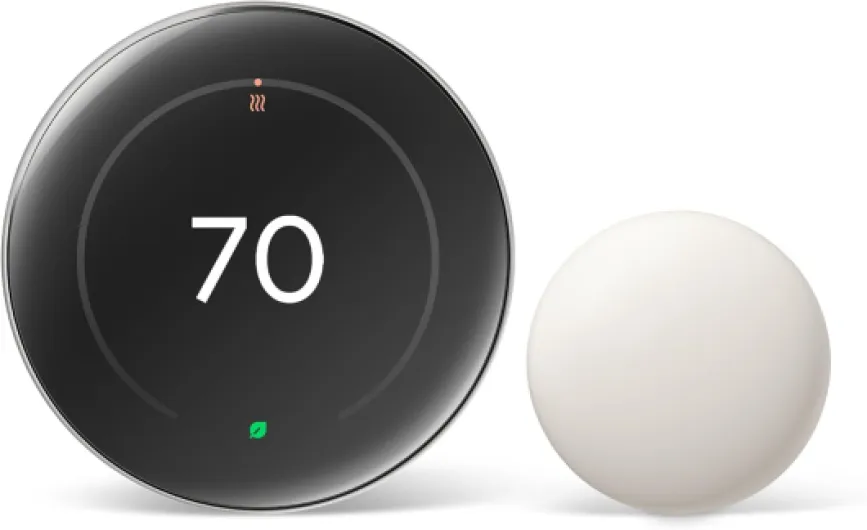
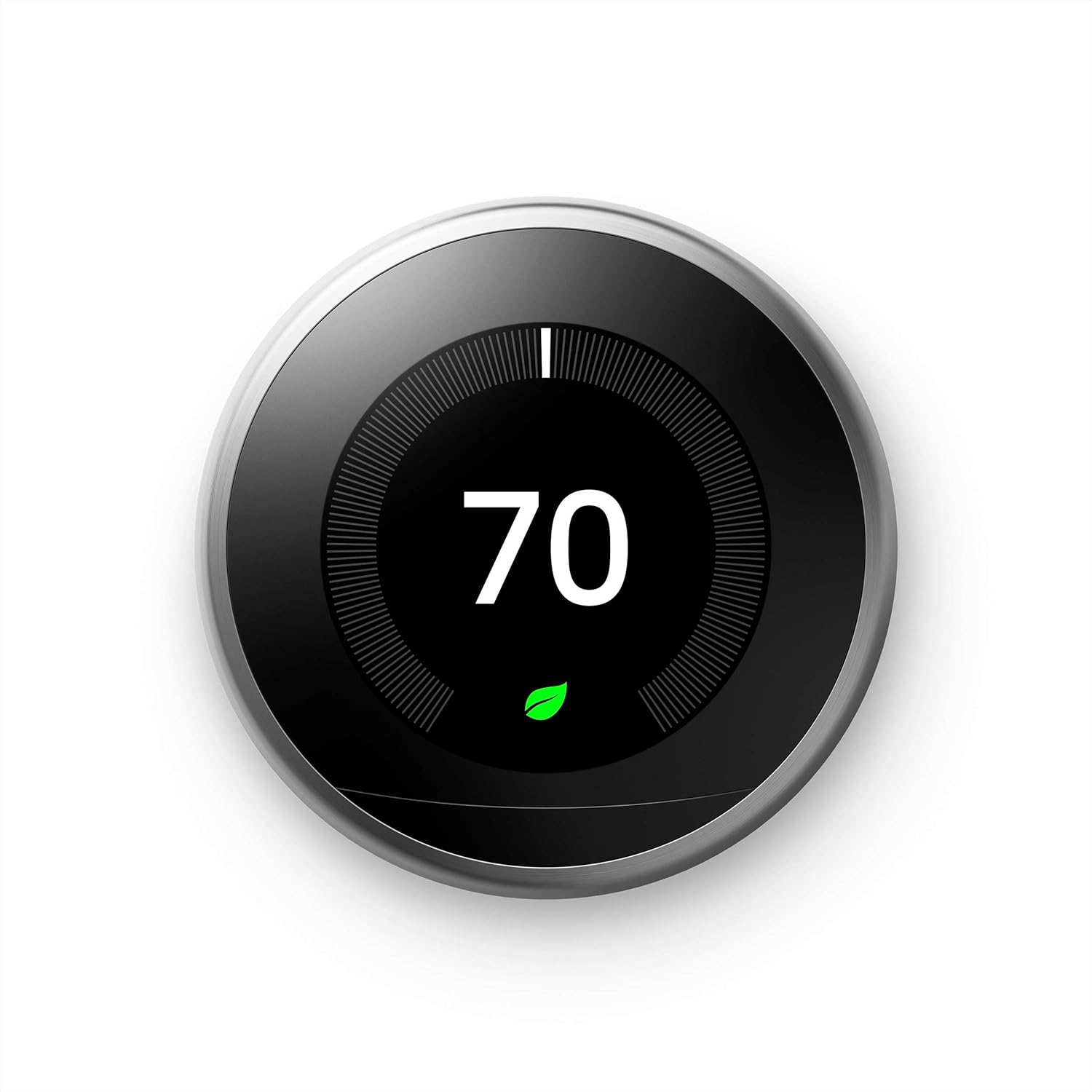
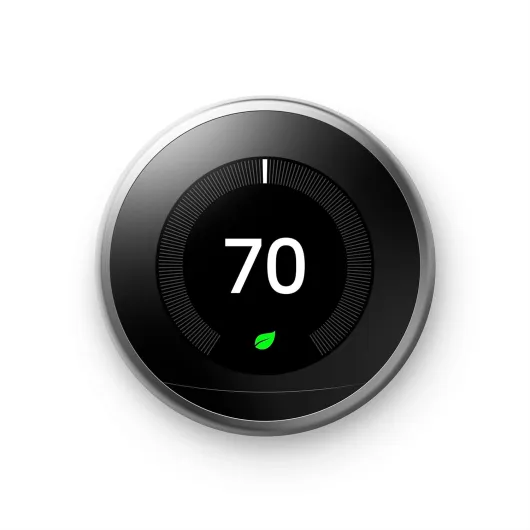
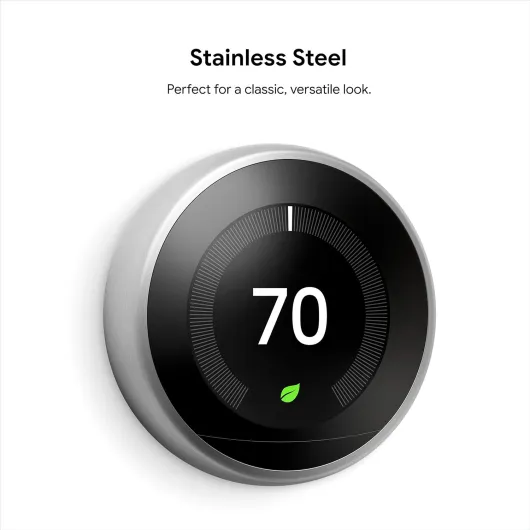
Design‑wise, this is one of the few smart home gadgets that doesn’t look like a plastic toy on the wall. The stainless steel ring and round shape are pretty simple and clean. It’s not fancy in some luxury way, but it definitely looks better than the beige brick thermostats many houses still have. The 3rd Gen screen is bigger and brighter than older Nests, and you can actually read it from across the room thanks to the Far‑Sight feature that wakes up when it sees movement.
The interface is very straightforward: you rotate the metal ring to change the temperature or move through menus, and you press the whole ring in to select. No tiny plastic buttons, no weird touch zones that never respond. I handed it to someone who had never used a Nest before, and they figured out how to raise and lower the temperature in about five seconds. Connecting it to Wi‑Fi is a bit more tedious because you have to spin the wheel to type your password character by character, but you only do that once.
One detail I really liked is the way it shows temperature. The big number in the middle is your target (what you want), and the smaller one is the current room temperature. Some reviewers were confused at first, but once you get used to it, it’s actually clearer than old thermostats that barely show anything. The Leaf icon that appears when you’re at an energy‑saving temp is a simple touch, but it nudged me to keep the heat a degree lower or the AC a degree higher than I normally would.
On the downside, if your wall is ugly from the previous thermostat, the Nest on its own doesn’t hide much. It comes with an optional trim plate, but without it you’ll probably need to do a bit of patching and painting for that super clean look. Also, the glossy screen can reflect light in bright rooms, so depending on where it’s mounted, you might have to move a bit to see it clearly. Nothing dramatic, but worth knowing if you’re picky about how things look on your walls.
Power, wiring and reliability: what’s behind the shiny dial
Power and reliability are the boring parts nobody talks about, but they matter with smart thermostats. The Nest 3rd Gen is designed to run off your HVAC system’s 24V power, and it also has an internal rechargeable battery. The spec sheet mentions included batteries (AA), but in practice the wall unit itself is low‑power and charges through the wiring. If you have a typical modern system with a C‑wire, it’s basically plug‑and‑play and stays topped up. If your system is older and doesn’t have a dedicated C‑wire, the Nest can sometimes run into low‑power issues, especially on systems that already struggle.
In my case, wiring was straightforward: I took a picture of the old thermostat wiring, shut off the breaker, and moved each wire to the labeled terminals on the Nest base. The app even walks you through each step. Several Amazon reviewers said the same: installation was easier than expected, even for people who don’t usually do DIY. One mentioned that they are “a complete idiot” with DIY and still managed it, which lines up with my experience. If you follow the instructions and cut the power first, it’s manageable for most people.
In terms of long‑term power behavior, I didn’t have random shutoffs or Wi‑Fi drops once it was installed correctly. It reconnected to Wi‑Fi after router reboots without me doing anything. The only time you really notice the power side of things is during firmware updates, when the screen might go black for a bit and then come back. It’s not super frequent, and I never had an update brick the device or anything like that.
If you’re worried about compatibility, Google does have an online compatibility checker, and honestly it’s worth five minutes before buying. Some more exotic systems or very old setups might need a Nest Power Connector or a pro installer. For a standard forced‑air gas furnace + AC combo, it’s usually fine. The short version: as long as your wiring isn’t a total mess, power and reliability are not really something you think about once it’s on the wall.
Build quality and longevity: does it hold up over time?
The Nest 3rd Gen has been around since 2015, so it’s not some brand‑new gadget that just hit the market. That’s actually a good sign for durability. A lot of people, including one reviewer in the data, have had theirs running for years without failures. One buyer mentioned installing it back in late 2015 and still having zero issues in 2017, and you see similar comments all over: once it’s on the wall and configured, it just keeps doing its thing.
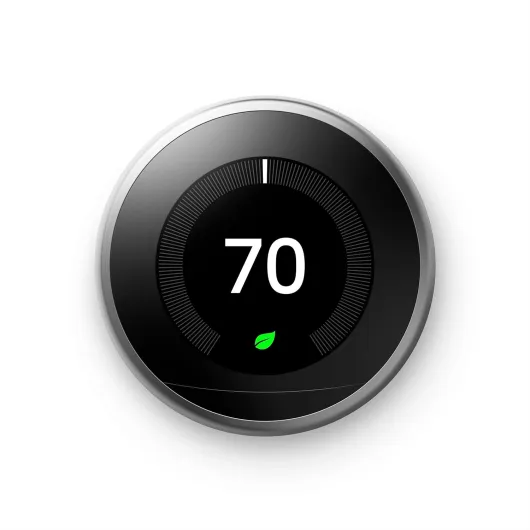
Physically, the metal ring feels solid, not flimsy. It doesn’t feel like it’s going to break off if you twist it a bit harder. The screen is glass/plastic and will show fingerprints if you’re constantly touching it, but you mostly just spin the ring, so it stays reasonably clean. After some months, mine still looks basically new apart from a bit of dust around the edges, which is easy to wipe off. The included mounting plate and screws are standard quality, nothing fancy but not junk either.
On the software side, Google still pushes updates to this 3rd Gen model even though there’s a newer Nest Thermostat line. That means bug fixes and small feature tweaks keep coming, which helps with long‑term usability. The downside is you’re relying on Google’s ecosystem. If they ever decided to stop supporting it many years down the road, it would still work as a basic thermostat, but you’d probably lose some of the smarter cloud features. That’s the tradeoff with any connected device, not just Nest.
From what I’ve seen and what long‑term users report, durability is pretty solid. It’s not a product you replace every couple of years. You install it, maybe adjust a few settings after software updates, and it should easily last as long as your current HVAC system. If you’re very rough with it or have kids constantly poking it, the ring and screen can scratch, but that’s about it. No obvious weak points in daily use.
Heating, cooling and learning: how well it actually runs your system
In terms of pure performance, the Nest 3rd Gen does what a thermostat is supposed to do: it hits the temperature you ask for and doesn’t take ages to get there. Compared to my old Honeywell, I noticed the system cycled a bit smarter. It didn’t overshoot as much, and the house felt more stable instead of bouncing between too warm and too cold. One Amazon reviewer even mentioned that their system reached the set temperature in seconds rather than minutes; I wouldn’t go that far, but I did feel it was a bit more decisive about when to kick on or off.
The learning part is hit‑and‑miss depending on your lifestyle. If you have a fairly regular schedule (leave around the same time, come back around the same time), Auto‑Schedule starts making sense after a week or so. It learned that my evenings are cooler in summer and slightly warmer in winter and adjusted on its own. If your life is chaotic or you work odd shifts, the learning can actually become annoying because it keeps trying to guess a pattern that doesn’t exist. In that case, like one reviewer did, you can just turn the learning and Away features off and use it like a very nice manual thermostat with remote control.
Home/Away Assist is where I saw both savings and minor frustration. When it works right, it stops heating/cooling an empty house, which is exactly what you want. I saw a noticeable drop in gas usage in the first month after installing it, similar to what one Amazon reviewer reported with their gas bill. But if you don’t walk near the thermostat often (say it’s in a hallway you rarely pass), it might think you’re gone and drop into Away mode while you’re actually home in another room. I had this happen a couple of times before I tweaked the settings and used the phone’s location feature to help it out.
Overall, performance is solid: it keeps the house comfortable, gives you decent control over schedules, and the extra smart features can save energy if you’re willing to spend a few days tuning them. If you want a thermostat that is 100% hands‑off and magically perfect, this isn’t it. If you’re okay with a short learning curve and occasionally checking the app, it does the job and then some.
What this Nest actually does day to day
On paper, the Nest Learning Thermostat 3rd Gen is a Wi‑Fi connected, app‑controlled thermostat that “learns” your schedule, adjusts itself when you’re away, and shows you when you’re saving energy with a little green Leaf icon. In practice, the key features that actually matter are: Auto‑Schedule, Home/Away Assist, the phone app, and the Far‑Sight display. Everything else is more or less extra.
Auto‑Schedule is the learning part. For the first few days, you just turn the dial whenever you’re hot or cold like a normal thermostat. The Nest quietly records the times and temperatures and builds a schedule around that. After about a week, it had a pretty good idea of when I wake up, leave, come back, and go to bed. I barely touched it after that, except for small tweaks. Compared to my old Honeywell programmable, I didn’t have to punch in times and temps for each day, which I never did anyway.
Home/Away Assist uses motion and your phone’s location to decide if the house is empty. When it thinks no one is home, it lets the temperature drift more, which saves energy but can mean you come home to a place that’s too warm or too cold if you don’t pre‑heat or pre‑cool from the app. One Amazon reviewer mentioned the house getting pretty hot/cold in this mode, and I saw the same thing in summer: if I left for several hours, the Nest let the temp climb more than I personally like. The good news is you can turn this off or make it less aggressive.
The Nest app is where the thermostat really earns its price. You can see current temperature, humidity, mode (heat/cool), fan, history, and you can override the schedule anytime. I used it constantly: at the doctor’s office, in bed, even when traveling just to make sure I wasn’t heating or cooling an empty house. Add in voice control with Google Assistant or Alexa, and it’s honestly just convenient. Not life‑changing, but it makes managing heating and AC less of a chore and more like checking a notification on your phone.
Pros
- Easy to use interface with clear display and simple rotating ring
- App control, Home/Away Assist and learning features can reduce energy use
- Clean design that looks better than most standard thermostats and still gets software updates
Cons
- Higher price than regular thermostats, especially without utility rebates
- Learning and Away features can be too aggressive if you don’t tune or disable them
- Install can be tricky on older HVAC systems without a C‑wire, may require extra parts or a pro
Conclusion
Editor's rating
Overall, the Google Nest Learning Thermostat 3rd Gen is a solid upgrade if you actually care about controlling your heating and cooling more intelligently. It looks good on the wall, the interface is simple enough that anyone can use it, and the app makes a real difference in daily life. The learning features and Home/Away Assist can shave some money off your bills, as long as you’re willing to spend the first week or two correcting it and turning off the parts that don’t fit your lifestyle.
It’s not magic, and it’s not cheap. If you just want a thermostat you set once a season and never touch, a basic programmable model will be enough and cost a fraction of the price. But if you like the idea of checking and adjusting your home temperature from your phone, getting monthly usage reports, and having the thermostat do some of the schedule work for you, then the Nest 3rd Gen is a good fit. It’s especially useful in multi‑story homes, for people with irregular schedules who still want some automation, and for anyone trying to trim their energy use without turning into a full‑time thermostat manager.
Who should skip it? People who hate apps, don’t want anything cloud‑connected, or have very old/odd HVAC systems that might need pro wiring work. For everyone else, it’s a well‑rounded smart thermostat that gets the job done with minimal fuss once you’ve set it up properly.