
Summary
Editor's rating
Value for money: is the Sensi Touch worth the price?
Design: clean look, decent screen, nothing flashy
Power and reliability: C‑wire reality check
Durability and long-term use: does it hold up?
Performance and app: does it keep the house where you want it?
What you actually get with the Sensi Touch ST75
Energy savings and smart features: useful or just hype?
Pros
- Simple, logical interface on both the touchscreen and the app
- Stable Wi‑Fi performance and reliable remote control with Alexa/Google/HomeKit support
- Good value for money with practical energy-saving features like scheduling and geofencing
Cons
- Requires a C‑wire, which can mean extra work or cost if your system doesn’t have one
- App and interface are functional but not as polished or feature-rich as some premium competitors

Specifications
View full product page →| Brand | Emerson |
A smart thermostat for people who don’t want drama
I’ve been using the Emerson Sensi Touch ST75 for a while now, and my overall feeling is pretty simple: it’s not flashy, but it works and it doesn’t annoy me. That’s honestly all I want from something that controls my heating and cooling. I’ve had a Nest in the past and an Ecobee 4 at a friend’s place, and both felt a bit overcomplicated for what they are. The Sensi Touch is more basic in a good way: you set it up, you check the app when you need to, and then you mostly forget it exists.
The main thing that stood out to me right away was how straightforward the setup and daily use are. The app walks you through the wiring step by step, and you don’t feel like you need an engineering degree to get heat back in your house. I’m not an HVAC tech, but I can read a wiring diagram, and this was honestly easier than most light switches I’ve installed. Once it’s running, changing schedules and temperatures is about as simple as using a normal programmable thermostat, just with a touchscreen and a phone app.
Day to day, the Sensi Touch feels like a regular thermostat that happens to be smart, not a smart gadget trying to replace your brain. It doesn’t spam you with weird suggestions or try to "learn" your habits in a way that ends up fighting you. You tell it what you want, it does it. If you’re into tons of automation and fancy AI stuff, this might feel a bit plain. But if you just want reliable control, it’s pretty solid.
So if you’re looking at this and wondering if it’s another overhyped connected gadget, my take is: it’s more of a practical upgrade over a basic thermostat than a toy. It’s not perfect – you absolutely need a C‑wire, and the app isn’t the slickest thing on earth – but for the price, it gets the core job done without a lot of drama.
Value for money: is the Sensi Touch worth the price?
Price-wise, the Sensi Touch ST75 usually sits around the mid-range smart thermostat bracket, often cheaper than Nest and Ecobee’s higher-end models. For what you pay, you get Wi‑Fi control, a color touchscreen, integration with the main voice assistants, Energy Star certification, scheduling, geofencing, and basic usage reports. You’re not paying for fancy sensors in every room or overcomplicated automation, but you’re also not stuck with a dumb plastic box.
Compared to Nest: Nest looks nicer and has more advanced learning features and a slicker app, but it also costs more and sometimes tries to outsmart you with auto-schedules. If you want set-and-forget learning, Nest might appeal more. If you just want to tell the thermostat exactly what to do and keep more control, the Sensi is simpler and cheaper.
Compared to Ecobee: Ecobee’s strength is room sensors and deeper energy reports. But that comes with a higher price and more stuff to manage. The Sensi feels more like a budget-conscious choice that still gives you the main smart features most people actually use. For a lot of houses, especially smaller ones or places with pretty even temperatures, those extra sensors aren’t critical.
Where the Sensi loses some value is if you don’t have a C‑wire and need to pay someone to run one. That can quickly eat up the price advantage. Also, if you’re in the EU, it’s basically a bad deal because the registration is limited to US/Canada and you lose key app features – one of the reviews is very clear about that. In North America though, if your wiring is compatible, I’d say the Sensi Touch is good value for money: not the fanciest, but a solid, practical smart thermostat at a reasonable price.
Design: clean look, decent screen, nothing flashy
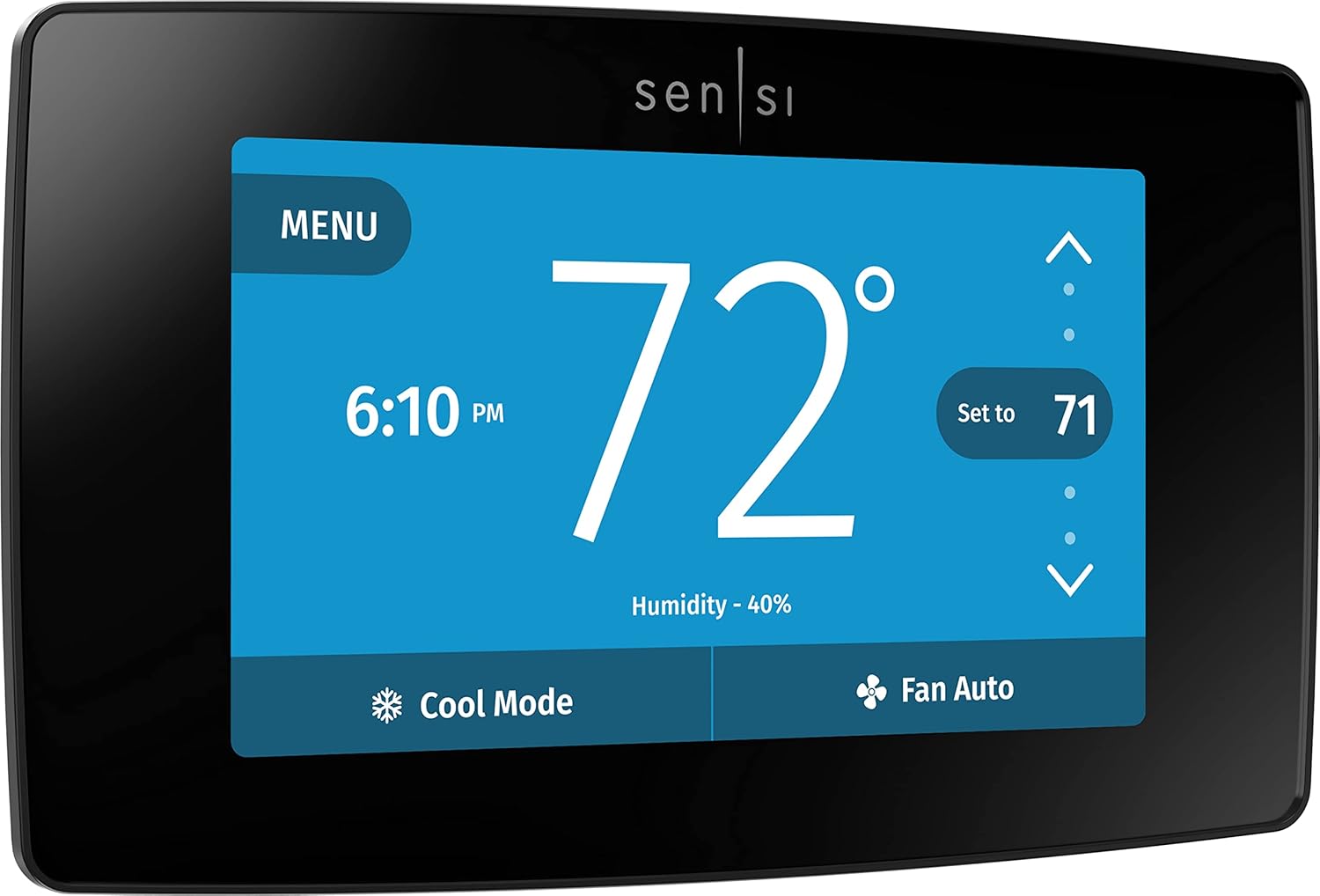
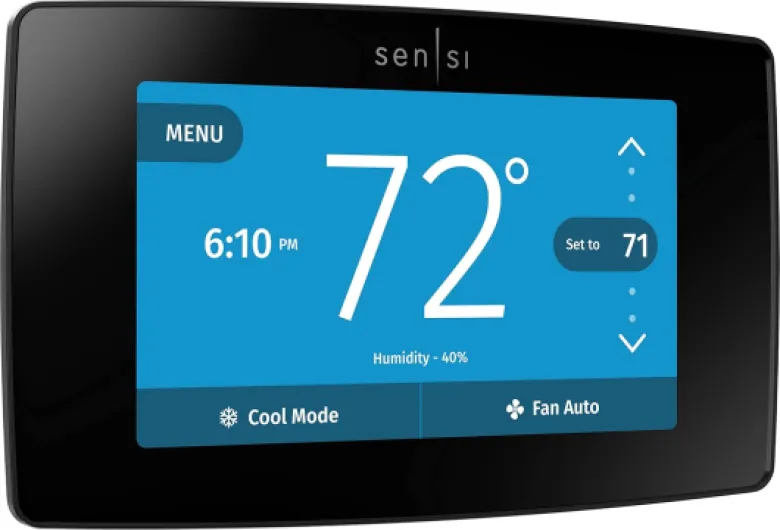
Design-wise, the Sensi Touch ST75 is simple and modern enough without screaming for attention. The black version I tried is a plain rectangular slab (about 5.6" x 3.2" x 1.17") with a color touchscreen on the front. No spinning rings or weird shapes, just a flat panel. On the wall it looks tidy and kind of blends in, especially if you’ve got other black devices or a darker wall. If you’re coming from an old beige thermostat, this will already feel like a big step up.
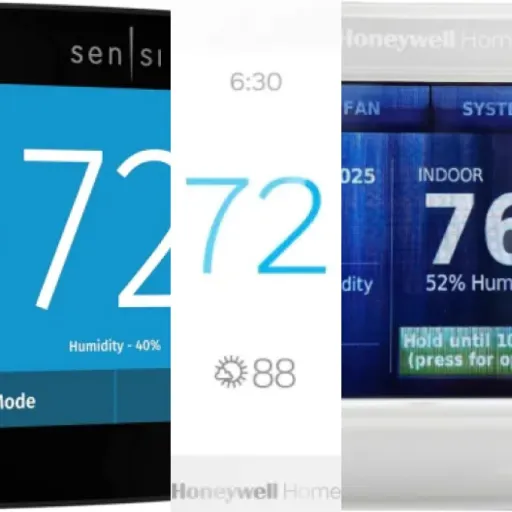
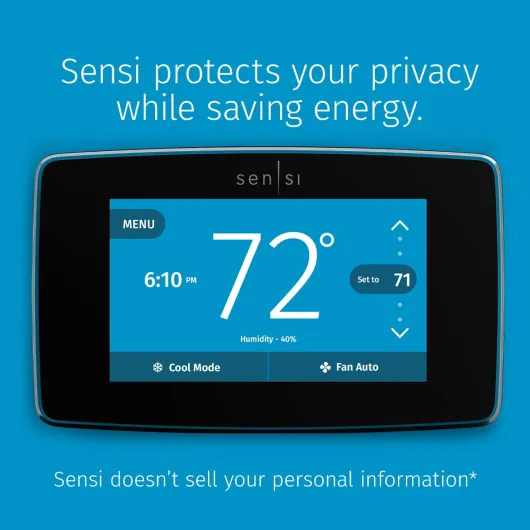
The screen itself is fine. It’s a 4.3-inch touchscreen, bright enough to see during the day and with a dim mode at night. You can adjust brightness and it has that color change effect when heating or cooling kicks in, which is actually useful at a glance. It’s not as sharp or as polished as a smartphone screen, but you’re not watching movies on it, so I don’t really care. Touch response is decent – not lightning fast, but I never had to jab at it multiple times to get a response.
The on-screen menus are logical and pretty easy to navigate. You get big temperature up/down arrows, clear mode indicators (heat, cool, auto, off), and fan controls. Diving into settings doesn’t feel like a puzzle. Compared to something like a Nest where a lot is hidden behind a dial and sub-menus, this is more like a basic phone interface: tap, back, done. I appreciate that, especially for family members who just want to bump it up a couple of degrees without learning a new UI.
If I had to nitpick, the plastic housing looks and feels a bit basic up close. It’s not junk, but it doesn’t have that premium gadget vibe some competitors push. Also, if your old thermostat was smaller, you might see unpainted wall or old screw holes around it. There are trim plates available, but they’re not always in the box depending on where you buy it. Overall though, for a device you barely touch once it’s set, the design is perfectly acceptable and practical.
Power and reliability: C‑wire reality check
Even though the spec sheet mentions AA batteries, in real life this thermostat is designed to run off your HVAC system with a C‑wire (common). That’s the first big thing to understand: if your current thermostat doesn’t have a C‑wire, you’re going to be doing some extra work. In my case, there were extra unused wires in the wall, so I just had to hook one up to the C terminal at the furnace and at the thermostat. Took about 10 minutes in the attic. If you don’t have spare wires, you might need to fish new cable or use a separate power adapter, which is a hassle.
Once the C‑wire is in place, power is stable and hassle-free. No dealing with dead batteries in the middle of winter, no dimming screen. The thermostat boots quickly and hasn’t randomly shut off on me after the initial setup hiccups. Some older reviews mention lockups or weird behavior during Wi‑Fi setup; I had one reboot during initial configuration, but after a factory reset it’s been fine. Seems like more of a software quirk than a power issue.
The small backup battery (if you use one) is mainly there to hold settings or time during brief power cuts, not to run the whole thing. In my experience, even when I killed power at the breaker a couple of times, once power came back the thermostat reconnected to Wi‑Fi and resumed normal operation without any manual intervention. That’s all I really care about: when the power blips, I don’t want to babysit the thermostat.
So in terms of "battery", it’s more about power requirements than battery life. If you’re comfortable dealing with a C‑wire, it’s not a big deal. If you were hoping for a totally battery-powered, drop-in replacement with no extra wiring, this is not that product and you’ll be annoyed.
Durability and long-term use: does it hold up?
Durability for a thermostat mostly comes down to electronics reliability, Wi‑Fi stability, and the touchscreen holding up. Based on my use and what I’ve seen from long-term user reviews, the Sensi Touch seems to do well on those fronts. There are people reporting 4+ years of continuous use with multiple power and internet outages, router swaps, and even moving to mesh Wi‑Fi, and the unit just keeps reconnecting and doing its job. That’s pretty much what you want for something that controls your heating and cooling.
The plastic body and mount feel solid enough. You’re not taking it on the road; it just sits on a wall. The clip-on design makes it easy to remove the front unit if you need to power cycle it or check wiring, and it doesn’t feel like it’s going to snap every time you pull it off. Mine has been removed a few times during setup and testing, and there’s no looseness or wobble afterward.
The touchscreen hasn’t shown any weird fading or dead spots so far. Fingerprints are visible, but you’re not constantly swiping on it like a phone, so it’s not a big issue. The backlight still looks even, and the dim mode at night works the same as day one. Also, having a 3‑year warranty is reassuring; it’s longer than some cheaper thermostats, and it lines up with the idea that Emerson expects it to last a while.
One thing to be aware of: software updates can make or break long-term experience. So far, I haven’t had any update that broke functionality. The app still talks to the thermostat, the integrations with Alexa/Google still work, and there’s no forced subscription nonsense. As long as Emerson keeps supporting the app and cloud side, I don’t see any obvious durability red flags. Overall, I’d rate durability as reassuringly boring, which is exactly what I want from HVAC gear.
Performance and app: does it keep the house where you want it?
In daily use, the Sensi Touch does what matters: it keeps the temperature pretty stable and responds when you change something. After initial calibration (which can take several hours to settle), mine was within about 1–2°F of my separate digital thermometer. There’s also a temp offset setting up to ±5°F, so I just dialed it in and left it. Once that’s done, I don’t really think about it anymore. It heats and cools when it should, and the cycle rate is configurable (fast/medium/slow) if you notice your system short cycling or running too long.
The Wi‑Fi side has been surprisingly stable. Power outages, router changes, and even switching to a mesh system didn’t break it. It usually reconnects on its own without me babysitting it. The app isn’t fancy, but it works: I can check the current temp, adjust setpoints, switch modes, and see a basic history of when the system was running. I’ve controlled it from outside the house plenty of times (coming back from a weekend away, for example), and it has always responded within a few seconds.
Voice control through Alexa and Google Assistant is also straightforward. You link the Sensi skill, discover the device, and then you can say stuff like “set living room to 70 degrees.” It’s not instant, but it’s fast enough. If you like using one app (like Alexa) to control lights, plugs, and the thermostat, it fits in well. Just don’t expect deep advanced routines from Sensi itself; the smart-home magic mostly comes from your assistant platform, not the thermostat.
There are a few quirks. Some users (and one of the reviews) mentioned the fan behavior and initial configuration being off until they tweaked advanced settings. That’s where Emerson’s HVAC background helps: there are a bunch of configuration options for furnace type, fan control, etc., but they’re not all front-and-center in the quick setup. Once it’s configured correctly for your system, performance is pretty solid, but you may need to dig into support docs or contact support if your system is older or non-standard.
What you actually get with the Sensi Touch ST75
On paper, the Emerson Sensi Touch ST75 is a Wi‑Fi smart thermostat with a color touchscreen, Energy Star certified, and compatible with Alexa, Google Assistant, Apple HomeKit, SmartThings, etc. In practice, it’s basically a wall-mounted control panel for your HVAC that you can also drive from your phone. It works with most common setups: furnace, AC, heat pump, boiler. Just note clearly: it needs a C‑wire. If your current thermostat only has two or three wires and no common, you’ll be going into your furnace or air handler to add that wire, like I had to.
The box is pretty simple: thermostat, wall plate/base, mounting screws, and a quick start guide. No extra sensors, no trim plate in my case, no fancy extras. The app (Android/iOS) is where most of the features live: you get remote control, scheduling, geofencing, usage reports, alerts, and maintenance reminders like filter changes. It’s not overloaded with features, but the basics are all there. You can run it totally local with schedules and never touch Wi‑Fi if you want, or connect it and use all the smart stuff.
One thing I liked is that Emerson leans more on practical HVAC features than on smart-home gimmicks. For example, it can show basic usage reports so you see when your system is running, and it can warn you about possible issues or when it might be time to replace a filter. It’s not as detailed as some premium thermostats, but for normal home use it’s enough to get a feel for your energy use.
Overall, the product positioning is pretty clear: it’s a mid-range smart thermostat. Not the cheapest, not the fanciest. If you want motion sensors in every room and super granular energy analytics, this isn’t it. If you want something that talks to Alexa, lets you change temp from your phone, and doesn’t cost as much as the top-tier models, this is more in that lane.
Energy savings and smart features: useful or just hype?
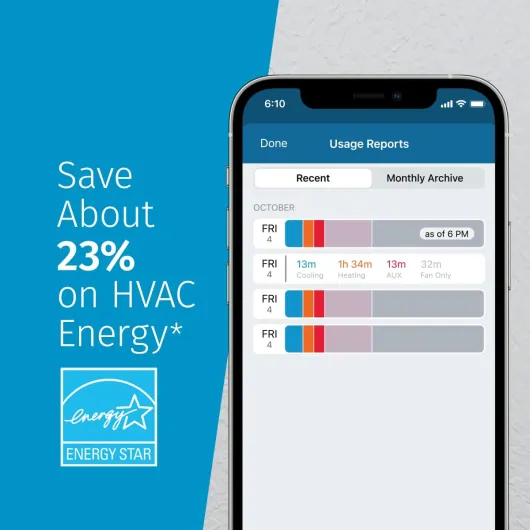
Emerson claims you can save around 23% on HVAC energy with the Sensi Touch, thanks to scheduling, remote access, and usage insights. I’m always skeptical of exact percentages, because that depends heavily on your house, insulation, and how you used your old thermostat. In my case, compared to a dumb non-programmable unit, I did see my furnace and AC run less often, mainly because I actually use schedules now instead of leaving it at one temp all day.
The scheduling is flexible but simple. You can set multiple periods per day (wake, leave, return, sleep type of thing), and you’re not forced into some weird preset logic. If you’re disciplined about setting setbacks when you’re away or asleep, that alone will save some energy. The geofencing feature is handy too: when my phone leaves a defined area, it can switch to an away mode, and when I come back, it starts bringing the house back to comfort. It’s not perfect – if multiple people live there, you need to think about how you set it up – but for one or two phones, it’s decent.
The usage reports are basic but useful. You can see how many hours your system ran for heating or cooling, which helps you spot when something seems off (like the AC suddenly running more than usual). It’s not full-blown analytics like some high-end models, but for a quick check, it’s enough. The maintenance reminders, like filter change alerts, are also practical. I’m pretty bad at remembering that sort of thing, so getting a nudge based on runtime is genuinely helpful.
Overall, in terms of effectiveness, I’d say this: if you actually use the features (schedules, away modes, maybe geofencing), you’ll probably cut your energy use a noticeable amount compared to a thermostat you never touch. If you just set it to 72 and leave it all year, don’t expect miracles. The hardware and software give you the tools, but you still have to set it up in a somewhat sensible way.
Pros
- Simple, logical interface on both the touchscreen and the app
- Stable Wi‑Fi performance and reliable remote control with Alexa/Google/HomeKit support
- Good value for money with practical energy-saving features like scheduling and geofencing
Cons
- Requires a C‑wire, which can mean extra work or cost if your system doesn’t have one
- App and interface are functional but not as polished or feature-rich as some premium competitors
Conclusion
Editor's rating
Overall, the Emerson Sensi Touch ST75 is a practical, no-drama smart thermostat. It doesn’t try to be the coolest gadget in your house; it just gives you reliable temperature control, an easy-to-read touchscreen, and a decent app so you can manage heating and cooling from your phone or with your voice assistant. The setup is straightforward if you already have or can easily add a C‑wire, and once it’s configured properly for your HVAC system, it runs quietly in the background without much attention.
It’s a good fit for people who want simple smart features – scheduling, geofencing, basic energy savings, Alexa/Google/HomeKit support – without paying top dollar or dealing with overly clever “learning” behavior. If you like having clear manual control and you don’t need fancy room sensors or deep analytics, it hits a nice balance between price and features. On the flip side, if you’re in the EU, or you absolutely refuse to touch wiring to add a C‑wire, or you want the most advanced smart-home integrations and data, this probably isn’t the right pick for you. For a typical North American home with standard wiring, though, it’s a pretty solid, good-value thermostat that gets the job done without much hassle.