
Summary
Editor's rating
Value: worth it if you use the features, overkill if you don’t
Design: looks like office gear, works like a control panel
Power and batteries: a bit confusing but reliable once set
Build and durability: solid enough, but watch out for lemons
Performance: stable temps, good control, a bit of a nerd thermostat
What this thermostat actually is (and isn’t)
Pros
- Very precise temperature control and stable performance, especially with heat pumps and multi-stage systems
- RedLINK support for wireless sensors, EIM, and zoning solves wiring issues and room temperature imbalances
- Good control over auxiliary heat usage, which can reduce electricity costs on heat pump systems
Cons
- No built-in Wi‑Fi; requires a separate RedLINK internet gateway for app control
- Interface and setup feel dated and are not very beginner-friendly, especially the installer menus
- Occasional reports of defective units and unclear warranty support if not installed by an authorized pro

Specifications
View full product page →| Brand | Honeywell |
A thermostat for people who actually tweak their settings
I’ve been using the Honeywell TH8320R1003 VisionPro in a normal house, not some fancy smart-home showroom. Just a standard split-level with a heat pump and backup electric heat. I swapped out an older basic Honeywell programmable thermostat that did the job but gave me almost no control over how the system behaved. With power prices going up, I wanted something a bit smarter, but not a flashy gadget with color screens and voice assistants. This one sits in that middle zone: old-school look, but with a lot of options under the hood.
Right away, this doesn’t feel like a “modern smart thermostat” in the Nest or Ecobee sense. There’s no built-in Wi‑Fi, no pretty animations, and the interface looks like it came from the early 2010s. But in practice, the thing that matters is whether it actually runs your system the way you want. On that front, it’s surprisingly capable, especially if you have a heat pump, zones, or tricky temperature differences between rooms.
I installed it with RedLINK sensors and, in one setup, with the Honeywell equipment interface module (EIM). That’s where this thermostat starts to make more sense. If you just want a simple thermostat for a basic furnace, I think this is overkill. But if you’re fighting with hot and cold rooms, or you want real control over when auxiliary heat kicks in, it’s a decent tool. It’s not perfect, and the whole RedLINK ecosystem feels a bit dated, but it does solve real problems.
So this review is coming from that angle: not a professional installer, just someone who’s wired a few thermostats, messed with settings, and lived with it through temperature swings. I’ll walk through how it performs, what’s good, what’s annoying, and whether I’d buy it again versus going for something like a modern Wi‑Fi smart thermostat. Spoiler: it’s solid for specific setups, but definitely not for everyone.
Value: worth it if you use the features, overkill if you don’t
On price, this thermostat usually sits higher than basic programmable models but lower than some of the top-end smart thermostats once you factor in all the extra hardware they sometimes need. If you just need a simple 7-day programmable thermostat for a single-stage furnace, I’d say this VisionPro is too much thermostat for the money. You’ll pay for features you won’t use, like RedLINK, multiple stages, and integration with EIM or zoning panels.
Where the value starts to make sense is if you have:
- a heat pump with expensive auxiliary heat,
- temperature imbalances between rooms,
- limited thermostat wiring and no easy way to pull new wires, or
- a multi-zone system or plan to add one.
One catch: if you want remote control via app, you need to buy the separate RedLINK internet gateway. That adds to the cost and feels dated compared to thermostats with built-in Wi‑Fi. The app itself is basic but works. For me, remote control is nice to have, not essential, so I don’t love that it requires an extra box and another router-like device on the shelf. If you’re all-in on the Honeywell ecosystem, it’s fine; if not, it feels like you’re paying for an older style of connectivity.
Overall, I’d rate the value as good but very conditional. If you’re going to use RedLINK sensors, maybe an EIM, and you care about fine-tuning heat pump behavior, the money makes sense because it fixes real comfort and cost issues. If you’re in a small apartment with a basic system, I’d skip this and get a simpler thermostat or a modern Wi‑Fi model that’s easier to set up and offers better smart features out of the box.
Design: looks like office gear, works like a control panel
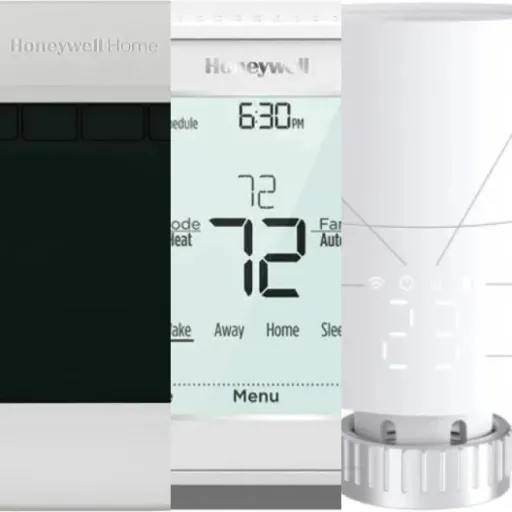
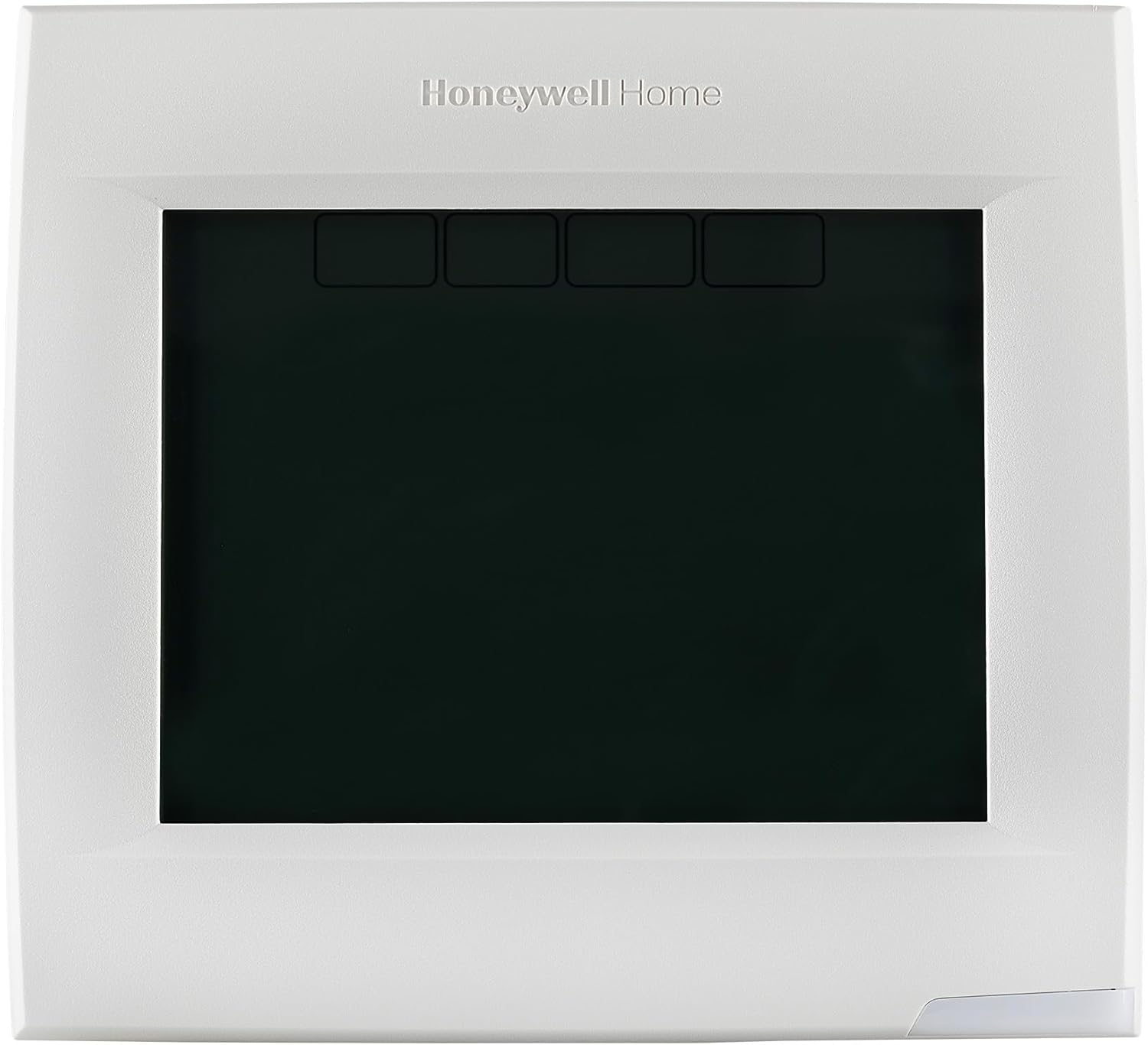
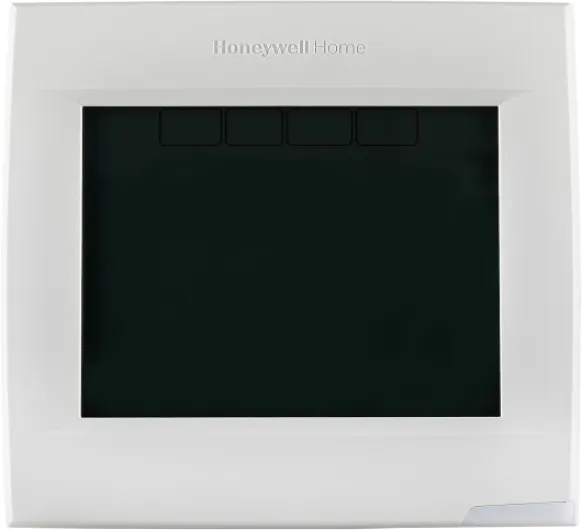
Design-wise, this thermostat is pretty basic. It’s a white rectangular box with a touchscreen and a few soft keys on the screen. It’s not ugly, but it definitely has that “commercial building” vibe rather than a sleek living-room gadget. If you’re hoping for something that blends in like a Nest or has a fancy glass front, this is not it. It looks like what you’d see in an office hallway or a small clinic. Personally, I don’t care much about how a thermostat looks, but if aesthetics matter a lot to you, be warned.
The screen itself is functional. The backlight is good, readable from across the room, and the digits are large enough. Information is laid out in a very straightforward way: current temp, setpoint, heat/cool mode, fan mode, and any schedule information. The touch response is fine, not smartphone-smooth, but accurate enough that I rarely have to tap twice. Compared to my older non-touch Honeywell, it’s an upgrade in usability, but compared to modern color screens, it feels dated.
One thing I actually like is the no-nonsense layout. You don’t get fancy graphs or animations, just clear options. That makes it easier for guests or less techy family members to bump the temperature up or down without getting lost in submenus. The downside is that a lot of the more advanced configuration lives behind installer menus that aren’t obvious. Good for preventing accidental changes, but it means you’ll probably be googling installer codes and menu numbers the first time you dive in.
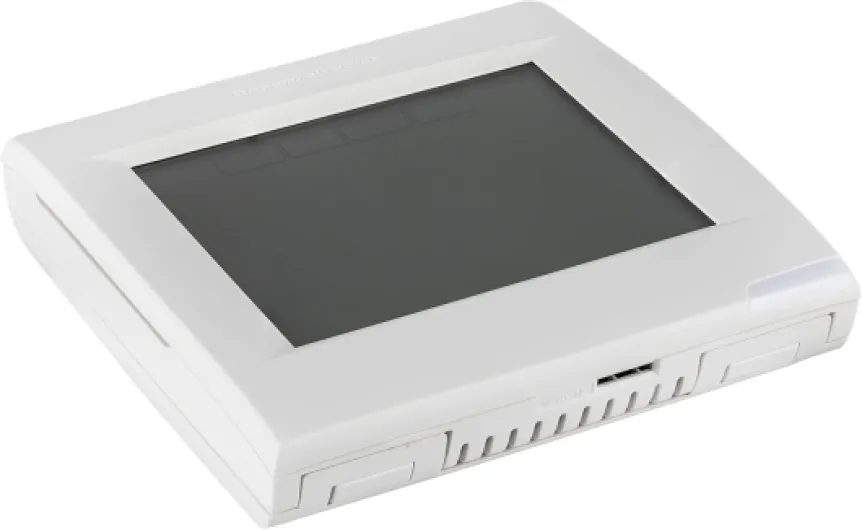
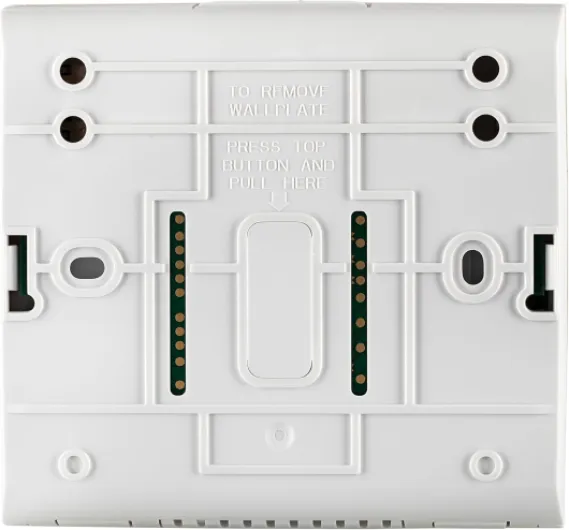
In terms of size, it’s a bit chunkier than some newer thermostats, about 2.5" deep and a bit over 6" tall. It covers the footprint of most older thermostats, which is nice because you don’t end up with unpainted wall showing. The plastic feels standard—not cheap, not premium, just okay. The faceplate snaps on and off for access to batteries. Overall, the design is practical but boring. It gets the job done visually and functionally, but you’re not buying this for style points.
Power and batteries: a bit confusing but reliable once set
The power situation on this thermostat is slightly messy in the product info, so here’s how it plays out in real life. The unit runs on 24V from your HVAC system when you have a common (C) wire connected, which is how it should be installed. In that case, the 4 AA batteries basically act as a backup if the 24V power drops. If you don’t have a C wire, the thermostat can still operate on batteries, but that’s not how I’d recommend running a more advanced unit like this long-term.
In my setup with a C wire, I popped in four AA batteries and kind of forgot about them. After several months, there’s been no low-battery warning and no weird resets. The screen stays bright, and the backlight doesn’t dim. It behaves like a properly powered thermostat. One Amazon reviewer mentioned issues where their first unit lost settings and unpaired from the RedLINK equipment interface. I didn’t run into that with my replacement unit, so I suspect they had a bad batch, like they said. Once powered correctly, the thermostat keeps its programming and RedLINK pairing even after power cycles.
If you’re planning to run it only on batteries because you don’t have a C wire, just know you’ll be changing batteries more often, especially if the backlight is used a lot. This is where the RedLINK approach with an EIM (Equipment Interface Module) and two-wire or wireless connection can help. The heavy lifting with power and control happens at the EIM near the furnace, and the thermostat just talks to it. That setup is cleaner and avoids some wiring headaches, but it does mean buying more hardware.
One thing I’d like to see improved is clearer documentation around power and batteries in the box. The Amazon listing is all over the place: it says “batteries required: No” and also “4 AA batteries required.” In real use, it’s simple: wire a C wire if possible, treat the batteries as backup, and you’re fine. If you can’t wire a C, expect to be more aware of battery changes and maybe dim the backlight timeout a bit to stretch life. Overall, for me, power has been stable and trouble-free, but I went in knowing I wanted a proper 24V connection.
Build and durability: solid enough, but watch out for lemons
Physically, the thermostat feels like typical Honeywell gear: no-frills but sturdy enough. The plastic shell doesn’t flex or creak much when you press on the screen, and the faceplate snaps on and off without feeling like it’s going to break. I’ve removed it several times to check wiring and batteries, and the clips still feel tight. The screen hasn’t scratched easily, even with a few accidental bumps from things being carried down the hallway.
In terms of electronics, my unit has been stable. It hasn’t frozen, randomly rebooted, or lost its schedule. Once I set up the programming and RedLINK pairing, it just kept working. That lines up with what a lot of long-term Honeywell users say: these things aren’t fancy, but they tend to run for years. However, some Amazon reviews clearly show there are occasional bad units. One person got two thermostats that kept losing settings and unpairing from the EIM, and only the replacements solved it. Another had to go through a vendor to get a working one after Honeywell pushed back on warranty.
This is the part that bugs me a bit: the warranty and support story is blurry. Honeywell seems to lean on the idea that these are “pro” products meant to be installed by authorized technicians, even though they’re sold on Amazon to regular people. If you get a dud, you might end up arguing between Amazon, the seller, and Honeywell. That’s not a durability issue in the physical sense, but it does affect how confident I feel recommending it to someone who doesn’t want any hassle if something goes wrong.
Day to day, though, it handles normal use just fine. The touch buttons still respond like day one, the backlight is consistent, and the casing hasn’t yellowed or cracked. I’ve had no issues with the wall mount loosening. So from a purely physical and operational perspective, I’d say durability is pretty solid. Just be aware there are occasional bad batches, so buy from a seller with good return policies and install it soon after purchase so you can test everything while returns are still easy.
Performance: stable temps, good control, a bit of a nerd thermostat
In day-to-day use, the temperature control is tight. It claims +/- 1°F accuracy, and that lines up with what I see. I have a separate digital thermometer nearby, and the readings usually match or are off by one degree at most. The system doesn’t short-cycle or overshoot badly, which I can’t say about some cheap programmable units I’ve tried before. If you’re picky about holding a steady 70°F instead of swinging between 67 and 73, this does a decent job.
Where it really shines is with more complex setups. With a heat pump and auxiliary electric heat, you can tune how aggressively it uses aux heat. That matters a lot for your bill. With my old thermostat, the aux would kick on way too soon, especially on cool mornings. With the VisionPro, you can combine outdoor sensor input and internal logic so aux only comes on below a certain outside temperature, or under specific conditions. It takes some digging in the installer settings, but once it’s dialed in, it behaves much more sensibly. I’ve seen a drop in how often aux heat runs, which is exactly what I wanted.
The auto changeover between heat and cool is another nice feature if you live in a place where spring and fall swing a lot. I set a narrow range (like 69–71°F) and let it flip between heating and cooling. It handles that without drama. No weird lag, no constant flipping back and forth. For a dual-zone setup with RedLINK sensors, averaging multiple rooms actually works well. One of the Amazon reviewers mentioned using four sensors upstairs to fix hot bedrooms; I had a similar experience, though with two sensors. The hallway is no longer the “right” temperature while the bedrooms are roasting.
On the downside, setup is not beginner-friendly. The on-screen setup wizard helps, but once you go into the deeper installer menus, it’s a wall of numbered options. If you’re not used to HVAC settings like cycles per hour, compressor lockout, or recovery options, it’s easy to either give up or misconfigure something. I’d say this thermostat performs best when either an installer sets it up, or you’re the kind of person who’s okay spending an evening reading PDFs and watching YouTube guides. Once it’s set, though, performance is stable and predictable, which is really the main thing.
What this thermostat actually is (and isn’t)
On paper, the Honeywell TH8320R1003 VisionPro sounds a bit confusing because Honeywell has a ton of very similar model numbers. This one is part of the VisionPRO 8000 series and supports up to 3 stages of heat / 2 stages of cool for heat pumps or 2 heat / 2 cool conventional. In simple terms, it works fine for most residential systems, including more complex ones with heat pumps and electric backup heat. It runs on 24V and is designed to be wall-mounted like any normal thermostat.
The twist is the RedLINK wireless communication. That means the thermostat can talk wirelessly to other Honeywell devices: remote temperature sensors, an equipment interface module (EIM), a zoning panel, or a separate internet gateway. It’s not Wi‑Fi by itself; it needs that extra Honeywell RedLINK gateway box if you want app control. That’s something you really need to understand before buying, because a lot of people assume it just connects to their home Wi‑Fi. It doesn’t.
In practice, it can be used three ways: wired directly to your HVAC like a regular thermostat, connected via just two wires to an EIM, or used wireless with the EIM or TrueZONE panel handling the real wiring. That flexibility is the main reason to buy this thing. If your existing wiring is limited or you’re dealing with a multi-zone setup, this thermostat is built for that kind of mess. You can also add up to several wireless remote sensors and take an average of room temps, which actually helps if your hallway thermostat never matches your bedrooms.
From a user point of view, the interface is a touchscreen LCD, about 10 square inches. It’s backlit, fairly bright, and uses plain text. Setup is done via on-screen menus, which is nicer than digging through a printed manual, but it still feels old-school. I wouldn’t call it intuitive if you’ve never used a Honeywell thermostat before, but after 20–30 minutes of poking around, it starts to make sense. This is not a plug-and-play gadget for people who hate menus; it’s more for folks okay with spending time in settings to get exactly what they want.
Pros
- Very precise temperature control and stable performance, especially with heat pumps and multi-stage systems
- RedLINK support for wireless sensors, EIM, and zoning solves wiring issues and room temperature imbalances
- Good control over auxiliary heat usage, which can reduce electricity costs on heat pump systems
Cons
- No built-in Wi‑Fi; requires a separate RedLINK internet gateway for app control
- Interface and setup feel dated and are not very beginner-friendly, especially the installer menus
- Occasional reports of defective units and unclear warranty support if not installed by an authorized pro
Conclusion
Editor's rating
After living with the Honeywell TH8320R1003 VisionPro for a while, my take is pretty clear: it’s a practical, control-focused thermostat that suits people who care more about fine-tuning their HVAC than about pretty interfaces. The temperature control is stable, the support for multi-stage systems and heat pumps is strong, and the RedLINK ecosystem lets you solve real-world problems like hot bedrooms and hallway-mounted thermostats that never read right. If you’re willing to go through the installer menus or have an HVAC tech set it up properly, it rewards you with consistent comfort and better control over when expensive auxiliary heat runs.
On the flip side, it’s not what I’d recommend to someone who just wants a simple, Wi‑Fi-enabled smart thermostat with slick design and an easy app. The lack of built-in Wi‑Fi, the need for a separate internet gateway, and the slightly dated interface make it feel behind newer options. There are also some reports of bad units and confusing warranty handling, so buying from a seller with solid support matters. In short, it’s a pretty solid choice for heat pump or multi-zone setups If you’re a tinkerer, a homeowner with a complex HVAC system, or someone who already uses Honeywell zoning and RedLINK gear, this thermostat fits well and holds its own. If you’re in a simple home and mainly want remote control and nice design, I’d look at a modern Wi‑Fi thermostat instead and skip the extra RedLINK hardware and setup complexity.