
Summary
Editor's rating
Value for money: not cheap, but can pay off if you commit
Design: clean look, but not exactly discreet on the radiator
Battery life and noise: what to expect day to day
Performance: room-by-room control that actually works
What you actually get in the box and how it works
Installation & build: easy enough for non‑DIY people, plastic but solid
Pros
- Easy DIY installation with clear app guidance and included adapters
- Genuine room-by-room temperature control with flexible schedules
- Solid app and voice integration (Alexa, Google Assistant, Apple HomeKit)
Cons
- Total cost gets high once you add multiple valves across the house
- Some smart automation features locked behind a paid subscription

Specifications
View full product page →| Brand | tado |
Smart heating without ripping your house apart
I’ve been using the tado° Smart Radiator Thermostat Starter Kit V3+ for a few weeks in a fairly typical UK house: old radiators, mixed valves, and a gas boiler that’s not exactly new. I bought it because my heating bills were creeping up, and the classic “one thermostat in the hallway” setup just didn’t match how we actually live. Some rooms were roasting, others were cold, and the boiler just ran based on one random spot in the house.
With this kit, the idea is simple: you swap your existing thermostatic radiator valves with these smart heads, plug in the internet bridge, and then you can control each room from your phone or with voice (Alexa, Google, Apple HomeKit). No need to touch the boiler wiring if you don’t want to. That was key for me because I’m not keen on messing with mains wiring or paying a heating engineer just to get smarter control.
In practice, the first days were mostly about playing with schedules and seeing how the house actually heats up. I quickly realised, for example, that the bedroom gets warm way faster than the living room, so having one fixed boiler schedule was just dumb. With tado, I could finally set the bedroom to heat just before bedtime and the living room to focus on the evening. This sounds basic, but when you’ve lived for years with dumb valves, it’s a real quality-of-life bump.
It’s not perfect: there’s a subscription option for the full automation (Auto Assist) which annoyed me a bit, and the price adds up fast if you have lots of radiators. But overall, it genuinely changed how I run the heating. If you’re expecting miracles on your bill overnight, you’ll be disappointed, but if you want visibility and proper control room by room, it does the job well.
Value for money: not cheap, but can pay off if you commit
Let’s be honest: this starter kit is not cheap, and the real cost appears when you start adding valves for every radiator. If you have a large house with 10–20 radiators, the bill climbs quickly. On top of that, there’s the optional Auto Assist subscription (around a few pounds per month) if you want full automation for away mode and open-window detection. So you’re not just buying a one-off gadget; if you go all in, it becomes a proper investment in your heating setup.
In my case, I looked at it as a medium-term saving tool rather than an immediate “this will cut my bill in half” solution. The real value is in not heating rooms you’re not using, and in trimming unnecessary hours of heating. For example, I dropped the temperature in the hallway and spare room most of the time, and focused heat on the living room and office during the day. Over a full winter, that should shave off a noticeable chunk of gas usage. But it’s hard to quantify exactly because prices and weather vary, so don’t expect a magic number.
Compared to cheaper smart TRVs I tried before (no names, but standard budget brands), tado is more expensive but feels more polished: better app, more reliable connection, smoother integration with Alexa and HomeKit, and more mature features like room-based schedules and decent presence detection. The cheaper ones worked, but I had more dropouts and the apps looked like they were thrown together in a weekend. If you just want one or two smart valves, the price difference may not be worth it. But if you plan to manage the whole house with 8–12 valves, the stability and support matter more.
So, is it good value? I’d say it’s fair value if you actually use the features properly and you’re ready to tweak schedules and think about how you heat your house. If you’re the kind of person who will install it, never touch the app, and leave everything on 21°C all day, then this is overkill and you’re wasting money. If you’re a bit of a nerd about your bills and comfort, the price makes more sense over time.

Design: clean look, but not exactly discreet on the radiator
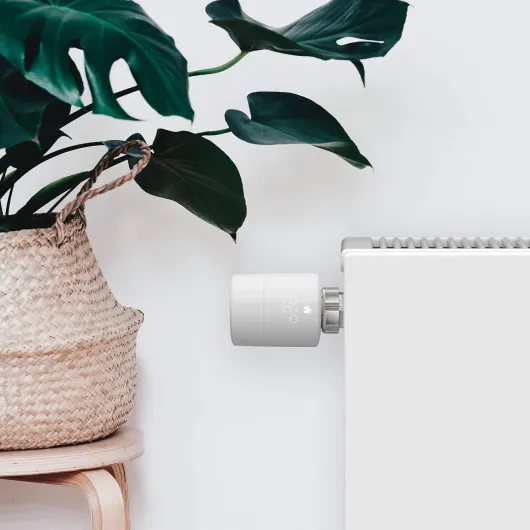
Design-wise, tado keeps it very minimal. The thermostat head is roundish, white, and fairly plain, with a simple LED matrix display that lights up when you touch the surface. It fits right in if your house already leans towards modern and neutral. It doesn’t scream “gadget,” which I liked, especially in the living room where I don’t want a sci‑fi tube hanging off the radiator. When the display is off, it just looks like a clean white cylinder.
That said, it’s not small. Compared to a classic manual TRV head, it’s bulkier and sticks out more. On some of my narrow radiators under windowsills, it’s a bit tight but still usable. The good thing is that you can mount it vertically or horizontally, so if you have pipes coming out of the floor or the wall, you can usually spin it around to make it readable and not bang your knees into it. The display itself is basic but clear: you tap or twist, and the numbers show the target temperature briefly.
I liked that the physical interaction is simple: you just twist the whole body to adjust temperature. No complicated buttons. For guests or family members who don’t care about apps, it still behaves like a normal thermostat: twist to make it warmer or cooler. The backlight is bright enough to read but not so bright that it lights up the room at night. In a bedroom, the brief glow is noticeable but not annoying; it turns off quickly.
The bridge, on the other hand, is a small white box that sits near your router. It’s not pretty or ugly, just there. It has some indicator LEDs, but once you’ve set it up, you can forget about it. Overall, I’d say the design is practical and neutral. It’s not going to impress anyone visually, but it also doesn’t ruin the room. You just have to accept that your radiator valves will look more “techy” and a bit chunkier than the old manual ones.
Battery life and noise: what to expect day to day
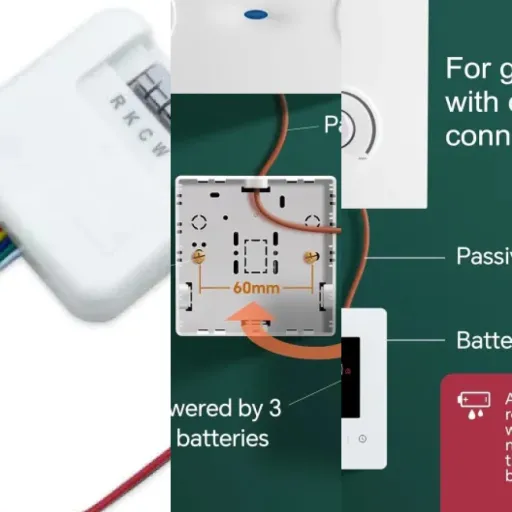
The thermostats are powered by 2 AA batteries each (included in the kit). During my test period of a few weeks, I obviously didn’t drain a set completely, but based on other users and tado’s own info, you’re usually looking at roughly a year of battery life, give or take, depending on how much the valve moves and how often it talks to the bridge. The app shows battery status and warns you when they’re getting low, so there’s not much risk of being surprised in the middle of winter with a dead valve.
I like that they use standard AA batteries, not some obscure coin cell or proprietary pack. When they run out, you just grab any decent AA rechargeable or alkaline and you’re done. The battery compartment is accessible and doesn’t require weird tools. For a device that lives in every room, this is important: you don’t want to hunt for special batteries in six months. In practice, once installed, you mostly forget they’re battery powered until the app pings you.
On the noise side, as I mentioned earlier, there is a small motor inside each valve. Every time it adjusts the valve, you get a short mechanical whirring sound. During the day, it’s barely noticeable. At night, especially in quieter rooms like bedrooms, you will hear it occasionally when the temperature changes. In my case, it didn’t wake me up, but I did notice it the first nights until I got used to it.
If you’re really sensitive to noise, you can reduce the frequency of changes by making your schedules a bit less aggressive (larger temperature steps, fewer adjustments). But you’ll never get absolute silence like a purely manual valve. Personally, I find the trade-off acceptable: a few short noises in exchange for proper temperature control and not heating empty rooms. Just don’t expect the valves to be 100% silent robots; they’re not.
Performance: room-by-room control that actually works
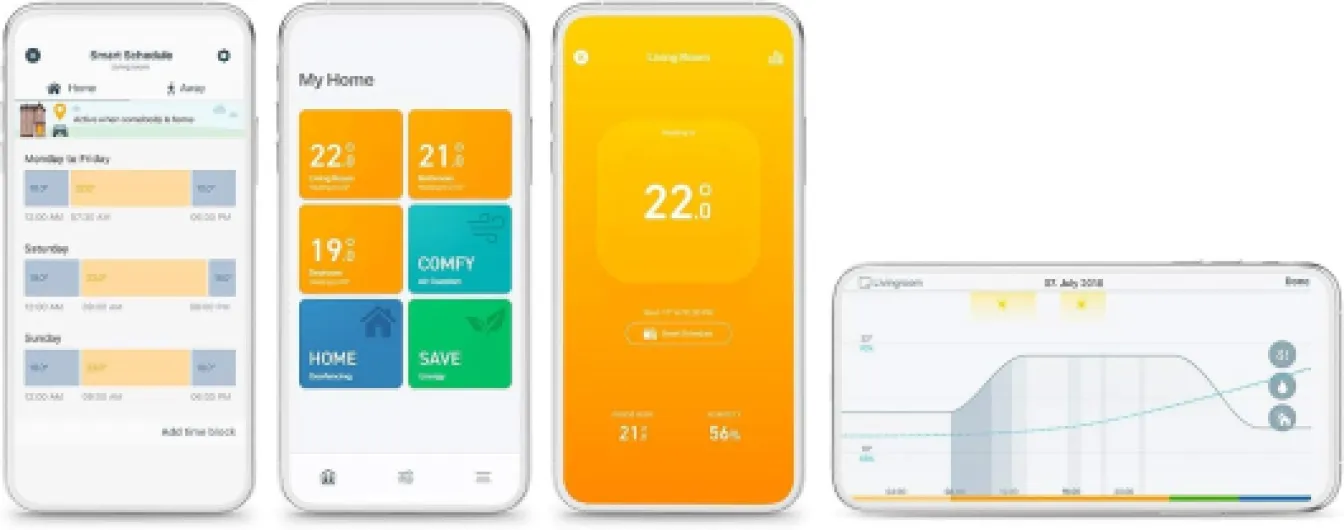
Once everything was installed, the main question was: does it actually keep rooms at the right temperature and avoid wasting heat? In my case, yes, it did a pretty solid job. Before tado, some rooms were overheating while others stayed chilly. After setting up individual schedules, I could clearly see that radiators were only heating when needed. The app shows when the valve is calling for heat and what the room temperature is, so you’re not guessing anymore.
Temperature control is reasonably accurate. If I set a room to 20°C, it hovered around that with small variations, which is normal. It’s not laboratory precise, but for day-to-day comfort it’s more than enough. The valves also learn a bit how fast the room heats and cools, so after a few days it felt more stable. Compared to basic manual TRVs with random numbers on a dial, this is a big step up: you say 20°C, you get roughly 20°C, not “somewhere between warm and too hot.”
The smart features are where it gets interesting. The geo-fencing (detecting if you’re home or away) works, but full automation is paywalled behind their Auto Assist subscription. Without paying, you still get push notifications telling you “no one is home, do you want to turn down the heating?” which is better than nothing. With Auto Assist, it can do it automatically. Personally, I tested just with the notifications and manual confirmation; it’s slightly less convenient, but it works. Open-window detection is similar: the app notices a sudden temperature drop and suggests turning off the heating in that room for a while.
One feature I liked more than expected was the Smart Schedules per room. For example, I set the home office to heat only on weekdays and to stay cooler on weekends. The bedroom has a short warm-up before bedtime and in the morning, and stays cooler the rest of the day. The living room stays warm in the evening and cooler at night. This is the kind of stuff a single central thermostat just can’t do properly. You can also hit a Heating Boost in the app to heat all rooms for 30 minutes if you come home cold, which I used a few times and it worked as advertised.
What you actually get in the box and how it works
The starter kit V3+ I tested includes one smart radiator thermostat head, the internet bridge, power adapters (UK and EU), USB cable, Ethernet cable, a bunch of valve adapters, and some paper guides. So with this pack, you can properly control one radiator plus your overall system via the bridge. Realistically, most people will need extra valves if they want proper zone control, but this is enough to see how it behaves and if it fits your setup.
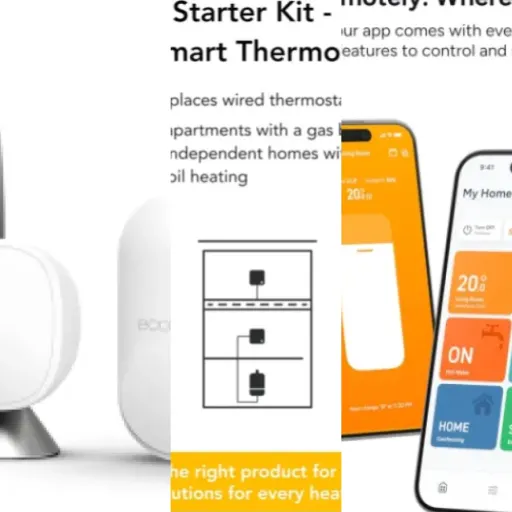
The way it works is fairly straightforward: the bridge plugs into your router via Ethernet and into the wall via USB power. The radiator thermostat takes 2 AA batteries (included) and replaces your old TRV head. Communication goes via their own radio (they say Zigbee in the spec), not Wi‑Fi directly on each valve, which is good for battery life. Everything is managed through the tado app, which is where you do room naming, schedules, and check temperatures.
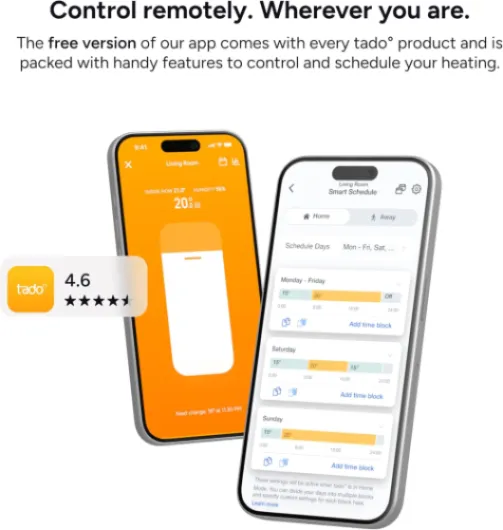
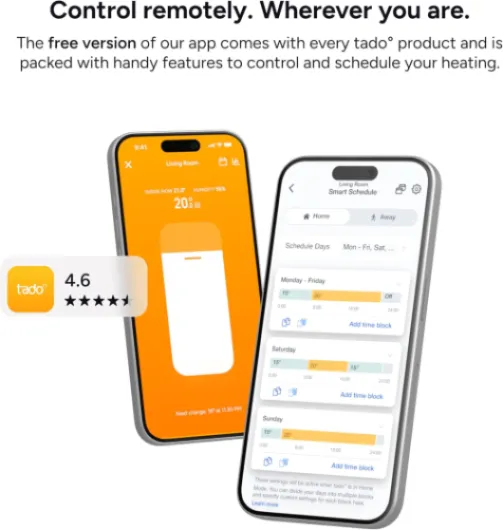
In the app, each thermostat becomes a “room,” even if it’s literally just one radiator. You can set a weekly schedule with different temperature blocks (for example 06:30–08:30 at 21°C, 08:30–17:00 at 17°C, etc.). You also get some extras like open-window detection, presence-based control (geo-fencing), and air comfort insights. Some of these work without paying, but full automation (where it changes temperature automatically when you leave/return) is locked behind their Auto Assist subscription.
From a practical point of view, the kit is aimed at people who don’t want to touch the boiler wiring yet still want smarter heating. If your radiators already have thermostatic valves, you’re basically just unscrewing the old head and putting this one on with the right adapter. The kit is compatible with most standard valves; in my case, the supplied adapters covered everything. Overall, the pack is pretty complete, and you don’t feel like they cheaped out on the basics.
Installation & build: easy enough for non‑DIY people, plastic but solid
On the installation side, I was a bit worried at first because I’m not especially handy. In reality, tado made it pretty straightforward. You scan the QR code on the valve, the app walks you through each step with pictures and clear text, and you basically just unscrew your old valve head and screw the new one on with the right adapter. In my case, it took maybe 10–15 minutes for the first one because I was double-checking every step, then around 5 minutes per valve after that.
The adapters are a key point. The kit includes several types to match different radiator valves. I had a mix of Danfoss and some generic valves, and one of the included adapters fit each radiator. No plumber, no draining the system, nothing fancy. If you can handle a screwdriver and follow instructions, you’re good. The internet bridge is dead simple: Ethernet cable into the router, USB cable into the power adapter, done. Pairing between the bridge and the thermostat worked first try for me.
Build quality is mostly plastic, but not in a cheap toy way. The casing feels sturdy enough, threads on the adapters are clean, and once tightened, the valve doesn’t wobble. You’re not getting metal housings or luxury materials, but for a radiator valve that you rarely touch physically, plastic is fine. The twist action is smooth, and the clicking is precise enough to feel what you’re doing. I’ve had cheaper smart TRVs in the past that felt loose and rattly; the tado ones feel more solid than those.
One thing to be aware of: when the valve motor moves (for example, when it opens or closes), you do hear a short mechanical noise. It’s not loud, but in a quiet bedroom at night you will notice it the first days. For me it was acceptable, similar to a quiet electric toothbrush burst but much shorter. If you’re super sensitive to noise at night, you might want to set the bedroom schedule to avoid lots of adjustments while you’re sleeping. Overall, for a DIY install, I’d rate the whole experience as very manageable and well guided, even for beginners.
Pros
- Easy DIY installation with clear app guidance and included adapters
- Genuine room-by-room temperature control with flexible schedules
- Solid app and voice integration (Alexa, Google Assistant, Apple HomeKit)
Cons
- Total cost gets high once you add multiple valves across the house
- Some smart automation features locked behind a paid subscription
Conclusion
Editor's rating
After living with the tado° Smart Radiator Thermostat Starter Kit V3+ for a while, my overall feeling is that it’s a practical and mature system for people who actually care about how their heating runs. The hardware is solid enough, the app is clear, and the installation is accessible even if you’re not big on DIY. Room-by-room control works as advertised, and once you’ve set sensible schedules, you stop heating empty rooms just out of habit. That alone is where the real savings come from, not some magic trick.
It’s not perfect though. The cost adds up quickly if you want to equip the whole house, and the Auto Assist subscription to unlock full automation feels a bit stingy given the initial price. The valves also make a small noise when adjusting, which can bother very sensitive sleepers. And if you’re expecting huge instant savings without putting in a bit of effort to set things up properly, you’ll probably be underwhelmed.
Who is this for? It suits people with multiple radiators and at least some existing TRVs, who want more control and are comfortable using an app regularly. It’s especially good if different rooms in your home have very different heating needs (home office, kids’ rooms, guest room, etc.). Who should skip it? If you live in a small flat with just a couple of radiators, or you never touch your heating anyway, a single smart thermostat or even a basic programmer might make more sense. Overall, I’d say it’s a strong option if you’re ready to invest both money and a bit of time into managing your heating more intelligently.