
Summary
Editor's rating
Value for money: good if you use Matter, weaker if you pay the full tado ecosystem tax
Clean look, nice UI, but not very informative at a glance
Rechargeable battery: genuinely handy, but you still need to plan for it
Build quality and reliability: decent plastic, but support can be hit-or-miss
Heating control and smart features: decent, but the clever bits are paywalled
What you actually get and what they don’t highlight enough
Pros
- Clean, compact design with easy-to-read LED display and simple swipe control
- USB‑C rechargeable battery that can last around a year per charge, no AA batteries needed
- Matter and Thread support, works well with Apple HomeKit, Alexa, and Google for wider automations
Cons
- Some of the key smart features (geofencing, open window detection, advanced savings tools) require a paid subscription
- DIY installation can be tricky on certain UK boiler systems and may need support or an engineer
- Needs a Bridge X or other Thread border router for connectivity, which adds extra cost if you don’t already have one

Specifications
View full product page →| Brand | tado |
A smart thermostat that’s clever, but not exactly plug-and-play
I’ve been using the tado° Wired Smart Thermostat X (2nd gen) for a few weeks on a standard gas boiler setup, replacing an old wired room stat. I went for this one mainly because of Matter support and the fact it works with Apple HomeKit, Alexa and Google, plus the idea of not having to buy AA batteries ever again was pretty appealing. On paper, it ticks a lot of boxes: slim design, app control, automations, geofencing, the usual smart thermostat stuff.
In practice, it’s a bit of a mixed bag. When it works, it does the job well: the app is clear, schedules are easy to set, and the thermostat itself looks clean on the wall. But it’s not as straightforward as the product page makes it sound, especially if you’re in the UK or you don’t already understand how your boiler is wired. The whole “DIY installation” message is technically true, but there are some gotchas.
I tested it with a wired thermostat line going to a combi boiler, using it mainly through HomeKit and the tado app. I didn’t buy the full starter kit because I already had a Matter/Thread setup at home, so I just added this thermostat into that ecosystem. This part actually worked nicely: pairing through Matter was smoother than I expected, and once it showed up in HomeKit, I could drop it into my existing automations.
Overall, my first impression is: it’s a smart thermostat that can save energy and make life easier, but you need to know what you’re getting into. There’s the subscription angle for the advanced features, the compatibility limitations with older tado gear, and some installation quirks that the marketing doesn’t really shout about. If you’re expecting a simple swap with zero thinking, this isn’t that, especially on certain UK systems.
Value for money: good if you use Matter, weaker if you pay the full tado ecosystem tax
Price-wise, this thermostat sits in the mid to upper range of consumer smart thermostats. It’s not the cheapest thing you can buy, but it’s also not the most expensive flagship either. Where the value really depends is on what you already have at home. If you already own a Thread border router (for example from Apple, Google or some hubs) and you’re planning to run most of the logic through HomeKit, Alexa, or Google Home, then you can skip the tado starter kit and just buy this unit. In that case, it becomes a reasonably priced, Matter-compatible wired thermostat that fits nicely into your wider smart home.
If you don’t already have that infrastructure though, the story changes. You’ll likely need the tado Bridge X or some other compatible border router, and if you get tempted by the AI Assist subscription for the geofencing and energy insights, that’s another recurring cost. Over a few years, that adds up. At that point, systems like Drayton Wiser or even some Nest setups start to look more attractive, especially for typical UK boilers, because they’re a bit more straightforward and don’t hide key features behind a subscription.
On the positive side, there is some genuine potential to save on heating costs if you actually use schedules properly and don’t heat empty rooms all day. Whether that’s 55% like the marketing claims is very questionable and depends more on how wasteful you were before than on the thermostat itself. But with the Energy Savings Promise and the 12‑month refund option, at least you’re not locked in if you feel it didn’t help at all. That’s more consumer-friendly than many competitors.
So in terms of value: I’d call it pretty solid but not outstanding. It makes most sense for people who: already have Matter/Thread gear, prefer to avoid battery replacements, and are comfortable using free automations in their platform instead of paying for tado’s subscription. If you’re starting from scratch, don’t care about Matter, and want something dead simple for a UK boiler, there are cheaper and easier options that might give you similar savings without the extra complexity.
Clean look, nice UI, but not very informative at a glance
Design-wise, I actually like it. It’s a simple white square with rounded corners, no big plastic bezel or old-school LCD. It’s slim on the wall and doesn’t scream “gadget” when you walk into the room. The front is basically an LED matrix hidden behind the plastic, so when it’s off it just looks like a blank panel. When you wake it, it shows the temperature and humidity in a dotted LED style that’s easy to read from a couple of meters away.
The main control is this interactive light ring around the edge: you swipe your finger along it to raise or lower the temperature. Once you get used to it, it’s fine, but the first few days it feels a bit gimmicky. You don’t get a big clear dial like a Nest or a traditional stat, so if you like tactile knobs, this isn’t that. There’s also a customisable top button which you can set to trigger a favourite mode, like turning heating off, setting it to a preset temperature, or starting a quick action. That’s handy if you don’t always want to grab your phone.
My only gripe on the design side is that information is a bit minimal on the device itself. You get temp and humidity, and you can adjust the setpoint, but if you want more detail—like schedules, energy stats, or which mode is active—you’re straight back into the app. That’s not unusual for modern thermostats, but it does mean the physical device is more of a remote control than a full information centre. Also, if you mount it somewhere that catches a lot of light, the LEDs can be a bit washed out at certain angles, though still readable.
Compared to something like Drayton Wiser or a basic Honeywell programmable stat, this looks more modern and less cluttered. If you care about how it looks on the wall, it’s pretty solid. If you just want big numbers and clear buttons, you might find it a bit too minimalistic and slightly techy for older relatives or guests.
Rechargeable battery: genuinely handy, but you still need to plan for it
One of the main reasons I tried this model is the USB‑C rechargeable battery. I’m tired of swapping AA batteries in smart devices, so the idea of charging it once a year sounded good. According to the specs, a full charge takes around 2 hours and should last over 365 days. I obviously haven’t hit a full year yet, but after several weeks of use the battery level barely moved in the app, so the claim doesn’t sound unrealistic.
Charging it is straightforward: you plug a USB‑C cable into the side (they include a 1.2 m cable) and let it sit. The slight downside is that if you’ve wall-mounted it and your nearest socket is far away, the cable might not reach. You might end up either using a longer cable or taking the unit off the wall to charge it somewhere else. The wall mount is not hard to remove once you’ve done it once, but it’s still a small hassle compared to mains-powered wired thermostats that never need charging at all.
On the plus side, not having to think about battery types, leaking AA cells or buying new ones is nice. You just top it up once in a while like a phone. There’s no weird proprietary charger—just standard USB‑C—which is exactly how it should be in 2024. During charging, the thermostat stays usable, so your heating doesn’t suddenly stop working while it’s plugged in, which was something I was slightly worried about at first.
If you’re the sort of person who forgets this kind of thing, you’ll want to keep an eye on the battery indicator in the app or set a reminder. But honestly, compared to older tado models and other brands that chew through AA batteries every few months, this setup feels more practical in the long run. Not perfect, but much less annoying than the constant battery shuffle.
Build quality and reliability: decent plastic, but support can be hit-or-miss
The thermostat is mostly plastic, and you can feel that when you hold it. It doesn’t feel cheap like a toy, but it’s clearly not a metal or premium-feeling device. The front panel has a smooth finish, and the mount clips are reasonably sturdy. After installing and removing it a couple of times to check the wiring, nothing cracked or bent, so the build is fine for normal use. It’s the kind of thing you mount once and forget, so I’m not too worried about the material as long as it doesn’t yellow quickly over time.
In terms of reliability, during my few weeks of use it stayed connected and responded consistently. No random dropouts, no weird reboots. The Matter/Thread connection was stable once added to my system. That said, looking at other user reviews, the main durability concern isn’t the hardware itself but the software setup and support. One UK user mentioned needing multiple engineers and still not getting it working because tado had to enable certain boiler functionality on their side. That’s a bit worrying if you don’t have patience for support tickets.
The 2‑year premium warranty and the promise of remote diagnosis and replacement are reassuring on paper. But if you end up stuck with a system that doesn’t work because some backend option wasn’t flipped on, that warranty doesn’t help much until support actually takes you seriously. My own interactions with tado support were neutral: not super fast, but they answered basic questions. I didn’t hit the same level of trouble as that one-star reviewer, but I can see how it could happen on more complex UK setups.
Overall, I’d say hardware durability seems fine for a plastic wall device, and the battery system should be okay over a few years if you don’t abuse it. The real long-term question is software updates and how long they keep the X range supported. Given it’s Matter-based, it should age better than older proprietary hubs, but with any cloud-connected thermostat, you’re partly relying on the company staying on top of things. For now, nothing obviously fragile, but not something I’d describe as bombproof either.
Heating control and smart features: decent, but the clever bits are paywalled
In day-to-day use, the thermostat does what it’s supposed to do: it turns the boiler on and off based on the schedule and the room temperature. It supports both simple relay control and OpenTherm, so if your boiler can talk OpenTherm you can get modulating control instead of basic on/off. On my fairly standard combi boiler, it behaved predictably: when I set 20°C, it aimed for 20°C and didn’t overshoot much. The room felt more stable compared to my old dumb stat, which used to let the room swing a couple of degrees either way.
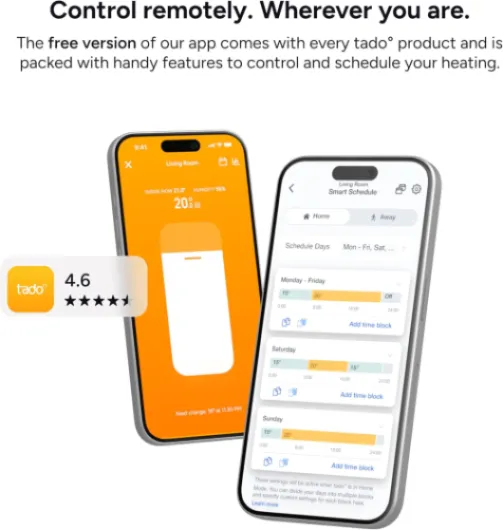
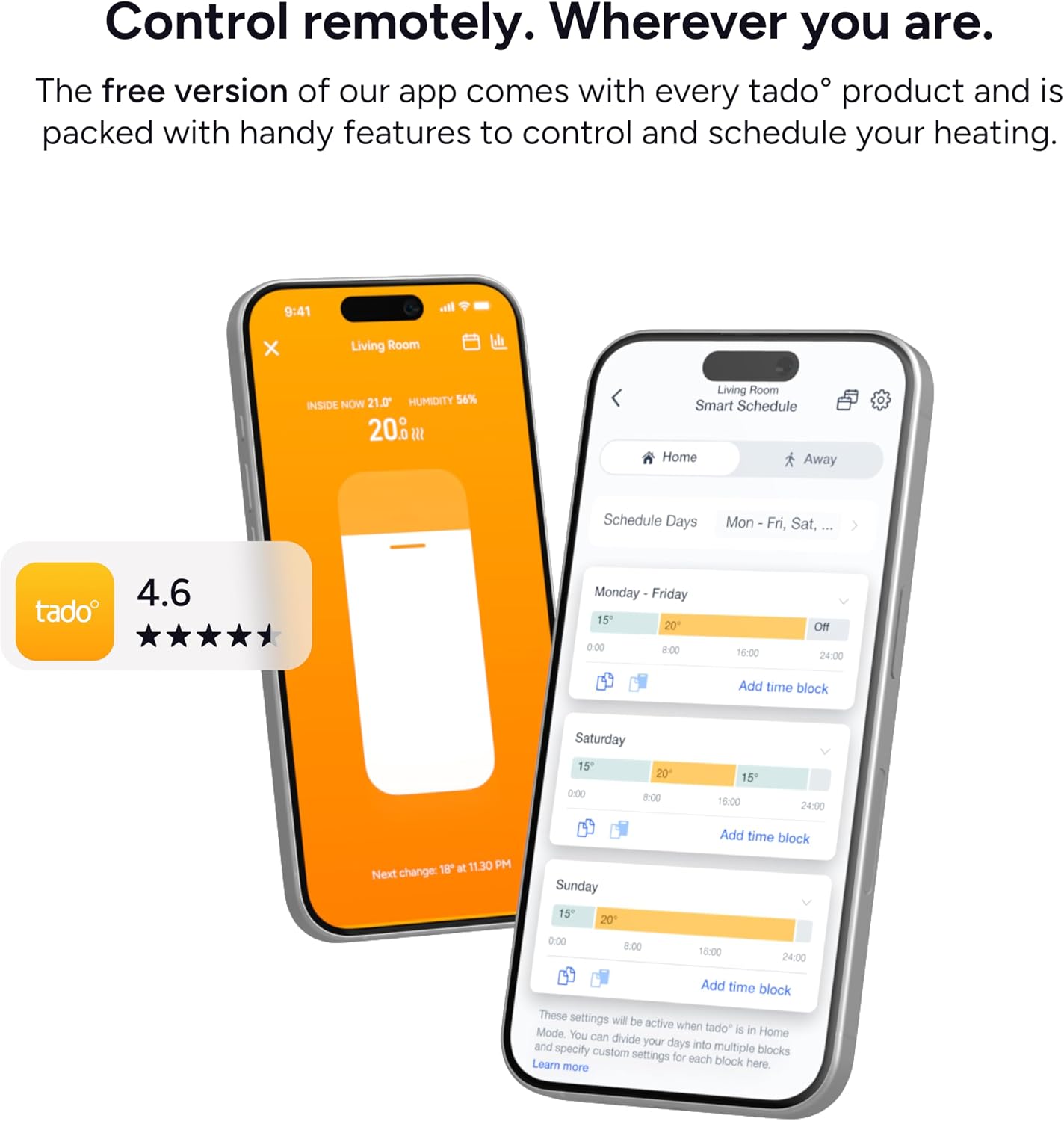
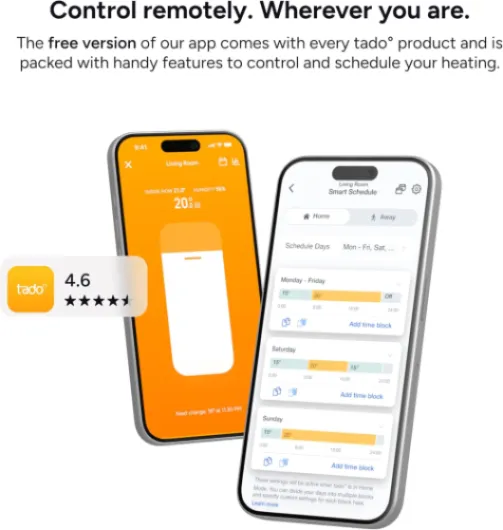
The app is quite clear. You can set personalised schedules per room (if you have more tado devices) or just one schedule for this thermostat. You can create different time blocks for weekdays and weekends, change temps quickly, and use "quick actions" to turn off heating or set away mode. Remote control from outside the house worked reliably for me; I never had a situation where the thermostat didn’t respond to a change within a few seconds once the Matter connection was sorted.
Where it gets a bit annoying is the split between free and paid features. Geofencing, open window detection, holiday mode and some of the smarter automation stuff sit behind the AI Assist subscription. Without that, you still have a smart thermostat, but it’s basically schedules + manual remote control. If you’re already deep into HomeKit or Alexa routines, you can recreate some of the logic yourself for free (like location-based automations or away modes). That’s what I ended up doing: I use Apple’s automations instead of paying tado every month. It works, but it makes tado’s own “up to 55% savings” claim feel a bit inflated unless you’re willing to subscribe.
Overall performance is solid: it heats when it should, the app is responsive, and integration with voice assistants is fine. Just be aware that the flashy features in the marketing page are not all included in the base price. If you don’t want to subscribe and you’re comfortable setting up your own routines in your smart home platform, you’ll get decent value. If you expected all the smart stuff to be included, you’ll probably feel slightly short-changed.
What you actually get and what they don’t highlight enough
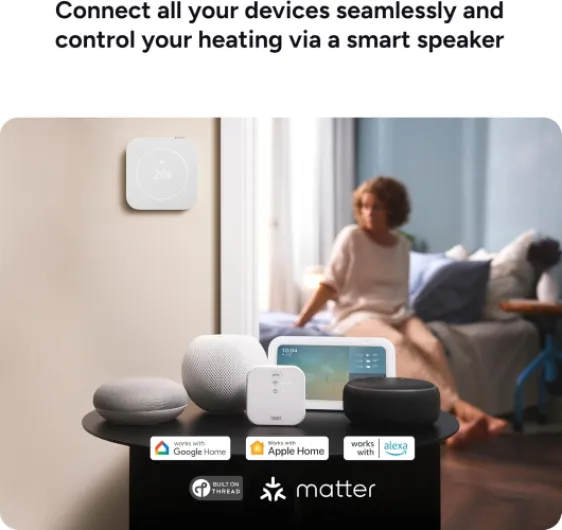
Out of the box, you get the thermostat itself, a rechargeable Li‑ion battery already in it, a USB‑C cable (about 1.2 m), some screws and wall plugs, adhesive pads if you don’t want to drill, and a few little wiring accessories. So you’re not missing anything basic for mounting it on the wall. The thermostat is pretty compact: around 11 x 11 cm and very thin (1.7 cm), so it doesn’t stick out like some older chunky thermostats.
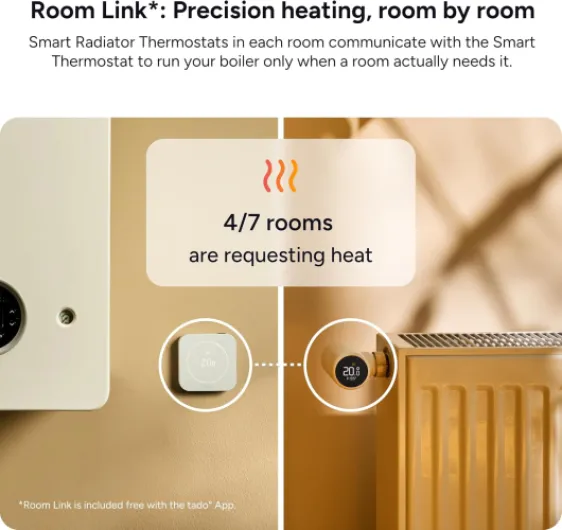
The first important point: this X series is not compatible with older tado V3+ gear. If you already have older tado stuff at home and you think you’ll add this as an extra room, that’s not happening. It’s a separate ecosystem. Also, this unit by itself does not connect to Wi‑Fi. It needs either a tado Bridge X or another Thread border router that supports Matter. A lot of people miss this line and then complain that it doesn’t connect. In my case, I already had a Thread border router, so it was fine, but if you don’t, that’s an extra cost.
Feature-wise, the brand pushes the AI Assist a lot: geofencing, open window detection, holiday mode, Energy IQ, Care & Protect and so on. The catch is that these are part of a paid subscription (around £3.99/month or £29.99/year). The basic scheduling and remote control still work without paying, but the “save up to 55% more energy” marketing is linked to that subscription. That’s not super clear unless you read the small print. Compared to something like Apple Home automations, which are free once you’ve got the hardware, this feels a bit like an upsell.
On the plus side, you do get a 2‑year premium warranty where they apparently diagnose problems remotely and send a replacement if needed. There’s also an “Energy Savings Promise”: if you’re not happy with the savings after 12 months, you can return it. I haven’t tested the refund part obviously, but it’s there on the box. In short, the package is complete for mounting and using it, but full functionality needs more: either a Bridge X or another Thread router, and probably the subscription if you want all the automation tricks they advertise.
Pros
- Clean, compact design with easy-to-read LED display and simple swipe control
- USB‑C rechargeable battery that can last around a year per charge, no AA batteries needed
- Matter and Thread support, works well with Apple HomeKit, Alexa, and Google for wider automations
Cons
- Some of the key smart features (geofencing, open window detection, advanced savings tools) require a paid subscription
- DIY installation can be tricky on certain UK boiler systems and may need support or an engineer
- Needs a Bridge X or other Thread border router for connectivity, which adds extra cost if you don’t already have one
Conclusion
Editor's rating
After living with the tado° Wired Smart Thermostat X (2nd gen) for a while, my feeling is that it’s a smart, well-thought-out product that’s held back a bit by its ecosystem and pricing model. As a thermostat, it does its job: it keeps the room at the right temperature, the app is clear, and the Matter support means it drops nicely into Apple, Google or Alexa setups. The rechargeable USB‑C battery is genuinely practical, and the design looks clean on the wall without shouting for attention.
Where it stumbles is around setup expectations and the subscription side. The DIY installation is not as universal as they make it sound, especially for more complex UK boilers, and some people will absolutely need either an engineer or patient back-and-forth with tado support. On top of that, a chunk of the advertised “smart” features is locked behind a paid AI Assist plan, which makes the base product feel a bit stripped down if you don’t want another subscription. If you’re already running a Matter/Thread smart home and you’re happy to build your own automations, it can be a good fit and decent value. If you just want something simple that works out of the box for a typical UK system, I’d look closely at alternatives like Drayton Wiser before deciding.