
Summary
Editor's rating
Value: worth it as a refurb, but not cheap for what it is
Design: clean look, but the brains behind it can be stubborn
Performance: smart features vs just heating the house
Installation: manageable if you’re handy, but instructions are just okay
What you actually get with this Ecobee Premium
Effectiveness: energy savings vs comfort and control
Pros
- Clean, modern design with a bright backlit screen and solid-feeling hardware
- Strong smart features: Wi‑Fi app control, Siri/Alexa support, and Apple HomeKit compatibility
- Can help reduce energy use if you set up schedules and are okay with slightly more flexible comfort
Cons
- Smart logic (Auto mode, temp gaps, Follow Me) can fight user preferences and feel overcomplicated
- Instructions are only average; tricky wiring setups almost require YouTube or support
- Price is on the high side, even refurbished, if you only need simple, reliable temperature control

Specifications
View full product page →| Brand | ecobee |
A fancy thermostat that sometimes tries a bit too hard
I’ve been using the Ecobee EB-STATE6P-01 Smart Thermostat Premium (refurb unit) for a little while now, and I’ll be honest: it’s not the magic brain for your heating that the branding suggests, but it’s not trash either. It sits somewhere in the middle. When it works the way you expect, it’s pretty solid. When the software decides it knows better than you, it gets annoying fast.
I came from a basic non-programmable Honeywell, so the jump was big. Suddenly I had an app, Wi‑Fi, Siri/Alexa support, humidity readings, and outdoor weather right on the wall. That part is actually nice in day-to-day use. I liked being able to tweak the temperature from my phone on the couch or when I was out of the house.
Where it gets messy is the “smart” side: schedules, Auto mode, and how it averages temperatures with sensors. The hardware feels decent, the refurb unit I got looked basically new, but you can feel that the software is trying to be clever instead of just doing what you set. If you’re the kind of person who just wants to set a temperature and be done, this can be frustrating.
So this isn’t going to be a love letter. I’ll go through what actually works well (install, app control, energy stuff) and what feels over-engineered (Auto mode, Follow Me, and some of the logic that decides when your heat or AC kicks in). If you’re thinking of picking up this refurb model, especially to save some cash, this should help you decide if the trade-offs are worth it.
Value: worth it as a refurb, but not cheap for what it is
Price-wise, this Ecobee Premium sits on the higher end of consumer thermostats, even in refurbished form. One reviewer nailed it: it’s expensive, but if you care about energy savings and phone control, you might still justify it. The refurb angle helps a bit—you’re not paying full new price, and you still get a 90-day limited hardware warranty. My refurb unit looked almost new, with only very light signs of use, so on that front it felt like a decent deal.
That said, you need to be honest with yourself about what you’ll actually use. If all you want is a reliable thermostat that keeps your house at one temperature and maybe lets you bump it up or down occasionally, a simple programmable unit or even a cheaper smart thermostat from Honeywell or others might make more sense. One 1-star reviewer literally ditched this thing and went back to a $50 non-programmable Honeywell because they were fed up with the firmware behavior. That tells you a lot: the extra money only makes sense if you actually use the smart features.
Where the value starts to show is if you’re into smart homes and remote control. Being able to adjust things from your phone, check on the house when you’re away, use voice control with Siri or Alexa, and integrate with HomeKit automation does add real convenience. If you have an uneven house and plan to use remote sensors, that can also help even things out—assuming you take the time to configure it properly and turn off the features that bother you.
Overall, I’d call the value “pretty solid but not mind-blowing” for the refurb version. You’re paying for a mix of hardware and a bunch of software features, some of which you might end up disabling. If you’re tech-comfortable and want the smart integrations, it’s reasonable. If you just want simple and reliable, you’re probably overpaying and might be happier with a simpler Honeywell or even a lower-tier Ecobee model.
Design: clean look, but the brains behind it can be stubborn
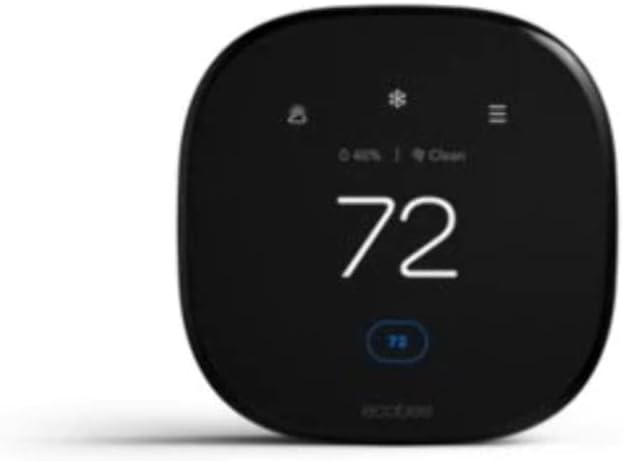
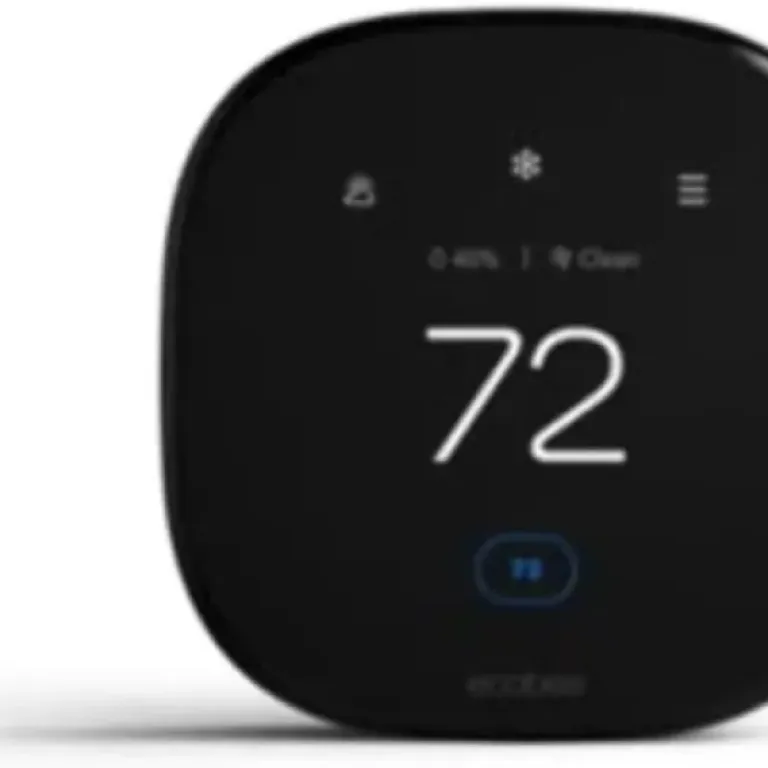
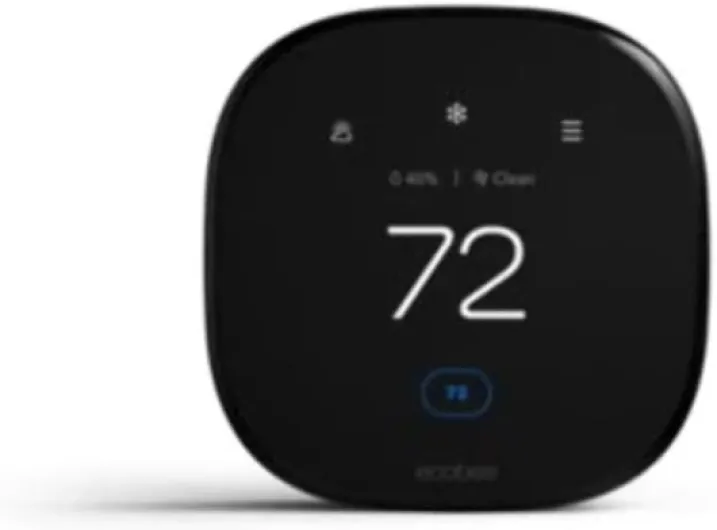
Visually, the Ecobee Premium looks like a modern black tablet stuck on your wall. The finish is black, the edges are rounded, and the screen is bright with a clear backlight. Compared to the old beige plastic thermostats, it definitely looks more current. If you care about the wall not looking like it’s from the 90s, you’ll probably like how this thing blends into a modern living room or hallway. It doesn’t scream for attention, but it does look like a tech gadget, not a basic switch.
The touchscreen is responsive enough. I didn’t feel like I had to stab at it repeatedly to change the temperature. The layout is pretty straightforward: big number for the current temp, sliders or arrows for setpoints, and extra info like humidity and outdoor conditions. This is one area where Ecobee did a decent job. You don’t have to dig through endless menus just to bump the temperature a degree or two. The button controls and on-screen prompts are simple once you’ve used it a couple of days.
Where the design gets less friendly is in the deeper settings. Things like Auto mode, minimum temperature gaps, schedules, and the Follow Me feature are buried in menus that aren’t always intuitive. It’s not impossible to navigate, but you can tell it’s built for people who are willing to tinker. If you’re not into messing with settings, you might find yourself confused by why the thermostat isn’t doing exactly what you told it. That one 1-star review calling out Auto mode and temperature averaging isn’t lying: the logic can feel like it’s fighting you sometimes.
So from a pure physical and visual perspective, I’d say the design is pretty solid: modern look, good screen, decent touch response. But if we include the software design and menu structure, it’s more mixed. For someone tech-comfortable, it’s manageable, just a bit fiddly. For someone who wants a dead-simple interface, this is going to feel like more work than it should for something whose main job is turning heating and cooling on and off.
Performance: smart features vs just heating the house
In terms of raw performance—actually turning your furnace or AC on and off—the Ecobee Premium does the job, but with conditions. When I set it to a single mode (just heat or just cool) and used a simple schedule or even manual control, it behaved like you’d expect: it kicked on near the set temperature and held things fairly steady. The temperature readings seemed accurate enough compared to a separate thermometer I had in the same room, usually within about 0.5–1°F.
The problems start when you lean into all the smart stuff. Auto mode, which is supposed to switch between heat and cool automatically, forces a gap between the heating and cooling setpoints (usually around 2–5°F). That’s meant to stop short cycling, but in practice it can stop you from setting the exact temperature you want. You drag the slider and it just won’t let you put the numbers where you want them. I get why the angry review called it out—it does feel like the thermostat is second-guessing you. If you like full control, this is annoying.
The other thing is the temperature averaging and Follow Me with room sensors. On paper, it’s a nice idea: instead of just using the wall thermostat temperature, it looks at multiple rooms and decides how the whole house feels. In practice, if you have a sensor in a warmer room that the system thinks is “occupied”, it can decide the house is warm enough and refuse to kick the heat on, even if the room you’re in feels cold. I had a couple of times where I was clearly chilly in the main area, but the system thought things were fine because of the sensor data. Once I turned off Follow Me and simplified the setup, it behaved more like a normal thermostat again.
So performance-wise, it’s capable, but you kind of have to tame it. If you go in and disable or tweak some of the smarter features, it holds temperature well and gives you the benefit of app control and energy tracking. If you just accept all the defaults and trust it blindly, there’s a real chance you end up either slightly cold or slightly hot more often than you’d like. It’s not broken, but it’s not the kind of device I’d install for someone who hates fiddling with tech.
Installation: manageable if you’re handy, but instructions are just okay
Installing this Ecobee Premium wasn’t the worst DIY project I’ve done, but I wouldn’t call it effortless either. If you’re comfortable turning off the breaker, pulling off the old thermostat, and dealing with low-voltage wires, you’ll probably be fine. The included mounting bracket and power cable are straightforward, and the unit itself feels decently built. One reviewer said it was easy to install and that matches my experience, with one big caveat: the instructions from Ecobee are not the clearest.
Like another buyer mentioned, I also found the online videos more helpful than the official manual. Ecobee’s in-box guide is very “generic” and light on real-world examples. The app tries to walk you through step by step, but if your wiring isn’t textbook (older homes, missing common wire, extra accessories like HRV or humidifiers), you’ll probably end up on YouTube. The PEK adapter is useful if you don’t have a C-wire, but you need to know what you’re doing at the furnace control board, not just the wall.
One thing that came up in the reviews: if you choose not to use the PEK adapter, you need a proper common wire (often the blue wire) to power the thermostat. The verification guidance can be a bit misleading there. So double-check your wiring before you buy, or be ready to open the furnace panel. That’s not hard, but it’s more than some people are comfortable with. On the plus side, if you do run into trouble, Ecobee’s phone support seems to be decent—one reviewer had an issue with the remote sensor pairing and said support was actually helpful and got it sorted.
Once it’s on the wall and wired correctly, setup through the app is pretty standard: connect to Wi‑Fi, create or log into an Ecobee account, link to HomeKit or Alexa if you want. That part worked fine for me, just took a bit of time. Overall, I’d say installation is doable for a reasonably handy person, but if you hate DIY or have a complicated HVAC setup with accessories like HRV, humidifiers, or multi-stage systems, you might want either professional install or be ready for some trial and error.
What you actually get with this Ecobee Premium
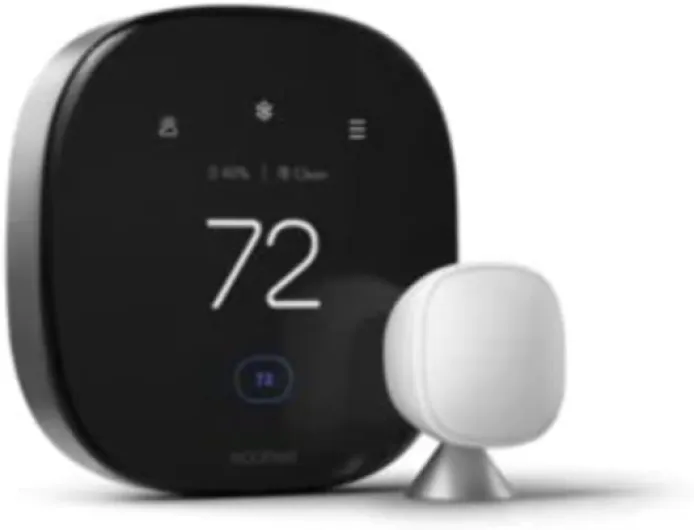
On paper, this Ecobee Premium is loaded: Wi‑Fi smart thermostat, voice control (Siri and Alexa), Apple HomeKit support, humidity monitoring, outdoor weather display, and it can work with accessories like humidifiers and HRVs. Mine was the Certified Refurbished version, and it came with the mounting bracket, power cable, and an adapter for setups that don’t have a common wire (the famous PEK adapter). It’s hardwired, so once it’s in, you’re not swapping batteries all the time, which I liked.
In daily use, the main thing you notice is the screen and the app. The wall unit shows current temp, setpoint, humidity, and outdoor conditions. The app lets you change modes (heat, cool, Auto), adjust schedules, and see if it’s calling for heat or cooling. If you’re used to a dumb thermostat, this feels like a decent upgrade: you can check and change stuff from bed, from work, or when you’re coming back from a trip. The remote sensor support is also a big selling point, especially in homes where one room is always colder or hotter.
The flip side is that Ecobee layers a lot of logic on top of what should be a simple job: turn on heat when it’s cold, turn on AC when it’s hot. You’ve got schedules, comfort settings, smart recovery, Follow Me, temperature averaging, Auto mode with a forced gap between heat and cool setpoints, and energy-saving nudges. All of that can be nice in theory but also adds more places for things to behave in ways you don’t expect. One angry reviewer wasn’t wrong about feeling like the thermostat argues with you when you just want a certain temperature.
So overall, the presentation is: a modern-looking, feature-packed thermostat that promises to save energy and give you app control. In reality, it’s good at remote control and basic monitoring, but if you’re not willing to spend some time digging through settings and disabling stuff you don’t like, you might end up like that person who put it back in the box and went back to a cheap Honeywell. It’s not useless, but it’s not plug-and-play simplicity either.
Effectiveness: energy savings vs comfort and control
In terms of effectiveness, you kind of have to decide what you care about more: squeezing out some energy savings or always getting the exact temperature you want right away. Ecobee clearly leans toward saving energy by default. The schedules, the Auto mode, the temperature averaging, and the way it tries to avoid short cycling all push it toward running the system a bit less. One reviewer summed it up well: if you’re saving money, it might be because you’re a bit colder than you’d like. That’s not totally wrong.
On the positive side, the app and thermostat both give you a decent view of what’s going on: when the heat or AC is running, what the indoor humidity is, and what the outdoor temperature is. Over time, you can see patterns and tweak schedules. If you’re the type who doesn’t mind being a little flexible on comfort to cut the bill down, this is where Ecobee makes sense. Set up a reasonable schedule, let it pre-heat or pre-cool before you get home, and you’ll probably use less energy than a dumb thermostat that just sits at one number all day.
But if you’re picky about comfort, you’ll probably end up turning off a bunch of features. I ended up disabling Follow Me, simplifying the schedule, and using single mode (heat only or cool only) most of the time instead of Auto. After that, the thermostat behaved more like I wanted: it hit the setpoint and didn’t argue with me. Out of the box though, it feels like Ecobee assumes you want it to be in charge, which doesn’t always match how people actually live in their homes.
So in practice, I’d say it’s effective if you’re willing to tune it. It can help save some energy, it does let you control things from your phone, and it plays nicely with HomeKit and Alexa. But if you expect it to be smart enough to read your mind and always keep every room at the perfect temperature without any effort, that’s not what you’re getting here. It’s more like a decent tool that needs a bit of setup, not some magic box that solves heating and cooling forever.
Pros
- Clean, modern design with a bright backlit screen and solid-feeling hardware
- Strong smart features: Wi‑Fi app control, Siri/Alexa support, and Apple HomeKit compatibility
- Can help reduce energy use if you set up schedules and are okay with slightly more flexible comfort
Cons
- Smart logic (Auto mode, temp gaps, Follow Me) can fight user preferences and feel overcomplicated
- Instructions are only average; tricky wiring setups almost require YouTube or support
- Price is on the high side, even refurbished, if you only need simple, reliable temperature control
Conclusion
Editor's rating
The Ecobee EB-STATE6P-01 Smart Thermostat Premium, especially in this refurbished version, is a decent option if you want a modern-looking thermostat with app control, HomeKit/Alexa support, and the ability to monitor humidity and outdoor conditions. The hardware feels solid enough, the screen is clear, and once it’s set up, basic tasks like changing the temperature or checking the status from your phone work smoothly. If you like tinkering with settings and don’t mind digging into menus, you can tune it to balance comfort and energy savings reasonably well.
Where it falls short is on the “just works” side. Features like Auto mode, the forced gap between heating and cooling setpoints, and the Follow Me/temperature averaging system can make the thermostat feel like it’s arguing with you instead of doing exactly what you ask. Some people will appreciate the energy-saving logic; others will find it frustrating, as that 1-star review clearly shows. The installation is manageable if you’re handy and willing to watch a few videos, but Ecobee’s own instructions are only average. For people who just want simple, reliable temperature control with minimal fuss, a cheaper Honeywell or a simpler smart thermostat might actually be a better fit.
If you’re into smart home stuff, don’t mind a bit of setup, and you specifically want HomeKit integration plus remote sensors, this refurb Ecobee Premium can be a good pick, especially when it’s discounted. If you hate fiddling with tech, or you’ve had bad experiences with overcomplicated devices, you may want to skip it and go for something more straightforward and cheaper.