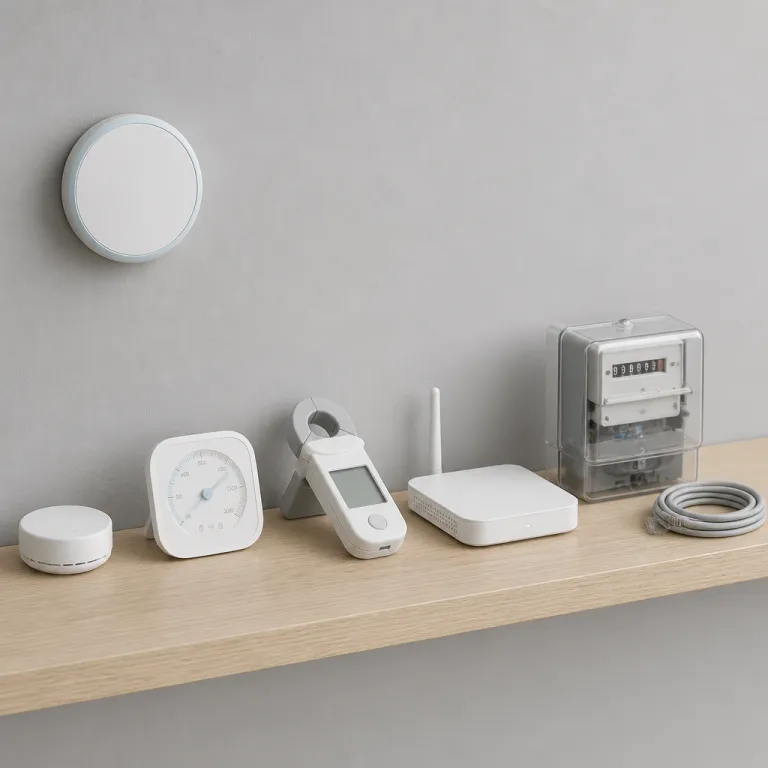
How smart thermostats turn comfort into data about your life
Your smart thermostat is not just a prettier wall control panel. It is a smart sensor hub that quietly turns every temperature tweak into structured data about how you live. That stream of data can power impressive energy savings, but it also raises sharp questions about smart thermostat data privacy for anyone who values a private home.
Every major thermostat brand now treats the thermostat as a cloud connected device. Google Nest, Ecobee, and Sensi smart thermostats all collect temperature readings every few minutes, log when you adjust temperature manually, and track how long your heating cooling system runs. Those data points help the app estimate energy usage and suggest the best smart schedule, yet they also reveal when the house is usually empty, when you sleep, and how tightly you control comfort.
On top of raw temperature data, most smart thermostats also log occupancy and motion. Nest thermostats infer presence from built in motion sensors and from linked smart devices such as phones, while Ecobee thermostats use remote room sensors to detect where people actually are. When you add voice assistants from Amazon or Google, the thermostat can also receive voice commands that pass through third parties, which means more personal data leaves your walls and enters distant servers.
What Nest, Ecobee and Sensi actually collect inside your home
Look past the glossy app interface and you will see a detailed telemetry feed. A Nest smart thermostat records indoor temperature, humidity, setpoints, runtime, and whether it thinks you are home or away. Ecobee thermostats log similar data but add per room motion, which makes Ecobee privacy questions more complex because the company can infer which rooms you use most.
When you create an account, you hand over personal data such as email, location, and sometimes address level details. That account data ties your thermostat to a specific household, which lets the vendor compare your energy usage to similar homes and market new smart products. The privacy policy for each brand explains how they may share data with third parties, but those documents are long, legalistic, and rarely read carefully by buyers hunting for the best smart thermostat on Amazon.
Sensi smart thermostats from Emerson tend to collect a narrower set of data, focused on temperature, runtime, and basic app interactions. They still require an account and still send data to cloud servers, yet they avoid some of the more aggressive smart security features such as built in microphones. If you want a deeper dive into programmable models that balance energy savings and data smart features, a guide to top programmable smart thermostats can help you compare models without relying only on Amazon reviews.
Where your thermostat data goes: clouds, utilities and third parties
Once your thermostat data leaves the wall, it rarely travels alone. Nest, Ecobee, and Sensi route data to their vendor cloud, where it feeds machine learning systems that predict occupancy, optimize heating cooling cycles, and benchmark energy usage. Those same datasets can also support product analytics, targeted marketing, and sometimes research partnerships with utilities or other third parties.
Demand response programs make this data exchange explicit. When you enroll a Nest or Ecobee device in a utility program that offers bill credits, you are agreeing that the utility can adjust temperature setpoints slightly during peak events and receive detailed telemetry about runtime. The money on your bill is not free; it pays for both limited control and a steady stream of data third metrics that help the grid operator understand how thousands of smart devices respond.
Third party integrations add another layer of complexity. Connect your thermostat to Amazon Alexa, Google Assistant, or other smart devices, and your personal data now flows through multiple clouds with distinct privacy policy terms. A guide to smart thermostats compatible with Google Assistant can help you see which thermostat brands lean heavily on cloud services and which support more local control for better smart thermostat data privacy.
Local control, HomeKit, and the rare privacy first thermostat
Not every smart thermostat treats the cloud as mandatory. Apple HomeKit encourages more local processing, which means a compatible thermostat can adjust temperature and run automations without constantly sending data to remote servers. When you keep more logic on your local network, you reduce the amount of personal data exposed to third parties and shrink the attack surface for smart security threats.
The Eve Thermo and Eve Thermostat families stand out as privacy first outliers in a market dominated by cloud by default designs. These devices use Thread or Bluetooth, integrate with HomeKit and Matter, and can operate without any vendor account, which means no central account data store and no vendor cloud profile. Your temperature schedules, energy usage patterns, and occupancy assumptions stay on your iPhone or HomeKit hub instead of in a distant data center.
That approach contrasts sharply with Nest and Ecobee privacy models, where the app experience and advanced energy savings features depend on continuous connectivity. If you are building a home full of smart devices, you need to decide whether you want the best smart automation features or the tightest data privacy controls. A separate guide to heat pump thermostat compatibility traps shows how wiring and system type can limit your choices, which sometimes forces a tradeoff between privacy and pure efficiency.
Demand response: when your utility pays for data and control
Utility demand response programs are often marketed as easy energy savings. You sign up in the app, let the utility adjust temperature a degree or two during heat waves, and receive a modest bill credit each season. Behind that friendly pitch sits a sophisticated data smart pipeline that turns your thermostat into a grid sensor.
When a demand response event triggers, your thermostat receives a signal from the utility or an aggregator, then shifts your heating cooling setpoint and reports back how your system responds. Over time, those data points let the utility model how thousands of homes behave, which rooms warm fastest, and how much energy usage can be curtailed without major comfort complaints. That telemetry is valuable, so the bill credit you receive is effectively payment for both control and detailed personal data about your home’s thermal behavior.
Some homeowners are comfortable with this trade, especially when they trust the utility’s privacy policy and see real reductions in peak demand. Others prefer to keep their smart thermostat out of such programs, using local schedules and manual control to maintain stronger data privacy. Either way, you should treat every “enroll and save” button in a thermostat app as a contract that exchanges comfort, data, and a slice of control over your own device.
Practical privacy settings and a day one checklist for any brand
Most people never open the privacy section of their thermostat app. That is a mistake, because Nest, Ecobee, Sensi, and other smart thermostat brands all offer at least some toggles that limit data sharing with third parties. A few minutes spent on these settings can significantly improve smart thermostat data privacy without breaking core features.
Start by reviewing account data and permissions. Turn off unnecessary marketing emails, disable data sharing for product improvement where possible, and opt out of third party analytics that are not essential for basic thermostat control. Next, check integrations with Amazon Alexa, Google Assistant, and other smart devices, then remove any voice or app connections you no longer use, because every extra device link is another potential path for personal data to leak.
Finally, tune the thermostat’s own data collection features. Reduce the retention period for historical energy usage if the app allows it, limit geofencing to the minimum radius that still works, and reconsider whether you really need every room sensor reporting motion all day. The best smart privacy strategy is not a single setting but a habit of treating every new smart product, every new app permission, and every new “connect account” button as a conscious choice about how much of your home life you are willing to let others read.
FAQ
What data does a smart thermostat usually collect about my home ?
A typical smart thermostat collects indoor temperature, humidity, setpoints, and HVAC runtime. Many models also log occupancy, motion from room sensors, and whether you are home or away based on phones or schedules. When linked to voice assistants, the system may also record command history and device interactions tied to your account.
Can I use a smart thermostat without sending data to the cloud ?
Only a few thermostats can operate fully without a vendor cloud. Privacy focused models such as Eve Thermo rely on local HomeKit or Matter control and do not require an online account. Mainstream brands like Nest, Ecobee, and Sensi need cloud connectivity for most advanced features, though they may still function in a limited offline mode.
Do utility demand response programs see when I am home ?
Utilities in demand response programs typically receive aggregated runtime and setpoint data rather than a simple home away flag. However, detailed time series data about when your system runs can indirectly reveal occupancy patterns. You should read the program terms carefully to understand exactly what telemetry is shared and how long it is stored.
How can I improve smart thermostat data privacy without losing features ?
You can usually keep core scheduling and remote control while tightening privacy. Disable non essential data sharing for marketing or product improvement, prune unused third party integrations, and limit geofencing or motion tracking to what you actually need. Choosing HomeKit compatible or privacy first models also helps because they support more local processing.
Are Nest and Ecobee safe from a security perspective ?
Nest and Ecobee invest heavily in smart security, including encrypted connections and regular software updates. The main risks come from weak passwords, reused credentials, or over connected accounts that link many devices and services together. Using strong unique passwords, enabling multi factor authentication, and reviewing app permissions regularly will reduce most realistic threats.