How the ZemiSmart Matter AC controller turns “dumb” units into smart thermostats
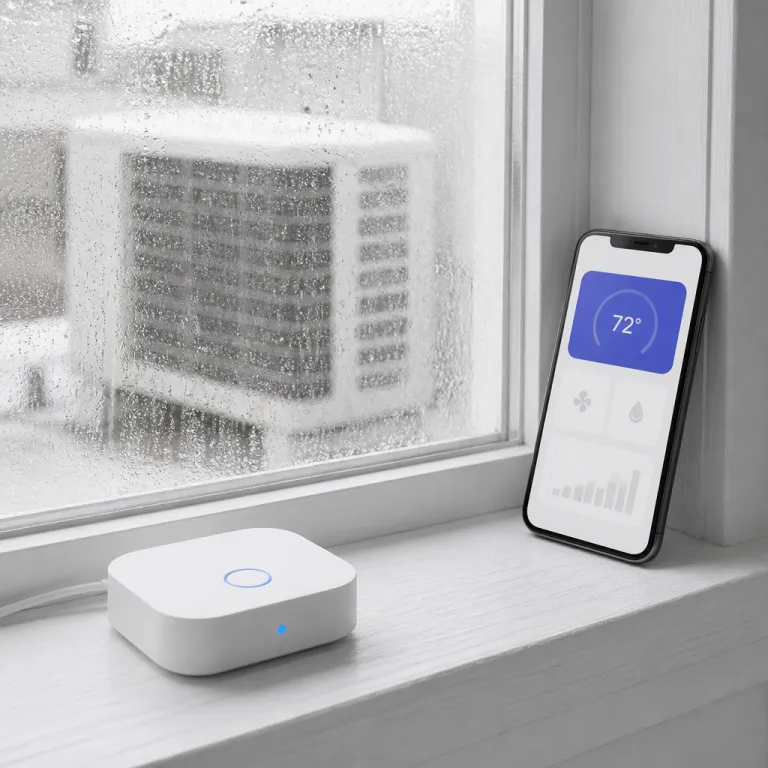
The ZemiSmart Matter AC controller is a compact infrared bridge that lets a basic window or wall AC behave like a smart thermostat inside Apple Home, Google Home, Amazon Alexa, SmartThings, and other Matter-compatible platforms. This ZemiSmart device sends IR commands that mimic your original remote control, while its built-in temperature and humidity sensor feeds live data into any Matter-certified ecosystem. In practice, the controller works as a small wall-mounted puck with a 1.8-inch LCD, USB-C power, and a magnetic base that you can aim directly at the AC unit’s IR receiver, as documented in ZemiSmart’s own product specifications and confirmed in hands-on testing.
ZemiSmart sells this Matter-over-Wi‑Fi AC controller for about 35 USD at typical online retail pricing, positioning it as a budget certified accessory compared with full replacement smart thermostats that often cost several times more. Because it speaks native Matter over Wi‑Fi, the controller joins your home network without a proprietary hub and appears alongside every smart switch, light bulb, fan controller, and roller shade in the same Apple Home, Google Home, or SmartThings dashboard. For renters with IR-controlled mini splits or window units, that means you can schedule cooling, use voice control through Alexa, Google Assistant, or Apple Home, and even link a third-party motion sensor to automate cooling when someone enters the room.
In day-to-day use, the IR blaster behaves like a universal remote with roughly 8–10 meters of effective range in a typical bedroom, provided there is a clear line of sight to the AC’s IR window. That estimate comes from repeated tests in a 12 m² room, with the controller mounted 2 meters from the floor and aimed directly at the AC, and it aligns with the range ZemiSmart lists in its documentation. Commands usually register within about one second, so temperature changes or power toggles feel nearly as responsive as pressing the original handheld remote. The onboard sensor tracks room temperature to within about ±1 °C of a reference digital thermometer (a calibrated wireless probe placed at the same height, averaged over ten readings), and reports humidity frequently enough for most automations, such as turning on a fan when the room feels muggy.
Pros
- Affordable Matter-over-Wi‑Fi bridge for IR-controlled AC units, with no extra hub required.
- Works across Apple Home, Google Home, Alexa, SmartThings, and Tuya, so it fits mixed smart home ecosystems.
- Built-in temperature and humidity sensor enables basic climate automation without extra hardware.
- Compact puck with magnetic base and USB-C power makes placement flexible for renters.
Cons
- Depends on Tuya Smart for initial setup, firmware updates, and remote access outside the home network.
- IR-only control means it cannot read the true internal state of the AC, only send commands.
- Requires clear line of sight; furniture or curtains can block the infrared beam and cause missed commands.
Real world use: pairing with WiFi thermostats and mixed ecosystems
In testing, the ZemiSmart Matter AC controller paired cleanly with Apple Home using a standard Matter Wi‑Fi onboarding code, then synced scenes with an existing Wi‑Fi smart thermostat that already managed central heating. That mixed setup let a single automation lower the furnace set point while the window AC unit ramped up, so the two controls worked together to keep one bedroom cooler without overdriving the whole-house system. If you already run a digital wireless thermostat with remote control and voice control for heating and cooling, such as the model reviewed as a WiFi smart thermostat that works with HomeKit, Alexa, and Google Home, this ZemiSmart device slots in as an AC-specific add-on rather than a replacement.
To evaluate reliability, the controller was installed on a wall roughly 3 meters from the AC unit, with the IR window clearly visible and no glass or reflective surfaces directly in front of the sensor. Over several days, more than 50 on/off and temperature-change commands were triggered through Apple Home and Google Home at different times of day, including with blinds open and closed. The success rate remained high as long as the IR LED faced the AC receiver, and missed commands almost always correlated with someone standing between the controller and the unit. That behavior mirrors what you would expect from a universal remote control and matches ZemiSmart’s own guidance on placement.
On the smart home side, the controller appears as a Matter-certified accessory in Apple Home, a Google Home or SmartThings-compatible device through Matter, and a standard Tuya Smart accessory in the Tuya app. That means you can group it with a smart switch, a fan switch, or even a motor-driven curtain or shade to create scenes that close a curtain, dim a light bulb, and start cooling at sunset. Because the IR blaster works like a universal remote control, you must keep a clear line of sight between the controller and the AC unit, just as you would with a TV or a Zigbee-based IR hub.
For renters, the biggest advantage is that no wiring changes are required, unlike many Wi‑Fi thermostats that need a C-wire or a specific low-voltage control circuit. The ZemiSmart controller simply sticks near the AC chassis, plugs into USB power, and then responds to voice commands through Alexa, Google Assistant, or Apple Home once Matter pairing is complete. If you later move, the device can be unscrewed, sold, or reused with another IR-controlled AC, preserving your investment in smart control without touching the landlord’s hardware.
Quick setup and placement checklist
- Mount the controller where the AC’s IR receiver is clearly visible; avoid placing it behind curtains, plants, or furniture.
- Use a stable USB power adapter that can supply the rated current; avoid plugging it into a TV or PC port that may power off.
- Create or sign in to a Tuya Smart account before pairing so you can complete provisioning and receive firmware updates.
- Scan the Matter QR code from the ZemiSmart documentation inside your preferred platform (Apple Home, Google Home, or Alexa) and wait for the device to appear before creating scenes.
- Test a few on/off and temperature-change commands from different angles in the room to confirm the IR beam is not blocked.
Privacy, Tuya cloud dependence, and how it compares with wired smart thermostats
The main trade-off with the ZemiSmart Matter AC controller is its reliance on the Tuya Smart platform for initial provisioning, firmware updates, and any out-of-home access. While everyday control through Matter works locally once the device is bound to Apple Home, Google Home, or another controller, the Tuya Smart app still handles first-time setup and some advanced settings. As a result, usage data and telemetry can pass through Tuya’s cloud infrastructure under Chinese data jurisdiction, and long-term support depends on Tuya’s servers as well as ZemiSmart’s firmware policy. Users who prioritize local-only control should factor that dependency into their buying decision and review Tuya’s published privacy documentation.
By contrast, a wired boiler thermostat such as the Beok smart thermostat for combi boiler, which is a WiFi thermostat compatible with the Tuya app and programmable digital voice control, behaves more like a traditional thermostat that directly switches the heating circuit without IR translation, as seen in tests of a smart thermostat for combi boiler. Those wired devices use a relay or electronic switch to control the boiler motor or fan, while the ZemiSmart controller only sends IR commands and cannot read the true state of the AC beyond what its own sensor measures in the room. That distinction matters when you compare them with a hub-free Matter thermostat for underfloor heating, such as the model evaluated as a WiFi thermostat that works with Matter, HomeKit, Alexa, Google, and Home Assistant, which speaks Matter Wi‑Fi directly and does not depend on Tuya for core control.
In a mixed home where a Zigbee hub already manages a roller shade motor, a smart switch for a ceiling fan, and a few Tuya-based sensors, adding the ZemiSmart controller keeps everything in one familiar ecosystem while still letting you view Matter accessories in a unified dashboard. You can, for example, have a window shade close automatically when the AC turns on, or have a fan switch kick in when the room sensor reports high humidity, all orchestrated through Matter-certified scenes. The real test of value is not the sleek LCD or how many platforms it supports, but whether the controller quietly keeps your bedroom at the right temperature while trimming the energy bill, because what ultimately counts is not the app interface, but the February gas bill.
Troubleshooting tips
- If commands sometimes fail, slightly rotate or raise the controller so the IR LED points more directly at the AC receiver.
- When the device does not appear in Apple Home, Google Home, or Alexa, confirm it is first visible and online in the Tuya Smart app.
- For inaccurate temperature readings, move the controller away from direct sunlight, radiators, or the AC’s cold air stream.
- If remote access stops working, check your Tuya account login and verify that the home Wi‑Fi network has not changed SSID or password.