
Summary
Editor's rating
Is it good value for money, or just another pricey smart gadget?
Clean, low‑key design that doesn’t shout “tech gadget”
Rechargeable battery: one less thing to buy, but not totally maintenance‑free
Packaging and installation: clear instructions, one Wi‑Fi gotcha
Build quality and reliability after some real‑world use
Heating control, app behaviour and smart features in real life
What you actually get in the box and what it really does
Pros
- Stable connection and reliable day‑to‑day operation once installed
- Clear app with flexible scheduling and easy remote control
- OpenTherm support and Matter/Thread compatibility for better efficiency and smart home integration
Cons
- Best smart features (geofencing, full AI automations) require a paid subscription
- Setup can be fussy with dual‑band Wi‑Fi and may need router tweaks
- No Alexa hot water control and hot water boost duration fixed at one hour

Specifications
View full product page →| Brand | tado |
Smart thermostat that actually feels… smart (most of the time)
I’ve been using the tado° Wireless Smart Thermostat X (2nd gen) starter kit in a typical UK house with a combi boiler, after previously living with both Hive and Nest in other places. I’m not an electrician, just reasonably handy with a screwdriver and a Wi‑Fi router, so I approached this as a normal homeowner, not a pro installer. I wanted three things: stable connection, easy app control, and hot water + heating in one place.
What pushed me to try this kit was how often my old Hive dropped connection and how Google basically gave up on older Nest models. So I was looking for something that felt a bit more future‑proof and less flaky. The tado X kept coming up in forums and reviews, especially for OpenTherm support and Matter/Thread compatibility, so I went for it.
After living with it, I’d say it’s a pretty solid system with a few annoyances you need to be aware of. The app control and scheduling are genuinely handy, and the hardware looks clean in the room. But setup can be picky about Wi‑Fi, and some features that tado markets heavily (like the AI automations) are behind a paid subscription, which is slightly annoying once you’ve already paid a decent amount for the kit.
If you’re expecting magic savings and instant plug‑and‑play with zero thinking, you might be a bit disappointed. If you’re happy to spend an evening installing, fiddling with Wi‑Fi settings, and tweaking schedules, it’s a strong upgrade over older dumb thermostats and, in my view, a step up from Hive and Nest in terms of day‑to‑day reliability.
Is it good value for money, or just another pricey smart gadget?
Price‑wise, this sits in the same general zone as Hive and Nest kits when you catch them at normal street prices. It’s not cheap, but also not outrageous for what it offers: wireless thermostat, hot water control, OpenTherm support, and smart home integration. If you’re just looking to replace an old wall stat with something basic, this is probably overkill. But if you want app control, scheduling, and the option to add smart TRVs later, it starts to make sense.
Where the value gets a bit murky is the subscription side. The base features (remote control, schedules, basic app) are free, which is good. But a lot of the “save up to 55% energy with AI” stuff is locked behind the AI Assist subscription at about £30 per year. For some people, that’s fine – if it genuinely helps you cut bills, you’ll make that back. For others, it feels like paying a yearly fee to unlock features that arguably could have been included. Personally, I think the free features are enough for most households, and the subscription is only worth it if you’re very keen on automation and geofencing.
Compared to Hive and Nest, I’d say tado X is slightly better value in the long run because of the OpenTherm support (if your boiler supports it) and the lack of an extra internet bridge. Being able to modulate the boiler instead of just on/off can help smooth out heating and avoid waste, which is the kind of “saving” that actually matters. Also, the rechargeable battery saves you a bit over time versus constantly buying AA batteries, even if that’s not a massive amount.
So overall, I’d call it good value if: you plan to stay in the house a few years, you actually use the scheduling properly, and you don’t get sucked into the subscription unless you really need it. If you just want to press a button to turn heating on and off and never touch an app, then yes, this is over‑specced and you’re better off with something simpler and cheaper.
Clean, low‑key design that doesn’t shout “tech gadget”
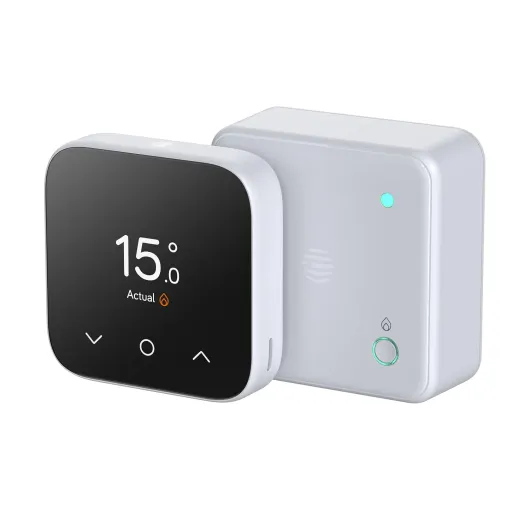
The thermostat itself is a small white square with an LED matrix display that only lights up when you interact with it. It’s very slim (around 1.7 cm thick), so it doesn’t stick out from the wall like some chunky older thermostats. On the stand, it looks more like a simple little box than a piece of industrial kit, which I prefer. Compared to my old Hive thermostat, this one feels less like a “device” and more like part of the room.
There’s an interactive light ring around the edge that you swipe to change the temperature. It sounds a bit gimmicky, but it’s actually pretty straightforward: swipe to adjust, and you see the current and target temperatures on the front. There’s also a customisable top button you can assign to a favourite action (like a quick boost). It’s not overloaded with buttons, which is good if you’ve got people at home who hate fiddly tech.
The display shows temperature and humidity, but only when it’s active. The rest of the time it’s just a blank white square. Some people will like that minimal look; if you’re used to always seeing the temp at a glance without touching anything, you might find it less convenient. I personally like that it doesn’t glow all the time, especially in a bedroom or living room where lights can be annoying in the evening.
Build quality is decent. It’s plastic, no surprise there, but nothing feels loose or cheap. The only slight let‑down is that, compared to the Hive thermostat, the tado one feels a bit lighter and less “premium” in the hand. Once it’s on the stand or the wall though, you stop caring. The programmer/receiver by the boiler is more functional looking, but you don’t really see it once it’s in the cupboard, so that’s fine.
Rechargeable battery: one less thing to buy, but not totally maintenance‑free
One of the headline points for this thermostat is the rechargeable battery. Instead of swapping AA or AAA batteries every few months, you plug it in via USB‑C for about two hours and you’re good for roughly a year, according to tado. In practice, that’s pretty close to what I’ve seen so far. I charged it fully on setup, and after a few months of normal use (daily adjustments, a lot of app playing at the start), the battery indicator still looks healthy.
Charging with USB‑C is genuinely handy. I’ve got cables lying around for phones and tablets, so I didn’t need anything special. You can either take the thermostat off the stand/wall and charge it at a desk, or plug it in where it is if you’ve got a socket nearby. It’s not as convenient as a wired thermostat that never needs charging, but it’s less hassle than constantly replacing disposable batteries and wondering if you’ve got the right ones in the drawer.
One thing to keep in mind: if you forget to charge it and the battery dies, the thermostat stops talking to the receiver. Your heating setup doesn’t explode or anything, but obviously you lose local control until you charge it again. The app gives you warnings as the battery runs down, so you’d have to ignore those for a while to get caught out. For someone who hates little ongoing chores, I’d still pick this over battery swaps.
Overall, the rechargeable setup is a good middle ground: less waste, fewer emergency trips for batteries, and still fully wireless. It’s not completely maintenance‑free, but once‑a‑year charging is easy to live with. For me, this is one of the practical advantages over older thermostats that chew through AA batteries at the worst possible time.
Packaging and installation: clear instructions, one Wi‑Fi gotcha
The kit comes in a single box with everything neatly organised. Each component is in its own little section, and the cable labels and screws are bagged separately. It’s not fancy packaging, but it’s practical, and you don’t end up with a pile of random plastic bags and no idea what’s what. The QR codes for Matter/Thread and setup are easy to find on the devices and in the manual.
Installation is very app‑driven. You scan the QR code, tell the app what kind of system you’ve got and, crucially, what old controller/thermostat you’re replacing. For my setup, the app showed step‑by‑step diagrams with exactly which wire goes where on the new programmer. That alone makes DIY realistic for anyone who’s comfortable turning off the power and using a screwdriver. It’s not idiot‑proof, but it’s much clearer than the usual boiler manuals.
The main headache I hit, and that I’ve seen others mention, is Wi‑Fi during setup. The receiver can be fussy with dual‑band routers. In my case, I had to temporarily disable the 5 GHz band and leave only 2.4 GHz active for the initial pairing. As soon as everything was connected, I turned 5 GHz back on and it’s been fine since. It’s a one‑time annoyance, but if you’re not used to messing with router settings, it can be frustrating. tado could definitely be clearer about this in the quick start guide.
Once installed, there wasn’t much packaging waste left – mostly cardboard and a bit of plastic, nothing crazy. Overall, I’d say the packaging and onboarding are thought through for normal users, but that Wi‑Fi quirk is the one thing that stops it from being completely straightforward. If you’re buying this, just be ready to log into your router for 10 minutes during setup.
Build quality and reliability after some real‑world use
In terms of physical durability, there isn’t much to break here unless you drop the thermostat repeatedly. The casing is plastic but feels solid enough, and the stand is stable on a shelf or sideboard. I’ve moved it between rooms a few times and nothing has creaked, bent, or marked easily. Buttons and the swipe ring still feel the same as on day one, so no sign of wear yet.
Where durability really matters with this kind of product is reliability: does it keep a stable connection, and does the software behave itself over time? On that front, once the initial setup hurdles were cleared (more on that in a second), it’s been stable. The wireless connection between thermostat and programmer has held up, and the app doesn’t randomly log me out or forget the device. That’s a big step up from the Hive system I replaced, which had a habit of dropping out at the worst moments.
The only real weak spot I see long‑term is software decisions: tado has already made this X range incompatible with older V3+ gear, so if you already own a bunch of old tado kit, that might annoy you. It also makes me a bit cautious about what happens in 5–7 years – will there be a new range that doesn’t talk to this one? Hard to say. On the other hand, they do give a 2‑year warranty and an energy savings promise (refund if you’re not happy with the savings in the first year), which shows at least some confidence in the product.
Overall, from a normal user’s point of view, it feels like something that will last a good few winters. It’s not built like a tank, but it doesn’t need to be. As long as tado keeps the app updated and doesn’t randomly drop support like Google did with old Nest hardware, I don’t see any big red flags on durability.
Heating control, app behaviour and smart features in real life
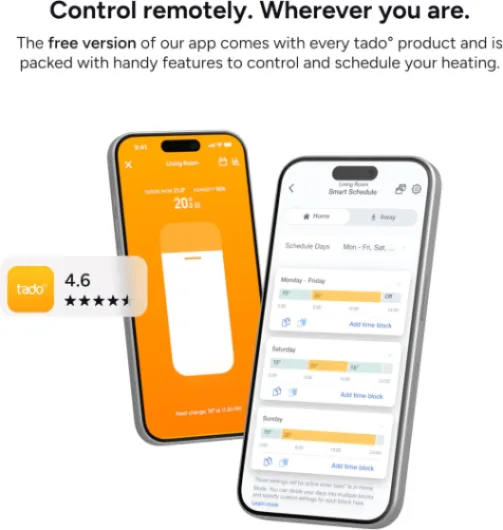
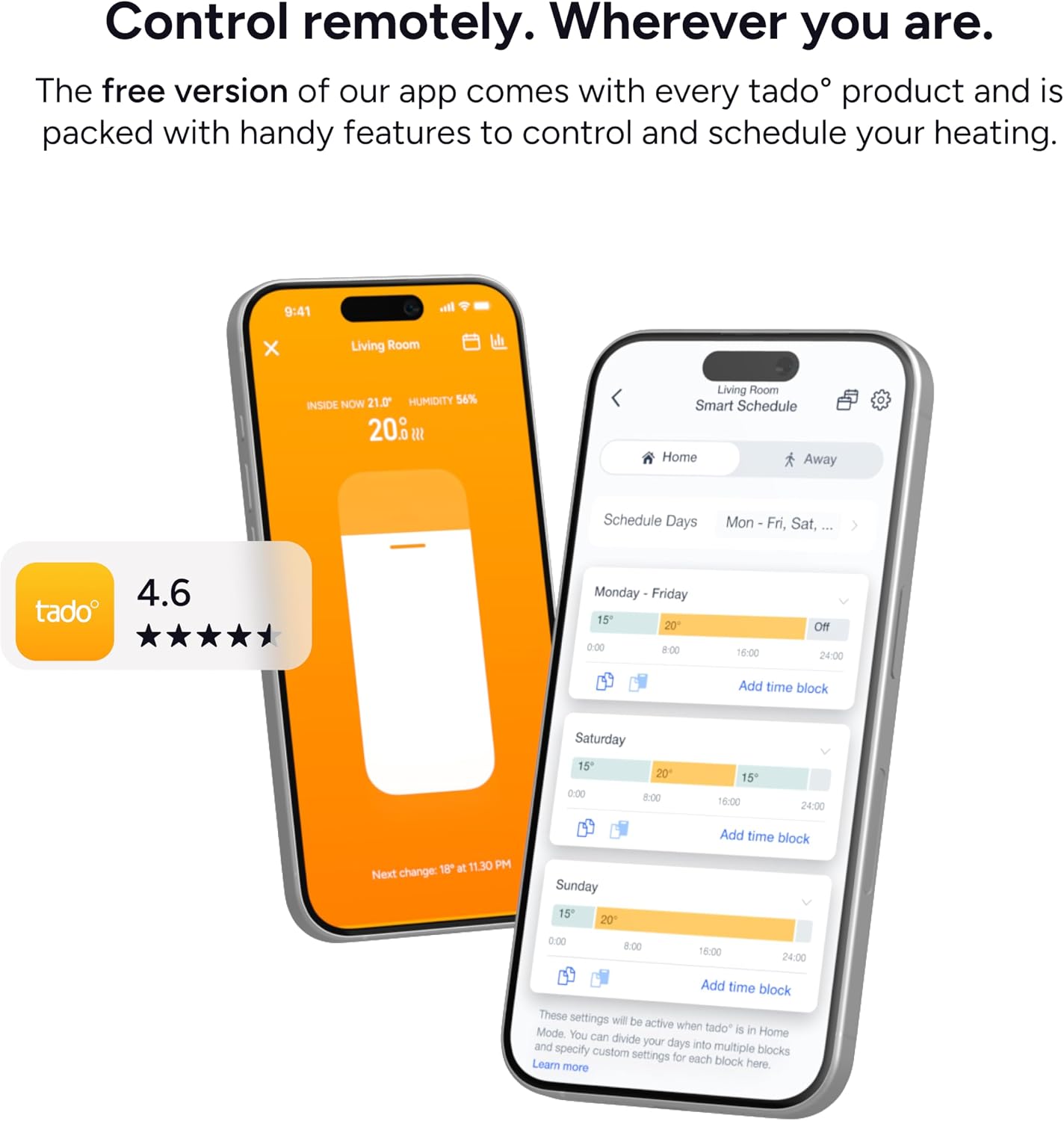
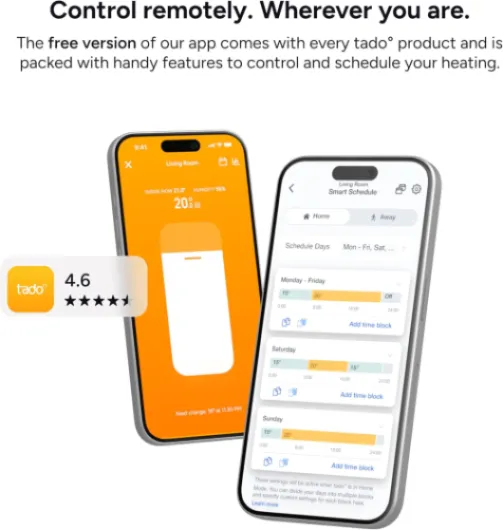
Day to day, the system does what you actually want: you set a schedule, and the heating follows it. In my case, I’ve got morning, daytime, evening, and night temperatures set up, and the app makes that pretty easy. You can copy time blocks, adjust per day, and override quickly if you’re cold or going out. The thermostat responds fast when you change the temp manually or in the app – I’d say it takes just a couple of seconds to update.
What I really noticed compared to my old Hive is the connection stability. With Hive, the thermostat regularly lost contact with the receiver, which meant no heating right when you needed it. With tado X, once I got it set up correctly, it’s been solid: no dropouts, even when I moved the thermostat to a different room. The receiver also acts as a Thread Border Router and connects via Wi‑Fi, so there’s no extra bridge box like the older tado systems needed, which simplifies things a bit.
On the smart side, without the subscription you still get a decent amount: remote control from anywhere, custom schedules, and basic insights. With the paid AI Assist, you unlock geofencing (heating turns down when everyone leaves, and back up when someone’s approaching home), open window detection, holiday mode and a few automations. I tried the geofencing for a bit – it works, but there were occasional moments where I came home a bit earlier than usual and the house was cooler than I’d like. You can tweak the settings, but it’s not magic; it still needs some trial and error.
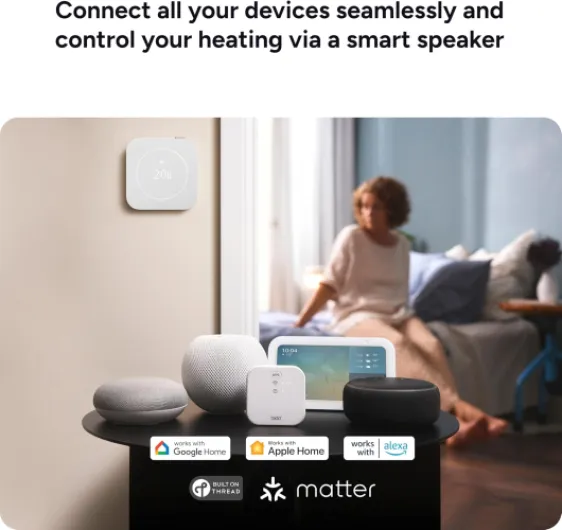
Voice control works fine for heating with Alexa and Google: “set living room to 21 degrees” kind of stuff. Where it falls short is hot water – right now you can’t control hot water via Alexa, which is slightly annoying if you like shouting at speakers. Also, the hot water boost is stuck at one hour, no shorter custom boost like 30 minutes, which feels like a silly limitation. Overall, in performance terms, I’d call it reliable and flexible, with a few software quirks that could be fixed if tado actually listens to users.
What you actually get in the box and what it really does
In the starter kit you get three main bits: the square wireless thermostat, the wireless programmer/receiver that sits by the boiler, and a little stand for the thermostat (which is actually useful if you don’t want to drill into a wall). There are also screws, wall plugs, some cable labels, and the battery is already inside the thermostat, so you’re not hunting for AA batteries on installation day. It’s clearly put together for DIY installation, not just for heating engineers.
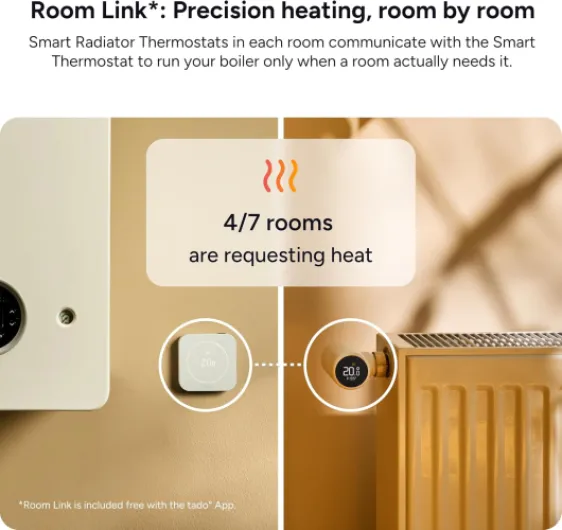
The basic idea is simple: the programmer connects to your boiler (supports OpenTherm and simple relay on/off), and the thermostat talks to it wirelessly. You then control everything from the tado app: heating schedules, hot water schedules (if you’ve got a cylinder or compatible setup), and quick boosts. On top of that, it works with Alexa, Google Assistant, Siri, and it supports Matter and Thread, so it slots into a smart home setup pretty easily once it’s running.
tado pushes a lot of “smart” features like geofencing, open window detection, holiday mode, and detailed energy stats. Important detail: the clever automation side (AI Assist) is on a paid subscription – roughly £3.99/month or £29.99/year. You can still use basic schedules and remote control for free, but the app nudges you quite often to try the subscription. It’s not essential, but you feel the upsell.
In practice, I use it mainly for: setting room temperature from my phone, overriding the schedule when plans change, and turning hot water on or off when I’m away. The more advanced stuff – like auto turning the heating on as I get close to home – is nice to have, but not critical. If you go into this thinking of it as a well‑designed programmable thermostat with remote control, rather than some magical AI energy guru, you’ll be happier.
Pros
- Stable connection and reliable day‑to‑day operation once installed
- Clear app with flexible scheduling and easy remote control
- OpenTherm support and Matter/Thread compatibility for better efficiency and smart home integration
Cons
- Best smart features (geofencing, full AI automations) require a paid subscription
- Setup can be fussy with dual‑band Wi‑Fi and may need router tweaks
- No Alexa hot water control and hot water boost duration fixed at one hour
Conclusion
Editor's rating
After living with the tado° Wireless Smart Thermostat X (2nd gen) for a while, I’d sum it up as a solid, sensible upgrade if you’re fed up with flaky older systems like Hive or are avoiding Nest because of Google’s track record. The hardware looks clean, the app is clear, and once it’s set up properly it just gets on with the job. Heating and hot water are easy to manage, and OpenTherm support is a real plus if your boiler can use it.
The downsides are mostly on the software and ecosystem side: the best automation features sit behind a subscription, Alexa can’t control hot water yet, and the hot water boost being stuck at one hour is unnecessarily rigid. Setup can be slightly annoying if your Wi‑Fi is dual‑band and you’ve never touched router settings before. None of this is a deal‑breaker, but you should know it’s not completely plug‑and‑play.
I’d recommend this to: people replacing Hive or Nest who want something more stable, anyone with a modern boiler that can benefit from OpenTherm, and those who like tweaking schedules and using an app rather than pressing buttons on a wall box. If you’re on a tight budget, hate subscriptions on principle, or just want a simple on/off thermostat with no smart features, you’ll probably see this as over‑priced for what you need. For most tech‑comfortable homeowners, though, it’s a pretty solid balance of features, reliability, and long‑term usefulness.