
Summary
Editor's rating
Price, subscription, and whether it’s worth the money
Clean look, low profile, and not an eyesore on the wall
Rechargeable battery: one of the nicer quality-of-life features
Heating control, app, and smart features in real life
DIY installation: easy if your system is simple, painful if it’s not
What you actually get and what it really does
Pros
- Clean design with a simple LED display and an easy-to-use touch ring
- Rechargeable USB‑C battery that should last around a year per charge, no disposable batteries
- Solid app with stable remote control, geofencing, and smart home integration via Matter/Thread
Cons
- Some key automation and savings features require a paid AI Assist subscription
- Installation and configuration can be confusing on more complex UK heating systems and may rely on tado support

Specifications
View full product page →| Brand | tado |
A smart thermostat that’s clever, but not totally hassle‑free
I’ve been using the tado° Wired Smart Thermostat X (2nd gen) starter kit for a few weeks now, on a standard UK gas boiler setup that used to run off a basic wall thermostat and an old-school timer. I’m not an installer, just reasonably handy, and I wanted something that I could control from my phone and tie into Alexa without spending silly money. I’d used a Nest in the past in another house, so that’s my main comparison point.
Out of the box, it’s clear this thing is aimed at people who like smart home gear: Matter, Thread, app control, geofencing, all that. On paper it does a lot: smart schedules, window detection, holiday mode, energy stats, and some AI stuff if you pay extra each month. In practice, some of that is genuinely useful, some of it feels like overkill, and some bits are locked behind the subscription in a way that’s a bit annoying.
My first impression: the hardware looks clean, feels modern, and doesn’t scream “tech toy” on the wall. The LED matrix is simple but readable, the touch ring works fine, and the rechargeable battery via USB‑C is a nice touch. No more hunting for AA batteries every winter, which I really liked. The Bridge X is small and just sits by the router and does its thing quietly.
But it’s not all smooth. Installation was okay for me because I’m comfortable with wiring and I double-checked compatibility before buying. I can see why some people online got stuck, especially with more complex UK setups or when they needed tado to flip some hidden settings remotely. And the subscription for the “AI Assist” features is the other thing that bugged me a bit. The core works fine without paying monthly, but the way they advertise the big savings and smart automations, then put some behind a paywall, feels a bit cheeky. Overall, it’s a solid unit, but not the kind of thing I’d blindly recommend to everyone in the UK without a bit of homework first.
Price, subscription, and whether it’s worth the money
On value, I’d say the tado X thermostat is decent but not a clear bargain, especially once you factor in the subscription angle. The upfront price for the starter kit is in the same ballpark as other smart thermostats from Nest, Hive, and Drayton Wiser, especially if you catch it during an Amazon deal. For that money, you get good hardware, modern connectivity (Matter/Thread), and a solid app. So purely as a physical product plus basic app control, it feels fairly priced.
Where it gets murky is the AI Assist subscription. A bunch of the headline features they brag about for saving “up to 55% more energy” – advanced geofencing automations, automatic open window handling, some of the more in-depth energy stats – sit behind a monthly or yearly fee. It’s not a crazy amount (around £3.99/month or £29.99/year), but it adds up, and it’s not super obvious on the product page that you’re only getting the full experience if you keep paying. The core stuff (manual control, schedules, app access, basic geofencing notifications, voice control) still works without paying, so it’s not useless without the sub, but you do feel nudged towards it.
Compared to something like Drayton Wiser, which doesn’t lean as hard on a subscription and is clearly aimed at UK boilers, tado X feels more like a general European smart home product that’s been adapted to the UK rather than designed around it. If you’re deep into smart home stuff and you like Matter/Thread compatibility, that might be worth it to you. If you just want simple remote control and a timer for your boiler, you might find cheaper options that do the basics just as well without ongoing costs.
On the plus side, the 2‑year warranty and the energy savings promise (refund if you’re not happy with savings in the first year) are reassuring. It shows they’re at least confident enough to back it, even if customer support experiences seem mixed. For me, at the price I paid on sale, I’m happy enough. At full price plus subscription, I’d think a bit harder and compare more carefully with Wiser or Hive, especially if I had a more complex heating system.
Clean look, low profile, and not an eyesore on the wall
Design-wise, tado has kept it very minimal. The thermostat is a small white square, about 11 x 11 cm and only 1.7 cm thick, so it sits fairly flat on the wall. In my hallway, it blends in much better than my old beige plastic thermostat, which looked like it came from the 90s. There’s no big colour touchscreen like on some Nest models; instead, you get a simple LED matrix that lights up only when you tap it or walk close to it. When it’s off, it’s just a plain white square, which I personally like. It doesn’t scream for attention.
The interactive light ring around the edge is actually more useful than I expected. You swipe around it to change the temperature, and it gives you visual feedback. It took me a day or two to get used to the gestures, but now it’s second nature. The top button can be customised in the app – for example, I set it to toggle between my normal schedule and a quick “boost” mode, which is handy when you come home cold and just want a quick warm-up without diving into the app.
Build quality feels decent, nothing fancy but solid enough. It’s still plastic, and if you tap it you can tell it’s not premium metal or anything like that, but it doesn’t feel flimsy. The Bridge X is tiny and plain, again white plastic, with a couple of LEDs. You hide it near the router and forget about it. Cables and screws are all included, and the backplate for the thermostat lined up fine with my existing screw holes after a bit of adjustment.
One thing to note: the display is fine in normal indoor lighting, but if you’re expecting a bright, colourful screen with weather, time, and fancy graphics, this isn’t that. It shows what you need (current temp, target temp, icons for heating on/off, and humidity), but it’s more functional than flashy. Personally, I prefer this because it looks neat and doesn’t draw the eye. My partner, who usually hates “tech clutter”, actually said it looked neat, which is a win in my book.
Rechargeable battery: one of the nicer quality-of-life features
The rechargeable battery is actually one of the things I liked most about this thermostat. Instead of juggling AA or AAA batteries every year, tado X has an integrated Li‑ion pack that you charge via USB‑C. They claim it lasts over 365 days per charge. I obviously haven’t hit a full year yet, but after a few weeks of normal use the battery indicator in the app hasn’t budged in any worrying way. If it really does last anywhere near a year, that’s good enough for me.
Charging it is straightforward: you plug in a USB‑C cable (included in the box) and leave it for around two hours. During that time, the thermostat still works because it’s wired to the boiler for control; the battery is only for powering the display and smart bits. I did a full charge before installation just to be safe, and I haven’t had to think about it since. Compared to my previous wireless stat that used AA batteries and always seemed to die mid‑winter, this feels like a proper upgrade in terms of day-to-day annoyance.
The only slight downside is that if you completely forget about it and somehow let it run down, you’ll have to plug in a cable on the wall, which looks a bit silly for a couple of hours. But realistically, you’ll get warnings in the app before that happens, so it’s more about being mildly organised. I’d rather do that once a year than replace disposable batteries, and it’s better environmentally too.
Overall, the battery setup is simple and mostly invisible once you’ve charged it. It doesn’t change how the thermostat controls your boiler, it just powers the brains and the display. For me, this is one of those small features that doesn’t sound exciting on the box but makes ownership easier. Nothing flashy, but it gets the job done and solves a small but real pain point from older wireless thermostats.
Heating control, app, and smart features in real life
On the performance side, the thermostat does the core job well: it keeps the house at the temperature I set, and it reacts reasonably quickly when I make changes. Compared to my old dumb thermostat, the temperature feels more stable. Before, it used to overshoot – it would get a bit too hot, then cool down too much. With tado X, the swings are smaller. It’s not perfect, but day-to-day comfort is definitely better. The app shows when the boiler is firing, and you can see that it’s pulsing the heat more intelligently rather than just on/off for long stretches.
The geofencing works as advertised for me. I set it up so that when everyone (two phones) leaves the house, it drops to a lower temperature, and when we’re on the way back, it warms up again. You get more automation if you pay for AI Assist, but even with the basic setup, it’s enough to avoid heating an empty house all day. It did take a bit of tweaking on the distance and timing because at first it was going into away mode on short trips, but that’s more about settings than a technical problem.
Open Window Detection is a bit hit and miss. It’s based on a sudden drop in temperature and humidity. Sometimes it correctly pauses the heating when I open a window to air out a room; other times it doesn’t trigger, or it triggers when I don’t really need it. As a free notification it’s fine, but if you want the automatic cut-off and re-activation, that’s again tied into their paid AI features. So functionally, it works, but it feels like they’re using it partly as a way to nudge you into the subscription.
In terms of reliability, after the initial setup, I haven’t had any big issues. The connection between thermostat and Bridge X has been stable, no random dropouts. The app is responsive most of the time; there’s a short delay between changing the temp and the boiler kicking in, but that’s normal. Voice control via Alexa also works as expected. Where performance can get messy is with more complex UK heating systems – S-plan/Y-plan, hot water control, etc. I was lucky with a simple single-zone boiler, but you can see from some reviews that if you have a more involved system, you may end up needing tado support to flip some hidden settings. So performance on a basic setup: pretty solid. On trickier installs: more of a gamble unless you’re patient and okay dealing with support.
DIY installation: easy if your system is simple, painful if it’s not
For installation, my experience was fairly smooth, but I can see why some people struggled. I have a pretty standard UK combi boiler with a single wired room thermostat and a separate programmer. I’m comfortable turning off the power and swapping wires, so I followed the in‑app instructions plus the PDF guide. It took me about 40 minutes from turning off the mains to having the app connected and the boiler responding. The instructions are detailed, with diagrams for a bunch of common thermostats, and they walk you through labeling the cables, which is helpful.
Before buying, I emailed tado support with photos of my existing thermostat wiring and boiler terminals. They replied with a clear mapping: “this wire goes to this terminal on tado, this one here, etc.” That removed most of the guesswork. If I hadn’t done that, I probably would’ve needed to spend more time reading the manual and searching online. So my tip: don’t skip that step. It costs you 10 minutes and can save a lot of swearing later.
Where it gets tricky is with more complex setups – S-plan or Y-plan systems with separate hot water control, older programmers, or anything non-standard. Some users clearly hit a wall where the hardware was wired correctly, but tado had to enable specific boiler control modes or hot water functions from their side. That’s not mentioned clearly on the product page, and it’s a bit of a hidden trap. If you’re expecting a total plug-and-play solution with no need to contact support, and your system is more than a simple single-zone heating loop, you might be disappointed.
In short: if you’re reasonably handy, have a basic boiler/thermostat setup, and are willing to double-check compatibility with tado before buying, DIY is realistic and not too stressful. If your setup is more advanced or you hate dealing with wiring diagrams, I’d either budget for an installer who knows tado specifically or look at something that’s more tailored to UK wiring conventions, like Drayton Wiser. The hardware itself is fine; the weak point is that some features depend on tado flipping switches in the background, and that’s not obvious until you’re already halfway into the install.

What you actually get and what it really does
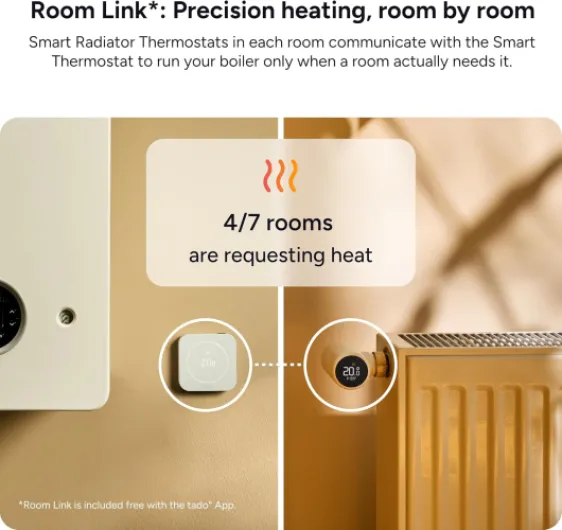
This starter kit is basically three main pieces: the wired thermostat that goes on the wall, the Bridge X that plugs into your router and power, and the built‑in rechargeable battery in the thermostat. In my case, it replaced a simple wired wall thermostat and used the relay connection on my boiler. The product page talks a lot about compatibility with gas boilers, heat pumps, and underfloor heating, but in real life that just means: if your system uses a standard room thermostat, there’s a decent chance it will work, but you should absolutely send photos to tado support first. I did that, and they replied with a clear wiring mapping, which saved me trial and error.
Function-wise, the thermostat lets you set schedules per room (though with this kit, you basically control the main heating zone, unless you add extra tado radiator valves later). The app is the main control centre: you can change temperature, see current temp and humidity, see when heating is on, and set up geofencing so it turns down when nobody’s home. A lot of the more “clever” stuff like Open Window Detection automations and aggressive geofencing savings are bundled into this AI Assist subscription. Without paying, you still get manual control, schedules, basic geofencing notifications, and the standard smart home integrations.
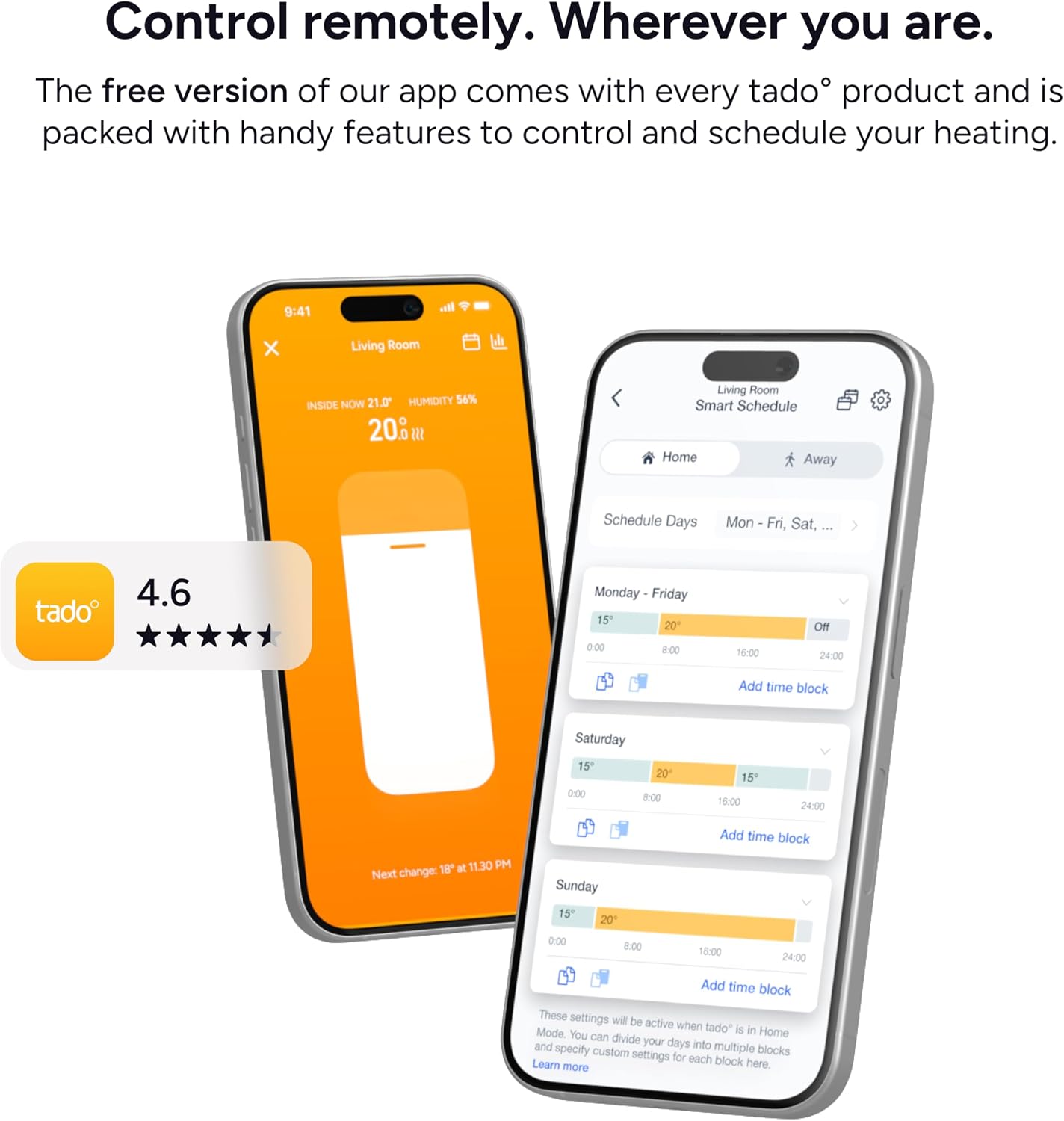
The thing I appreciated is that the app isn’t bloated. It’s pretty clear: tiles for each room, a main temperature slider, and a timeline where you can see when the boiler has been firing. Compared to older tado generations, this X line uses Matter and Thread, which is nice if you’re building a more modern smart home and don’t want to be locked into one ecosystem. I hooked it into Alexa and Apple Home without any drama, and voice control just worked: “set heating to 20 degrees” and it does it.
In day-to-day use, the thermostat itself is almost boring, which is good. You mostly forget it’s there and just use your phone. When you do walk past it, you tap or swipe the ring to bump the temperature up or down. There’s a simple LED matrix that shows the current temp and setpoint, nothing fancy, but clear enough. Overall, as a package, it does what you’d expect a modern smart thermostat to do. It’s not mind-blowing, but it covers the basics well and has some extra bells and whistles if you feel like paying for them.
Pros
- Clean design with a simple LED display and an easy-to-use touch ring
- Rechargeable USB‑C battery that should last around a year per charge, no disposable batteries
- Solid app with stable remote control, geofencing, and smart home integration via Matter/Thread
Cons
- Some key automation and savings features require a paid AI Assist subscription
- Installation and configuration can be confusing on more complex UK heating systems and may rely on tado support
Conclusion
Editor's rating
After living with the tado° Wired Smart Thermostat X (2nd gen) for a while, my overall feeling is: it’s a solid smart thermostat that does its core job well, but it’s not the simplest choice for every UK home. The hardware is tidy, the app is clear, and the rechargeable battery and Matter/Thread support are genuinely nice touches. Day-to-day, it keeps the temperature stable, geofencing works, and controlling the heating from my phone or via Alexa has been smooth. For a straightforward boiler setup, it gets the job done without much drama once it’s installed.
Where I’m less enthusiastic is around installation on more complex systems and the subscription model. If your heating setup is anything beyond basic, you may find yourself going back and forth with tado support to get certain modes enabled in the background, which isn’t obvious from the product page. And while the thermostat is usable without AI Assist, some of the more attractive automation and savings features are locked behind a monthly or yearly fee. It’s not insanely expensive, but it’s another thing to think about.
I’d say this thermostat is a good fit if you: have a relatively standard boiler system, are comfortable with basic DIY or have someone handy to help, and you care about integration with modern smart home platforms. It’s also decent if you like digging into energy data and tweaking settings. On the other hand, if you want something that’s clearly tailored to UK wiring, with fewer hidden configuration steps and no real need for a subscription, you might be happier with something like Drayton Wiser. So, good product overall, but not the most hassle-free or cheapest route for everyone.