
Summary
Editor's rating
Value for money: solid if you’re realistic about its limits
Compact, mirror-style thermostat that disappears on the wall
Battery life and power setup: not a big drama
Build quality and how it feels over time
Connectivity, app experience, and day-to-day behaviour
What you actually get and how it fits into your setup
Does it actually control your heating properly?
Pros
- Compact, discreet thermostat with clear display and simple on-device controls
- Supports OpenTherm for smoother boiler modulation and potential gas savings
- Good set of features for the price: app control, scheduling, geolocation reminders, frost protection
Cons
- App is cluttered and pushes extra products and subscriptions
- Some users report receiver dropping offline, making schedules unreliable in certain homes
- Heating-only and combi-only, not suitable for systems needing separate hot water control

Specifications
View full product page →| Brand | Hive |
A small smart thermostat that mostly does the job
I’ve been using the Hive Thermostat Mini with the Nano 3 hub on a combi boiler setup for a while now, after previously using a Nest in another place. I went for this one mainly because it supports OpenTherm and I wanted something a bit smarter than a basic on/off thermostat, but without spending silly money. On paper, it ticks a lot of boxes: app control, schedules, geolocation, frost protection, and better efficiency through OpenTherm.
In day-to-day use, it’s a mix of “pretty solid” and “slightly annoying”. The core thing – turning the heating on and off based on a schedule or a temperature – works. When everything is connected, I can tweak the temperature from the sofa or even when I’m out, and the house is warm when I want it. That part is fine and honestly what most people care about.
Where it starts to get less convincing is around the app and connection reliability. The app feels a bit cluttered and clearly designed to push other Hive products and subscriptions. You can live with it, but compared to Nest or Tado, it feels less clean and less focused. Also, some users clearly have issues with the receiver dropping offline, which lines up with the general reputation Hive has for needing signal boosters in some homes.
So overall, my first impression is: this is a decent smart thermostat for a combi boiler if you want something compact, with OpenTherm support and app control. It’s not perfect, the experience isn’t super polished, and you might have to fiddle with hub/receiver placement. But if your Wi‑Fi is solid and you’re not expecting magic, it gets the job done.
Value for money: solid if you’re realistic about its limits
In terms of value, the Hive Thermostat Mini with the Nano 3 hub lands in a middle ground. It’s not the cheapest thermostat out there, but it’s usually priced below some of the bigger names like Nest (when you can still find them) or Tado with all the extras. For that money, you get: a compact thermostat, a modern Wi‑Fi hub, OpenTherm support, app control, scheduling, geolocation reminders, and frost protection. For a combi boiler setup, that’s a pretty complete feature set.
If you compare it to a totally dumb thermostat or an old mechanical dial, there’s a clear benefit. You can fine-tune your schedule, hit boost, and adjust everything from your phone. Over a winter, that can translate into noticeable comfort improvements and some gas savings, especially with OpenTherm modulating the boiler instead of just slamming it on and off. Is it going to pay for itself overnight? No. But combined with sensible schedules and lower night temperatures, it can help trim your bills a bit.
On the flip side, there are a few things that drag the value down. The app experience is average, not great, and it’s packed with upsells and subscription nudges. Also, if you’re unlucky with your home’s layout and Wi‑Fi, you might end up needing a Hive signal booster or moving the hub around, which adds hidden cost and hassle. And because it’s heating-only and combi-only, it’s useless for more complex systems, which limits how future-proof it is if you change boiler type later.
Overall, I’d rate the value as good but not mind-blowing. If you already like the Hive ecosystem or you just want a simple, small thermostat that talks OpenTherm to your combi boiler, it’s a sensible buy. If you care a lot about app polish, rock-solid connectivity, or you hate subscriptions being pushed at you, you might prefer to spend a bit more on a competing brand or stick with a simpler non-connected stat and save the hassle.
Compact, mirror-style thermostat that disappears on the wall
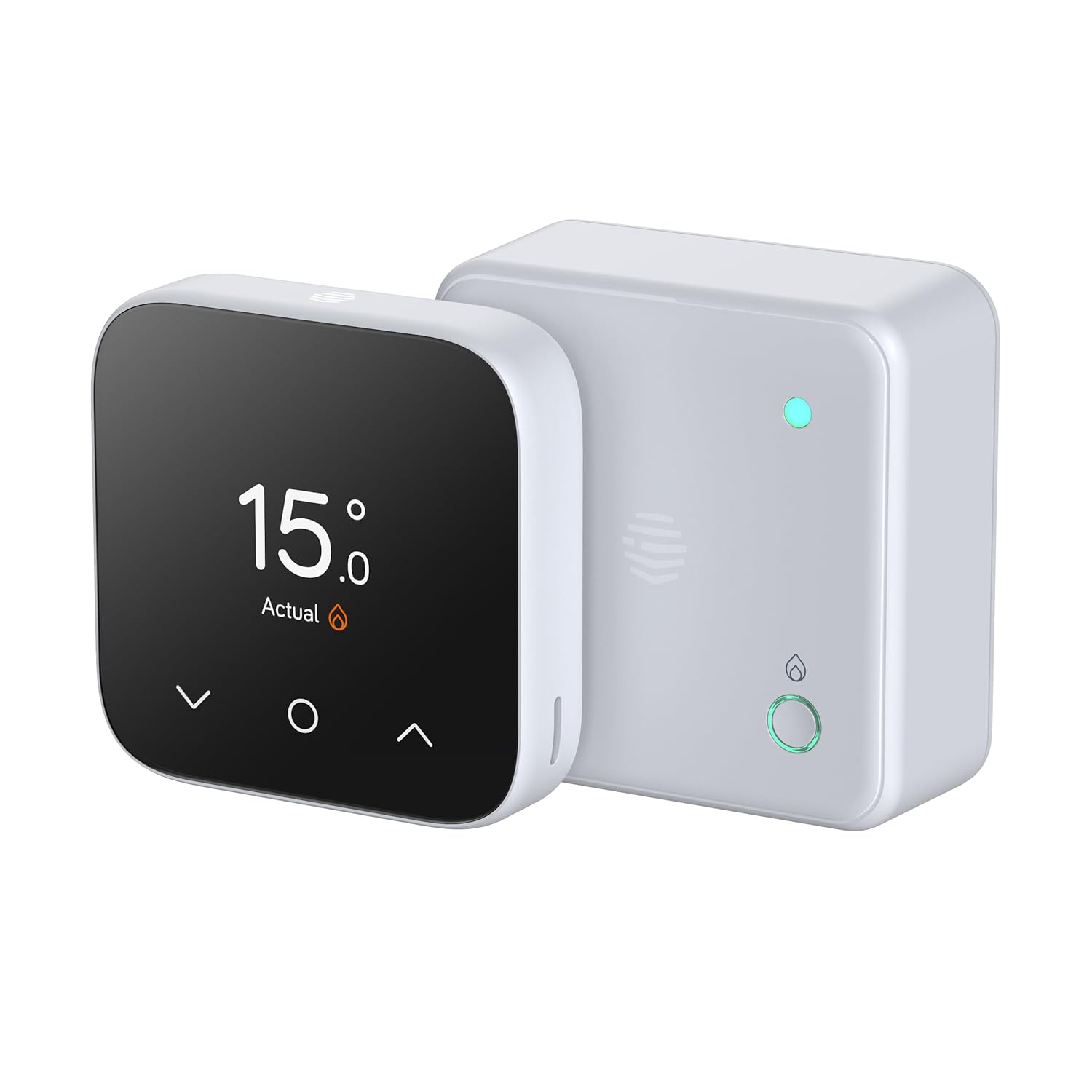
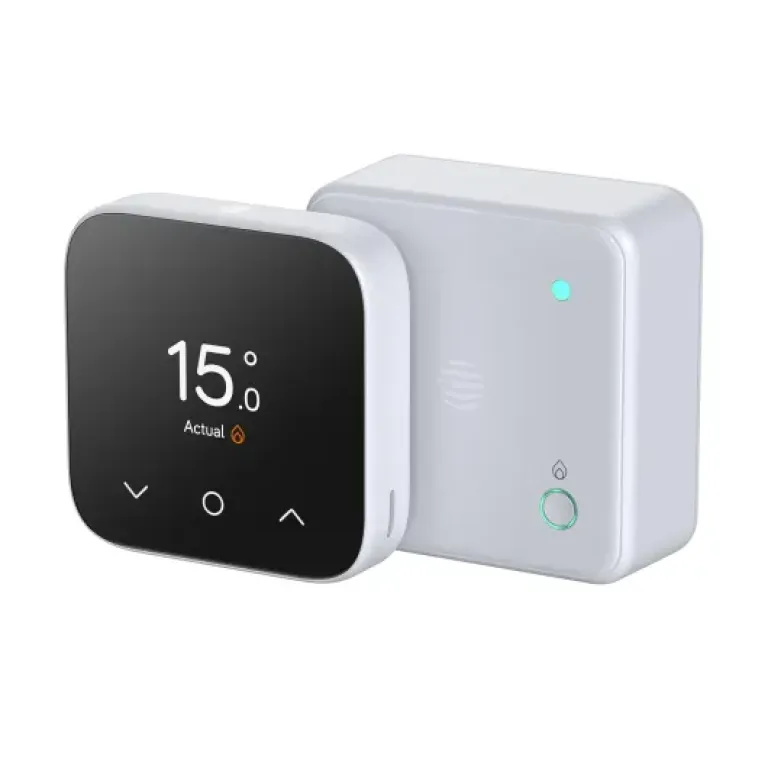
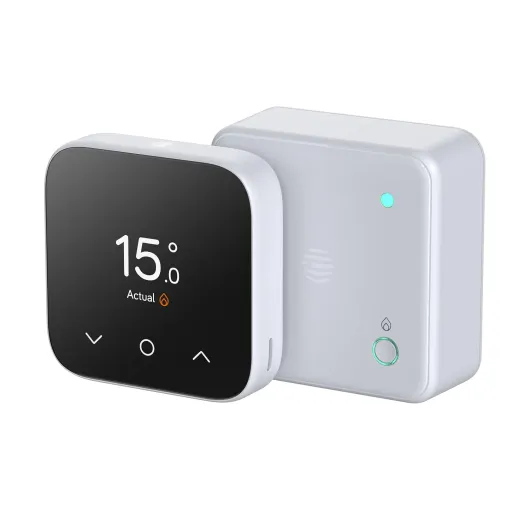
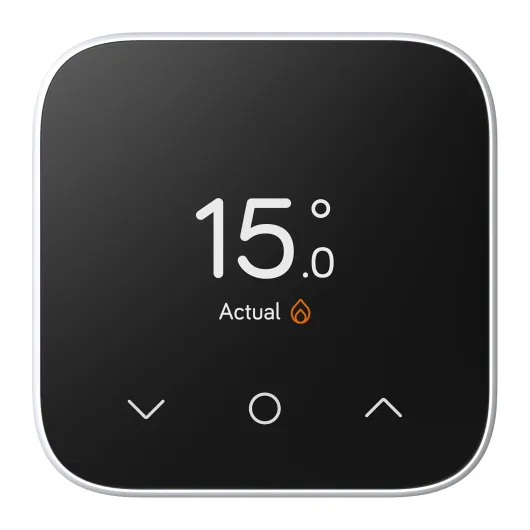
The Thermostat Mini is genuinely small: about 8.4 cm wide, 8.3 cm high, and just over 2 cm deep. On the wall, it looks more like a little square gadget than a big thermostat. The front has that mirrored finish, which in real life is more "shiny plastic mirror" than anything fancy. It does blend in fairly well, especially on a white or light-coloured wall. If you hate big chunky thermostats, this one is not going to bother you visually.
The interface is pretty simple. You’ve got a clear digital display with touch buttons. It’s not a full-on smartphone-style touchscreen; it’s more like a standard LCD with touch-sensitive areas. That’s fine: you can still quickly bump the temperature up or down without digging into menus. There’s a backlight, so you can see it in the dark, which sounds obvious but some cheaper thermostats still don’t do this properly. The mirrored surface does show fingerprints a bit if you’re picky, but honestly, you don’t touch it constantly, so it’s not a huge deal.
The hub design is improved versus older Hive hubs. Nano 3 is smaller, cleaner, and doesn’t need a cable to your router, which helps keep things tidy. It’s still another white plastic box with a light on it, but it’s not ugly. You can tuck it on a shelf or near the router and forget about it. It has a dual-core processor, which Hive likes to mention, but as a user you just care that it doesn’t lag when applying changes – and it doesn’t, at least in my case.
Overall, from a design point of view, I’d call it practical and low-profile. It’s not something you’ll show off, but it won’t annoy you either. If you prefer a big, round, more visible dial like Nest, this will feel a bit clinical and basic. But if you just want something small that quietly does its job without drawing attention, the design is pretty solid.
Battery life and power setup: not a big drama
The thermostat itself runs on 4 AAA batteries, which are included in the box. That’s already a plus, because some brands love to skip the batteries for no good reason. The quoted battery life isn’t shouted about in the listing, but with this type of low-power display and occasional communication, you’re usually looking at many months, often close to a year, depending on how often you’re poking at it and the quality of the batteries. In my use, I didn’t see any low battery warnings within the first stretch, which is what I’d expect.
Battery changes are straightforward. The unit is light (about 109 grams), and you don’t feel like you’re dealing with something fragile when you pop it off to access the battery compartment. No weird screws or special tools – it’s standard AAA, so you can grab a pack from any supermarket. If you’ve ever had a thermostat that uses some obscure coin cell or a built-in rechargeable pack that eventually dies, you’ll probably appreciate the simplicity here.
The hub and receiver are mains powered, which is normal. The receiver near the boiler is wired into the system, so once it’s installed you forget about it. The hub just needs a power socket and Wi‑Fi. There are no backup batteries there, so if your power or router goes down, remote control is gone, but the boiler can still usually be turned on manually at the receiver or boiler itself. This is pretty standard for smart heating systems; nothing special, but nothing terrible either.
Overall, from a power and battery angle, there’s not much drama. It’s basic, it works, and you don’t have to babysit it. I’d call this low maintenance: swap the thermostat batteries once in a long while, leave the hub and receiver plugged in, and that’s it. If you hate products that constantly nag you about charging, this is refreshingly boring, in a good way.
Build quality and how it feels over time
The build quality on the Hive Thermostat Mini is decent but not premium. It’s a small plastic unit with a mirrored front and a matte white body. When you handle it, it doesn’t creak or feel flimsy, but it also doesn’t have that heavy, solid feel you get from some higher-end thermostats like Nest. For something that just sits on the wall and gets tapped occasionally, that’s fine. You’re not throwing it around or carrying it in a bag, so it doesn’t need to be tank-like.
The buttons and touch areas respond consistently, and the display is clear. Over time, I’d expect the mirrored surface to pick up the odd scratch or mark if you’re rough with it, but again, it’s on the wall, not in your pocket. The backplate and mounting feel secure enough; once it’s on, it doesn’t wobble or feel like it’s about to fall off. That’s pretty much all I ask from a wall-mounted thermostat in terms of physical durability.
Where durability becomes more interesting is the electronics and wireless side. There are some comments online about receivers losing connection or needing to be reset fairly often. That’s more of a reliability issue than physical durability, but it affects how long you’ll tolerate the product. If you’re unlucky and end up in that situation, you might end up replacing the system earlier than you planned just out of frustration. In my case, with a decent Wi‑Fi setup, I haven’t had that level of trouble, but it’s something to keep in mind if your home is known to be a nightmare for wireless gear.
Given the price point and the fact it’s made in China like most of this kind of kit, I’d say the durability is acceptable for the money. It doesn’t feel fragile, the hub is a little white box you’ll forget about, and the receiver sits by the boiler doing its thing. If anything fails, it’s more likely to be software or connection quirks than the plastic shell falling apart. So as long as you’re not expecting luxury build quality, it’s fine.
Connectivity, app experience, and day-to-day behaviour
Performance-wise, there are three things that matter: how quickly it reacts, how stable the connection is, and how usable the app feels. On reaction time, it’s fine. When I change the temperature or hit boost in the app, the boiler reacts within a few seconds. There’s no noticeable lag that makes you wonder if it worked. The Nano 3 hub seems to handle commands smoothly; I never saw it hang or freeze during normal use.
Connection stability is more hit and miss depending on your home. In a fairly standard two or three-bed place with a decent router, it tends to behave. But it’s clear from at least one very negative review that some people have ongoing issues with the receiver going offline. When that happens, you lose app control and scheduled control until you go through the reconnection process, which is a bit of a pain. The fact that Hive’s own engineers are suggesting boosters tells you they know range is a weak spot in some setups. So if your router is buried in a cupboard or your walls are thick, be prepared for some trial and error with hub placement.
The app is where you feel the difference compared to something like Nest. Functionally, it does everything: schedules, manual adjustments, geolocation reminders, Holiday mode, and so on. But the interface feels cluttered and slightly messy. It also leans heavily on selling you extra Hive devices and subscription services that used to be free on Nest, like more advanced automation or deeper insights. It’s not unusable, just a bit annoying if you want something clean and simple. You can learn it in a few days, but it doesn’t feel as polished as it could be.
In everyday life, once you’ve set your schedule and placed the hub somewhere sensible, you don’t need to interact with it that much. It quietly does its thing. The performance is "good enough" rather than impressive. If you like to tinker and check logs and graphs all the time, you might find it a bit basic and slightly rough around the edges. If you just want to check the temperature now and then and bump it up when you’re cold, it’s fine as long as your wireless link stays solid.

What you actually get and how it fits into your setup
Out of the box, you get the Hive Thermostat Mini unit, the new Nano 3 hub, and the receiver (the bit that wires into the boiler). It’s clearly designed for combi boilers only – that’s important. It controls heating only, not hot water separately, so if you’ve got a system boiler with a hot water cylinder and separate controls, this kit is simply not the right product. That’s one thing Hive could make even clearer, but it’s stated in the details if you read properly.
The Nano 3 hub is the brains that connects to your Wi‑Fi and talks to the thermostat and receiver. The nice change versus older hubs is that it connects over Wi‑Fi instead of needing a cable to your router, so you can place it somewhere a bit more central. That should help with range, at least in theory. In practice, if your house has thick walls or your router is in a weird spot, you may still have to experiment. Some people end up being pushed towards Hive signal boosters, which feels a bit like an upsell rather than a real solution baked into the kit.
Setup-wise, if you’re even mildly comfortable with tech and can follow YouTube videos, the pairing and app registration are okay. The electrical wiring into the boiler is where most people will hit a wall. It’s live mains wiring, so unless you know what you’re doing, I’d just budget for a heating engineer or electrician. A few users said installation was pretty painless with a pro, and that matches what I’ve seen – the engineer had it running fairly quickly once wired.
Once installed, the presentation in the app is functional: you get temperature, schedule, boost, and modes like Holiday. It’s not pretty, but it works. The product feels like it’s built for “good enough” rather than super polished. If you’re okay with that and just want to control your combi boiler from your phone and save a bit on gas, the overall package makes sense, as long as you accept that you’re buying into the Hive ecosystem.
Does it actually control your heating properly?
On the core function – keeping the house at the right temperature at the right time – the Hive Thermostat Mini does its job. Once I set up a weekly schedule with a few time slots per day, it followed it reliably when the connection was stable. You can have up to six daily time slots, which is enough for most people: morning warm-up, daytime, evening, and night setback. Adjusting these in the app is slightly clunky but manageable. After a couple of days of tweaking, I had the rooms at a comfortable level without constantly fiddling.
OpenTherm support is the interesting bit. Instead of just switching the boiler fully on or off, it can tell the boiler how much heat is needed to maintain the set temperature. In practice, that means the boiler modulates more smoothly, avoids big swings, and you get a more stable room temperature. I noticed the radiators weren’t going from ice-cold to scorching as often, and the boiler cycled less aggressively. It’s not some miracle, but it feels calmer and should help with gas use over time. Hive claims up to 12% lower gas consumption; I can’t prove the exact number, but my usage pattern looked a bit lower compared to a dumb stat with similar weather.
The geolocation feature is handy in theory: if you leave home and the heating is due to come on, it pings you with a reminder. In real life, it’s useful if you’re the type who forgets to turn the heating off when you head out for the weekend. It doesn’t automatically shut it down; it nudges you, and you decide. It’s one of those features you appreciate once or twice a month, not every day. Frost protection is basic but reassuring: if the home temperature drops below 7°C, it kicks the heating on to protect pipes. For most urban flats it’s not critical, but for a house that occasionally gets very cold, it’s good to have.
Where effectiveness can fall apart is when the hub/receiver link drops. Some users reported the receiver going offline every couple of weeks, which basically kills the smart part: your schedule doesn’t run properly, and you’re back to manual boiler control. If that happens often in your home, the whole system goes from "smart and handy" to "annoying" quite fast. In my case, with the hub fairly central and good Wi‑Fi, I didn’t see frequent dropouts, but I’ve seen enough similar feedback to say: if your house is tricky for wireless signals, this is a risk you need to factor in.
Pros
- Compact, discreet thermostat with clear display and simple on-device controls
- Supports OpenTherm for smoother boiler modulation and potential gas savings
- Good set of features for the price: app control, scheduling, geolocation reminders, frost protection
Cons
- App is cluttered and pushes extra products and subscriptions
- Some users report receiver dropping offline, making schedules unreliable in certain homes
- Heating-only and combi-only, not suitable for systems needing separate hot water control
Conclusion
Editor's rating
The Hive Thermostat Mini with Nano 3 hub is a compact, no-nonsense smart thermostat that does the basics well for combi boilers. It’s small, looks clean on the wall, and once it’s installed and set up, it can keep your home at a steady, comfortable temperature without much fuss. OpenTherm support is a real plus if your boiler supports it, smoothing out the heating and helping shave a bit off your gas use over time. Features like geolocation reminders and frost protection are nice extras rather than life-changing, but they round out the package.
Where it falls short is mainly in the software and connectivity polish. The app works but feels cluttered and is clearly designed to push extra Hive products and subscriptions. And while many people have a smooth experience, there are enough reports of the receiver dropping offline to say that if your house is tough for wireless signals, you could run into frustration. It’s also limited to heating-only combi setups, so it’s not a universal solution.
I’d recommend this to someone with a simple combi boiler, decent Wi‑Fi, and realistic expectations: you want app control, basic smart features, and OpenTherm without paying top-tier prices. If you’ve used Nest or Tado and expect that level of polish, or if your place is a known dead zone for wireless gear, you might be happier looking elsewhere or even sticking to a good programmable non-smart thermostat.