

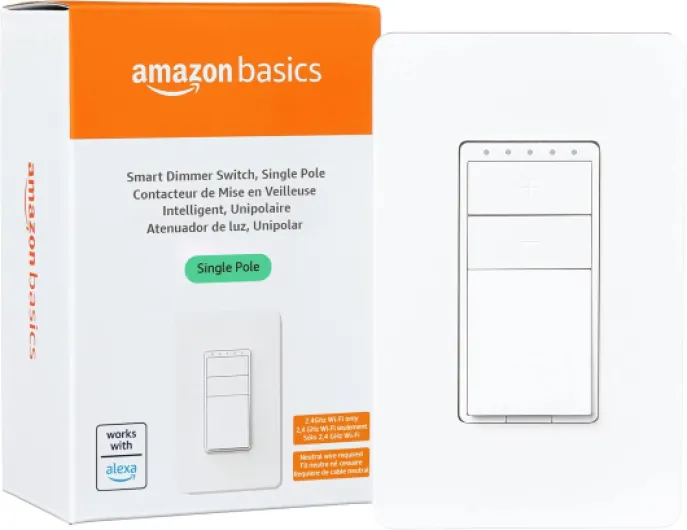
Understanding the challenge of no neutral wire
Why Neutral Wires Matter in Smart Switch Installations
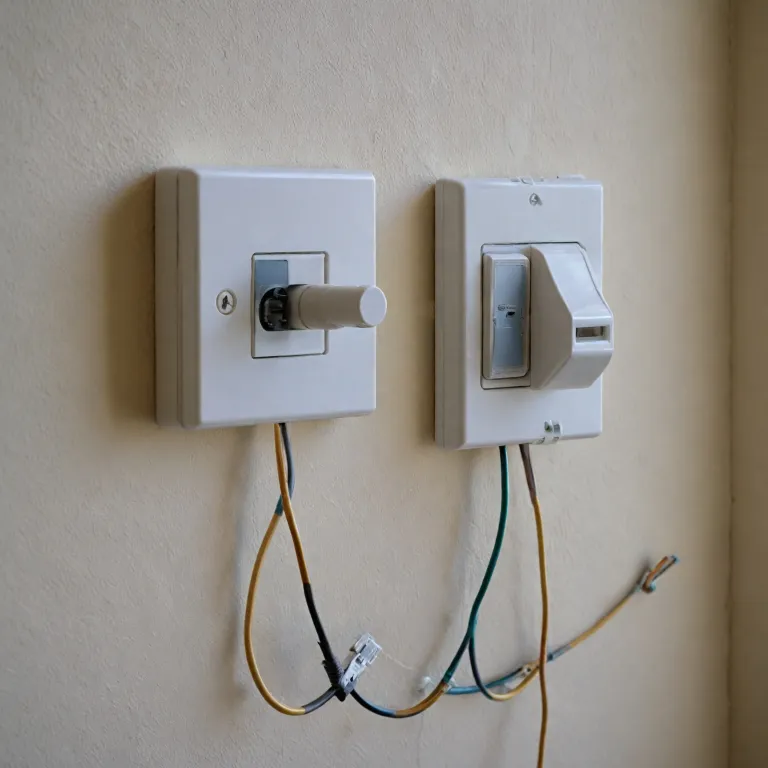
When considering a smart light switch for your home, one of the first technical hurdles you might encounter is the neutral wire. Many homes, especially older ones, do not have a neutral wire present in the switch box. This can be confusing, as most modern smart switches—whether they offer voice control with Alexa or Google, or connect via 2.4 GHz WiFi—typically require a neutral wire to function properly.
The neutral wire is essential because it completes the electrical circuit, allowing the smart switch to remain powered even when the light is off. Without it, traditional smart switches may not work, or could cause flickering lights and unreliable performance. This is particularly relevant for those looking to control their lights remotely, integrate with Amazon Alexa, or use advanced features like dimming and scheduling.
For homeowners who want to upgrade to smart lighting but discover their wall switch lacks a neutral wire, the challenge becomes finding a product that works without this requirement. The market now offers several smart switches designed specifically for these situations. These devices often use innovative technology to draw a small amount of power through the load wire, enabling WiFi or hub-based connectivity without a dedicated neutral.
Understanding this challenge is key before you buy a smart switch. If you’re hoping to control your lights with voice assistants, or want a seamless experience with devices like Leviton Decora Smart, Cync Smart, or other popular brands, knowing whether a neutral wire is required will help you choose the right product. Some options are single pole, while others offer dimmer functions or work with both Alexa and Google Home. Not all require a hub, but some do—so it’s important to check if a hub is required for your chosen model.
- Check your switch box for a white wire (neutral) before purchasing a smart switch
- Look for "no neutral required" or "neutral wire free" on product descriptions
- Consider compatibility with your preferred voice control platform (Amazon Alexa, Google Assistant)
- Review installation guides and requirements for each smart switch model
For those interested in broader smart home upgrades, such as integrating climate control or enhancing your home’s connectivity, you might want to explore enhancing your home climate control with a Daikin WiFi adapter as part of your smart home journey.
How smart switches without a neutral wire work
How Smart Switches Operate Without a Neutral Wire
Most traditional smart switches require a neutral wire to function, but not every home has this wiring—especially older houses. So, how do smart switches work when a neutral wire isn’t available? The answer lies in innovative engineering and clever product design.
- Trickle Current Technology: Many smart switches without a neutral wire use a small trickle of electricity that passes through the circuit even when the light is off. This keeps the switch powered and connected to your wifi or hub, while still allowing you to control your lights remotely or with voice assistants like Amazon Alexa or Google Assistant.
- Bypass Devices: Some products, such as the Leviton Decora Smart or Cync Smart switches, include a bypass device that installs at the light fixture. This helps stabilize the current, ensuring reliable operation for both single pole and multi-way setups.
- Compatibility: Not all bulbs work well with these switches. Smart dimmer and smart light switches without a neutral wire often require specific types of bulbs—usually incandescent or certain dimmable LEDs—to function properly. If you use incompatible bulbs, you might notice flickering or the light not turning off completely.
- Wireless Connectivity: These switches typically connect to your 2.4 GHz wifi network, allowing you to control your lights via app, voice, or automation. Some models work with Alexa, Google, or both (look for “works with Alexa” or “alexa google” on the product label). Others may require a hub for full functionality, so always check if a hub is required before buying.
For those troubleshooting or resetting their smart dimmer or light switch, especially if you’re experiencing issues with connectivity or control, you might find this step-by-step guide to resetting your GE dimmer dial light switch helpful.
Understanding how these smart devices work without a neutral wire is crucial before installation. It ensures you pick the right product for your setup and avoid common pitfalls. As you move forward, keep in mind the benefits and limitations of these solutions, as well as the importance of choosing compatible devices for your smart home ecosystem.
Benefits of using a smart switch with no neutral wire
Why Choose a Smart Switch Without a Neutral Wire?
For many homeowners, the biggest advantage of a smart switch that doesn’t require a neutral wire is its compatibility with older homes. Traditional wiring often lacks a neutral wire at the switch box, making installation of most smart light switches tricky. With a no-neutral-required product, you can upgrade your lighting control without rewiring or hiring an electrician, which saves both time and money.
- Easy Smart Home Integration: These switches work with popular platforms like Amazon Alexa and Google Assistant. You can enjoy voice control for your lights, even if your home’s wiring is outdated.
- Wireless Convenience: Many models use 2.4 GHz WiFi, so there’s no hub required. This means you can control your wall switch or smart dimmer directly from your phone or with voice commands.
- Flexible Placement: Since a neutral wire isn’t required, you can install these switches in more locations, including single pole setups where only one switch controls the light.
- Modern Features: Expect features like scheduling, remote access, and compatibility with other smart devices. Some products, like the Decora Smart or Cync Smart switches, offer dimming and scene control for added comfort.
- Clean Look: Many smart switches come in white finishes and blend seamlessly with existing decor. If you want to enhance the appearance of your setup, finding the right wall plate for your smart switch can make a big difference.
In short, smart switches that don’t require a neutral wire open up smart lighting to a wider range of homes. Whether you’re looking for a single switch, a smart dimmer, or a product that works with Alexa or Google, there are options that fit your needs without the hassle of extra wiring.
Limitations and considerations before installation
Key Factors to Weigh Before Installing a Smart Switch Without a Neutral Wire
Before you decide to install a smart light switch that doesn’t require a neutral wire, it’s important to understand the practical limitations and considerations. These factors can influence your experience with smart home devices, especially when it comes to compatibility, performance, and safety.
- Compatibility with Existing Wiring: Many older homes lack a neutral wire in the switch box. While some smart switches are designed to work without a neutral, not every product fits every wiring setup. Always double-check your wall switch wiring and the requirements listed by the manufacturer.
- Device and Bulb Compatibility: Certain smart switches without a neutral wire may only work reliably with specific types of bulbs, such as incandescent or select dimmable LEDs. Using incompatible bulbs can cause flickering or the light not turning off completely.
- Hub or Bridge Requirements: Some smart switches that operate without a neutral wire may need a dedicated hub or bridge to connect with your home’s wifi or voice control systems like Amazon Alexa or Google Assistant. This means extra devices and potentially more setup steps.
- Performance with Smart Home Platforms: Not all smart switches without a neutral wire offer seamless integration with popular platforms. If you want to control your lights with Alexa, Google, or through wifi, confirm that the product specifically lists "works with Alexa" or "works with Google" and check for any hub required.
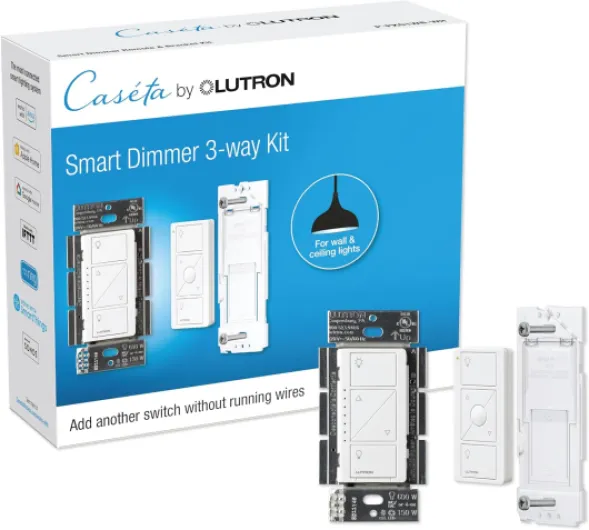
- Single Pole vs. Multi-Way Switches: Many no-neutral smart switches are designed for single pole setups, where one switch controls one light. If you have a three-way or four-way switch configuration, options are more limited and installation can be more complex.
- Potential for Limited Features: Some advanced features like smart dimming, scheduling, or energy monitoring may not be available or may work less reliably in switches that don’t use a neutral wire.
- Safety and Certification: Always choose products that are certified for safety and comply with local electrical codes. Trusted brands like Leviton Decora Smart, Cync Smart, and others usually provide clear documentation and support.
Taking the time to review these considerations will help you select the right smart switch for your needs, ensuring reliable voice control, wifi connectivity, and compatibility with your preferred smart home devices.
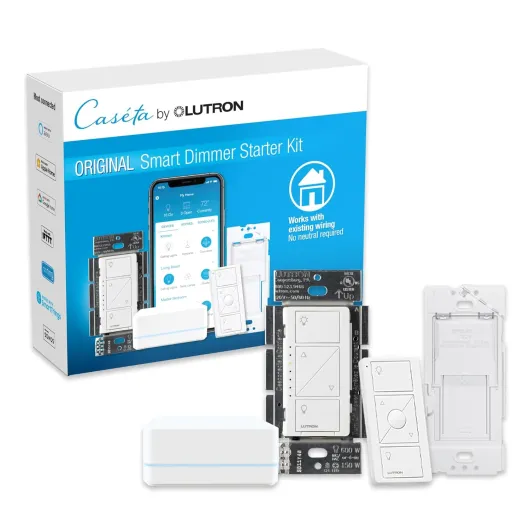
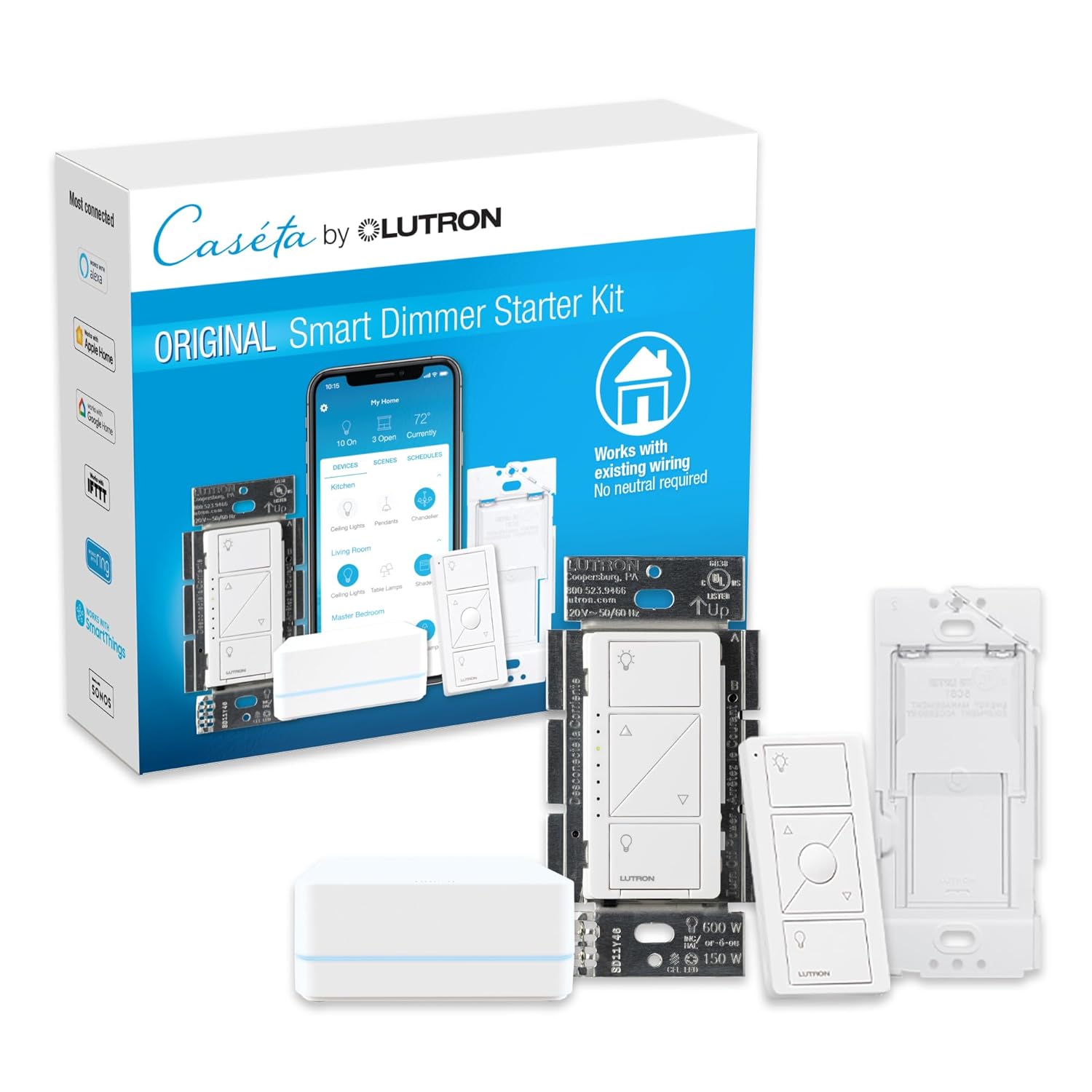
- + Smart Home Compatibility: Works with Alexa, Apple Home, Google Home
- + Easy Installation: No neutral wire required
- + Includes Pico Remote: Convenient control
- + 3-Way Setup: Allows for multi-switch configuration
- + 150W Capacity: Suitable for most lighting

Step-by-step guide to installing a smart switch without a neutral wire
Preparing for Installation: What You’ll Need
Before you start installing a smart switch without a neutral wire, gather all necessary tools and check your existing wiring. Many smart light switches, especially those that don’t require a neutral wire, are designed for single pole setups. Make sure your wall switch box has enough space and that the existing wires are in good condition. Some products, like the Leviton Decora Smart and Cync Smart Switch, are specifically labeled as "no neutral required" or "neutral wire free." Always turn off power at the breaker before working on any switch.
Step-by-Step Installation Process
- Turn Off Power: Safety first. Switch off the circuit breaker that controls the light switch you’re replacing.
- Remove the Old Switch: Unscrew the wall plate and gently pull out the existing switch. Take note of the wiring configuration, especially which wire is the line (live) and which is the load.
- Identify Wires: In most cases, you’ll see a line wire, a load wire, and a ground wire. Since there’s no neutral, confirm that your chosen smart switch is compatible with this setup. Some models, like the Leviton Decora Smart No-Neutral, are designed for this scenario.
- Connect the Smart Switch: Follow the manufacturer’s instructions. Typically, you’ll connect the line and load wires to the corresponding terminals on the smart switch. Attach the ground wire if required. Some switches may include a small capacitor to install at the light fixture to ensure proper operation.
- Secure and Mount: Carefully tuck the wires back into the box, mount the smart switch, and screw the wall plate back on.
- Restore Power and Test: Turn the breaker back on. Test the switch manually first, then proceed to set up the wifi connection and pair with your smart home hub if required.
Connecting to Smart Home Platforms
Once installed, many smart switches without a neutral wire can be controlled via Amazon Alexa, Google Assistant, or a dedicated app. Some switches work directly with 2.4 GHz wifi networks, while others may require a hub. Check if your product supports voice control or if a hub is required for integration with devices like Alexa or Google. For example, the Cync Smart Switch and Leviton Decora Smart models often offer seamless integration with Alexa, Google, and other platforms.
- For switches labeled "works with Alexa" or "alexa google," follow the app instructions to add your new device.
- If your switch requires a hub, ensure it’s compatible and set up the hub before pairing the switch.
- Test voice commands to control your lights and confirm wifi connectivity is stable.
Troubleshooting Common Issues
If your smart switch isn’t working as expected, double-check the wiring and ensure the product is truly designed for installations without a neutral wire. Some LED bulbs may flicker or not turn off completely if the switch isn’t compatible. In these cases, using the included capacitor or switching to a different bulb type may help. Always consult the manufacturer’s documentation for specific troubleshooting steps.
Popular brands and models to consider
Top Picks for Smart Switches Without a Neutral Wire
Choosing the right smart switch when a neutral wire isn’t available can be tricky. Several brands have developed solutions that work in homes where a neutral wire is not required. Below is a table highlighting some popular options, their compatibility, and key features to help you compare:| Product | Neutral Required | Voice Control | Hub Required | WiFi/GHz | Single Pole | Color | Works With |
|---|---|---|---|---|---|---|---|
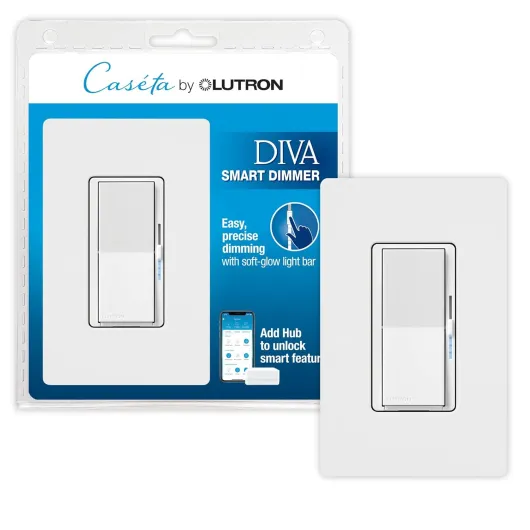
| Lutron Caseta Wireless Smart Light Switch | No | Yes | Yes (Lutron Hub) | Proprietary | Yes | White | Amazon Alexa, Google Assistant, Apple HomeKit |
| GE Cync Smart Switch (Wire-Free) | No | Yes | No | 2.4 GHz WiFi | Yes | White | Amazon Alexa, Google Assistant |
| Leviton Decora Smart Switch (Dimmer) | No (select models) | Yes | No | 2.4 GHz WiFi | Yes | White | Amazon Alexa, Google Assistant |
| Aqara Smart Light Switch (No Neutral) | No | Yes | Yes (Aqara Hub) | Zigbee | Yes | White | Amazon Alexa, Google Assistant, Apple HomeKit |
What to Look For in a No-Neutral Smart Switch
When comparing smart switches for your light control needs, keep these points in mind:- Neutral wire required: Double-check if the product specifically says "no neutral required." Many smart switches still need a neutral wire, so this is crucial for older homes.
- Voice control: If you want to use Alexa, Google Assistant, or other voice assistants, confirm compatibility. Most leading brands now support voice control, but some require a hub.
- Hub required: Some switches, like Lutron Caseta and Aqara, need a dedicated hub for full functionality. Others, such as Leviton Decora Smart and GE Cync, connect directly to your WiFi network (usually 2.4 GHz).
- Single pole or multi-way: Most no-neutral smart switches are designed for single pole setups. If you have a three-way or four-way switch, check the product details for compatibility.
- Color and style: White is the most common finish, but check if the brand offers other options to match your decor.
Popular Brands and Where to Buy
- Lutron Caseta: Known for reliability and wide compatibility. Available on Amazon and major retailers.
- Leviton Decora Smart: Offers both WiFi and Z-Wave models. Look for "no neutral required" in the product description.
- GE Cync Smart: Wire-free and easy to install, especially for renters or those who want to avoid wiring.
- Aqara: Good for smart home enthusiasts who already use Zigbee devices and don’t mind adding a hub.