Summary
Editor's rating
Good brains for the price, but the ecosystem tax is real
Small black box that quietly hides everywhere
Reliability and long‑term feel, not just build quality
Fast, stable, and local… as long as you play by Aqara’s rules
What this thing actually does in a real house
Does it actually simplify your smart home, or just shift the chaos?
Pros
- Very reliable local automations with fast triggering and built‑in alarm speaker
- Acts as Matter controller, Thread border router, Zigbee hub, and IR blaster in one box
- Good privacy stance (no mic/camera) with encrypted local storage and PoE / USB‑C power options
Cons
- Only supports Aqara Zigbee devices, no third‑party Zigbee accepted
- Aqara ecosystem can get expensive, especially for extra routers / plugs just to extend range
- Aqara app is powerful but cluttered, phone‑only, and awkward to share dashboards across users

Specifications
View full product page →| Brand | Aqara |
| Product Dimensions | 4.13 x 1.42 x 4.13 inches |
| Item Weight | 6 ounces |
| ASIN | B0CWLHSKYC |
| Item model number | HM-G01E |
| Customer Reviews | 4.0 4.0 out of 5 stars (1,341) 4.0 out of 5 stars |
| Best Sellers Rank | #9,196 in Tools & Home Improvement (See Top 100 in Tools & Home Improvement) #21 in Home Automation Hubs & Controllers |
| Date First Available | May 30, 2024 |
A hub for people who like to tinker (and read fine print)
I’ve been playing with the Aqara Smart Home Hub M3 for a few weeks, mainly to see if it could become the main “brain” of my house instead of juggling multiple hubs and bridges. On paper, it looks stacked: Matter controller, Thread border router, Zigbee, Wi‑Fi, IR blaster, PoE, works with Alexa / HomeKit / SmartThings / Home Assistant… basically all the buzzwords in one small black box. That’s what pulled me in.
In practice, it’s a bit more nuanced. The hardware feels solid and the feature list is long, but there are a couple of big caveats you only really feel once you start using it day to day. The biggest one for me: it only speaks Zigbee with Aqara devices, not generic Zigbee stuff. If you’ve already got a drawer full of cheap Zigbee sensors and plugs from other brands, this is going to annoy you fast. I learned that the hard way when I tried to pair some third‑party plugs as routers.
On the positive side, once everything is set up, the hub is pretty reliable. Automations run locally, they trigger fast, and the IR blaster and Matter bridge features actually do something useful, not just marketing bullet points. But the Aqara app is a bit of a mess, and building out a full house of only Aqara gear gets pricey compared to using generic Zigbee gear with Home Assistant or similar.
So overall, the M3 is more like a serious tool for people willing to live inside the Aqara ecosystem (or at least mostly), rather than a universal do‑everything hub for every random device you already own. If you go in with that mindset and you’re okay with the app’s quirks, it’s a pretty solid central hub. If you want a fully open system, you’ll probably end up frustrated.
Good brains for the price, but the ecosystem tax is real
On pure hardware and feature list, the M3 offers pretty solid value. You get a Matter controller, Thread border router, Zigbee hub (for Aqara devices), IR blaster, PoE support, and decent local automation in one unit. If you compare that to buying a separate IR blaster, a basic Zigbee hub, and some sort of Matter bridge, the price starts to look fair. For someone starting mostly from scratch and planning to buy Aqara sensors and plugs anyway, it’s a reasonably good deal.
The problem is the hidden cost of ecosystem lock‑in. Since it doesn’t accept third‑party Zigbee devices, every time you need to extend range or add a sensor, you’re basically forced into Aqara hardware. And Aqara routers (like their smart plugs) tend to cost noticeably more than generic Zigbee plugs. In my own case, I realized I’d need several Aqara outlets just to act as repeaters in distant rooms and the basement. Paying two to three times more per outlet purely for routing, with nothing actually plugged into them, felt wasteful.
If you compare this to running a cheap Zigbee USB stick with Home Assistant and buying low‑cost sensors and plugs, the M3 setup is clearly more expensive over a whole‑house deployment. You’re paying extra for a nicer polish in some areas, the Aqara app (even if messy, it’s still friendlier than raw Home Assistant for some users), and a tighter integration with Apple Home / Alexa / SmartThings through Matter. For someone who doesn’t want to tinker too much and is fine staying in one brand, that’s probably worth it. For a hardcore DIY person, it’s going to feel like an unnecessary premium.
So value wise: I’d say it’s good value if you’re going Aqara‑first and you care about local automations, IR AC control, and easy Matter exposure. It’s mediocre value if you already own a bunch of Zigbee gear from other brands or you’re comfortable building everything around Home Assistant or another open system. The hub itself is priced okay; it’s the long‑term cost of being stuck with one brand that you need to think about before buying.
Small black box that quietly hides everywhere
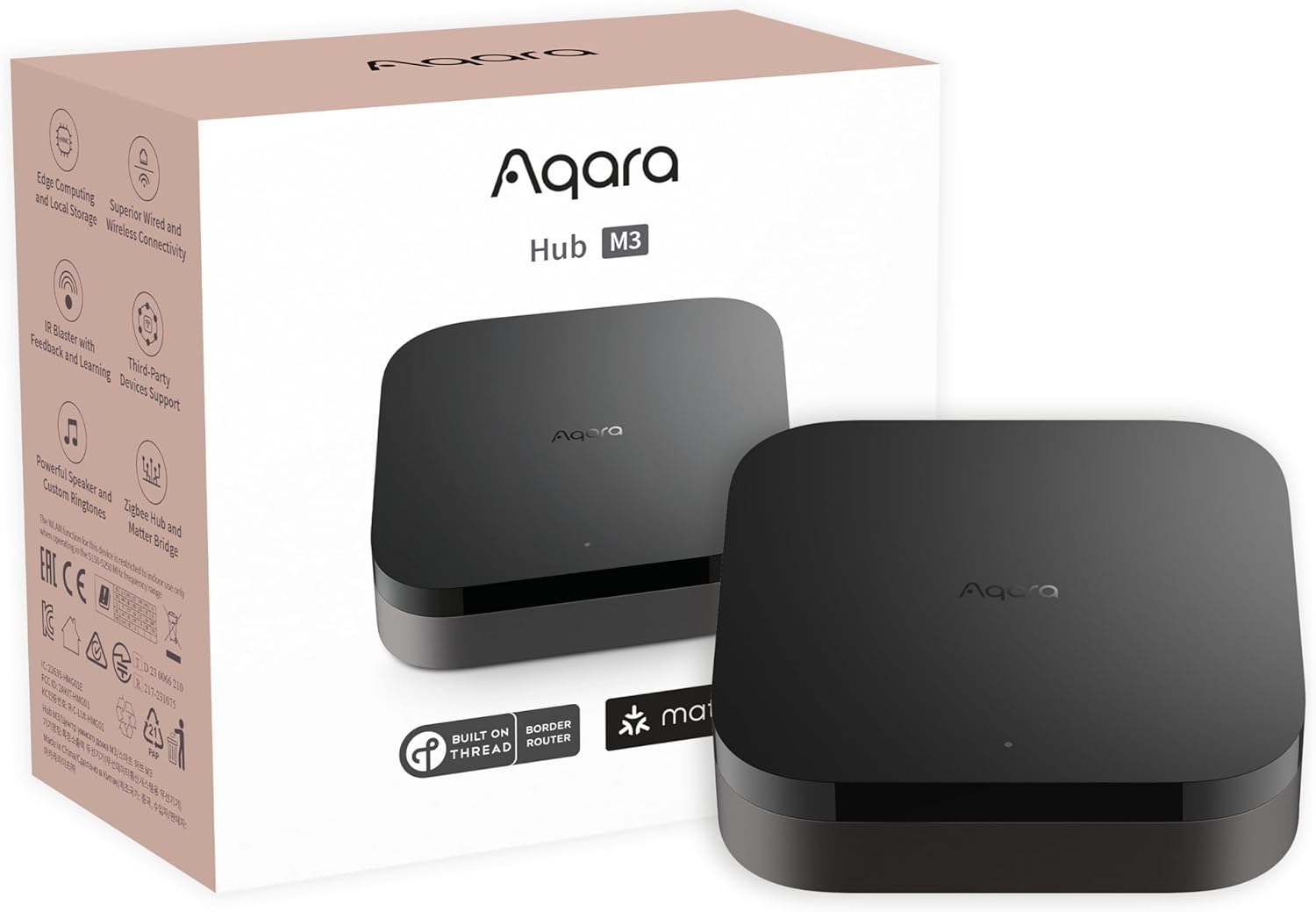
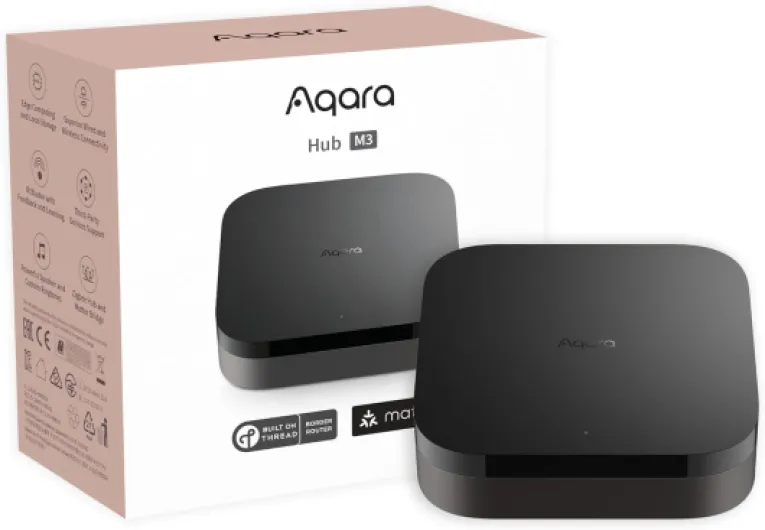
Physically, the M3 is pretty discreet. It’s a small black square, roughly 4.1 x 4.1 inches and about 1.4 inches thick, and weighs next to nothing (around 6 ounces). No flashy LEDs, no weird shapes, just a simple plastic box with ports in the back. I actually appreciate that: you can stick it on a shelf, mount it on a wall, or even on the ceiling with the included bracket and screws, and it doesn’t scream “tech toy” to anyone walking into the room.
The build quality feels decent for the price. The plastic doesn’t creak, ports are snug, and the mounting plate is straightforward. I used the wall mount, and it stayed put without any wobble. The lack of microphone or camera also means there are no grill holes, no lenses, nothing that makes you feel like you’re being watched. For people sensitive about privacy, the design helps: it really feels like a dumb box that just sits there and works in the background.
On the practical side, you’ve got PoE (Power over Ethernet), a regular Ethernet jack, and a USB‑C port for power. I ran it on PoE behind my TV cabinet with a small PoE switch, which cleaned up cables nicely. I also tried it briefly with a USB power bank, and it stayed up during a short power cut, so the mini‑UPS idea is legit. Just note: there’s no charger in the box, so if you don’t have a spare 2A USB adapter, that’s an extra purchase.
Only annoyance: Aqara recommends keeping the hub between 6 and 19 feet from the router. In a real house, that’s not always convenient. I ended up cheating and putting it a bit further away; it still worked fine, but Wi‑Fi signal strength will obviously matter if you don’t use Ethernet. Overall, the design is simple and practical, not stylish or anything, but it fits the role of a hub you mostly forget about after setup.
Reliability and long‑term feel, not just build quality
Durability with a hub is less about surviving drops and more about whether it runs for months without drama. Physically, the M3 is just a small plastic box, so there isn’t much to say: it’s light, doesn’t feel fragile, and once mounted on the wall or hidden on a shelf, you’re not going to touch it much anyway. It doesn’t heat up like crazy either; after running 24/7 for weeks, it was just slightly warm to the touch, nothing worrying.
Where I paid more attention was uptime and stability. Over a few weeks, I didn’t have random reboots or crashes. The hub stayed online, and connected devices behaved as expected. I restarted it manually a couple of times when messing with network changes, and it always came back up cleanly, re‑joining Wi‑Fi or Ethernet without needing to re‑pair devices. That’s basic stuff, but some cheaper hubs do struggle with it, so it’s worth noting.
On the software side, Aqara is still pushing updates, which is good and bad. Good because bugs get fixed and features appear (especially around Matter and Thread). Bad because every update is a small risk that something breaks or changes behavior. During my time with it, one firmware update came in; it installed fine and nothing broke, but I’ve seen enough stories online to know this can vary. If you’re paranoid about stability, you might want to delay updates a few days and see what other users report.
One thing I’ll give Aqara: they seem committed to this hub as their new main platform, not a throwaway product. The fact it can form a redundant cluster with another Aqara hub is a sign they’re thinking long term, even if most home users won’t go that far. Overall, from a durability and reliability perspective, the M3 feels like something you can set up and mostly forget—as long as you stay inside their ecosystem and don’t constantly swap devices in and out.
Fast, stable, and local… as long as you play by Aqara’s rules
On the performance side, the M3 is pretty solid. Once I had my sensors, plugs, and IR devices set up, automations fired quickly and consistently. Things like “turn on siren if water leak detected” or “send alert + sound alarm if freezer temp rises above X” worked every single time in my testing. There’s a small built‑in speaker that can blast alarms loud enough to be heard across a couple of rooms, which is exactly what you want for leak or door alerts. I didn’t see random delays or missed triggers like I’ve had with some cloud‑based systems.
The big plus is that most of this runs locally on the hub. When I killed my internet connection for a bit, the core automations still ran: door opened, siren sounded, light switched, that kind of stuff. Obviously, push notifications to my phone sometimes lagged or didn’t show without internet, but that’s expected. Compared to setups where everything depends on the cloud, this felt much more trustworthy, especially for security‑style rules.
As a Matter bridge, it also did its job. I used it to expose a group of leak sensors to Home Assistant as a single “signal”, like one Amazon reviewer mentioned. That’s handy: instead of juggling six sensors, I just watched one status that flipped when any of them saw water. The Matter connection stayed stable, no constant re‑pairing or ghost devices. Just be aware that not every Matter controller app exposes all the advanced Aqara features; some options only show in the Aqara app itself.
Where performance dips is range and flexibility. Because it only accepts Aqara Zigbee devices, you can’t just throw in a bunch of cheap Zigbee outlets to extend the mesh. You end up either buying Aqara routers (which cost more) or living with the occasional disconnected sensor if it’s too far away. In my case, one sensor in a detached garage kept dropping until I added another Aqara plug halfway. So, performance is good, but the ecosystem lock means you may pay more to reach that “everything just works” point.
What this thing actually does in a real house
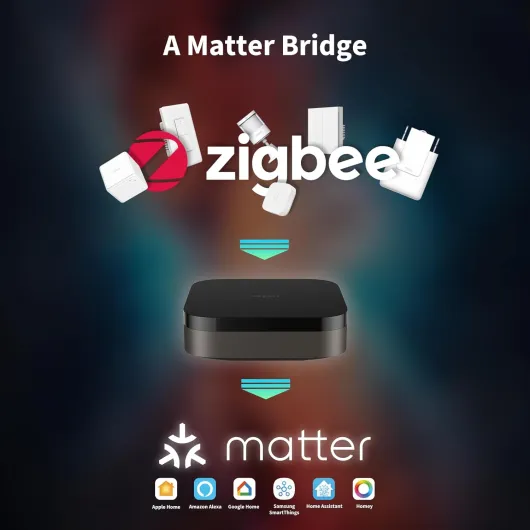
The Aqara Hub M3 is basically a compact control box that tries to be the central point for all your smart gear. Technically, it’s a Matter controller and Thread border router, plus it handles Aqara Zigbee, Wi‑Fi and Bluetooth, and it has a 360° IR blaster. That means: it can talk to compatible bulbs, sensors, locks, plugs, as well as older devices that only have an IR remote (TV, AC, etc.). On top of that, it bridges a bunch of things into Matter so apps like Home Assistant, Apple Home, or others can see them as standard devices.
In my setup, I used it to manage a bunch of Aqara sensors (door, water leak, temp/humidity) and a couple of Aqara plugs, and then exposed a subset of those to Home Assistant over Matter. That part worked pretty well: I could choose exactly which devices or “signals” to share, and the automations I created in Aqara still ran locally even if the internet dropped. Compared to some cloud‑heavy hubs I used before (Tuya, some old D‑Link stuff), this felt more reliable and less laggy.
Where it stings is the Zigbee lock‑in. The hub supports up to 127 Zigbee devices, but only if they’re Aqara branded. I tried adding a couple of cheap Zigbee plugs that usually pair fine with my generic Zigbee coordinator on Home Assistant: no luck, the M3 simply doesn’t take them. If you’ve already invested in a mixed Zigbee setup, this hub is more of a second ecosystem than a unifying one. For me, that meant deciding which side of my house would be “Aqara land” and which would stay on my existing system, which is kind of dumb.
So, in terms of what it “is”: it’s a very capable Aqara hub, a pretty handy Matter bridge, and a smart IR thermostat bridge for your AC if you add an Aqara temp sensor. But it’s not the universal Zigbee hub many people assume when they skim the specs. If you accept that, the feature set makes sense. If you don’t, you’ll probably end up returning it or ranting about it like some of the 1‑star reviews.
Does it actually simplify your smart home, or just shift the chaos?
Effectiveness for me is simple: does this hub actually make the smart home easier to manage, or does it just become yet another box to babysit? With the M3, I’d say it mostly simplifies things if you commit to Aqara gear, but it’s less helpful if you already run a mixed setup with lots of third‑party devices. In my Aqara‑heavy rooms, it worked well as the central brain. I migrated some older Aqara devices from a previous hub, and the process was a bit tedious but workable. Once moved, the automations ran locally and felt snappier.
The IR blaster part is actually one of the more useful features. I have an older split AC unit that only has an IR remote. I let the M3 “learn” the remote, then paired it with an Aqara temperature and humidity sensor. After that, I could treat the AC more like a smart thermostat: set a target temp, and let the hub send IR commands to keep it around that level. It’s not perfect, but it’s miles better than just manually jabbing the remote every time. Only catch: you can only expose one IR AC to Matter, so if you have multiple ACs you want fully integrated, you’ll hit a limit.
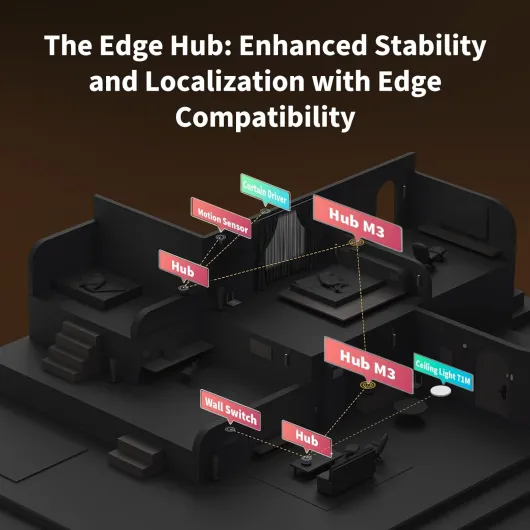
As an edge hub, the M3 also tries to take over from older Aqara hubs and run things locally. That’s good if you’re deep in their ecosystem: it centralizes your rules and makes them less dependent on the cloud. I noticed fewer random delays compared to when I was running some devices off older Aqara hubs and some via other bridges. But again, this only helps if most of your stuff is Aqara. My non‑Aqara Zigbee sensors and plugs had to stay on a separate coordinator with Home Assistant; the M3 simply ignored them.
So in terms of effectiveness: if you think of this as “the main hub for an Aqara‑centric home that also talks Matter and IR,” it does the job well. If your dream is “one hub to unify all my random Zigbee devices from different brands,” this is not it. It doesn’t fully remove the chaos; it just organizes the Aqara part of your setup nicely and leaves the rest to something else.
Pros
- Very reliable local automations with fast triggering and built‑in alarm speaker
- Acts as Matter controller, Thread border router, Zigbee hub, and IR blaster in one box
- Good privacy stance (no mic/camera) with encrypted local storage and PoE / USB‑C power options
Cons
- Only supports Aqara Zigbee devices, no third‑party Zigbee accepted
- Aqara ecosystem can get expensive, especially for extra routers / plugs just to extend range
- Aqara app is powerful but cluttered, phone‑only, and awkward to share dashboards across users
Conclusion
Editor's rating
The Aqara Smart Home Hub M3 is a strong central hub if you accept that it lives in its own world. On the good side, it’s stable, fast, and focused on local control. Automations trigger reliably, the built‑in speaker is handy for alarms, and the IR blaster plus temperature sensor combo turns a dumb AC into something close to a smart thermostat. As a Matter bridge, it also integrates nicely with things like Home Assistant and Apple Home, letting you expose only what you want instead of dumping your whole device list.
Where it falls short is openness and the app experience. The hub only supports Aqara Zigbee devices, which kills a lot of the benefit of Zigbee being an open protocol. If you already have generic Zigbee plugs, sensors, or bulbs, they’re basically useless here. The Aqara app is powerful but cluttered and phone‑only, so managing dashboards and sharing them with family is more tedious than it should be. And when you start adding Aqara routers just to extend range, the total cost climbs quickly compared to a more generic setup.
I’d recommend the M3 to people who either: 1) are starting fresh and are okay going mostly all‑in on Aqara gear, or 2) already own a bunch of Aqara sensors and want a more modern hub with Matter and Thread to tie things into a broader ecosystem. If you’re a tinkerer who loves mixing brands, or you already run Home Assistant with a generic Zigbee coordinator, this hub will probably feel too restrictive and not worth the extra cost. It’s a capable device, but it clearly plays best on Aqara’s home turf.