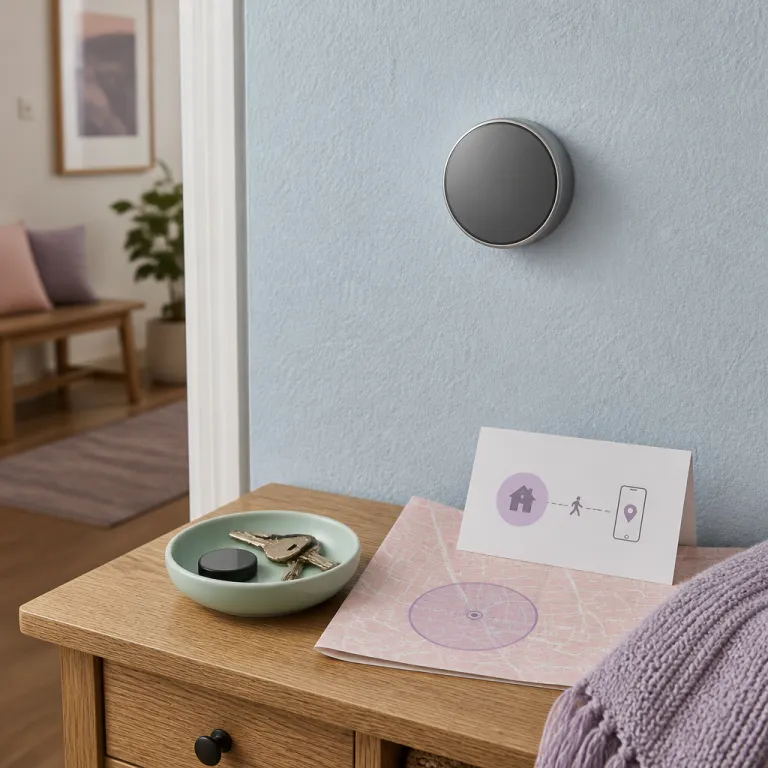
How thermostat geofencing actually works in real homes
Geofencing on a smart thermostat sounds magical until it misfires. The reality is that every thermostat geofencing feature depends on three fragile pieces working together, and your smart thermostat geofencing setup only feels reliable when all three stay aligned. Think of it as a chain between your phone location, the vendor cloud, and your home HVAC system.
First link is your phone, which constantly reports its location to the thermostat app. That app runs as a background app, and if your phone kills it to save energy or you deny key app permissions, the geofencing work stops silently while your heating cooling system keeps following the last mode. When people say “why does not geofencing work in my homes ?”, nine times out of ten the phone is the weak point.
Second link is the vendor cloud, which turns raw GPS data into a leave return status. When your phone crosses the virtual boundary, the cloud tells the smart thermostat to switch from comfort to energy saving mode, and that is where most brands calculate energy savings and potential rebates. If that cloud service hiccups, your carefully tuned schedule geofencing routine falls back to a simple schedule or manual control.
Third link is the thermostat and HVAC system, which must react quickly but not twitch. A good smart thermostat will blend geofencing with indoor temperature, humidity, and your existing schedules, instead of slamming the heat pump or furnace every time you walk the dog. Poorly tuned systems chase every tiny movement and destroy efficiency, comfort, and long term equipment health.
From testing Nest, Ecobee, Honeywell Home, and Emerson Sensi units, the pattern is clear. The best geofencing work happens when the thermostat app stays always allowed in the background, the privacy policy is transparent about phone location use, and the HVAC system is sized and maintained correctly. When any of those three is off, people blame geofencing instead of the underlying setup.
Multi-phone households and the logic that actually works
Single person apartments make thermostat geofencing look easy. Real homes have partners, kids with their own phones, and sometimes a cleaner or dog walker, and that is where a smart thermostat geofencing setup either shines or collapses. The key question is simple yet rarely explained clearly : does your thermostat use AND logic or OR logic for presence.
With OR logic, if any registered phone location is inside the geofence, the smart thermostat stays in home comfort mode. That is safer for families, because one person can leave return all day while others come and go, and the heating cooling system will not keep bouncing between away and home. Nest and Ecobee lean toward this OR style presence, which in practice gives better comfort and more realistic energy savings.
With AND logic, every enrolled phone must leave the geofence before the thermostat app triggers away mode. That sounds cautious, but in testing it often meant the HVAC system never entered an energy saving state, because one teenager’s phone sat at home or lost signal, and the thermostat assumed someone was still there. Honeywell Home and some Sensi smart thermostats can be configured either way, but the menus hide this under vague “auto away” wording.
For a multi-phone household, OR logic plus a simple schedule is usually the best balance. You run a basic comfort schedule for mornings and evenings, then let geofencing work as a trim control that turns geofencing away mode on when everyone leaves early, or delays heating when everyone returns late. That hybrid approach also protects you when a phone battery dies or a background app crash breaks presence detection.
If you want to go deeper into how much automation a smart thermostat system can really handle on its own, a detailed breakdown of so called AI features in modern thermostats is helpful. One clear, jargon free guide to what a smart thermostat actually does automatically is available in this analysis of how “AI” automation really behaves in current smart thermostats. Understanding those limits makes it easier to choose the best schedule geofencing mix for your own homes and routines.
Getting the radius, schedules, and routines tuned together
Most people give up on geofencing because the radius is wrong, not because the technology fails. A smart thermostat geofencing setup with a geofence that is too tight will mark you away every time you walk to the corner shop, while a radius that is too wide will keep your HVAC system blasting comfort mode long after you have left town. The art is matching that virtual circle to your real routine and commute.
Start with a radius that you can drive in 10 to 15 minutes, then watch how the thermostat app behaves for a full week of normal schedules. If your heating cooling system is still in away mode when you walk through the door, shrink the radius or add a preheat schedule that starts before your usual return, so comfort is restored without wasting energy. When the geofence flips too often during short errands, expand the radius slightly and rely more on a simple schedule for daytime setbacks.
Hybrid control is where smart thermostats earn their keep. You keep a backbone of fixed schedules for wake, leave, return, and sleep, then let thermostat geofencing nudge those times earlier or later based on phone location. That way, even if geofencing work fails for a day because of a background app issue, your home still follows a predictable energy saving pattern.
Humidity and system type also matter more than marketing suggests. A heat pump in a mild climate can ramp up gently when you cross the geofence, while a gas furnace in a large, leaky house may need a longer preheat schedule to reach comfort without hammering efficiency. If you use Alexa, Google Home, or HomeKit, tying your leave return routines to voice or presence automations can further smooth the handoff between schedule geofencing and manual control, especially when you follow a guide on making Alexa reliably control your thermostat.
In testing, the best results came from keeping the geofence radius conservative and the schedules realistic. People who try to squeeze every last kilowatt hour with aggressive setbacks often end up with worse energy because the system must work harder to recover, especially in poorly insulated homes. A modest setback, a sane radius, and a routine that matches your real life beat any theoretical maximum efficiency.
Brand-by-brand quirks that affect reliability
Different smart thermostats all promise effortless geofencing, but their quirks matter in daily use. Nest, Ecobee, Honeywell Home T9 and T10, and Emerson Sensi each handle phone location, app permissions, and cloud logic in slightly different ways that shape your smart thermostat geofencing setup. Knowing those differences up front saves a lot of trial and error.
Nest leans heavily on its own presence detection, combining phone location with motion sensors in the thermostat and optional remote sensors. That multi signal approach makes Nest more forgiving when a background app crash or phone battery issue breaks geofencing work, because the thermostat can still infer occupancy from movement and light. The tradeoff is that Nest offers less granular control over the geofence radius and schedule geofencing interaction than Ecobee.
Ecobee takes the opposite path and gives you more knobs. Its thermostat app exposes clear controls for enabling geofencing, adjusting comfort settings, and blending them with your time based schedule, and it plays nicely with both heat pump systems and conventional furnaces. In practice, Ecobee’s help center documentation also does a better job explaining how to turn geofencing on for multiple phones, which is crucial for families chasing both comfort and energy savings.
Honeywell Home T series thermostats support geofencing but hide it behind several menus, and their privacy policy language around phone location can feel dense. Once configured, they work geofencing logic reliably, yet they are more sensitive to background app restrictions on Android phones, which can silently disable presence tracking. Emerson Sensi is simpler, with a focus on a basic simple schedule plus optional geofencing, which suits smaller homes and people who prefer predictability over aggressive energy saving automation.
Across all brands, the same rules apply if you want the best balance of comfort and efficiency. Keep the thermostat firmware updated, review app permissions after every major phone operating system update, and check the help center for each brand when you change phones or add new household members. When you treat geofencing as a living part of your HVAC system rather than a one time setup, it keeps working instead of becoming another abandoned smart feature.
When to skip geofencing and rely on smart schedules
Geofencing is not mandatory for saving energy with a smart thermostat. In some homes, a well tuned schedule and a few manual tweaks beat any location based automation, and forcing a smart thermostat geofencing setup only adds frustration. Knowing when to walk away from geofencing is as important as knowing how to configure it.
If you work from home most days, your leave return pattern may be too irregular for geofencing work to add real value. In that case, a simple schedule with modest setbacks, combined with occupancy sensors or manual overrides, often delivers better comfort and more predictable energy savings. People with very short commutes also see limited benefit, because the HVAC system barely has time to ramp down before you cross back into the geofence.
Privacy concerns are another valid reason to reconsider. Some users are uncomfortable granting constant phone location access or broad app permissions, even when the privacy policy looks reasonable and the thermostat app promises minimal data sharing. If that is you, focus on tightening your schedules, improving insulation, and using features like adaptive recovery or smart humidity control to save energy without tracking your movements.
There are also technical edge cases where geofencing struggles. Rural homes with spotty mobile data, apartments with thick concrete that confuses GPS, or households where one partner often leaves their phone at home will all see unreliable thermostat geofencing behavior. In those scenarios, a robust schedule geofencing hybrid may still help, but you should treat geofencing as a backup signal rather than the primary driver of heating cooling changes.
Whatever path you choose, the fundamentals of HVAC efficiency still matter more than any app feature. A clean filter, a serviced heat pump, and sealed ductwork can unlock more energy savings than the fanciest automation, and a quick seasonal checkup such as the 20 minute tune up described in this guide to getting your thermostat ready for summer while actually lowering the bill is often the best first step. In the end, the smartest system is the one you barely think about, yet notice every month on the utility statement.
FAQ
How does geofencing save energy without sacrificing comfort ?
Geofencing saves energy by automatically switching your thermostat to an away temperature when your phone leaves a defined radius around your home. When you cross back into that radius, the thermostat starts heating or cooling again so comfort is restored by the time you walk in. The key is using modest setbacks and a radius that matches your commute, so the HVAC system has enough time to adjust without overworking.
Should I use geofencing or a fixed schedule on my smart thermostat ?
Most households get the best results from using both geofencing and a fixed schedule together. The schedule handles your predictable wake, leave, and sleep times, while geofencing trims around the edges when you leave early or come home late. If your routine is extremely regular or you work from home, a well tuned schedule alone may be simpler and just as efficient.
Why does my thermostat say I am away when I am still at home ?
This usually happens when your phone has disabled background app activity or location permissions for the thermostat app. When the app cannot run in the background, the cloud service assumes you have left the geofence and tells the thermostat to enter away mode. Re enabling full location access and exempting the app from battery optimization typically fixes the issue.
Can multiple phones use geofencing on the same thermostat ?
Yes, most modern smart thermostats support multiple phones for geofencing, but the logic differs by brand. Some use OR logic, where any phone at home keeps the system in comfort mode, while others use AND logic, which waits for all phones to leave before switching to away. For families, OR logic is usually safer because it avoids shutting off heating or cooling when one person is still home.
Is geofencing safe for my privacy ?
Geofencing requires continuous access to your phone location, so you should always read the thermostat vendor’s privacy policy carefully. Reputable brands describe how they store and use location data, and they allow you to disable geofencing at any time. If you are uncomfortable with that level of tracking, you can still achieve strong energy savings using schedules and occupancy sensors instead.