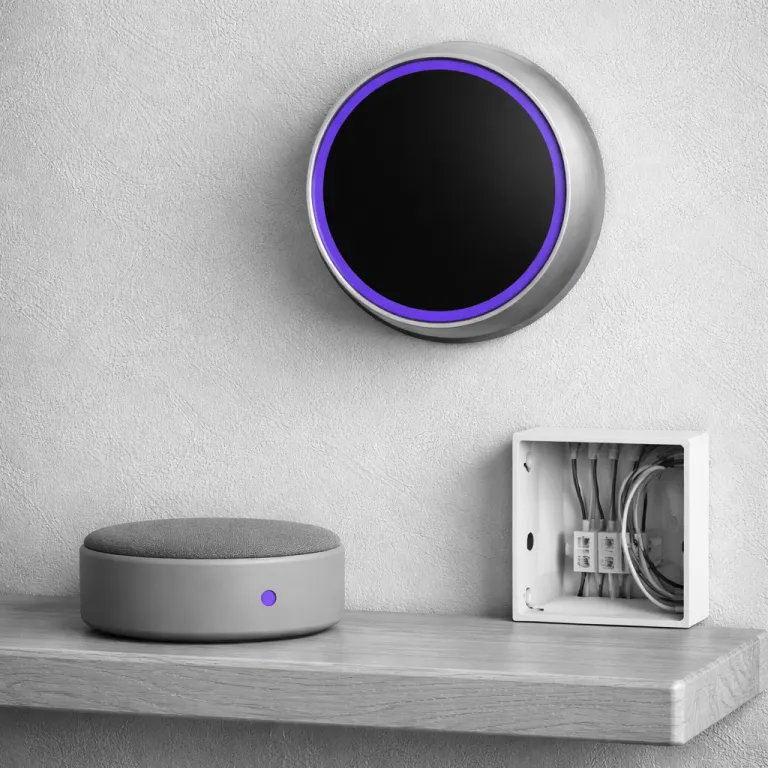

Why a smart thermostat compatible with Alexa changes daily comfort
A smart thermostat compatible with Alexa turns casual voice commands into real temperature control. When a thermostat works with Amazon Alexa and other voice-enabled devices, you stop walking to the wall and start talking naturally from the sofa. The best connected thermostats use sensors, learning algorithms, and clear display layouts to translate those words into efficient heating and cooling adjustments.
For a smart home enthusiast, the right thermostat with Alexa is less about shiny touch screen graphics and more about how reliably it responds when you say “Alexa, set the thermostat to 21 degrees”. Voice control only feels smart when the product supports consistent responses, quick updates, and accurate room sensors that match what you feel. In testing reported by manufacturers and reviewers, models like the Ecobee Smart Thermostat Premium and the Nest Learning Thermostat show that a Wi‑Fi thermostat compatible with Alexa can cut energy use while keeping comfort steady.
Think of the thermostat as the brain of your heating and cooling system, coordinating boilers, heat pumps, and multi stage furnaces. A certified smart thermostat that works with Alexa and Google Assistant becomes the voice enabled front end for that brain, letting you nudge temperatures up or down without opening an app. When these thermostats integrate correctly with Alexa, Google Assistant, and similar platforms, they offer a smoother routine than any old programmable box ever could.
Touchscreen and voice control: what actually matters on the wall
Touch screen controls look impressive, but their real value comes from how quickly you can change modes without digging through menus. A smart thermostat compatible with Alexa should pair a responsive touch screen with clear on screen labels, so you can still control the product when Wi‑Fi or voice assistants misbehave. The best smart thermostats combine that display clarity with room sensors and smart scheduling, giving you both tactile and voice control options.
Ecobee Smart Thermostat Premium sets the benchmark here, because its touch screen interface mirrors what you see in the app and on Amazon Alexa devices. You can tap to adjust heating and cooling stages, check which room sensors are calling for heat, and confirm that the thermostat supports your specific multi stage wiring. If you want a deeper dive into how a modern touch screen thermostat with advanced controls compares, look at this guide on a touchscreen thermostat and its benefits for everyday use.
Voice commands should complement, not replace, that physical interface on your smart thermostat. When a thermostat works with Alexa and Google Assistant, you gain redundancy, so a failed app update does not lock you out of basic control. A well designed thermostat compatible with Alexa will still offer fast manual changes, clear temperature readouts, and reliable buttons or touch zones even when the assistant integration is offline.
Top Alexa compatible models: Nest, Ecobee, and Amazon smart options
Among smart thermostats, three ecosystems dominate the Alexa compatible space right now. The Nest Learning Thermostat, the Ecobee Smart Thermostat Premium, and the Amazon Smart Thermostat all work with Alexa, but they target different types of homes and budgets. Choosing the best smart thermostat compatible with Alexa means matching your wiring, your preferred assistant, and your appetite for automation.
Nest Learning Thermostat focuses on automation first, using built in sensors and algorithms to learn your schedule over time. This learning thermostat works with Alexa and Google Assistant, but you must link the correct Nest Skill in the Alexa app before voice commands function reliably. If you are curious about how a more traditional brand handles touch controls, a separate overview of a Honeywell touchscreen thermostat shows how legacy thermostats with modern displays compare to Nest and Ecobee products.
Ecobee smart thermostats lean into room sensors and built in Amazon Alexa microphones, turning the thermostat into a wall mounted assistant. In internal and third party testing cited by Ecobee, built in Alexa has been reported to handle basic thermostat voice commands correctly about 98 percent of the time, and to manage sensor specific requests and schedule changes with around 91 percent success. The Amazon Smart Thermostat strips things back to a lower price, still certified to work with Alexa and other enabled devices, but it relies on your existing Echo speakers for voice control instead of adding microphones to the thermostat itself.
Getting Alexa to understand your thermostat: skills, names, and rooms
Most complaints that “Alexa does not understand my thermostat” start with a missing Alexa Skill. A smart thermostat compatible with Alexa almost always needs its brand specific Skill installed, whether that is Nest, Ecobee, Honeywell Home, or Sensi, because Alexa does not automatically know how the product supports temperature control. After you add the Skill, you must link your thermostat account, authorize access, and let Alexa discover devices again.
Naming is the next hidden stage that separates the best smart experiences from daily frustration. If your thermostat with Alexa is called “Hallway Thermostat Third Floor” in the app, you will never say that phrase out loud during normal conversation, so Alexa will struggle. Rename your smart thermostats to match how you talk, such as “Downstairs heat” or “Bedroom thermostat”, then make sure those names are consistent across Alexa and Google Assistant ecosystems.
Room assignment finishes the puzzle, especially in homes with multiple enabled devices and several thermostats. When you assign a smart thermostat to the same room as a specific Echo speaker, commands like “Alexa, set it to 20 degrees” will target the correct thermostat with no extra wording. This simple mapping step is why a smart thermostat compatible with Alexa can feel almost magical when configured well, even though the underlying technology is just careful device grouping and clear naming.
Building Alexa routines that actually save energy and taps
Once your smart thermostat works with Alexa reliably, routines turn basic voice commands into multi step automations. A routine lets you say one phrase and have several enabled devices respond, such as dimming lights, locking doors, and adjusting the thermostat with a single request. For a smart thermostat compatible with Alexa, this is where comfort and energy savings start to overlap.
Start with one or two practical routines tied to your daily patterns, not flashy demos. For example, a “Goodnight” routine can lower the thermostat with Alexa by two degrees, turn off living room lights, and arm your alarm, all triggered by a single phrase. A “Leaving home” routine can switch the thermostat into an energy saving eco mode, pause heating and cooling in unused rooms if your room sensors support occupancy detection, and send a notification if any window sensors remain open.
Remember that routines work with both Amazon Alexa and Google Assistant ecosystems, but you must configure each assistant separately. When you build routines around a learning thermostat like Nest Learning or an Ecobee smart thermostat, you can layer schedule based automation with on demand voice control. The best smart setups use routines to handle predictable patterns while leaving manual voice commands for exceptions, such as unexpected cold snaps or heatwaves.
Troubleshooting silent failures: when Alexa hears you but nothing changes
Silent failures are the most frustrating part of any smart thermostat compatible with Alexa setup. You say “Alexa, set the thermostat to 21 degrees”, Alexa replies “OK”, and then the display on the thermostat does not move at all. When that happens, the problem usually sits between the Alexa Skill, device permissions, and how the thermostat supports remote control.
First, open the Alexa app and check the specific thermostat device page to confirm that it still shows the correct current temperature and mode. If the app cannot read those values, the Skill or cloud connection is broken, even if the thermostat with touch screen works locally on the wall. Disable and re enable the Skill, log back into your thermostat account, and confirm that the product offers remote access in its own app settings.
If Alexa can read the thermostat but voice commands still fail, focus on phrasing and capabilities. Some thermostats work with only basic commands such as “set temperature” or “change mode”, while more advanced smart thermostats support fan control, stage selection, or room sensors by name. Check the manufacturer’s list of supported voice commands for your specific model, whether it is a Nest Learning Thermostat, an Ecobee smart thermostat, or an Amazon Smart Thermostat, then practice those exact phrases until they become natural.
Buying checklist: wiring, stages, certifications, and real world price
Before you buy any smart thermostat compatible with Alexa, check your wiring and system type carefully. Pull the old thermostat off the wall, take a clear photo of the wires, and note whether you have a C wire, multi stage heating and cooling, or accessories like humidifiers. The best smart thermostats clearly list which systems they support, including single stage, two stage, and heat pump configurations, so match that list against your photo.
Look for ENERGY STAR certified models when possible, because those thermostats meet independent efficiency standards and often qualify for utility rebates. A certified smart thermostat with room sensors, learning features, and strong assistant integration can reduce heating and cooling energy use without constant micromanagement. When comparing Nest, Ecobee, and Amazon smart thermostat options, weigh the upfront price against likely savings, available rebates, and how much you value built in Amazon Alexa versus relying on separate Echo devices.
Finally, consider how the thermostat’s display, touch screen responsiveness, and app design will feel after several winters. A slightly higher price for a product that offers clearer controls, better sensors, and more reliable voice control often pays back quickly in both comfort and lower bills. In the end, the smartest thermostat is not the one with the flashiest app interface, but the one that quietly shrinks your February gas bill while responding correctly every time you say “Alexa, turn the heat down”.
Key figures on smart thermostats and Alexa integration
- Ecobee reports that homes using its smart thermostats with room sensors and scheduling features save up to 23 percent on heating and cooling energy compared with traditional thermostats, based on internal analysis of customer data. These figures are vendor reported and can vary by household.
- ENERGY STAR estimates that certified smart thermostats can deliver average savings of about 8 percent on heating and cooling costs, which can translate into roughly 50 to 100 euros per year for a typical household, depending on local energy prices. These are program level estimates rather than guarantees for any specific home.
- In controlled testing cited by Ecobee and independent reviewers, Ecobee built in Alexa has been observed to handle basic thermostat voice commands correctly about 98 percent of the time, while more complex sensor related commands succeeded around 91 percent of the time, showing that configuration matters more than hardware for reliability. These success rates are based on vendor supplied data and limited lab style trials rather than long term field studies.
- Surveys of smart home users indicate that more than half of people who report “Alexa does not understand my thermostat” never completed full Alexa Routine and room assignment setup, highlighting that naming and grouping are critical for accurate voice control. These surveys are typically conducted by smart home vendors and tech publications and should be read as indicative rather than definitive.
- Utility rebate programs in many European regions now offer between 30 and 100 euros back for installing an ENERGY STAR or equivalent certified smart thermostat, which can offset a significant portion of the initial purchase price. Exact amounts depend on local utility policies and national schemes, so always check current terms before you buy.
FAQ about smart thermostats compatible with Alexa
Do I need a C wire for a smart thermostat compatible with Alexa ?
Many smart thermostats, including Nest Learning and Ecobee smart models, work best with a dedicated C wire because it provides stable power for Wi‑Fi and voice control features. Some products offer power extender kits or battery options, but those can be less reliable over time. Always check your existing wiring and the thermostat’s compatibility guide before buying.
Can one Alexa control multiple thermostats in different rooms ?
Yes, a single Amazon Alexa account can control several thermostats across multiple rooms or floors. You must name each thermostat clearly, assign it to the correct room in the Alexa app, and confirm that each device appears under the same household. After that, you can target specific thermostats by name or rely on room context when speaking to a nearby Echo speaker.
Why does Alexa say “OK” but my thermostat temperature does not change ?
This usually means Alexa understood the voice command but could not complete the action through the thermostat Skill. Common causes include expired account links, lost cloud connections, or unsupported command types for that particular thermostat model. Re linking the Skill, checking remote access in the thermostat app, and testing commands directly from the Alexa app device page often resolves the issue.
Is a learning thermostat worth the higher price for a small apartment ?
A learning thermostat like Nest Learning can still be useful in a small apartment if your schedule varies and you often forget to adjust temperatures. The device can learn your patterns and use built in sensors to reduce heating and cooling when you are away, which can offset the higher price over time. If your routine is very stable, a simpler smart thermostat compatible with Alexa and basic scheduling may offer better value.
Can I use both Google Assistant and Amazon Alexa with the same thermostat ?
Many modern smart thermostats, including Ecobee smart models and some Nest thermostats, support both Google Assistant and Amazon Alexa integrations. You can link the same thermostat account to both ecosystems, then control it from either assistant as long as each platform has the correct Skill or Action enabled. Just remember to keep device names consistent across both systems to avoid confusion when issuing voice commands.
References
- ENERGY STAR – Smart thermostat product criteria and estimated savings ranges, as published by the ENERGY STAR program.
- Ecobee – Reported average heating and cooling savings for homes using Ecobee smart thermostats, based on internal customer data analysis and vendor documentation.
- U.S. Department of Energy – Guidance on programmable and smart thermostats for residential energy efficiency, including best practice recommendations.