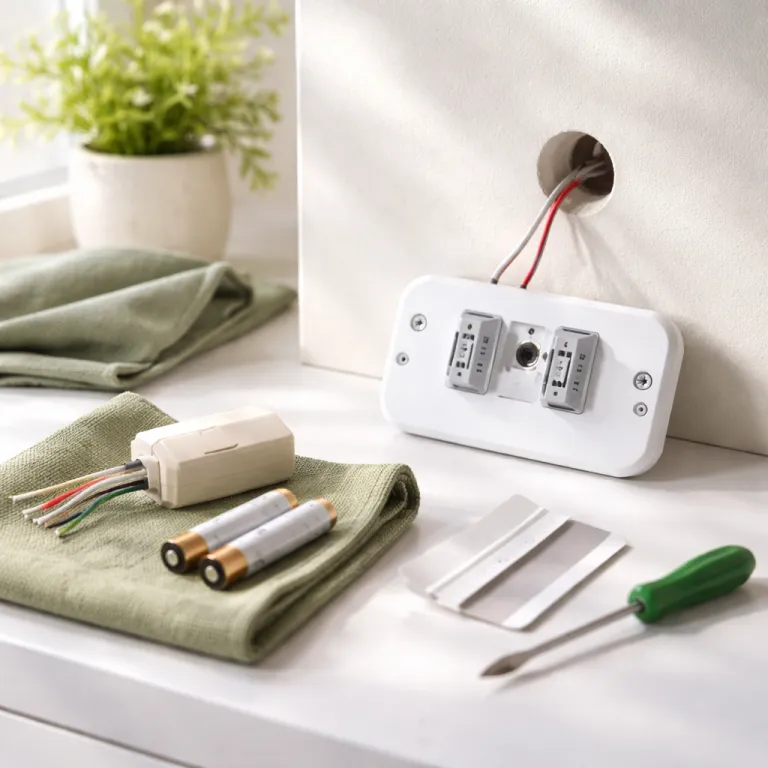

Smart thermostat renter no c-wire: what actually works in a rental
For a smart thermostat renter no c-wire situation, the first rule is simple. You must respect the existing thermostat wiring and the landlord’s tolerance for change, while still getting meaningful control over heating cooling and energy use. That means every thermostat choice, every wire you touch, and every wall plate you move needs to be reversible in minutes.
Most landlords care about extra holes in the wall and any new circuit hardware, but they rarely object when a current thermostat is swapped and carefully documented. Take clear photos of the thermostat wires before you install anything, label each thermostat wire, and bag the old unit with its screws so reinstalling it on move out takes five minutes. This approach turns a potentially risky rental smart upgrade into a temporary accessory, not a permanent modification to the system.
About 40 percent of homes lack a common wire, which is the low voltage power wire that keeps many smart thermostats alive without batteries. Rentals skew even higher because older heating cooling systems dominate, so a smart thermostat renter no c-wire must assume there is no dedicated power wire until proven otherwise. Before you buy, pull the faceplate off the current thermostat, check how many wires are connected, and confirm whether any unused wires are tucked behind the wall.
When you see only two or three wires connected, you are likely dealing with a basic heat only or heat cool system without a common wire. That does not mean smart thermostats are off the table, but it narrows the field to models that either sip battery power efficiently or include a reversible common wire adapter. The goal is a thermostat that worked reliably through winter without forcing you to open the wall or touch the furnace control board in ways your landlord might question.
Choosing smart thermostats that play nicely with no C wire
For a smart thermostat renter no c-wire, the safest path is picking thermostats designed to run on batteries or to use a simple power extender kit. The Amazon Smart Thermostat and Honeywell Home T5 or T9, for example, ship with adapters that create a virtual common wire at the furnace, which can be removed later in under ten minutes. This kind of option respects the rental while still giving you app based control and scheduling.
Google’s Nest Thermostat (the budget model, not the Nest Learning Thermostat) is friendlier to rentals because it can often work without a dedicated common wire, drawing small amounts of power from the existing wires. In practice, this works best on modern furnaces where the control circuit is stable and the thermostat wire run is not excessively long. When the system is older or the wire connected to the thermostat is corroded, the Nest thermostat may show low power warnings or short cycling, which renters should treat as a red flag.
Ecobee smart thermostats lean heavily on a proper common wire, but the Ecobee Smart Thermostat Enhanced and Ecobee Premium include a Power Extender Kit that sits at the furnace, not in the wall. For a cautious rental smart upgrade, that kit is acceptable if you are comfortable opening the furnace panel and matching labeled wires on a small module. Take photos, label every wire, and remember that reversing the install is as simple as putting each wire back on the original terminal.
Whatever brand you choose, avoid older wire thermostats that expect a dedicated C terminal without any adapter or battery backup. Those models can leave a smart thermostat renter no c-wire stuck with random shutdowns or Wi-Fi drops whenever the heating cooling system cycles. If you want broader smart home control later, pairing a thermostat with a Matter capable hub such as an Aqara smart home hub can centralize automation without changing anything else in the wall.
Installation tactics for renters: wiring, adapters, and the landlord talk
Before installing smart hardware, have one short, focused conversation with your landlord about the thermostat. Explain that you plan to install a smart thermostat using the existing wires only, without drilling new wall holes or altering the furnace circuit permanently. Offer to send before and after photos, and to reinstall the original thermostat when you leave the rental.
When you start installing smart thermostats, always shut off power to the heating cooling system at the breaker, not just at the thermostat. Low voltage circuits can still short if a bare wire touches another terminal or the metal wall plate, and that can blow a tiny fuse on the furnace control board. If the system suddenly does not work after your install, check that fuse first, because many renters panic and call emergency service when a two euro part quietly failed.
For models with a C wire adapter, such as the Amazon Smart Thermostat, Honeywell T5 or T9, and Ecobee kits, the new module usually lives inside the furnace cabinet, not in the wall. You move a few thermostat wires from the existing terminals to the adapter, then connect short pigtail wires from the adapter back to the board, which keeps everything reversible. Label each wire connected to the adapter, take a photo of the original layout, and store the diagram with the old thermostat so any future reinstall is painless.
Some renters also control supplemental heat sources, such as gas fireplaces, with a smart thermostat, which can complicate the circuit. If you have a fireplace from brands like Kozy Heat tied into the same thermostat system, check a dedicated guide on how these fireplaces pair with smart thermostats before touching any wires. The principle remains the same for a smart thermostat renter no c-wire, though, because you are still working within a low voltage control loop that must be left exactly as you found it.
When baseboard or electric heat changes the rules
Many apartments use electric baseboard or fan forced heaters, and that changes the thermostat game completely. These systems use line voltage at 120 or 240 volts, which is far higher than the 24 volt circuits that most smart thermostats expect. A smart thermostat renter no c-wire in this scenario must avoid low voltage models like Nest or Ecobee unless a qualified electrician adds a compatible relay or new control system.
For pure electric heat, products like the Mysa smart thermostat for baseboard heaters are built specifically for high voltage circuits. They mount on the wall where the old line voltage thermostat lived, using the same heavy gauge wires, and they provide app based control and scheduling without any common wire at all. The trade off is that these smart thermostats usually control only heat, not a combined heating cooling system, so they are ideal for northern rentals with electric radiators.
Some renters try to bridge the gap by using plug in smart plugs and portable heaters instead of touching the wall thermostat. While this avoids any wiring changes, it shifts the safety responsibility to you, because portable heaters draw significant power and can overload outlets if misused. If you go this route, treat the built in thermostat on the heater as the primary safety control, and use the smart plug only for on off scheduling, not fine temperature control.
In mixed systems where a rental has both baseboard heat and a separate air conditioning unit, you may end up with two different thermostats or control schemes. That is acceptable for a smart thermostat renter no c-wire, as long as each thermostat is matched to the voltage and circuit type it controls. The key is never to assume that all thermostats in a building share the same wiring standard, because line voltage and low voltage wires should never meet in the same box.
Planning the exit: reinstalling, data, and long term value
A smart thermostat renter no c-wire should plan the uninstall on the same day as the install. Keep the original thermostat, its screws, and the wall plate in a labeled bag, along with printed photos of the original wire layout and any notes about the system. When it is time to move, you simply reverse the steps, put each wire back on its original terminal, and leave the wall looking untouched.
During your tenancy, pay attention to how the smart thermostat actually affects energy use and comfort, not just how slick the app looks. Many renters see the biggest gains from simple scheduling, geofencing, and a one or two degree setback at night, rather than from exotic automation. If your utility or government offers incentives, check a dedicated guide to energy tax credits for smart thermostats, because even renters sometimes qualify when they pay the heating bill directly.
Before you leave the rental, export or screenshot any usage data from the thermostat app, because that history can guide settings in your next home. The patterns of when your system worked hardest, how quickly the temperature dropped, and which schedules felt comfortable will still matter even if the wiring in the next place is different. Think of the thermostat as a portable brain that learns your habits, while the wires in the wall are just the temporary body you borrow from each landlord.
Over time, the best measure of a rental smart upgrade is not the app interface, but the February gas bill. If the thermostat wire stayed untouched enough to keep the landlord happy, the system ran reliably, and your energy costs dropped, the experiment worked. For a smart thermostat renter no c-wire, that balance between control, reversibility, and savings is the real product you are buying.
FAQ
Can I install a smart thermostat in a rental without a C wire
Yes, many renters can install a smart thermostat even when there is no common wire present. You need either a model that runs reliably on batteries or one that includes a reversible C wire adapter that lives at the furnace, not inside the wall. Always confirm with your landlord that you will only use existing wires and will reinstall the original thermostat before you move out.
How do I know if my current thermostat wiring supports a smart upgrade
Remove the thermostat faceplate and count how many wires are connected to the terminals. If you see at least three or four low voltage wires and a stable heating cooling system, you likely have options for smart thermostats, even if there is no dedicated C terminal. Take photos of the wiring, check the furnace control board labels, and compare them with the compatibility tools from brands like Nest, Ecobee, and Honeywell.
What should I ask my landlord before changing the thermostat
Tell your landlord you plan to swap the thermostat using the existing wiring only, without drilling new holes or altering the furnace circuit permanently. Ask whether they want photos of the original setup and confirm that you will reinstall the old thermostat when you leave. Getting this agreement in writing, even in a short email, protects both you and the property owner.
Are smart thermostats worth it for short term rentals
Smart thermostats can still be worthwhile in a one or two year rental if your heating or cooling bills are significant. Features like scheduling, geofencing, and better temperature control often reduce energy use enough to pay back the cost of the thermostat within a few seasons. Because the hardware is portable, you can take it with you to the next home as long as the wiring is compatible there.
Is it safe to install a smart thermostat myself
Most low voltage thermostat installs are safe for careful DIY renters who shut off power at the breaker and follow the manufacturer’s wiring diagrams. The main risks are shorting the low voltage circuit, damaging a fuse on the furnace board, or mislabeling wires so the system does not run correctly. If you see thick high voltage wires or are unsure about any part of the system, stop and consult a qualified HVAC technician or electrician.