
Summary
Editor's rating
Is it good value or just an expensive lock-in box?
Design and placement: small black puck with some nice touches
Build quality, stability, and long-term vibes
Performance, automation reliability, and that IR blaster
What this hub actually does (beyond the buzzwords)
How well it actually works day to day
Pros
- Very reliable local automations and stable performance once set up
- Acts as Matter controller, Thread border router, Aqara Zigbee hub, and IR blaster in one box
- Good privacy stance (no mic/camera, encrypted local storage) and flexible mounting/power options (PoE + USB‑C)
Cons
- Only supports Aqara Zigbee devices, no third‑party Zigbee adoption
- Aqara app is cluttered, phone-only, and not ideal for multi-user households
- Expanding Zigbee range can get expensive since you need Aqara routers/plugs instead of cheap generic ones

Specifications
View full product page →| Brand | Aqara |
A hub that does (almost) everything… if you accept the ecosystem lock-in
I’ve been playing with the Aqara Smart Home Hub M3 for a few weeks as the main brain of my smart home. I bought it because I wanted a Matter controller + Thread border router + Zigbee hub + IR blaster all in one box, instead of stacking three different bridges under my TV. On paper, this thing checks a lot of boxes: Matter, Thread, Zigbee, Wi‑Fi, PoE, IR, HomeKit, Alexa, SmartThings, Home Assistant… it looks like a Swiss army knife.
In practice, it’s a bit more nuanced. The hardware itself is pretty solid, and the connectivity options are honestly one of the strong points. It stays online, it doesn’t crash, and automations run locally, which I like a lot. But there’s a big catch that you notice quickly: for Zigbee, it basically only likes Aqara gear. If you hoped to reuse a bunch of random Zigbee sensors and plugs you already own, this hub is going to annoy you.
Another thing I noticed is the contrast between the hardware and the app. The hub feels stable and serious, but the Aqara app feels crowded and sometimes confusing. It works, and it’s quite powerful once you learn your way around, but it’s not the kind of app you hand to your non‑tech partner and expect them to be happy with. Dashboards and views don’t really sync nicely across devices, which gets old fast if several people in the house want control.
So overall, my first impression is: great potential and strong tech, but you have to be okay with living mostly inside Aqara’s world and accepting some app pain. If you’re already half invested in Aqara or want to build a mostly Aqara setup, it makes sense. If you’re a “mix every brand under the sun” kind of user, it’s not the most flexible choice.
Is it good value or just an expensive lock-in box?
On the value for money side, the M3 sits in a weird spot. As a piece of hardware, it packs a lot: Matter controller, Thread border router, Zigbee hub, IR blaster, PoE, USB‑C, local storage, speaker. If you compare that to buying each function separately (a Matter controller, a Thread router, an IR blaster, a Zigbee hub), the price starts to look reasonable. For someone starting fresh and planning to buy mostly Aqara stuff, it can actually be a good deal because you get a clean, centralized setup.
Where the value drops is when you realize Zigbee is Aqara-only. That means if you need to expand your mesh with routers, you’re basically forced to buy Aqara plugs or similar, which are often about 2–3x the price of generic Zigbee outlets. If you have a big house and need several routers just to keep sensors online, the cost adds up quickly. You also end up running multiple Zigbee networks if you already have Hue or another hub, which kind of defeats the idea of simplifying things.
The app situation doesn’t help the value perception either. The app is powerful, but it’s messy and phone-only. Dashboards and customized views aren’t shared nicely across devices, so if you want your whole family to have the same experience, you end up re‑doing work. For an expensive central hub, I’d expect a smoother multi-user story. It’s not a dealbreaker, but it’s a point where you feel like you’re paying for strong hardware but living with “okay” software.
For me, the bottom line is: if you’re all-in or mostly-in on Aqara, the M3 gives solid value because it becomes your main hub, Matter bridge, and IR brain in one box. If you’re more of a brand-agnostic tinkerer with lots of random Zigbee gear, the lock‑in and router costs make it a weaker deal. In that case, a Home Assistant box with a generic Zigbee/Matter stick might give you more flexibility for similar or lower total cost.
Design and placement: small black puck with some nice touches
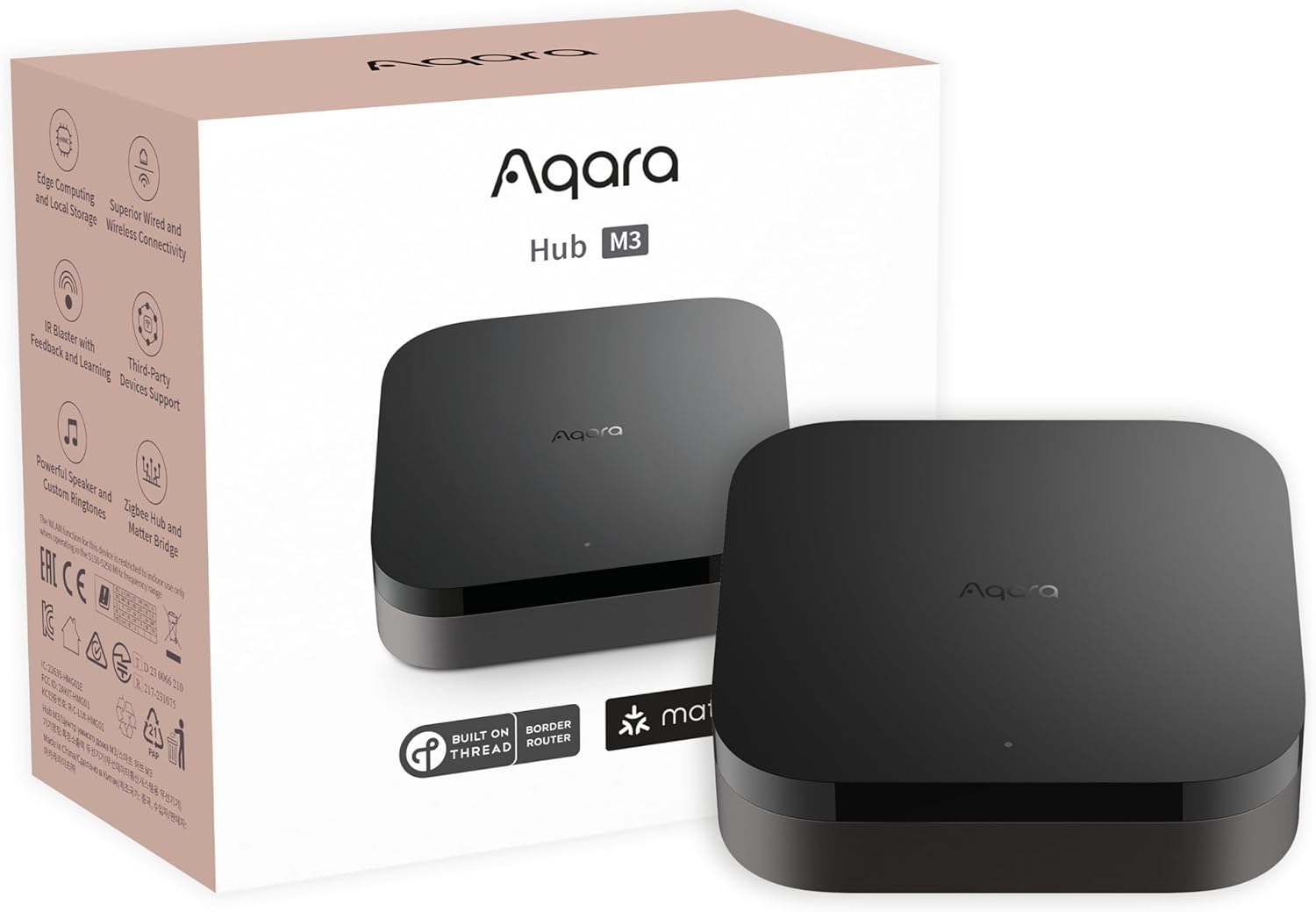
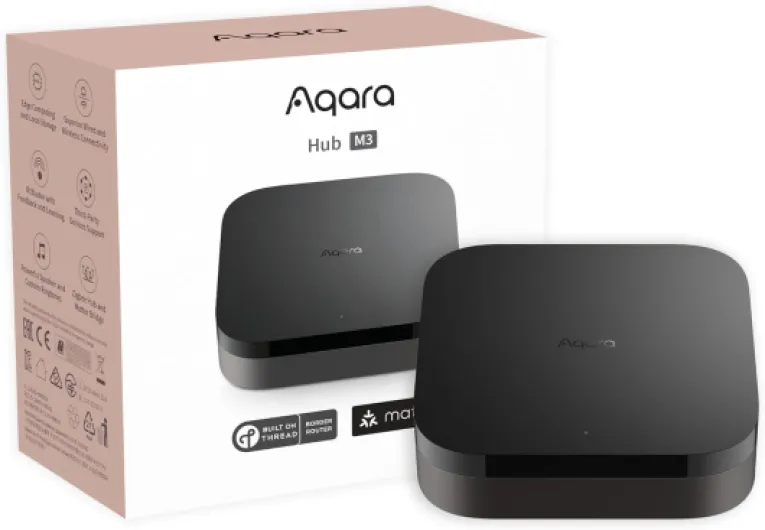
Physically, the M3 is a compact black square puck (about 4.13 x 4.13 x 1.42 inches, 6 ounces). It’s pretty discreet. In my living room it just disappears next to the router and TV box. No flashy RGB, no giant branding, just a small status LED. If you like your smart home gear to stay out of sight, this checks that box. Personally I prefer this over the big white plastic bricks some other brands use.
One thing I actually liked is the mounting flexibility. In the box you get a mount and screws, so you can stick it on a wall or ceiling if you want better IR coverage or just don’t want another thing on your shelf. I tried it on a wall above the TV to get a better IR line of sight to the air conditioner and TV, and it did help a bit for IR reliability. It’s light enough that you don’t worry about it ripping out of the wall. You can also just leave it flat on a piece of furniture if you don’t care about IR angles.
There’s no microphone or camera, which I actually appreciate. For something that sits at the center of your home and is always on, I prefer it doesn’t listen or watch anything. The hub has USB‑C, PoE, and Wi‑Fi, so you can choose if you want it wired or wireless. I ran it on PoE in a network cabinet for a while and then moved it to the living room on USB‑C power to get better Zigbee/IR coverage. Both setups worked fine. Aqara recommends placing it 6–19 feet from your router; when I had it right on top of the router, Wi‑Fi was a bit flaky, so that advice isn’t random.
Overall, the design is simple and practical: small, black, blends in, multiple mounting options, and ports that make sense. It’s not pretty in a design-object way, but it doesn’t need to be. For a hub, I’d say the design is functional and low-profile, which is exactly what I want for this kind of device.
Build quality, stability, and long-term vibes
In terms of build quality, the M3 feels like a typical mid‑range smart home device: plastic shell, decent finish, nothing fancy, but nothing that feels cheap either. It’s light but not flimsy. There are no moving parts, no batteries, no mechanical buttons that you’ll be hammering daily, so there’s not much that can physically wear out quickly. I’ve unplugged and re‑plugged it a bunch of times while moving it around and it handled that just fine.
What matters more here is software stability. During my test period, the hub stayed online and didn’t crash. I didn’t have to reboot it every couple of days like some cheap hubs. Firmware updates came through the Aqara app and installed without drama. After one update, the hub restarted and all devices came back on their own within a minute or two. That’s the kind of behavior you want from a central hub: it just quietly runs in the background.
The local storage and lack of microphone/camera also give a bit of peace of mind. With 8 GB encrypted local storage, your device lists and automations are stored on the hub, not only in the cloud. So even if Aqara’s cloud has a bad day, your core setup shouldn’t fall apart. Obviously, you still depend on their app and ecosystem updates long-term, but at least the hub isn’t just a dumb cloud remote.
Long-term, the only real concern I see is ecosystem strategy. Since the hub is tightly tied to Aqara Zigbee and their app, if they change direction or stop updating things, you’re kind of stuck. On the flip side, Aqara has been around for a while and keeps pumping out devices and firmware, so they don’t look like a brand that’s going to vanish next week. Overall, durability and stability feel good, and I’d be comfortable using this as a long-term hub as long as you’re okay staying in the Aqara world.
Performance, automation reliability, and that IR blaster
On the performance side, the M3 is pretty solid. Once I got everything paired, automations fired reliably and without noticeable delay. Simple routines like motion → light on, door open → chime, or temperature threshold → heater plug on reacted in well under a second most of the time. Compared to cheaper hubs I’ve used, the big difference is consistency: during my tests, I didn’t have random days where automations just stopped working for no reason.
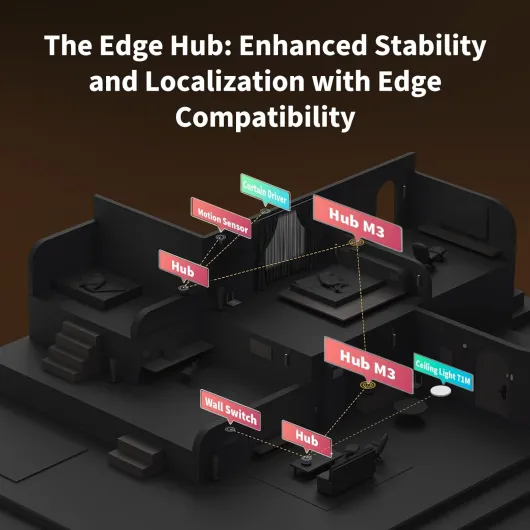
The local automation focus is a real plus. When I cut the internet connection, the hub kept handling most routines just fine. You obviously lose push notifications to your phone for some events, but the hub still triggered the built‑in speaker alarm and changed device states as expected. If you care about your house not depending completely on cloud servers, this hub does the job. It basically becomes the edge brain for all your Aqara Zigbee and Thread stuff.
The IR blaster is more than a basic “send codes” thing. It has 360° IR and can also detect when you use the physical remote, so it tries to keep track of your AC/TV status. I set it up with my air conditioner and paired an Aqara temp/humidity sensor. In practice, it worked like a simple thermostat: I set a temperature in the Aqara app, and the hub sent IR commands to the AC to maintain it. It’s not as polished as a dedicated smart thermostat, but for an IR AC, it’s pretty handy. Just note: only one AC can be exposed to Matter, and behavior varies depending on which app you use (Home, Home Assistant, etc.).
Where performance hits a wall is range and routing. Because the hub only supports Aqara Zigbee devices, you can’t use cheap third‑party Zigbee plugs as routers. That means if your house is spread out, you either buy more Aqara plugs/switches (which are pricier) or accept that some far sensors might drop. I had one sensor in a remote corner that occasionally lost connection until I added an Aqara plug in between. So performance is good, but you pay for it with ecosystem lock‑in and higher cost for range extension.
What this hub actually does (beyond the buzzwords)
On a practical level, the Aqara M3 is a multi-protocol hub. It acts as: Matter controller, Thread border router, Zigbee hub (Aqara-only), IR blaster, and a kind of local automation brain. You plug it in (USB‑C or PoE), the Aqara app finds it quickly (their “Magic Pair” thing actually works fine), and from there you start pairing devices. I migrated a couple of older Aqara sensors from another hub, and the process was straightforward, which is nice if you’re upgrading from an M2 or similar.
The hub can store automations, device lists, and config locally on its 8 GB encrypted storage. That’s not something you really “see” day to day, but it means when the internet drops, your basic automations (lights, sensors, alarms) still run. In my tests, routines like “door opens → light on” or “leak sensor trips → siren” worked even with my router disconnected from the internet. You still lose cloud notifications, but the house doesn’t go dumb.
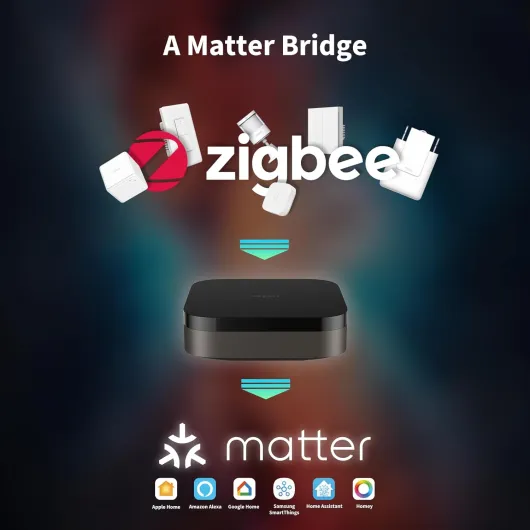
Where it gets interesting is the Matter bridge part. You can expose selected Aqara devices and even combined “signals” (like a group of leak sensors) to Home Assistant, Apple Home, etc. I used it to send a single “water alert” to Home Assistant instead of managing six separate sensors there. That’s the kind of small quality-of-life feature that makes sense when you start having a lot of devices. You can also choose what to expose, so it doesn’t flood your Matter ecosystem with every random sensor.
However, the marketing around “multi-protocol” can be a bit misleading if you don’t read carefully. Yes, it speaks Zigbee, but it does not adopt random Zigbee devices. If it’s not Aqara Zigbee, don’t count on it, and that’s clearly the main limitation. So if your plan is “one hub to unify all my Zigbee stuff from different brands”, this is not it. If your plan is “solid Aqara hub that can talk Matter and Thread and hand things off to Home Assistant or HomeKit”, then it’s closer to what you expect.
How well it actually works day to day
Day to day, the hub does what it promises, but how effective it feels depends a lot on how “Aqara-only” your setup is. In my mostly-Aqara test setup (door sensors, leak sensors, temp sensors, one lock, a few plugs), it worked well. Pairing was quick, devices stayed online, and automations behaved. The built‑in speaker is loud enough to serve as a basic siren for leaks or door alerts, and you can choose different sounds, which is nice. For example, I set a different tone for water leaks than for door opening, so I can tell what’s happening without looking at my phone.
As a Matter bridge, it’s genuinely useful if you’re the kind of person who likes to centralize things in Home Assistant or Apple Home. I liked being able to choose exactly which Aqara devices or “signals” get exposed. That avoided cluttering Home Assistant with every tiny sensor. In one test, I grouped several leak sensors into a single “leak alert” signal and just watched that in Home Assistant instead of managing them individually. That’s the kind of flexibility that actually makes things simpler instead of more complicated.
Where the effectiveness drops is when you try to mix ecosystems too much. The hub does not adopt random Zigbee gear, and that’s not just a small detail; it changes your whole strategy. If you already have a pile of inexpensive Zigbee plugs and sensors, this hub doesn’t help unify them. Also, if you need lots of routers, you have to buy Aqara-specific devices, which are usually more expensive than generic ones. For some people that’s acceptable, for others it’s a dealbreaker.
Overall, I’d say the hub is very effective as an Aqara automation brain and Matter bridge, but not a universal “one hub to rule them all.” If you go in with realistic expectations and plan to stay mostly inside the Aqara ecosystem (with Matter used as a bridge to other platforms, not other devices), it gets the job done and feels reliable. If you expect it to be the one box that talks happily to every Zigbee brand under the sun, you’ll be disappointed.
Pros
- Very reliable local automations and stable performance once set up
- Acts as Matter controller, Thread border router, Aqara Zigbee hub, and IR blaster in one box
- Good privacy stance (no mic/camera, encrypted local storage) and flexible mounting/power options (PoE + USB‑C)
Cons
- Only supports Aqara Zigbee devices, no third‑party Zigbee adoption
- Aqara app is cluttered, phone-only, and not ideal for multi-user households
- Expanding Zigbee range can get expensive since you need Aqara routers/plugs instead of cheap generic ones
Conclusion
Editor's rating
The Aqara Smart Home Hub M3 is a strong hub for people who are okay living in the Aqara ecosystem. The hardware is solid, automations run locally and reliably, and the mix of Matter, Thread, Zigbee (Aqara), Wi‑Fi, PoE, and IR in one device is genuinely practical. The IR thermostat trick with an AC plus a temp sensor is actually useful, and the ability to bundle multiple sensors into one Matter “signal” is a nice touch for Home Assistant or Apple Home users. If your house is already leaning Aqara or you plan to build around it, the M3 is a sensible choice and a clear upgrade over older Aqara hubs.
However, the Zigbee lock-in is a big limitation. It will not adopt third‑party Zigbee devices, which kills a lot of the appeal if you already own non‑Aqara gear or want cheap Zigbee routers. You’ll end up paying more to extend your mesh, and you might be running multiple Zigbee networks anyway. On top of that, the Aqara app is powerful but cluttered, phone‑only, and not very friendly for households where several people want consistent dashboards. So I’d say: pick this hub if you want a stable, privacy‑minded Aqara brain with strong local automation and Matter bridging. Skip it if your main goal is a universal Zigbee hub for every brand, or if you hate being tied to a single vendor for most of your devices.