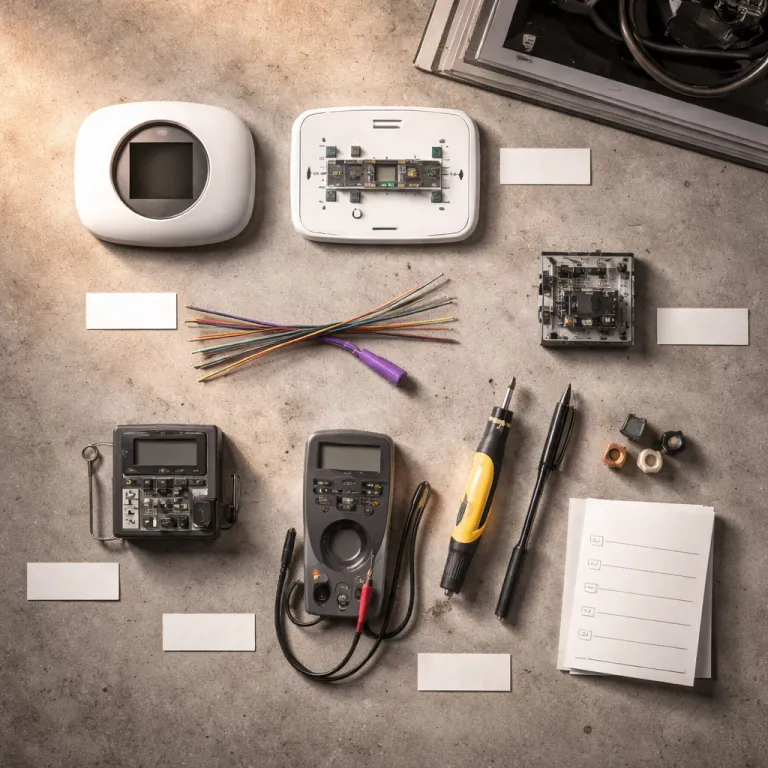

Why your smart thermostat keeps rebooting when there is no C wire
When a smart thermostat keeps restarting during heating or cooling, the missing common wire is often the silent culprit. The device tries to pull just enough wire power from the existing thermostat wire connections, but the furnace circuit cannot always supply constant power during short cycles. On low draw systems, that power stealing trick fails and the thermostat reboots repeatedly.
Look for a pattern where the thermostat works fine in standby, then crashes as soon as the furnace or fan wire is energized. Those symptoms usually mean the smart thermostat electronics are starving for continuous power, not that Wi Fi connectivity or app features are broken. Many homeowners blame the nest thermostat or other smart thermostats, but the real issue is the lack of a dedicated power wire on the C terminal of the system.
About four out of ten homes still rely on older thermostats with only two or three wires, which were never designed for always on smart devices. These legacy wires can switch the furnace and fan, yet they cannot provide the continuous power that modern smart thermostat models expect. That is why smart thermostat installation without C wire so often ends with random reboots, lock ups, or lost connectivity rather than the easy installation promised on the box.
How to confirm whether a missing common wire is really your problem
Before you buy adapters or pull wires through walls, you need to confirm the wiring situation. Start by turning off power to the furnace at the electrical switch or breaker, then gently remove the existing thermostat from its wall plate. Photograph the thermostat wire layout, including every terminal label and color, so you can restore the wires if needed.
Count how many wires are actually connected to the thermostat terminals and look specifically for a wire on the C terminal. If you see only two or three existing wires on R, W, and maybe G, your system is almost certainly running without a common wire and relying on battery or power stealing behavior. When there is a C wire present at the furnace circuit board but not at the wall, you know you have a wiring path problem rather than a smart thermostat compatibility issue.
Next, remove the furnace panel and inspect the low voltage circuit board where the thermostat wires land. You should see screw terminals labeled R, C, W, Y, and G, with a bundle of thermostat wires heading toward the living space. If a spare conductor is tied off near the circuit board, you may be able to add wire to the C terminal and convert smart thermostat installation without C wire into a full continuous power setup with minimal work; for a detailed checklist of what to inspect before blaming the thermostat, see this guide on what to check when there is no C wire.
Option 1: using C wire adapter kits for fast, reversible installation
The cleanest option for smart thermostat installation without C wire is usually a dedicated adapter kit. These compact devices sit near the furnace circuit board, reshuffling the thermostat wire connections so the smart thermostat sees a proper common wire and constant power. For many homeowners, this is the best balance between easy installation and long term reliability.
Brand specific kits such as the Ecobee Power Extender Kit, Honeywell Home THP9045, or Aqara C wire adapter cost roughly the price of a restaurant meal and take about twenty minutes to install. They work by using the existing wires more efficiently, turning a four wire bundle into the equivalent of five conductors without forcing the fan wire to double as a power wire. When installed correctly, these adapters provide continuous power to the smart thermostat while keeping full control of the fan and furnace.
Most adapters include clear diagrams that show exactly which thermostat wire goes to which terminal on the circuit board and which wire option you should choose for your system. You disconnect the original wire thermostats leads at the furnace, connect them to the adapter, then run a short harness from the adapter back to the R, C, W, Y, and G terminals. For homeowners who are comfortable with basic electrical work but do not want to pull wires through finished walls, this option usually beats both power stealing and risky rewiring when installing nest thermostat models or other smart thermostats on older systems; if you also plan to integrate a gas fireplace, check how Kozy Heat fireplaces pair with smart thermostats for efficient comfort.
Option 2: the G wire conversion hack and why it is rarely ideal
Some installation manuals still mention the G wire conversion, where the fan wire is repurposed as a common wire. In this configuration, the thermostat uses the former fan terminal connection to carry constant power from the furnace, while the smart thermostat simulates fan control by cycling the furnace circuit differently. It can work, but it is a compromise that trades away independent fan control.
When you convert the G wire into a common wire, you lose the ability to run the fan alone for air circulation or filtration. That means features like fan only mode, extended fan runs after heating, or advanced air quality options on premium smart thermostat models may not work as advertised. For homeowners who value comfort and indoor air quality, that is a significant downgrade just to avoid running a new thermostat wire.
This hack also assumes your furnace circuit board and system wiring are in good condition and that the smart thermostat can safely manage fan timing through software. If the electrical connectivity is marginal or the existing wires are brittle, you risk intermittent operation that looks like random smart thermostat failures. In practice, the G wire conversion is best treated as a temporary option for smart thermostat installation without C wire, not a long term business like solution for a home you plan to keep.
Option 3: running new thermostat wire and when it is worth the cost
When you want rock solid reliability, running a new multi conductor thermostat cable is still the gold standard. A modern 18 gauge, five conductor thermostat wire gives you dedicated lines for R, C, W, Y, and G, ensuring constant power and full control of both heating and cooling. With this wiring in place, almost any smart thermostat or nest thermostat model can work without resorting to adapters or power stealing tricks.
Hiring a professional to install thermostat wiring typically costs the equivalent of a mid range smart thermostat, depending on wall construction and furnace location. The technician will pull wires from the furnace circuit board to the thermostat location, secure the cable, and land each conductor on the correct terminal. That one time investment often eliminates the random reboots, Wi Fi drops, and lock ups that plague smart thermostat installation without C wire on marginal systems.
If your home is undergoing renovation, or if you already have an electrician on site for other electrical work, adding a new thermostat cable is usually the smartest option. It future proofs the system for more advanced smart thermostats, multi stage equipment, or even zoning features later. Think of it as upgrading the backbone of your comfort system so that any wire thermostats you choose in the future will have the continuous power and connectivity they need to work reliably.
Choosing the right smart thermostat when your wiring is limited
Not all smart thermostats behave the same way when there is no common wire. Some models are designed to operate on batteries with minimal wire power draw, while others expect continuous power and will struggle on older systems. When you shop on Amazon or at a local retailer, you need to read the wiring requirements as carefully as the app features list.
Older generations of the nest thermostat and some compact smart thermostat designs rely heavily on power stealing, which can cause short cycling on low draw furnaces or heat pumps. Newer models from Ecobee, Honeywell Home, and Google Nest often include better support for C wire adapters or ship with their own power extender kits. If your system has only two or three existing wires and no easy way to add wire, choosing a thermostat that officially supports adapter based installation is safer than hoping the electronics will work on marginal power.
Look for clear documentation that explains how the thermostat handles common wire absence, whether it supports a specific wire option such as a power extender, and how it connects to the furnace circuit board. A good product page will show diagrams for both four wire and five wire systems, including how to connect the fan wire and power wire at each terminal. When in doubt, prioritize models that emphasize easy installation on older systems rather than chasing every advanced feature that might never work properly without continuous power.
From rebooting to reliable: a step by step path to stable comfort
Once you understand how wire power and common wire connections affect smart thermostat behavior, troubleshooting becomes much more straightforward. Start with observation, noting when the thermostat reboots, when the furnace or fan wire activates, and whether Wi Fi connectivity drops at the same time. Those patterns tell you whether you are dealing with a power problem or a software glitch.
Then move through the options in order of effort and impact, beginning with a wiring inspection and photographs of the thermostat terminals and furnace circuit board. If you confirm that smart thermostat installation without C wire is the root cause, try a brand specific adapter kit first, then consider the G wire conversion only if you accept the trade offs, and reserve running new thermostat wire as the final but most robust fix. Along the way, keep an eye on incentives and rebates, because some regions offer energy tax credits for upgrading to efficient smart thermostat systems, as outlined in this guide to energy tax credits you can still claim for your smart thermostat.
Once the thermostat has a stable source of continuous power, most of the mysterious reboots and lock ups vanish. The smart thermostat can focus on managing temperature, schedules, and connectivity instead of fighting for every milliamp from the existing wires. In the end, what proves the upgrade was worth the effort is not the app interface, but the February gas bill.
Key figures on smart thermostat wiring and reliability
- Roughly 40 % of homes in the United States lack a dedicated C wire at the thermostat location, which means a large share of smart thermostat installation without C wire projects depend on adapters or new wiring to achieve continuous power.
- C wire adapter kits from major brands typically cost between 25 and 30 US dollars, which is significantly less than the average professional fee for running new thermostat wire through finished walls.
- Professional installation of new 18 gauge, five conductor thermostat cable usually ranges from about 150 to 300 US dollars per thermostat, depending on wall access and furnace location, but it provides the most reliable long term solution for smart thermostats.
- Power stealing thermostats that operate without a common wire can cause unexpected short cycling on low draw HVAC systems, which may reduce efficiency and increase wear on furnace components over time.
- Homes that upgrade from basic programmable thermostats to well configured smart thermostats with stable power and connectivity often report heating and cooling energy savings in the range of 8 to 15 percent, according to multiple utility and manufacturer studies.
FAQ: smart thermostat installation without a C wire
How do I know if my thermostat has a C wire ?
Turn off power to the furnace, remove the thermostat from its base, and look for a wire connected to a terminal labeled C. If there is no conductor on that terminal at the wall, check the furnace circuit board to see whether a spare wire is available but not used. When both ends lack a C connection, you are dealing with a true smart thermostat installation without C wire.
Can I run a smart thermostat on batteries only ?
Some smart thermostats can operate primarily on batteries, but heavy Wi Fi use, backlighting, and frequent screen interaction will drain them quickly. These models still benefit from a common wire or adapter because constant power reduces battery changes and improves reliability. For always connected devices like the nest thermostat, a stable C wire or adapter is strongly recommended.
Is a C wire adapter safe for my furnace ?
When installed according to the manufacturer instructions, a C wire adapter is designed to be safe for standard low voltage furnace and air handler systems. It simply reorganizes how the thermostat wires connect to the circuit board to provide a dedicated common wire. If you are unsure about the wiring, hiring a qualified technician is the safest option.
Should I use the G wire as a common wire ?
Using the G wire as a common wire is possible on some systems, but it sacrifices independent fan control and can limit comfort features. This conversion is best treated as a temporary workaround rather than a permanent solution. Whenever practical, a proper C wire or new thermostat cable is a better long term choice.
When is it worth paying to run new thermostat wire ?
Running new thermostat wire is worth the cost if you plan to stay in the home, want maximum reliability, or expect to upgrade HVAC equipment in the future. A modern 18 gauge, five conductor cable supports most smart thermostats and advanced features without adapters or hacks. The upfront expense often pays back through fewer service calls and more consistent comfort over time.