
Summary
Editor's rating
Value for money: solid, but not the cheapest route to “smart” heating
Design: looks modern, but a bit plasticky up close
Performance and temperature control: does it actually heat better?
Wi‑Fi, HomeKit, Alexa: where it shines and where it’s annoying
Installation: manageable if you’re handy, otherwise call a pro
What you actually get and what it really does
Does it actually save energy and make life easier?
Pros
- Accurate temperature control with flexible scheduling and pre-heating
- Works with Apple HomeKit, Alexa, Google Home, and IFTTT while still functioning fully offline
- Wireless thermostat unit that’s easy to place and has a clear, always-on backlit display
Cons
- Installation can be tricky on complex systems and may require a professional
- Wi‑Fi setup and occasional connectivity issues can be frustrating
- Not a full multi-room solution; no built-in smart radiator valve control

Specifications
View full product page →| Brand | Honeywell Home |
A straight-up take on the Honeywell T6R
I’ve been using the Honeywell Home T6R wireless smart thermostat for a while now as a replacement for an older basic wall thermostat. I wanted something that worked with Apple HomeKit, that I could tweak from my phone, and that didn’t lock me into one ecosystem like some Nest-style setups. So this is very much a real-world, "does it make life easier or not" kind of review, not a technical spec sheet recap.
In day-to-day use, the main thing I noticed is that the T6R just quietly does its job. Once it’s installed and set up, you stop thinking about it most of the time, which is kind of the point. I’ve mostly used it with the Honeywell Home app and Apple Home, and occasionally with Alexa. The app is not pretty, but it’s functional. The thermostat itself is more responsive than I expected, both to touch and to temperature changes.
I replaced a basic programmable thermostat that was stuck in the hallway and a separate time clock. Compared to that, this setup is a big quality-of-life bump: I can change the schedule from the sofa, bump the temperature up from bed, or turn the heating off if I forget when leaving. On the flip side, setup and wiring are not plug-and-play if you’re not comfortable with heating systems. You either need patience, diagrams, or a pro.
Overall, my feeling is: pretty solid bit of kit, not perfect, but it gets the job done and plays nicely with smart home stuff. If you’re expecting a super polished, flashy smart gadget experience, you might find it a bit plain. If you just want your heating to be smarter without babysitting it all the time, it’s worth a serious look.
Value for money: solid, but not the cheapest route to “smart” heating
On the value side, the Honeywell T6R sits somewhere in the middle of the smart thermostat world. It’s usually cheaper than a full Nest or Tado setup with smart radiator valves everywhere, but more expensive than a basic programmable thermostat with no Wi‑Fi. For the money, you’re paying for: wireless control, a clear touchscreen, remote access via app, and integration with HomeKit, Alexa, Google Home, and IFTTT. If you actually use all that, it feels fair. If you just want to set a basic schedule and never touch it again, you could easily get away with something cheaper.
For me, the biggest value is the combination of: works completely fine offline as a normal programmable thermostat, plus all the smart stuff stacked on top. If your internet goes down, the heating still follows the schedule. You don’t get that with every brand. Also, being able to mix Apple and Android in the same house without arguments is handy – one person uses HomeKit automations, another uses Alexa voice commands, and someone else just taps the screen.
Where it’s less convincing is if you start adding multiple zones or trying to be too clever with radiator-level control. This is not a full-room-by-room system, so if you go down that route, the costs add up and you might be better looking at something that was designed from the start for multi-zone radiator control. Also, if you’re buying it mainly in the hope of huge energy savings, you’ll probably be disappointed. Yes, it can help you use heat more sensibly, but the payback is slow and heavily depends on your house and habits.
Overall, I’d call the T6R good value if you want a reliable, no-drama smart thermostat that integrates with multiple ecosystems and replaces an old dumb stat. It’s not the cheapest thing on the shelf, but it doesn’t feel overpriced either, given the feature set and the fact Honeywell has been doing heating controls forever. If you’re on a tight budget and don’t care about phone control or HomeKit, you can save money with a simpler unit. If you want all the smart home bells and whistles with minimal faff, this hits a decent balance.
Design: looks modern, but a bit plasticky up close
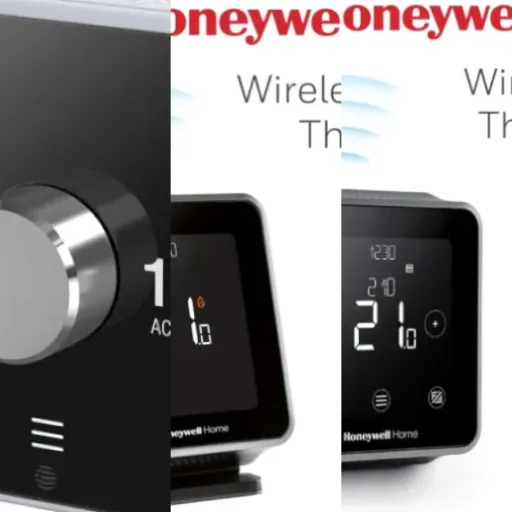
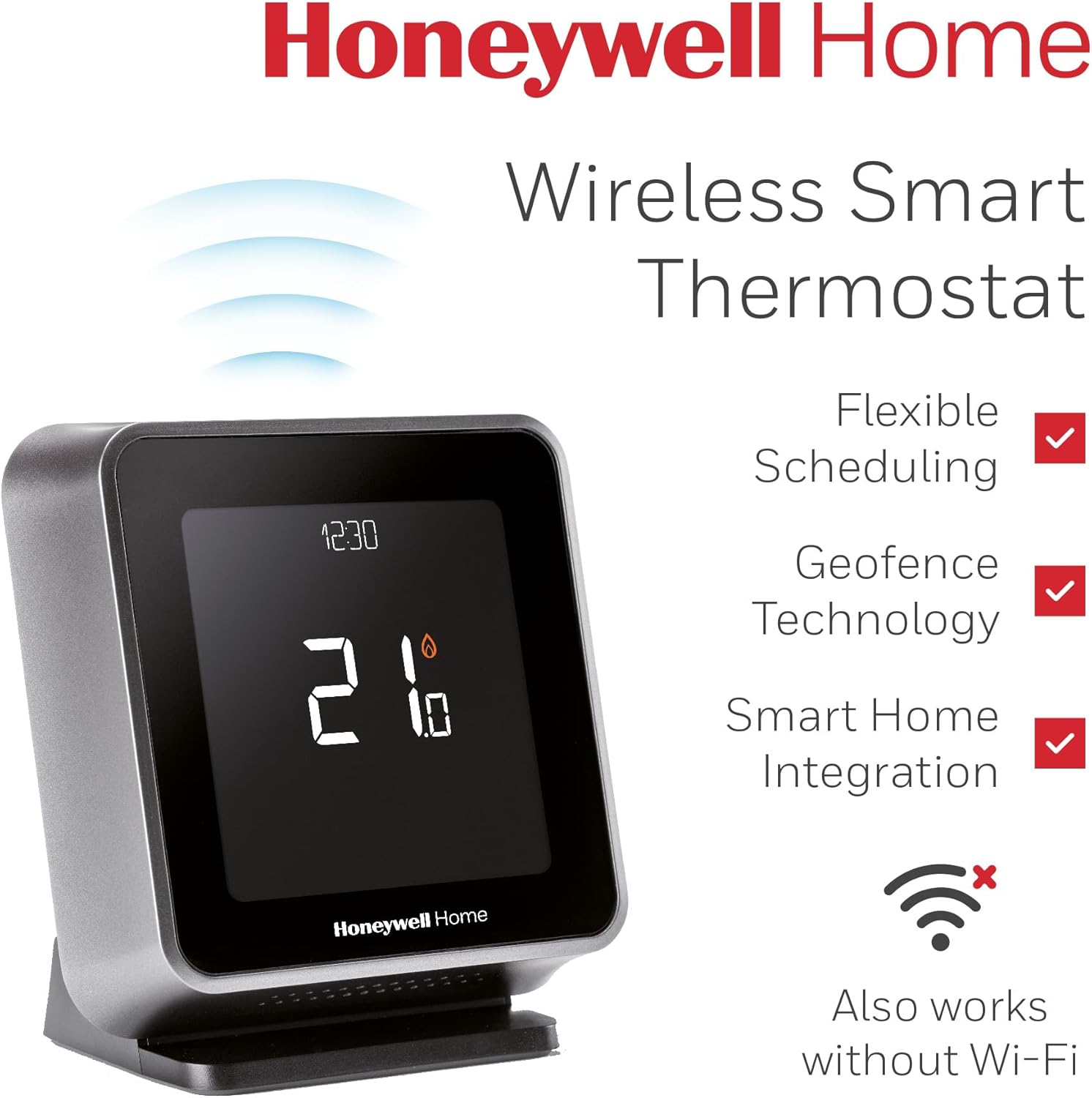
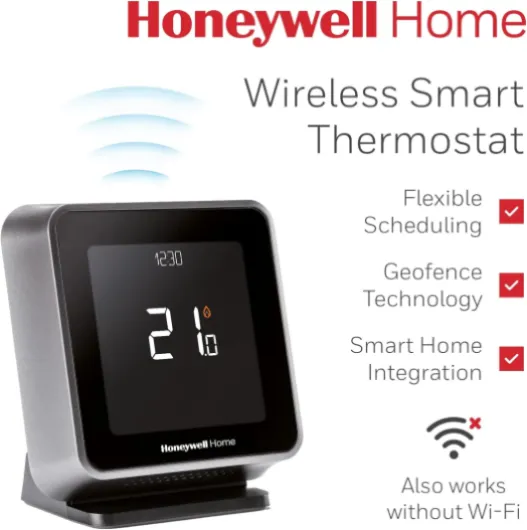
Design-wise, the thermostat unit looks clean and modern. It’s a black rectangular block with a large backlit touchscreen on the front. On a table or shelf it looks fine, especially compared to the old beige boxes a lot of boilers still ship with. The display is clear, the numbers are big, and even from across the room you can usually see the current temperature and setpoint without squinting.
The flip side is that once you get close, you can tell it’s mostly ABS/PC plastic. It doesn’t feel cheap like a toy, but it’s not premium either – just standard consumer electronics plastic. For a thermostat, that’s honestly fine. You’re not handling it all day. The stand is stable enough that it doesn’t wobble when you tap the screen, which was one of my worries with a wireless tabletop design. The constant backlight at a low level is actually handy in a hallway at night; you can dim it if you don’t want a glow.
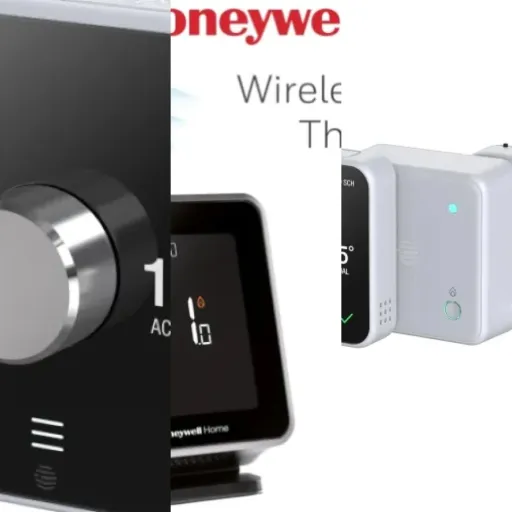
The receiver box is much more basic-looking. It’s a plain plastic box with a couple of LEDs and a button to manually fire the boiler. You’re probably going to hide it in an airing cupboard or near the boiler, so who cares what it looks like. Functionally, the indicator lights are clear enough to tell you if it’s powered and calling for heat. The manual button is nice when you’re testing wiring or if the thermostat is offline and you just want hot water/heating quickly.
Compared to something like Nest, this doesn’t try to be a design object. There’s no metal ring, no fancy animations. It’s practical and readable, which I personally prefer. It doesn’t scream "high-end gadget", but it doesn’t look dated either. If you want something flashy for the living room wall, this might feel a bit plain. If you just want something that blends in and is easy to read, it does the job well enough.
Performance and temperature control: does it actually heat better?
In terms of actual heating performance, the T6R is solid. The temperature readings feel accurate and stable. When I set it to 20°C, the room hovers very close to that without big swings. My old mechanical thermostat used to overshoot by a couple of degrees and then let it drop too far before kicking in again. With the T6R, the heating cycles are shorter and smoother, so the house feels more consistent. You notice it most in the morning and late evening – there’s less of that "too hot, then too cold" feeling.
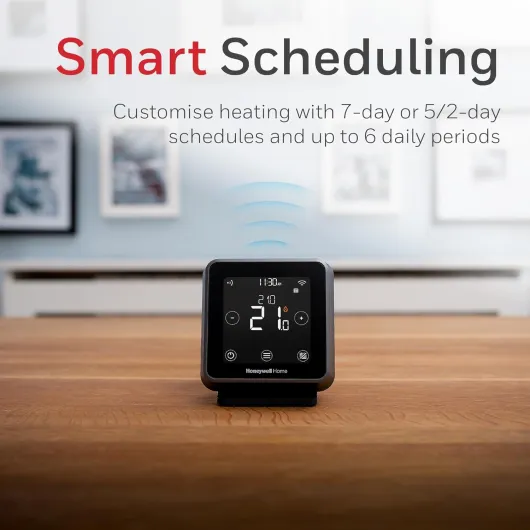
The scheduling works exactly as you’d expect. You can set up to six time periods per day with different target temperatures. For example, I run: 6:30–8:30 warmer, 8:30–16:30 lower, 16:30–22:30 warmer, then night setback. Once programmed, it just follows that. You can override from the thermostat or the app, and it will either hold until the next scheduled change or for a set period, depending on how you configure it. The optimisation feature (pre-heating) is genuinely useful: if you want 20°C at 7am, it learns how long your house takes to heat and starts early enough to hit that on time, instead of just turning on at 7 and being cold for half an hour.
If your boiler supports OpenTherm, the T6R can modulate the boiler output instead of just on/off. In practice, that means the boiler runs at lower power for longer instead of blasting at full power, which is generally more efficient and more comfortable. You don’t really see this as a user; you just notice fewer big temperature swings and sometimes slightly lower gas usage. I wouldn’t buy this solely for energy savings – you’re not going to magically earn the money back in a year – but it’s a sensible step if you’re upgrading anyway.
On the downside, the geofencing and app responsiveness depend heavily on your Wi‑Fi and phone network. When Wi‑Fi is stable, commands from the app usually hit the thermostat within a few seconds. If your router is flaky or your phone is constantly dropping data, you’ll see lag or occasional "device not responding" messages, especially in HomeKit. I’ve had maybe a couple of short dropouts where the thermostat briefly lost Wi‑Fi, but the nice thing is it still runs the schedule locally, so the heating keeps working. For me, performance is good, not mind-blowing, and most issues I’ve hit felt more network-related than thermostat-related.
Wi‑Fi, HomeKit, Alexa: where it shines and where it’s annoying
The big selling point for me was HomeKit and Alexa support, plus a basic app that doesn’t try to be too clever. Once I got through the initial setup, integration worked pretty well. In Apple Home, the thermostat shows up as a standard heating accessory: you can see current temperature, set the target, switch modes, and add it to automations. Alexa sees it as a thermostat too, so you can say things like "set the hallway to 20 degrees" and it reacts fairly quickly.
Setup, though, was a bit fiddly. You have to put the thermostat into Wi‑Fi pairing mode, then connect your phone to the temporary Honeywell Wi‑Fi network, then bounce back to the app and let it hand over your home Wi‑Fi details. If you skim the instructions, it’s very easy to miss a step and end up swearing at it. Once you follow the steps slowly, it works, but it’s not the slickest onboarding experience I’ve seen. I had one case where it refused to join my router until I rebooted the router itself, which was annoying but not the end of the world.
Day-to-day, Wi‑Fi stability has been mostly fine. When the network is solid, commands from the Honeywell app or HomeKit land within a few seconds. There were a couple of times where one of the thermostats (if you run multiple zones) dropped off Wi‑Fi and stopped responding in HomeKit, even though the heating schedule kept running locally. A quick power cycle or re-joining the network usually fixed it. It’s not constant, but it’s worth knowing this isn’t bulletproof enterprise-grade networking – it’s consumer kit, and it behaves like it.
IFTTT support is a nice bonus if you like tinkering. You can do things like: if the outside temperature drops below a certain point, bump the setpoint inside. It’s not essential, but it’s there for people who want more automation. Overall, connectivity is good enough for everyday use, with the occasional hiccup. If you absolutely rely on rock-solid remote access 24/7, you might get frustrated now and then. If you’re okay with the odd glitch and mostly care about local control plus some smart home hooks, it’s fine.
Installation: manageable if you’re handy, otherwise call a pro
Let’s be blunt: installation is not plug-and-play unless you already know your way around heating wiring. The T6R wireless version is easier than the wired one because the thermostat itself just needs USB power, but the receiver box still has to be wired into your boiler or wiring centre. For a simple combi boiler replacing an old wired thermostat and time clock, it’s not too bad if you can read diagrams and are comfortable with mains wiring. For multi-zone systems or hot water cylinders, it can get confusing fast.
In my case, replacing a single old wall thermostat was straightforward: power off the system, remove the old stat, connect live/neutral and the switched live into the receiver according to the diagram, mount the box, power on, pair the thermostat, done. That took maybe an hour including double-checking everything. On a more complex system with multiple zone valves and a separate hot water programmer, you either need to be very confident or pay a heating engineer. The manual covers a few common setups, and Honeywell has extra diagrams online, but it’s still a bit of a puzzle if your existing wiring is a mess or unlabelled.
Pairing the thermostat with the receiver is easy enough; they come pre-paired, and there’s a button on the receiver if you need to re-bind. The physical mounting is simple too: the receiver goes on the wall near the boiler or wiring centre, the thermostat just sits on its stand wherever you like, as long as it’s in a sensible spot for measuring room temperature (not right above a radiator or in direct sun).
So, installation is doable for a competent DIYer, but I wouldn’t recommend it to someone who’s never opened a wiring centre or doesn’t feel comfortable working around 230V. If you’re in doubt, factor in the cost of an installer when you compare this to other systems. Once it’s in, you won’t touch the wiring again, so it’s a one-time pain, but it’s worth being realistic: the box doesn’t magically wire itself, and the instructions still assume you know the basics.

What you actually get and what it really does
Out of the box, you get two main pieces: the T6R thermostat unit (the black wireless one that sits on a stand and plugs in via USB power) and the receiver box that gets wired near your boiler or wiring centre. No extra radiator valves, no fancy sensors in every room – it’s basically a smart on/off and modulation brain for your boiler with Wi‑Fi and a touchscreen.
In practice, the T6R is a single-zone wireless thermostat. You can add more units for more zones, but each one is still just one zone and one receiver. It supports scheduling (7-day, 5/2, or single-day with up to 6 time periods per day), geofencing through the app, and it hooks into Apple HomeKit, Amazon Alexa, Google Home, and IFTTT. That’s nice because you’re not stuck with just one voice assistant or ecosystem. It also supports OpenTherm, so if your boiler supports that, it can modulate instead of just doing dumb on/off.
What I actually use day to day: a simple weekly schedule with morning and evening heating, manual overrides on the thermostat when I’m cold, and occasional app tweaks when I’m out. Geofencing works, but it’s not magic – it depends on your phone location and decent mobile data, so if your signal is rubbish around your house, it can be a bit hit and miss during setup. Still, once configured, it’s handy to come back to a warm house without having to think about it.
If you’re coming from something like Nest or Tado, this feels more traditional but smarter. It doesn’t pretend to read your mind; you set schedules, and it follows them, with some optimisation like pre-heating to hit a target time. If you’re coming from an old mechanical thermostat or basic programmer, this will feel like a big step up in control and convenience, but without being overly fancy or trying to be clever for the sake of it.
Does it actually save energy and make life easier?
In terms of effectiveness as a smart thermostat, I’d say it delivers on the basics: better control, easier adjustments, and some potential for energy savings if you actually use the features properly. After a few weeks of use, I noticed I was more likely to turn the heating down or off when I didn’t need it, simply because it’s easy to do from the phone or with a voice command. Before, if I had to go to the hallway, open a flap, and poke tiny buttons, I’d just leave it.
The geofencing feature is handy if you have a regular routine. It tracks your phone’s location and can switch between "home" and "away" modes. In practice, that means if you leave the house, it can drop the temperature, and when you’re heading back, it ramps up again. When it works, it’s nice. The catch is that it’s only as good as your phone’s location services. If you often turn off location to save battery, or you live in an area with inconsistent mobile coverage, geofencing becomes less reliable. I ended up using a mix of a simple schedule plus occasional manual tweaks instead of relying entirely on location.
As for actual energy savings, don’t expect miracles. Yes, better control and smoother temperature regulation can shave off some gas usage, especially if you used to leave the heating on all day or run it too hot. If you pair it with lower flow temperatures and sensible radiator settings, you can get some decent efficiency gains. But if you already managed your old thermostat carefully, the savings will be modest. For me, the bigger win is comfort and convenience rather than a huge drop in bills.
Overall, I’d call the T6R effective but realistic. It makes it easier to run your heating sensibly, avoids big temperature swings, and gives you remote access and smart home integration. It doesn’t magically fix bad insulation or a badly balanced system. If you’re willing to spend a bit of time setting schedules, tweaking temperatures, and maybe adjusting boiler flow temps, it can help you run the system in a smarter way without much hassle once it’s set up.
Pros
- Accurate temperature control with flexible scheduling and pre-heating
- Works with Apple HomeKit, Alexa, Google Home, and IFTTT while still functioning fully offline
- Wireless thermostat unit that’s easy to place and has a clear, always-on backlit display
Cons
- Installation can be tricky on complex systems and may require a professional
- Wi‑Fi setup and occasional connectivity issues can be frustrating
- Not a full multi-room solution; no built-in smart radiator valve control
Conclusion
Editor's rating
The Honeywell Home T6R is a sensible, no-nonsense smart thermostat. It’s not trying to be flashy, it doesn’t drown you in gimmicks, and it mostly just gets on with controlling your heating in a smarter way than the old wall box you probably have now. The temperature control is accurate, the schedules are flexible, and features like pre-heating and OpenTherm support help keep the house comfortable without big swings. The fact it keeps working as a normal programmable thermostat even if the internet or Wi‑Fi drops is a big plus.
Where it stands out is compatibility: HomeKit, Alexa, Google Home, IFTTT – it talks to pretty much everything. If you’ve got a mix of Apple and Android users at home, or you’re slowly building a smart home without wanting to be tied to one brand, that matters. On the downside, the Wi‑Fi setup can be fiddly, and you may see the odd connectivity hiccup, especially if your home network is already shaky. Installation is also not trivial if your system wiring is complex, so in many cases you should budget for an installer.
I’d recommend the T6R to people who already have a standard boiler setup (especially combi or single-zone) and want practical smart control without going down the route of smart valves on every radiator. It suits households that like the idea of remote control and voice commands, but still want something that works fine from the wall unit for less techy family members. If you’re after a super glossy design statement, or you want room-by-room control out of the box, or you absolutely hate dealing with Wi‑Fi quirks, you might be happier with a different system. For most everyday users who just want their heating to be a bit smarter and easier to manage, it’s a pretty solid choice.