
Summary
Editor's rating
Is the Ecobee3 Lite bundle worth the money?
Clean look, decent screen, and a couple of UI quirks
Power, C-wire headaches, and sensor batteries
Build quality and how it holds up day to day
Heating, cooling, and sensors: good, but not flawless
What you actually get in this Ecobee3 Lite bundle
Pros
- Solid smart control with a good mobile app and reliable remote access
- Included room and door/window sensors add real usefulness if configured properly
- Can reduce heating and cooling runtime when you use scheduling and occupancy features
Cons
- Sensor averaging and comfort settings can behave in confusing ways in multi-floor or zoned homes
- Needs a C-wire or power extender kit, so installation isn’t always plug-and-play
- On-device interface has some awkward navigation with two different home screens

Specifications
View full product page →| Brand | ecobee |
Smart thermostat that actually saves you money… if you set it up right
I’ve been using the Ecobee3 Lite Smart Thermostat with the whole home sensors bundle for a while now, and I’ll be straight: it’s good, but it’s not magic. If you expect to slap it on the wall and instantly get perfect comfort and big savings without touching the settings, you’ll be disappointed. If you’re willing to spend an evening messing with the app, schedules, and sensors, it starts to make sense and you can actually see the difference on your heating and cooling bills.
The bundle I tried includes the thermostat, one room SmartSensor and one door/window sensor. So out of the box, you can already do more than with a basic smart thermostat: monitor a hot or cold room and get basic “door/window open” alerts. That said, with only one extra temp sensor, you don’t get full coverage of the house, so don’t expect it to magically fix every temperature imbalance if you’ve got a big two‑story place with a bunch of problem rooms.
What surprised me most at the start was how much of the value is in the software and the app, not the plastic box on the wall. The thermostat itself is small and light, and once it’s installed you almost never touch it. Everything happens on your phone: schedules, comfort settings, energy reports, and remote control. If you hate apps or you’re not comfortable digging into menus, you’re going to miss half of what this thing offers.
Overall, after living with it instead of just reading the marketing sheet, I’d say the Ecobee3 Lite bundle is a pretty solid choice for people who are already a bit into smart home stuff or at least not scared to learn. It’s not perfect, and there are some quirks with the sensors and zoning, but it does what it promises: lets you monitor and control your heating and cooling from anywhere and gives you tools to cut down on wasted energy.
Is the Ecobee3 Lite bundle worth the money?
Price-wise, the Ecobee3 Lite bundle sits in that middle area where it’s not cheap, but not the most expensive smart thermostat setup either. You’re paying for three things: the smart thermostat, one room sensor, and one door/window sensor. If you were going to buy a separate smart thermostat plus separate sensors, you’d probably end up in the same ballpark or a bit higher, so as a bundle it’s reasonably priced. Still, if you never plan to use sensors or don’t care about home monitoring, you’re basically paying for features you won’t use.
Where it starts to feel like decent value is if you actually use the app, scheduling, and occupancy features to cut down on wasted heating and cooling. Ecobee’s “up to 23% savings” claim is optimistic in my opinion, but I did see some reduction in runtime compared to my old dumb thermostat that just held one temperature all day. Over a year or two, that can easily make up the price difference, especially if you live somewhere with big heating or cooling bills. If you’re in a mild climate with low energy costs, the savings will obviously be smaller.
Compared to a Nest or a more expensive Ecobee with built‑in voice assistant, the Lite keeps costs down by skipping those extras. For me, that’s fine; I’d rather use my phone or a separate smart speaker than talk to the thermostat itself. On the flip side, if you just want simple app control and don’t care about advanced sensor logic, some cheaper Wi‑Fi thermostats from Honeywell or others might be enough and cost less.
So in terms of value for money, I’d say it’s pretty solid for someone who: has a compatible system (ideally with a C‑wire), wants to actually tweak schedules, and plans to take advantage of the sensors. If you’re not that person and you just want basic remote control, you might feel like you overpaid for features you never touch. It’s not overpriced, but it’s also not the budget option in this category.
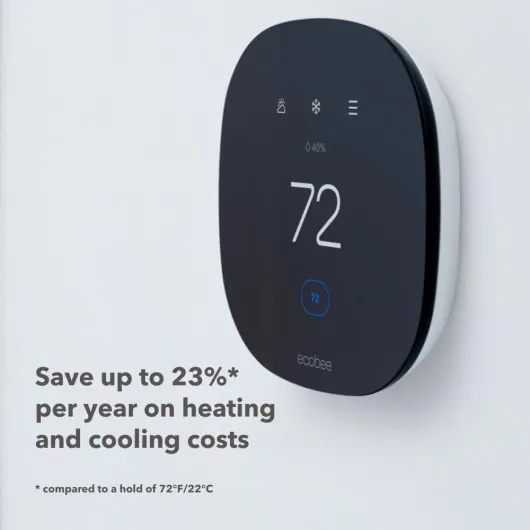
Clean look, decent screen, and a couple of UI quirks
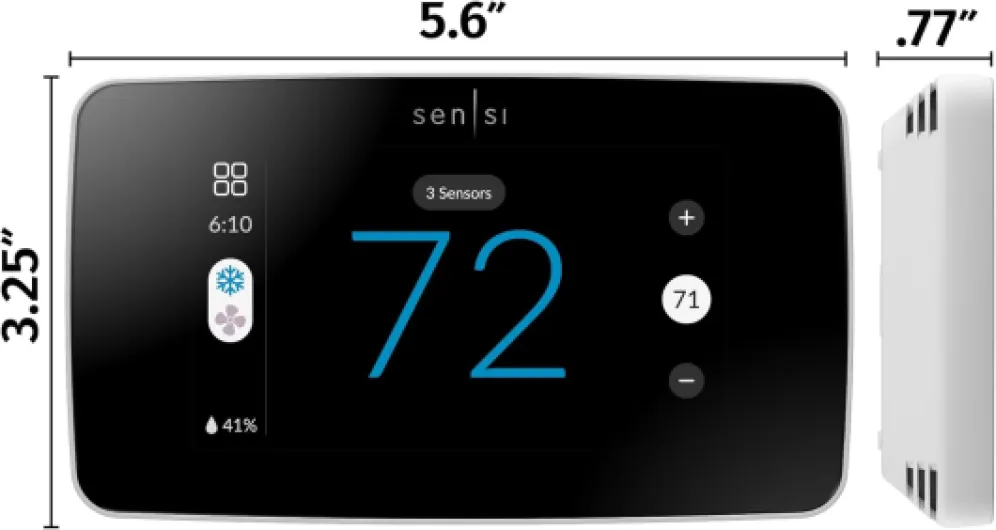
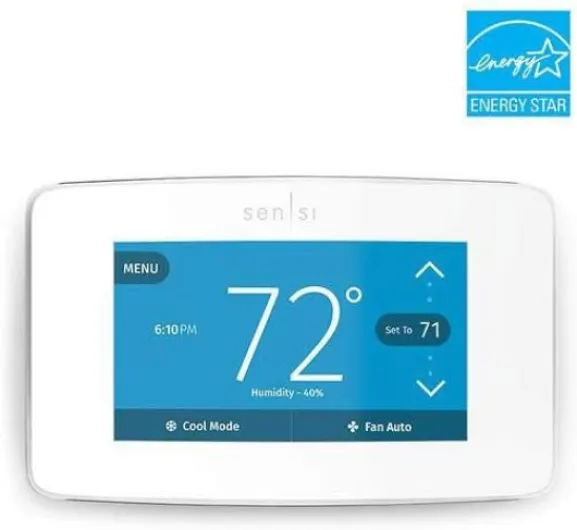
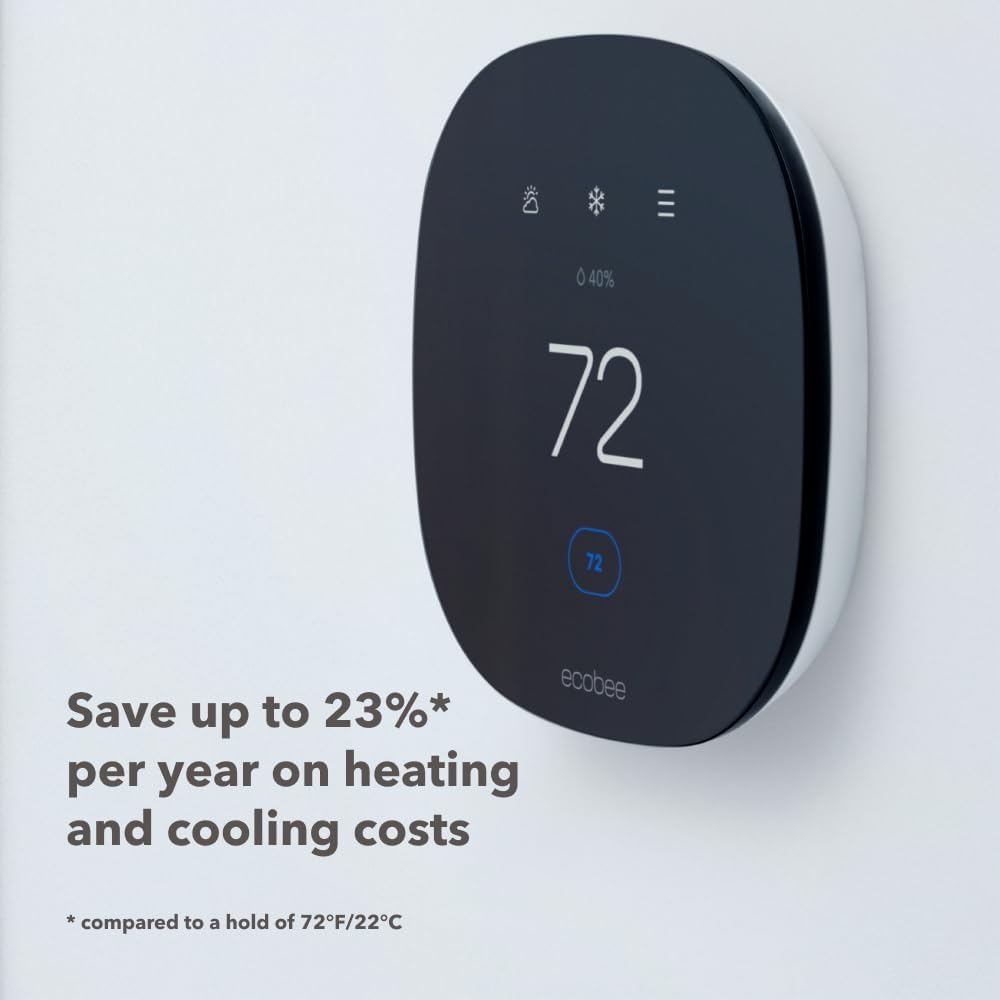
Design-wise, the Ecobee3 Lite keeps it simple: a black rectangular front with rounded corners and a color LCD in the middle. It’s pretty compact and doesn’t stick out too far from the wall, which I liked. It looks modern enough without screaming “sci‑fi gadget” every time you walk by. The backlight comes on when you approach, which is handy at night, and you can actually read the numbers from a distance. Compared to some older Honeywell units I’ve had, this one feels less clunky on the wall.
The interface on the thermostat itself is mostly touch, with some basic button‑type interactions on the screen. You can change temperature, switch modes, and see the weather. That part is fine. Where it gets a bit annoying is the overall navigation: there are essentially two different “home” views, and some settings are only accessible from one of them. One Amazon reviewer complained about this, and I get it. You can get used to it, but the logic isn’t super clear at first and you end up poking around more than you should for simple tasks.
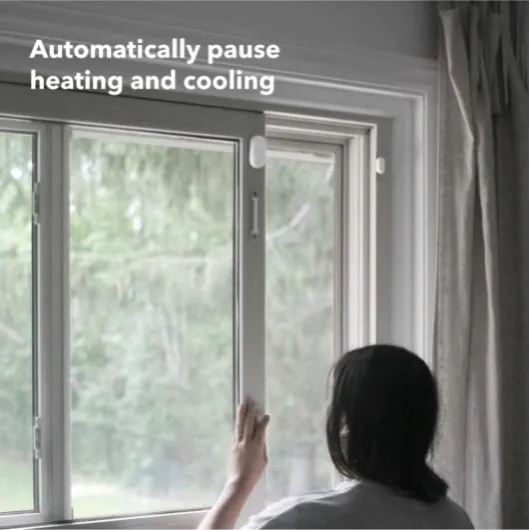
The sensors are small and discreet. The room SmartSensor sits on a little stand or can be wall‑mounted, and the door/window sensor is the usual two‑piece magnetic style. Both are white, so they blend in decently on trim or walls. They don’t look premium or anything, but once they’re in place, you basically forget they exist, which is the point. Battery access is simple enough if you need to change them later.
Overall, I’d say the design is clean and practical. It doesn’t feel super high‑end, but it doesn’t feel cheap either. My only real gripe is the on‑device interface logic: it works, but it’s not as straightforward as it could be. In practice, though, you’ll mostly use the phone app once the novelty of touching the thermostat wears off.
Power, C-wire headaches, and sensor batteries
The thermostat itself is hardwired and designed for 24V systems, which is standard for most central HVAC setups. It pretty much expects a C‑wire (common wire) to power the screen and Wi‑Fi. If you don’t have a C‑wire at your current thermostat, Ecobee includes a power extender kit (PEK) that you install at the furnace or air handler to fake a C‑wire. This is nice in theory, but it does add installation complexity. One of the Amazon reviewers pointed out that this model basically needs a C‑wire or at least three wires to work properly, and that lines up with my experience.
In my case, I had a C‑wire already, so wiring was straightforward and the thermostat powered up without drama. If you’re in an older house with only two wires at the thermostat, be prepared to open up your furnace panel and install the PEK, or call an HVAC tech if you’re not comfortable doing that. Once it’s wired correctly, you don’t think about power again—the thermostat just works, and there’s no reliance on replaceable batteries in the wall unit itself.
The sensors are a different story: they run on small batteries (the spec mentions 1 AAA required, though some Ecobee sensors use coin cells). Battery life is supposed to last many months, often around a year depending on how far they are from the thermostat and how often they communicate. During my test period, I didn’t have to replace anything, so I can’t complain. Still, if you start adding a bunch of sensors all over the house, keep in mind you’ll eventually have a mini battery maintenance routine to manage.
So from a power perspective, the pros are: stable operation once wired, no batteries for the main unit, and decent battery life for the sensors. The cons are: if you don’t already have a C‑wire, setup can get annoying, and this isn’t truly “plug and play” for every older system. If you’re not into DIY, factor in the cost of an installer to handle the wiring properly.

Build quality and how it holds up day to day
The Ecobee3 Lite is mostly plastic and weighs almost nothing (about 0.2 pounds), so if you’re expecting a heavy, metal feel, forget it. That said, once it’s on the wall, it feels secure and doesn’t wobble around. The backplate clips in firmly, and the larger trim plate helps it sit flat even on slightly uneven walls or over old screw holes. I’ve taken it off and put it back on a few times to check wiring, and the connectors haven’t loosened or felt fragile.
The screen has held up fine so far. No visible scratches, no weird ghosting, and the touch response is still consistent. I’m not babying it; people in my house tap it with whatever fingers they have free, sometimes a bit roughly. Compared to some cheaper thermostats I’ve tried, the Ecobee screen feels a bit more solid, even though the materials are nothing fancy. The black front does show fingerprints if you look closely, but you only notice that if you’re picky.
The sensors are light and not exactly rugged, but they don’t need to be. Once mounted or placed on their stands, they just sit there. I accidentally knocked the room sensor off a shelf once; it bounced, survived, and kept working. The door/window sensor is the usual plastic magnet combo; as long as you don’t slam doors like a maniac, it should last. Adhesive or screw mounting will matter more for long‑term durability than the sensor body itself.
In terms of long‑term reliability, Ecobee has been around for a while, and you can see from Amazon reviews that plenty of people have used these for years. I haven’t seen any obvious early failure signs on mine. So I’d rate durability as decent: not premium hardware, but nothing that makes me think it’s going to fall apart after a season. If anything fails, it’s more likely to be a sensor battery or a Wi‑Fi/router issue than the thermostat physically breaking.
Heating, cooling, and sensors: good, but not flawless
On the core job—controlling heating and cooling—the Ecobee3 Lite does the job well enough. Temperature control is fairly accurate, and when I set a target temperature, the system doesn’t overshoot too badly. It supports heat, cool, and an auto mode that can switch between them, which is handy in spring and fall when mornings are cold and afternoons are warm. Compared to a basic programmable thermostat, the main difference is how it plays with schedules and occupancy to avoid running the system when nobody is home.
The remote SmartSensor is where things get interesting and a bit messy. In theory, you can create comfort settings (like Home, Away, Sleep) and choose which sensors count for each setting. For example, only use the bedroom sensor at night, or only use main‑floor sensors during the day. When this works, it helps a lot with rooms that are always hotter or colder than the hallway where the thermostat sits. In my case, using a bedroom sensor at night kept that room closer to the target temperature instead of the hallway dictating everything.
However, there’s some truth to the big negative review: the way Ecobee averages sensors can be confusing and sometimes doesn’t behave the way you expect. If you don’t set up the comfort settings carefully, or you accidentally leave multiple sensors active, it tends to average them instead of focusing on just one. In a multi‑floor home with zones, this can lead to the system running longer than needed because it’s trying to satisfy both floors at once. I didn’t hit the exact same issue described in that review, but I did notice that if I wasn’t strict about which sensors were included in which mode, the behavior felt off.
In terms of reliability, mine stayed connected to Wi‑Fi and the app without any random dropouts. App commands (like changing temperature remotely) usually applied within a few seconds. I’ve seen some smart devices lag badly; this one was fine. So overall, performance is solid, but if you have a complex zoned system or very specific expectations about sensor behavior, be prepared to spend time testing different configurations and maybe accept that it’s not perfectly tailored to every edge case.
What you actually get in this Ecobee3 Lite bundle
The box is fairly straightforward: you get the Ecobee3 Lite thermostat, the wall backplate, a big trim plate to hide ugly paint or old screw holes, mounting screws and drywall plugs, wire labels, an install guide, and a power extender kit (PEK) in case you don’t have a C‑wire. On top of that, because it’s the “whole home sensors bundle,” you get one SmartSensor for a room and one SmartSensor for doors and windows. That’s it, no extra hub or weird accessories to manage.
In terms of features, the thermostat handles the usual stuff: programmable schedules, auto‑scheduling based on occupancy, remote control by app, Wi‑Fi connectivity, and integration with smart home platforms like Apple HomeKit and voice assistants. It shows temperature, humidity, and a 5‑day weather forecast on the screen. The sensors talk to the thermostat over a low‑power wireless connection and are supposed to help with hot/cold spots and basic home monitoring when doors or windows open.
Ecobee claims up to 23% savings on heating and cooling compared to keeping your home at a flat 72°F. I can’t scientifically confirm that exact number, but after a month I did notice my system running less at night and when we were out of the house. The Energy Star label isn’t just decoration; if you actually use the scheduling and occupancy features, you can see some savings. If you just leave it in manual hold like a dumb thermostat, then you basically paid extra for no reason.
The product positioning is pretty clear: this is a mid‑range smart thermostat, not the fanciest model with built‑in voice assistant, but more capable than the really cheap Wi‑Fi thermostats. The bundle makes more sense if you plan to buy extra sensors anyway, because buying them separately starts to add up. If you only care about basic remote control and don’t need sensors, there might be cheaper options that will get the job done without all the extras.
Pros
- Solid smart control with a good mobile app and reliable remote access
- Included room and door/window sensors add real usefulness if configured properly
- Can reduce heating and cooling runtime when you use scheduling and occupancy features
Cons
- Sensor averaging and comfort settings can behave in confusing ways in multi-floor or zoned homes
- Needs a C-wire or power extender kit, so installation isn’t always plug-and-play
- On-device interface has some awkward navigation with two different home screens
Conclusion
Editor's rating
After living with the Ecobee3 Lite Smart Thermostat with Whole Home Sensors bundle, my take is pretty clear: it’s a good, practical smart thermostat for people who don’t mind a bit of setup and tinkering. The hardware is simple but effective, the app gives you solid control from anywhere, and the extra sensors actually help if you configure them correctly. Energy savings are real if you use scheduling and occupancy properly, not if you just leave it on a permanent hold.
It’s not perfect. The way the system handles multiple sensors and averages temperatures can be confusing, especially in multi‑floor or zoned homes. The interface on the thermostat has some quirks, and if you don’t already have a C‑wire, installation can turn into more of a project than you might expect. This isn’t the thermostat I’d hand to someone who hates tech and expects everything to be obvious out of the box.
If you’re already into smart home gear, or at least willing to read the manual and dig into the app, this bundle offers good value: proper remote control, better comfort in key rooms, and potential energy savings over time. If you want dead‑simple, set‑and‑forget operation with minimal configuration, or you have a very complex zoned system and zero patience for quirks, you might be happier with a different brand or a simpler model.