
Summary
Editor's rating
Is it worth the price or just an expensive toy?
Looks good, but the shiny ring is not for every house
Power, wiring, and what you need to know before drilling
Build quality and how it feels over time
How well it actually controls heating and hot water
What you actually get and how it works in real life
Pros
- Easy app control and clear schedule/history make heating simpler to manage
- Learns your routine and can cut heating when you’re away to save energy
- Solid build quality and responsive controls with a bright, readable screen
Cons
- Price is high compared to basic programmable thermostats
- Some "smart" features (pre-heating, bacteria protection, auto schedule changes) can confuse you until you tweak settings

Specifications
View full product page →| Brand |
A thermostat that feels more like a gadget than a boiler control
I’ve been using the Google Nest Learning Thermostat 3rd Gen (black version) for a while now, and honestly, it’s the first time I’ve cared about a thermostat. Before this, I had a very basic wall programmer where changing the schedule felt like defusing a bomb. With the Nest, I mainly wanted two things: stop heating an empty house and be able to tweak the heating from my phone when I’m out or in bed. On those two points, it delivers pretty well.
In day-to-day use, what stands out is how quickly you forget the old routine of walking to the old controller, pressing tiny buttons, and guessing what it’s doing. The Nest makes it obvious when it’s heating, what temperature it’s going for, and you can see the history in the app. That history part is more useful than I expected: you can actually see how long the boiler ran each day, which makes it easier to judge if your settings are too generous.
That said, it’s not magic. You still have to spend some time setting it up properly and turning off a few "too smart" options if you don’t like the thermostat taking its own initiatives. Features like pre-heating the house way earlier than your schedule, or automatically adding changes to the schedule, can be annoying until you understand what’s going on. Once I dialed those in, it behaved much more like I wanted.
If you’re expecting it to instantly cut your bill in half, you’ll be disappointed. It’s more about control and comfort: easier scheduling, remote access, and a better view of how your heating behaves. If you’re happy with a cheap programmable thermostat and never touch it, this might feel overkill. But if you’re the type who keeps fiddling with the heating and hates clunky interfaces, it starts to make sense, even at this price.
Is it worth the price or just an expensive toy?
The Nest 3rd Gen isn’t cheap, especially compared to a basic programmable thermostat. You’re paying for design, the app, the learning features, and the whole smart home integration. If you just want something that turns the heating on at 6am and off at 10pm, you can spend a lot less and still get the job done. So the real question is: do the extra features justify the cost for your situation?
From my experience, the value comes in three areas. First, comfort: the house stays closer to the temperature you actually like, with fewer manual tweaks. Second, convenience: changing the schedule or boosting the heating from your phone is just easier than messing with old-school programmers. Third, potential savings: not heating when you’re out, and more efficient use of the boiler if you have OpenTherm. It won’t magically pay for itself in a month, but over a couple of winters, especially if you previously left the heating on a lot, you can claw back a chunk of the cost.
On the downside, you’re also buying into an ecosystem. If Google ever decides to shift focus or change integrations, you’re stuck with what they choose. Also, if you’re not going to use the app regularly or you hate tinkering with settings, a lot of the value is wasted. You might be better off with a simpler, cheaper Wi‑Fi thermostat that just does on/off schedules without all the learning and automation.
Overall, I’d say the Nest 3rd Gen is good value for people who like tech, are willing to spend a bit of time tuning settings, and live in a home where presence detection and remote control actually save energy (e.g., irregular schedules, people out of the house a lot). For someone retired at home all day with a stable routine, or for a rental where you don’t want to invest much, it’s probably overkill. The hardware feels premium enough to justify part of the price; the rest depends on how much you’ll really use the smart features.
Looks good, but the shiny ring is not for every house
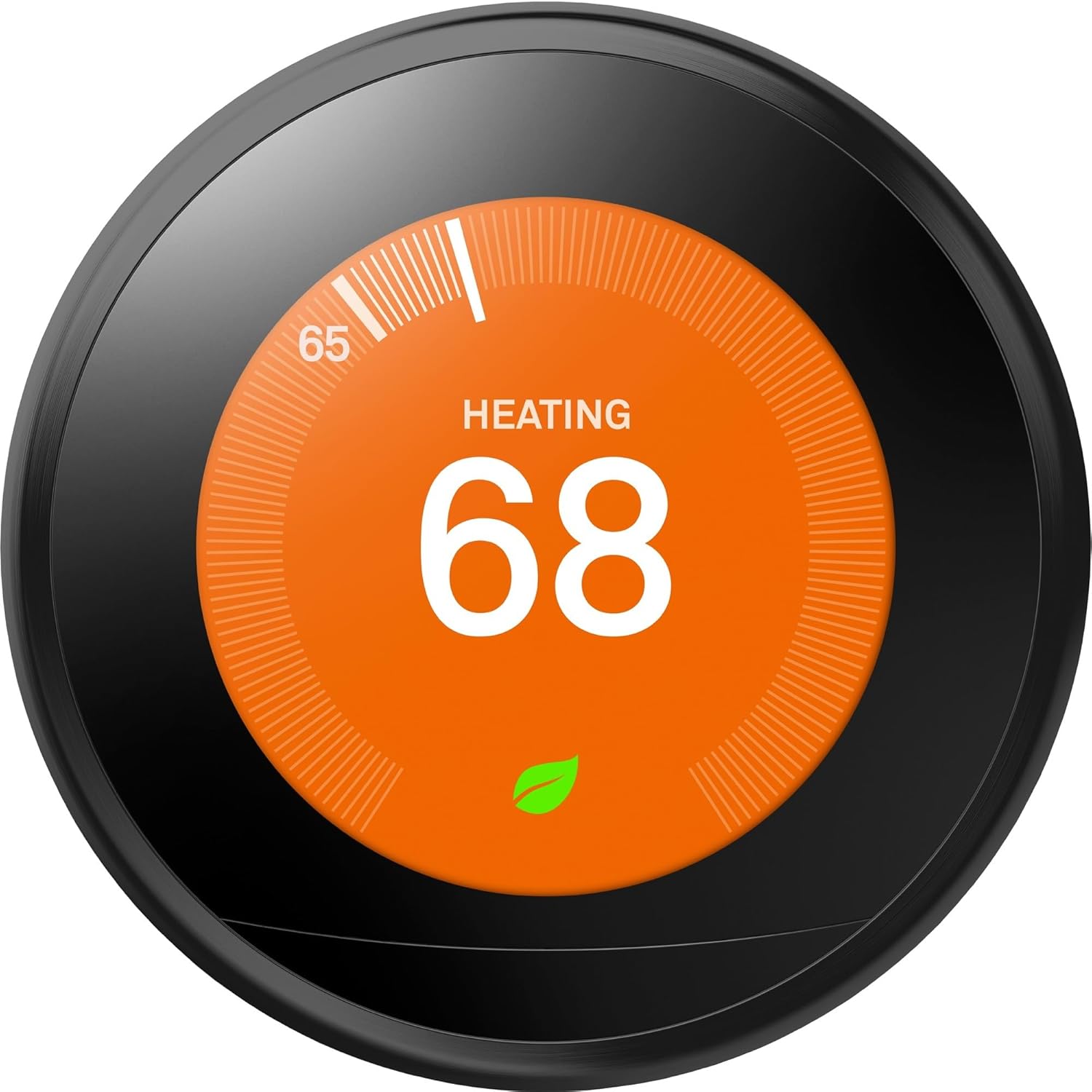
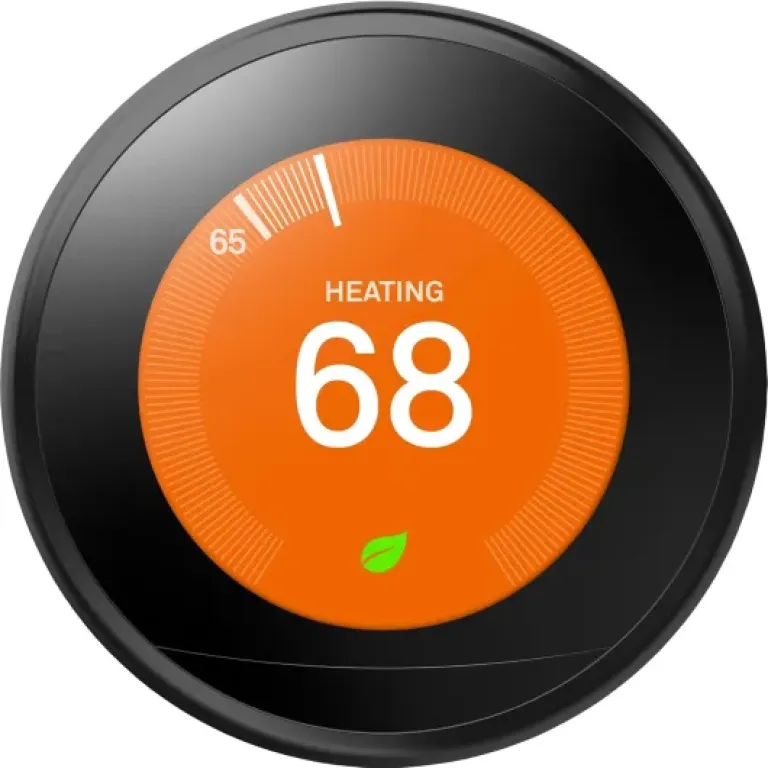
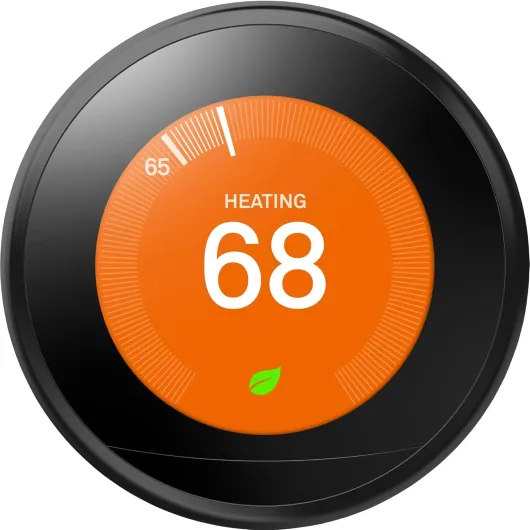
The design is clearly one of the selling points. The Nest thermostat looks more like a gadget than a piece of heating gear. The round LCD screen is bright, readable, and the interface is simple: you turn the outer ring to change the temperature, and you press it to confirm or go into menus. The physical click when you rotate the ring feels solid, not cheap. If you’ve ever used older plastic thermostats with wobbly dials, this is a big step up.
The black version has a dark face that blends in a bit more than the silver or white ones, but the chrome surround is still very visible. In a modern flat with other tech on display, it looks fine, even kind of cool. In a more traditional house with stone walls and wooden furniture, it can look out of place. One reviewer mentioned their partner hated having a shiny chrome circle in the middle of a rustic room, and I get that. There’s no wood-effect or more discreet ring option out of the box, which is a missed opportunity. If you care a lot about interior style, think hard about where you’ll mount it.
On the practical side, the screen wakes up when it detects motion (or when you walk closer), which is handy. You can glance at the current set temperature and the room temperature without touching it. The display can also show the time or the weather when idle, but I mostly left it on the standard temperature view. Brightness is good enough to see in daylight, and at night it’s not blinding, but if you’re sensitive to lights in a bedroom, I wouldn’t mount it there. Better to use a hallway or living room.
The Heat Link is more utilitarian. It’s a plastic box that usually lives near the boiler, so you don’t really see it once installed. One minor annoyance: it doesn’t match standard UK backbox sizes, so if you’re replacing an existing programmer you might need to fill or cover screw holes. Nothing tragic, but it’s not a straight one‑for‑one swap sometimes. Overall, the design is clean and pleasant, but the chrome ring is a bit "in your face" in more classic interiors. If you want your thermostat to disappear visually, this isn’t it.
Power, wiring, and what you need to know before drilling
The Nest thermostat itself isn’t just a battery-only device; it has a built-in rechargeable battery that’s topped up either via the 12V connection from the Heat Link or via a USB power adapter. This part is important because the product photos sometimes make it look like a totally wireless puck you can just stick on the wall anywhere. In reality, you either need low-voltage wires running to it or you accept a visible USB cable going to a plug.
If you’re replacing an existing wired wall thermostat, the easiest route is to reuse those wires to power the Nest from the Heat Link. That’s what many people do, and it keeps the install clean with no trailing cables. If your old thermostat was wireless or in a bad location, you might end up buying the separate stand and powering it via USB on a shelf or sideboard. That works fine technically, but hiding the cable nicely can be a bit of a pain if you care about looks.
On the Heat Link side, it runs off mains and stays on all the time, talking to the Nest wirelessly. Once installed, you don’t think about it again. The internal battery in the display has been stable in my experience; I haven’t had any warnings or dropouts. As long as it’s getting power, it just works. If you lose power to the boiler or the Heat Link, obviously the thermostat can’t call for heat, but that’s the same with any powered control.
So in terms of "battery life", it’s more like a smart display that’s always plugged in than a remote that you have to recharge. You don’t swap batteries, you don’t charge it like a phone every few days. You just need to plan the power route during installation. If you go the DIY route, budget time to figure out how you’ll run that 12V or USB cable without making the wall look messy. If you pay an installer, make it clear where you want the thermostat and how visible you’re okay with cables being.
Build quality and how it feels over time
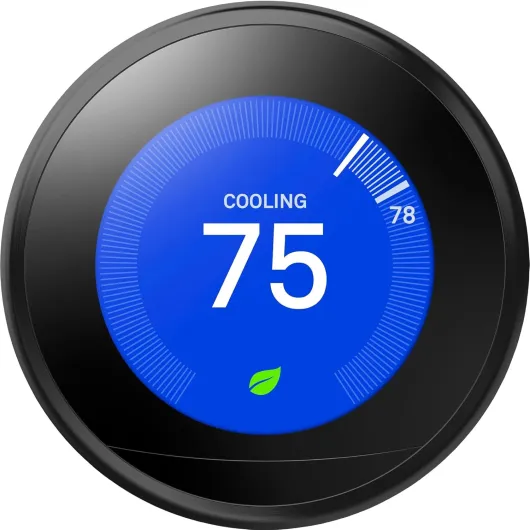
In the hand, the Nest thermostat feels solid. The ring has a bit of weight to it, and the click when you turn it doesn’t feel flimsy. The front is a glossy screen, so yes, it picks up fingerprints if you’re constantly pressing it, but in normal use you mostly turn the ring and only tap occasionally. The casing is plastic, but it doesn’t creak or feel cheap. For something you interact with every day, it gives a decent impression of longevity.
Looking at user feedback and my own use, there’s no obvious weak point that stands out right away. People are not reporting screens failing after a few months or rings breaking off. Most of the complaints tend to be about software behaviour or setup confusion rather than physical faults. The 2-year limited warranty from Google is fairly standard for this kind of device, not super generous but not terrible either. If there was a lot of hardware failure, you’d expect the average rating to tank, and it’s sitting around 4.4/5 with thousands of reviews, which is a decent sign.
The Heat Link is more basic in terms of feel, but it’s a box that lives by the boiler and you don’t touch it. As long as it’s wired correctly and stays dry, there’s not much to wear out. The relay inside clicks when it calls for heat, like any other programmer. Over many years, relays can wear, but that’s true for any brand. I haven’t noticed any odd noises or misfires.
One thing to keep in mind is that durability for a connected thermostat is also about software support. So far, Google still pushes updates and fixes, which is good. The downside is you’re at their mercy for any future changes in the app or features. Hardware-wise, it feels like it will last well beyond the warranty. Whether the software experience is still as good in 5–7 years is harder to predict, but that’s the same story with most smart home gear today.
How well it actually controls heating and hot water
In terms of raw performance as a thermostat, it does the job well. Temperature control is precise: once I set, say, 20°C, the room hovers around that without big swings. Compared to my old dumb controller, I noticed fewer moments of "too hot, then too cold". The learning feature is where things get interesting. After about a week of me manually adjusting the temperature in the morning and evening, it started building a schedule that roughly matched my habits. It’s not perfect, but it gave a good base that I could refine in the app.
The part that caught me off guard at first was the "true radiant" behaviour. If I tell it I want 21°C at 7:00am, it learns how long my house takes to heat up and may start the boiler much earlier, sometimes several hours before, to hit that target on time. That’s technically smart, but if you don’t know it’s doing that, you might think it’s wasting gas in the middle of the night. The good news: you can turn this behaviour off if you prefer the boiler to start exactly at the schedule time and accept a slower warm-up.
For hot water, if you have a tank, the Nest lets you create a schedule and also boost hot water on demand. One quirk is the "bacterial protection" feature, which forces the hot water on for at least 2 hours every 48 hours, even if you’ve turned the schedule off. It’s meant to prevent issues like legionella, which is fair, but it can be confusing when you see the boiler firing while you thought hot water was fully disabled. Again, this can be turned off, but you have to dig into the settings. Once I knew about it and decided whether I wanted it, it was fine.
The Home/Away Assist and Eco modes also work reasonably well. When no one is home (based on the thermostat sensors and your phone’s location), it drops to an eco temperature instead of keeping the normal schedule. This is where I see most of the potential savings: not heating a house to 21°C all day when everyone is out. It’s not flawless – if you forget your phone or have guests without the app, it can misjudge – but overall I saw the boiler run less during the day. You just need to keep an eye on the history for the first few weeks and adjust the eco temperature and settings to match your comfort level.
What you actually get and how it works in real life
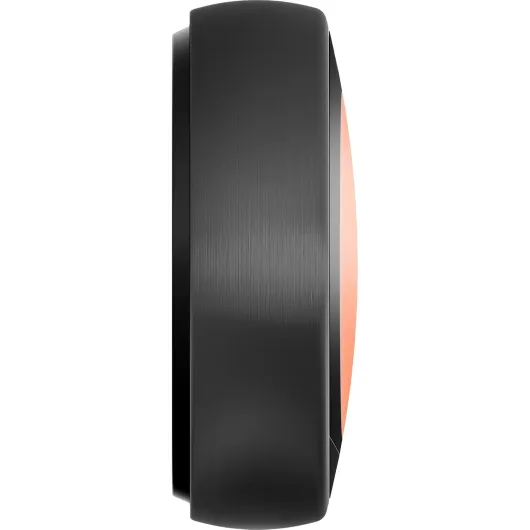
Out of the box, you get two main parts: the round Nest display (the thing you see and turn) and the Heat Link (the box that sits near your boiler and does the actual switching). In the black version, the front looks pretty sleek, and the chrome ring is the same as the other colours. The box also includes a trim plate, screws, a wall mount, and some basic documentation. It feels like a complete kit, as long as your system is compatible and you’re not dealing with something totally exotic.
In practice, the Nest takes over both your heating and, if you have a hot water tank, your hot water schedule too. The 3rd Gen model can handle OpenTherm modulation for condensing boilers, which basically means it can tell the boiler to run at lower power instead of just on/off. If your boiler supports that, you can get smoother heating and potentially better efficiency. If not, it still works as a normal on/off thermostat, just with more brains and a nicer interface.
The setup experience depends a lot on how handy you are. The wiring at the Heat Link side is the only scary part because it’s mains voltage. If you’re not comfortable with that, pay someone; the risk isn’t worth it. Once the Heat Link is in and the display is powered (either via 12V from the Heat Link or USB power), the software setup is straightforward: connect to Wi‑Fi, answer questions about your home, choose your eco temperature, and you’re basically ready. The app guides you through most of it in plain language, which helps.
From there, you can either let it "learn" your schedule by tracking when you turn the temperature up and down, or just set a fixed schedule in the app. Personally, I ended up doing a mix: I let it learn for a week, then went into the app and cleaned up the schedule to match our real routine. After that, it needed way fewer tweaks. If you like full manual control, you can also disable most of the automation and just use it as a nice remote-controlled thermostat with a good app and presence detection.
Pros
- Easy app control and clear schedule/history make heating simpler to manage
- Learns your routine and can cut heating when you’re away to save energy
- Solid build quality and responsive controls with a bright, readable screen
Cons
- Price is high compared to basic programmable thermostats
- Some "smart" features (pre-heating, bacteria protection, auto schedule changes) can confuse you until you tweak settings
Conclusion
Editor's rating
The Google Nest Learning Thermostat 3rd Gen is a solid smart thermostat that actually makes day-to-day heating control easier, not more complicated. The hardware feels good, the screen is clear, and the app is straightforward. Features like Home/Away Assist, learning schedules, and hot water control are genuinely useful once you understand them and turn off the bits you don’t like. It’s not perfect, and some of the “smart” behaviour can be a bit much until you dig into the settings, but it’s not just a gimmick either.
If you’re the kind of person who likes to tweak things, hates wasting energy heating an empty house, and wants to see how long the boiler runs each day, this fits the bill. The ability to control everything from your phone and see history is the main win in daily life. Installation can be DIY if you’re confident with electrics, but for most people I’d say pay a pro and avoid the stress and safety risk. Once installed, it’s mostly set-and-forget with the occasional adjustment via the app.
Who should skip it? If you’re on a tight budget, rarely change your heating schedule, or aren’t interested in smart home stuff, a cheaper programmable thermostat will do the job for much less. Also, if you hate the look of a shiny chrome puck on your wall, the design might annoy you. For everyone else, it’s a pretty solid upgrade that brings your heating into the smartphone era without feeling like a toy.