
Summary
Editor's rating
Value for money: worth it if you hate your old thermostat
Design: clean black box, easy to read, a bit plasticky up close
Power and connectivity: no batteries, but Wi‑Fi setup can be fiddly
Durability and reliability after real-world use
Performance and smart features: reliable heat control with a few quirks
What you actually get and what it really does
Does it actually save energy and make life easier?
Pros
- Reliable, accurate temperature control with flexible 7-day or 5/2 schedules
- Works well offline as a normal programmable thermostat, but also offers app and voice control
- Supports OpenTherm and major ecosystems (Apple HomeKit, Google Assistant, Alexa, IFTTT)
Cons
- Initial Wi‑Fi and app setup can be confusing and may need a couple of tries
- Geofencing can’t really be combined cleanly with schedules, feels a bit limited
- Requires proper wiring and may need professional installation for less handy users

Specifications
View full product page →| Brand | Honeywell Home |
A straight-talking smart thermostat for normal people
I’ve been using the Honeywell Home T6 wired thermostat (the black one) for a bit now, replacing an old CM907-style programmer in a combi boiler setup. I’m not an installer, just a reasonably handy homeowner who’s fed up with clunky old LCD timers and guessing what the heating is doing. I wanted something that I could control from my phone, works with voice assistants, and doesn’t die the moment the Wi‑Fi drops. This one ticked those boxes on paper, so I gave it a go.
In daily use, the main thing that stands out is that it behaves like a normal programmable thermostat first, and a “smart” gadget second. You can fully use it from the wall unit without touching the app, which is good if not everyone in the house wants to fiddle with phones. At the same time, the app and Wi‑Fi features are there when you want them, so you get the best of both worlds: traditional schedule plus remote control.
It’s not perfect, and it’s not the flashiest smart thermostat out there. The app is decent but a bit clunky in places, and the Wi‑Fi setup can be slightly annoying the first time. Also, geofencing is a bit all-or-nothing: you can’t run it at the same time as a fixed schedule in the way some people would like. But once it’s set up, it mostly just sits there and gets the job done, which is honestly what I wanted.
If you’re expecting some kind of ultra-fancy energy dashboard with graphs for days, this isn’t that. If you just want reliable room temperature control, better schedules than your old dial, and the ability to turn the heating on from bed or the office, it’s pretty solid. That’s the angle I’m reviewing it from: normal house, combi boiler, family that just wants the place warm without thinking about it too much.
Value for money: worth it if you hate your old thermostat
Price-wise, the T6 wired isn’t the cheapest basic thermostat, but it’s also not at the very top end of the smart thermostat world. You’re paying for a mix of proper scheduling, decent hardware, and broad smart home support (Apple, Google, Alexa, IFTTT). If all you want is a simple dial and on/off timer, this is probably overkill. But if you want remote control, geofencing, and a nicer interface than the old CM907-style units, the cost starts to make more sense.
The tricky bit is how you look at “savings”. If you buy it thinking it will pay for itself quickly in gas savings, you’re likely to be disappointed. Yes, it can help reduce wasted heating through better schedules and maybe some boiler modulation, but we’re talking gradual savings, not some big overnight drop. Where it delivers value for me is convenience and control: the ability to change schedules from the sofa, check the heating when I’m away, and see clearly what temperature the house is actually at.
If you factor in installation, the picture changes. If you’re handy and comfortable with wiring, you can probably swap it yourself by following diagrams and being careful. Then the overall cost is just the unit. If you need an electrician or heating engineer, you’re adding labour on top, and at that point you might want to compare it with other smart thermostats in the same price bracket. Some competitors have flashier apps, but don’t work offline as well as this does.
So, in plain terms: I think it’s good value for someone upgrading from an older Honeywell-style programmer or basic stat who wants smart features without going full-on room-by-room control. It’s less compelling if you’re already deep into another smart ecosystem or if you don’t care about app control at all. For a normal house with a combi boiler and a family that just wants reliable, flexible heating control, the money feels reasonably well spent.
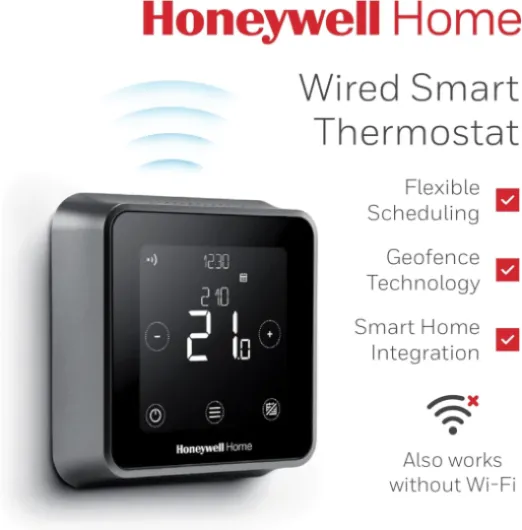
Design: clean black box, easy to read, a bit plasticky up close
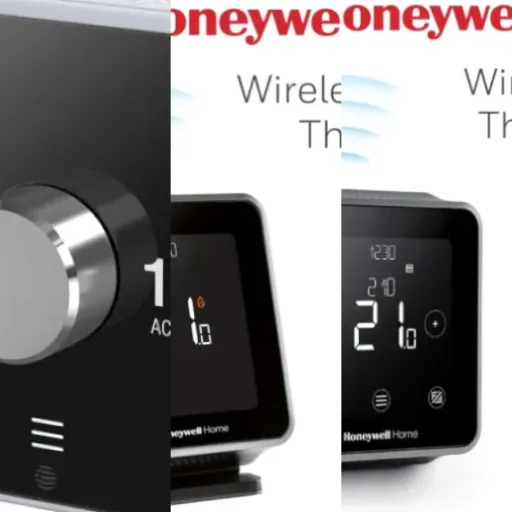
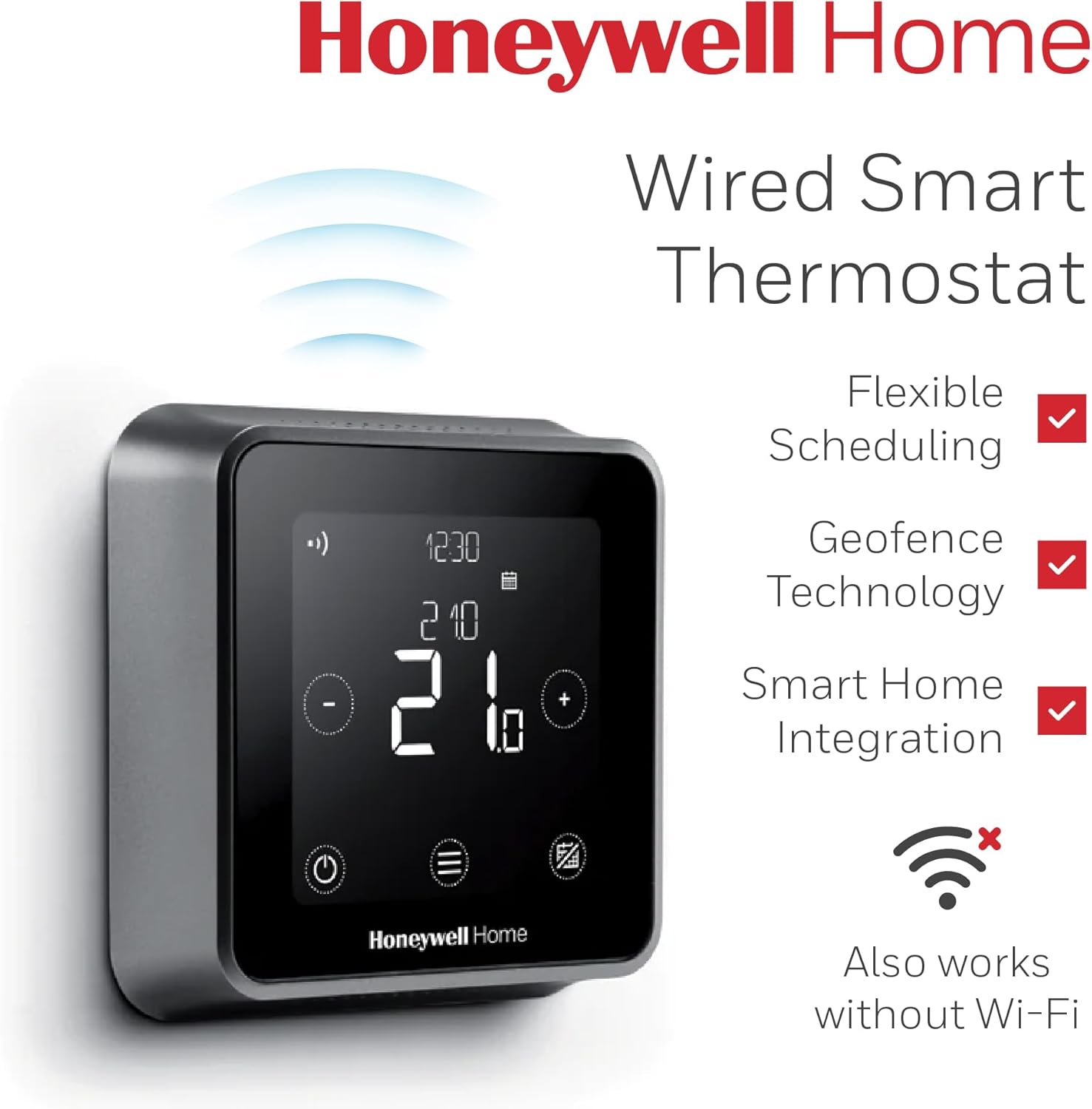
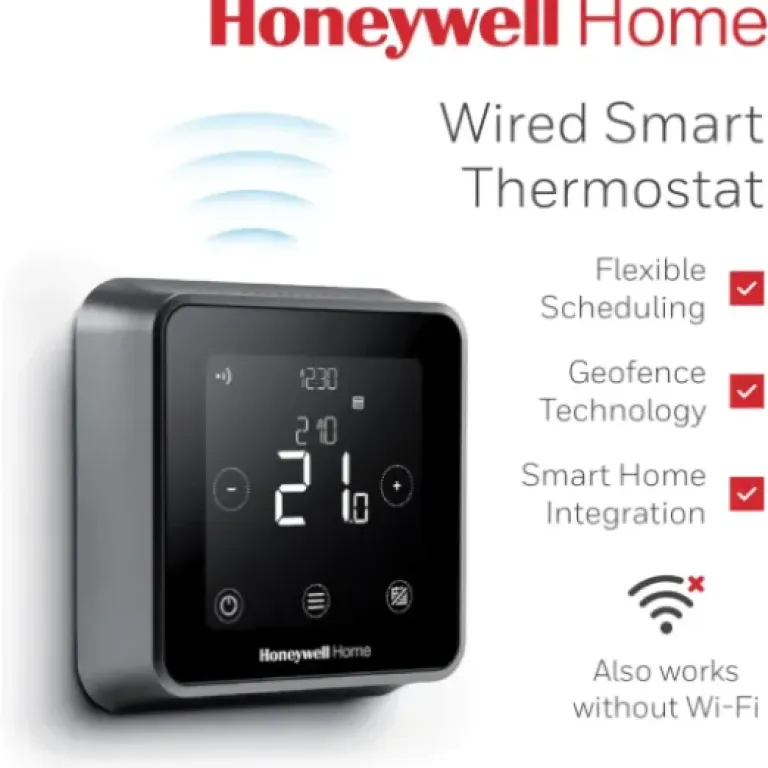
Design-wise, it’s basically a black square with a touchscreen and some simple icons. On the wall it looks modern enough, definitely less dated than the old beige programmers. The screen is large and the numbers are big, which is good if your eyesight isn’t perfect. The backlight stays on at a low level if you want, so it doubles as a faint night light in a hallway. You can tweak the brightness, which is handy if you’re putting it somewhere you don’t want glowing too much at night.
Build quality is fine, but don’t expect some heavy premium metal block. It’s decent plastic, light in the hand. Once it’s on the wall you don’t really touch it that often anyway, apart from quick temperature bumps or checking the current temp. The touchscreen isn’t smartphone-level smooth, but it’s responsive enough for basic taps and swipes. There are also clear on-screen buttons for things like mode, which keeps it simple for anyone who hates fiddly tech.
The layout is pretty logical: big current temperature in the middle, set temperature obvious, and small icons for Wi‑Fi, mode, etc. My partner, who normally hates new gadgets, figured out how to change the temperature and switch between AUTO and MAN without me explaining much, which says a lot. If you’re replacing a CM907, this feels like a more modern version rather than a totally new concept, which helps everyone adjust.
On the downside, the black finish does show dust and fingerprints a bit, especially if it’s at hand height and kids poke it. Also, the receiver box near the boiler is very plain and purely functional – white plastic box with screw terminals inside. You don’t really see that part once it’s tucked away though. Overall, I’d call the design practical: it looks neat enough on the wall, is easy to read at a distance, and doesn’t scream for attention like some of the more flashy thermostats.
Power and connectivity: no batteries, but Wi‑Fi setup can be fiddly
There’s no battery life to worry about here because the T6 wired version is powered from the mains. That’s both good and bad. Good because you never have to replace batteries or deal with a dead thermostat in the middle of winter. Bad because it means you (or an electrician) need to run proper wiring to the stat position and to the receiver. If you’re swapping an existing wired thermostat, it’s usually fine. If you were hoping to stick this somewhere new with no cables, that’s not happening with this version.
Connectivity is all Wi‑Fi based, no extra hub. The first pairing with the Honeywell Home/Lyric app can be a bit annoying. You have to join the thermostat’s temporary Wi‑Fi network from your phone, then jump back into the app, and it’s not explained super clearly. I had to redo it once before it finally latched onto my home network. From what I’ve seen in other user comments, I’m not alone there. Once it’s in, though, it tends to stay connected unless your router is flaky.
On a day-to-day basis, the Wi‑Fi connection has been mostly stable. I’ve had the odd short dropout where the app shows the device as offline, but it still runs the schedule locally and comes back on its own. The nice thing is the thermostat doesn’t rely on the cloud for basic functions. If the internet or Wi‑Fi goes down, your programmed schedule keeps running, and you can still control it from the wall. That’s more than you can say for some smart thermostats that turn dumb when the cloud has a wobble.
So in terms of power and connectivity, the trade-off is pretty simple: no battery hassle, but you need wiring; one-time slightly awkward Wi‑Fi setup, but after that it’s mostly fire-and-forget. If you’re comfortable with basic networking and maybe reading the instructions twice, you’ll manage. If you hate dealing with Wi‑Fi settings, you might want someone slightly more techy to set it up for you the first time.

Durability and reliability after real-world use
In terms of physical durability, there’s not a huge amount to say, which is actually a good sign. It’s a wall-mounted box that mostly sits there and gets tapped a few times a day. The plastic casing hasn’t warped or discoloured, and the touchscreen still responds fine. The backlight is consistent, and there’s no flicker or weird behaviour. The receiver box by the boiler just sits in the airing cupboard and does its thing – no buzzing relays or random clicks beyond the normal switching sounds.
On the reliability side, I haven’t had any full-on failures or lockups. It boots up quickly after a power cut, picks up the Wi‑Fi again, and resumes the schedule. The worst I’ve seen is momentary disconnects in the app, which felt more like my Wi‑Fi being grumpy than the thermostat itself. A couple of reviewers mention units that stopped talking to Wi‑Fi after a while, so there are clearly some dodgy ones out there, but that seems more like the exception than the rule given the overall rating.
Firmware updates happen automatically in the background, which is nice because you don’t have to babysit it. I’ve noticed it doing an update once, and it didn’t break anything. No random resets or lost schedules so far. If you’re nervous about updates messing with things, at least this one seems fairly stable. The fact that it’s a wired unit also means fewer points of failure compared to wireless room stats that rely on batteries and radio links.
Overall, I’d say durability and reliability are solid for a home product in this price range. It feels like something you install and then mostly forget about, which is exactly what you want from a thermostat. It’s not built like industrial kit, but for a domestic wall controller, it’s holding up fine and doesn’t give off any “this will die in a year” vibes.
Performance and smart features: reliable heat control with a few quirks
In terms of basic performance – turning the boiler on and off at the right times and hitting the set temperature – it does the job well. The temperature readings feel accurate, and there’s none of that annoying big overshoot where you set 20°C and it drifts up to 22–23°C before shutting off. It cycles the boiler sensibly and keeps the room fairly stable. If your boiler supports OpenTherm and you wire it that way, it can modulate the boiler output instead of just on/off, which should help efficiency a bit and smooth things even more.
The scheduling is flexible enough for most routines. I’ve got a weekday setup with morning and evening heat, and a different weekend pattern, all using the 5/2 option. Changing times and temperatures from the app is much quicker than stabbing buttons on the wall. Once it’s dialled in, I hardly touch it. It also has an “optimise” feature that learns how long your place takes to warm up, so if you want 20°C at 7am, it might start earlier on cold days. In practice, I’ve noticed the heating kicking in before the set time so the house is warm when I get up, which is exactly what I wanted.
On the smart side, the Wi‑Fi and app control are generally stable once set up. I’ve had the odd moment where the app says the thermostat is offline for a minute or two, but it usually sorts itself out. Voice control via Alexa/Google/HomeKit works fine for simple things like changing the target temperature or turning heating off. No drama there. Geofencing is the slightly awkward bit: you can’t really combine a full schedule and geofencing in the clever way some people imagine. It’s more like you pick one approach or the other, which feels a bit limiting.
Overall, as a heating controller, I’d call the performance solid rather than mind-blowing. It starts when it should, stops when it should, and keeps the temperature where you set it with decent accuracy. That’s basically the job. The extra smart stuff is nice to have, but I wouldn’t buy it purely for geofencing or fancy automations. Think of those as bonuses on top of a reliable basic thermostat, not the main attraction.

What you actually get and what it really does
Out of the box you get two main bits: the square black thermostat that goes on the wall, and the receiver box that wires into your boiler/wiring centre. That’s it. No extra sensors, no smart TRVs, no hub. It’s a straightforward on/off (or OpenTherm) controller for your heating. It’s meant to replace something like a CM907 or basic wall stat and timer, not run your whole house room-by-room. If you go in with that expectation, it makes sense.
The thermostat runs off mains power via the wiring, so no batteries to swap. It talks to your phone over Wi‑Fi through Honeywell’s app, and it hooks into Apple HomeKit, Google Assistant, Alexa, and even IFTTT if you like automation nerd stuff. In practice, I mostly use it with the app and a couple of simple voice commands like “set heating to 20 degrees”. The smart side is focused on schedule control, geofencing (using your phone location to turn heating up/down), and a few optimisation tricks like pre-heating so it hits your target temperature at the right time.
For day-to-day use, you’ve got several modes: AUTO (follows your schedule), MAN (manual set temperature), ECO (lower temp), and HOLIDAY (keeps it at a set level while you’re away). You can set up either a 7-day schedule (different every day) or 5/2 (weekdays vs weekend), with up to six periods per day. That’s plenty for most people; if you need more than six changes in a day, you probably enjoy suffering.
Realistically, what it gives you is tighter control over when the boiler actually runs and a better sense of the real room temperature. Compared to the old clicky thermostats that overshoot by a couple of degrees, this one holds a steady temperature pretty well. If your boiler supports OpenTherm, it can modulate instead of just on/off, which can help keep the house more stable and cut a bit of gas use. I wouldn’t buy it strictly for savings, but as a modern replacement for a dumb programmer, it feels like a sensible upgrade.
Does it actually save energy and make life easier?
Energy saving with these things is always a bit overhyped. Realistically, the T6 helps you avoid heating the house when you don’t need to, and it avoids big temperature swings. That alone can shave a bit off your gas use compared to some old manual stat that you forget to turn down. The OpenTherm support is useful if your boiler can use it, because it lets the boiler run at lower output and avoid hammering full power all the time, but don’t expect miracles. It’s more about comfort and small gains than huge bill cuts.
Where it genuinely helps day-to-day is the combination of proper scheduling and remote access. For example, I’ve bumped the heating start time later on days when I know I’ll be out early, all from the office. I’ve also turned the heating off from my phone when leaving in a rush and forgetting to adjust the stat. Little things like that add up over a winter. The app makes tweaking schedules painless, so you’re more likely to fine-tune things instead of just leaving a bad schedule in place for months.
Comfort-wise, it’s a clear step up from my old CM907-style unit. The temperature feels more stable, and the house doesn’t swing from too cold to too warm as much. The optimise/pre-heat feature means the rooms are actually at the target temperature when I need them, not 45 minutes later. My partner likes that she can just tap the screen and see exactly what the heating is doing without digging into menus or guessing from a tiny LCD.
If you’re thinking you’ll pay this off quickly through savings alone, I’d calm that expectation. The hardware isn’t cheap, and the fuel savings are likely modest unless your old control setup was really bad. But as a quality-of-life upgrade that also trims some waste, it’s worth it if you’re already annoyed with your current thermostat. It makes it easier to run the heating sensibly, and that’s about as honest as I can put it.
Pros
- Reliable, accurate temperature control with flexible 7-day or 5/2 schedules
- Works well offline as a normal programmable thermostat, but also offers app and voice control
- Supports OpenTherm and major ecosystems (Apple HomeKit, Google Assistant, Alexa, IFTTT)
Cons
- Initial Wi‑Fi and app setup can be confusing and may need a couple of tries
- Geofencing can’t really be combined cleanly with schedules, feels a bit limited
- Requires proper wiring and may need professional installation for less handy users
Conclusion
Editor's rating
The Honeywell Home T6 wired smart thermostat is basically a modern, connected version of the old CM907-style controllers, and that’s meant in a good way. It handles the basics – stable temperature, flexible schedules, clear display – and then layers on app control, voice support, and geofencing. It’s not the flashiest smart thermostat, and the app/Wi‑Fi setup can be a bit fiddly the first time, but once it’s in, it mostly just works and stays out of your way.
This is a solid fit if you have a combi boiler or simple heating system and want to ditch an old programmer for something easier to live with. It’s especially good if you’ve got a mix of techy and non-techy people in the house, because you can fully use it from the wall without touching the app, while still having all the smart stuff in the background. If your boiler supports OpenTherm, that’s a nice bonus for smoother control. On the flip side, if you’re chasing dramatic energy savings or want fancy room-by-room control with smart radiator valves, this isn’t the right tool – you’ll need a more complex (and pricier) system.
Overall, I’d call it a practical, no-nonsense upgrade: not perfect, but reliable, easy to live with, and a clear step up from a basic thermostat. If you’re already annoyed by your current heating controls and want something smarter without turning your house into a science project, this hits a good middle ground.