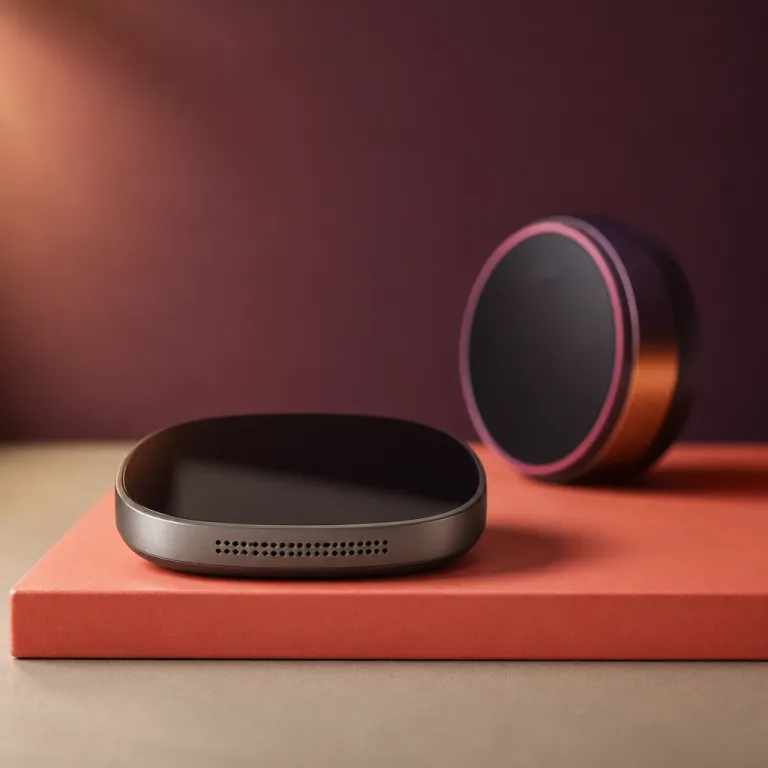
Smart home controllers and thermostats: a practical guide
Why a smart home controller matters for modern thermostats
A smart home controller sits at the center of your connected home and quietly coordinates every compatible device. In practical terms, this means your smart thermostat, lighting, and other smart devices can share data and react together as one integrated automation system. When the controller detects you have left the home, it can lower heating, lock doors, and adjust lights with a single automation rule instead of several separate apps.
For many households, the most effective smart home setup starts with climate management because heating and cooling drive a large share of energy costs. A dedicated home controller or multipurpose home hub gives your thermostat the context it needs, such as presence, time schedules, and even local weather data from services like Google Nest or Ecobee cloud integrations. Instead of manual control, smart routines let the controller decide when to preheat rooms or pause heating if a window is open, based on sensor input and occupancy patterns.
Think of the controller as the conductor of a smart home orchestra that includes thermostats, sensors, and security devices. While the thermostat focuses on temperature, the automation controller links it with motion detectors, smart locks, and home security cameras from brands such as Ring or Arlo. This deeper integration is what separates a basic Wi‑Fi thermostat from a truly smart home automation system that can adapt to your lifestyle and energy goals.
Touchscreen interfaces and voice control with leading assistants
Touchscreen thermostats have evolved into compact control panels that mirror the experience of a small tablet on your wall. A well designed app interface on the thermostat and on your phone lets you control smart heating scenes, check energy reports, and manage multiple home devices from one place. When the same interface appears on your central smart home controller or wall mounted panel, you gain a consistent experience across every room and avoid juggling different layouts.
Voice control adds another layer of convenience, especially when your hands are busy in the kitchen or you are just waking up. With platforms such as Amazon Alexa, Google Home, and Apple HomeKit, you can say “set the living room to 21 degrees” and let the voice assistant handle the rest. The key is that the controller translates these voice commands into precise actions for the thermostat and other automation devices in the system, such as dimming lights or changing security modes at the same time.
Many readers ask how a thermostat works with an Amazon Echo speaker or an Apple home hub in real homes. In practice, the thermostat is linked to the smart home controller, which then exposes scenes and temperature presets to the voice assistant as simple phrases. For a deeper look at how Alexa and smart thermostats cooperate in daily routines, you can read this guide on enhancing home comfort with Alexa and smart thermostats and see how voice control becomes part of a broader home automation strategy.
Choosing the right hub and controllers for heating automation
Selecting the best home controller for heating starts with checking compatibility with your existing boiler, heat pump, or electric underfloor system. Some smart devices work only with low voltage systems, while others support high power electric heating and cooling, so the technical match matters as much as the app design. A robust automation controller should also support multiple wireless standards such as Wi‑Fi, Zigbee, or Z‑Wave to connect a wide range of home devices, including smart radiator valves and wireless temperature sensors.
When comparing hubs, look beyond the headline price and examine long term flexibility and security updates. A controller that integrates with Amazon Alexa, Google Home, and Apple HomeKit gives you freedom to change voice assistants or add new smart devices later. This multi platform approach also protects you if one ecosystem changes its rules or phases out older controllers in the future, as happened with some early generation Zigbee and Z‑Wave hubs.
Wall mounted panels such as the NSPanel style smart home control panel show how a thermostat and lighting can share one interface. A product like this Wi‑Fi smart light switch with temperature control panel acts as both a room thermostat controller and a scene launcher for lights. In a well planned home automation system, several such controllers can complement a central home hub, giving each room local control while still following whole home schedules and energy saving modes.
Integrating thermostats with security, locks, and energy management
Smart thermostats become far more powerful when linked with home security sensors and connected locks through a central smart home controller. For example, when the automation system detects that all smart locks are secured and no motion is present, it can automatically lower the temperature to an energy saving level. This type of rule uses data from multiple smart devices to balance comfort, safety, and energy costs without constant user input.
Security focused users often pair their thermostat with door and window sensors managed by a Home Assistant style platform or a commercial home hub such as Samsung SmartThings. If a window is opened while heating is on, the controller can pause the thermostat to avoid wasting energy, then send a notification through the app. In more advanced setups, the same home controller can coordinate with cameras and alarms so that a security event triggers lighting and temperature changes together, creating a visible and audible deterrent.
Energy management also benefits from integration with platforms such as Amazon Alexa and Google Home, which can provide voice summaries of current temperatures and modes. A smart home automation controller can log historical data and show how different schedules affect consumption over weeks or months, similar to the reports offered by Google Nest or Ecobee. When combined with dynamic electricity tariffs or time of use pricing, the controller can preheat or precool the home during cheaper periods while keeping overall home security policies intact.
Balancing price, privacy, and ecosystem lock in
Price is often the first specification people compare when choosing a thermostat or smart home controller, but it should not be the only deciding factor. A cheaper controller that lacks regular security updates or clear privacy policies can expose your home automation system to unnecessary risk. Paying slightly more for a reputable brand that supports Amazon Alexa, Google Home, and Apple HomeKit may deliver better long term value and reduce the chance of abandoned apps.
Another key decision involves choosing between a single vendor ecosystem such as Apple Home or a more open Home Assistant style platform. A tightly integrated system can feel polished, yet it may limit which smart devices and automation controllers you can add later, especially niche sensors or specialist heating controls. By contrast, an open controller often supports a wider range of home devices and allows you to mix brands, though it may require more configuration effort and occasional troubleshooting.
Privacy conscious users should review how each controller handles data from thermostats, locks, and home security sensors. Some systems process automation rules locally on the home hub, while others rely heavily on cloud services from Amazon or Google. Local processing reduces exposure of personal data and keeps basic control functions running even if the internet connection fails, which is particularly important for heating in colder climates.
Practical examples of touchscreen and voice driven heating control
Consider a typical morning routine in a small apartment equipped with a central home controller and several room thermostats. As the alarm on your phone rings, the automation system has already raised the bedroom temperature and turned on lights using scenes defined in the controller app. A quick glance at the thermostat touchscreen lets you check humidity and adjust the schedule with a swipe, without digging through complex menus.
Later in the day, you might use voice control through an Amazon Echo speaker in the living room to change the temperature without leaving the sofa. Saying a simple command to Amazon Alexa or to a Google Assistant compatible speaker triggers the home hub to adjust the relevant thermostat zone. Because the smart home controller understands which room each device belongs to, it can apply the command precisely instead of changing the whole home at once, which is useful in multi zone underfloor heating systems.
For underfloor heating, a Wi‑Fi thermostat with dual sensors connected to a capable automation controller can maintain floor comfort while protecting the system from overheating. A product such as this smart thermostat for electric underfloor heating with app control shows how a thermostat can integrate with Alexa and Google without needing a separate hub. When paired with a broader smart home automation controller, it becomes part of whole home scenes that also involve lighting, blinds, and home security modes for a more complete smart home experience.
How to plan your first smart home controller setup
Starting a smart home project around a thermostat is easier if you map your priorities before buying any controllers. List the rooms where temperature matters most, the type of heating system you use, and whether you already own devices such as an Amazon Echo, a Google Home speaker, or an Apple home hub. This simple audit helps you choose a home controller that supports your existing equipment and leaves room for future expansion into areas like smart lighting or security.
Next, decide whether you prefer a cloud centric platform from Amazon, Google, or Apple, or a more independent Home Assistant style controller that runs locally. Cloud platforms often provide smoother onboarding and polished apps, while local automation controllers can offer more granular control options and better resilience during internet outages. Either way, ensure the controller supports your chosen thermostats, smart locks, and home security sensors so that the automation system can grow over time without forcing you to replace working devices.
Finally, plan how you will interact with the system day to day, balancing touchscreen, app, and voice control. Some households rely mainly on the wall mounted thermostat and only occasionally open the app, while others prefer to manage everything from their phones or by speaking to a voice assistant. By aligning the smart home controller design with your habits, you turn technology into a quiet background helper rather than a constant distraction, which makes the system more likely to stay correctly configured.
Key statistics on smart thermostats and home controllers
- According to the International Energy Agency’s 2018 report “The Future of Cooling” (IEA, 2018), heating and cooling account for more than half of energy use in buildings, which explains why smart thermostats and home automation systems focus heavily on climate control.
- Research from Parks Associates in its 2022 smart home study “Smart Thermostats and the Connected Home” (Parks Associates, 2022) reported that households with a smart thermostat are significantly more likely to adopt additional smart devices such as locks and cameras, showing the thermostat often acts as a gateway to broader home automation.
- A study by the American Council for an Energy Efficient Economy (ACEEE) in 2015, “Energy Impacts of Smart Thermostats” (ACEEE, 2015), found that properly configured smart thermostats can reduce heating and cooling energy use by around 8 to 15 percent compared with manual thermostats, depending on climate and user behavior.
- Market analyses from firms such as Statista (“Smart Home Report 2023”) and Strategy Analytics (“Smart Home Systems: Global Market Forecast”) indicate that the global smart home market, including controllers, hubs, and smart devices, has been growing at a double digit annual rate, driven by falling device price points and wider support from Amazon Alexa, Google Home, and Apple HomeKit.
FAQ about smart home controllers and thermostats
How does a smart home controller improve a basic smart thermostat ?
A smart home controller links the thermostat with other devices such as sensors, locks, and lights so that heating decisions use more context. Instead of relying only on time schedules, the automation system can react to presence, open windows, or security modes. This coordination often delivers better comfort and energy savings than a standalone thermostat app, especially in homes with multiple rooms or mixed heating types.
Do I need a hub if my thermostat already works with Wi Fi ?
A Wi‑Fi thermostat can function without a separate home hub, but a controller adds deeper automation and multi device coordination. With a hub, you can create scenes that adjust temperature, lighting, and home security together based on one trigger. It also simplifies voice control across rooms by presenting unified names and zones to your voice assistant, which is particularly helpful when you have several thermostats or smart radiators.
Which voice assistant works best with smart thermostats ?
Most leading thermostats support Amazon Alexa, Google Home, and Apple HomeKit, so the best choice usually depends on which ecosystem you already use. Amazon Echo speakers offer wide device support and strong routine features, while Google Home excels at natural language queries about weather and schedules. Apple Home provides tight integration with iPhone and iPad devices and emphasizes privacy within the Apple Home environment, which some users prefer for sensitive data such as occupancy.
Can a smart thermostat work with home security systems ?
Yes, when connected through a compatible smart home controller, thermostats can respond to home security events and sensor data. For example, arming the alarm can trigger an energy saving mode, while smoke detection can shut down heating or ventilation. This integration requires that both the security system and the thermostat support the same automation controllers or hub platform, whether that is a commercial system or an open source controller.
What should I check before buying a smart thermostat for underfloor heating ?
Underfloor systems often need thermostats with floor sensors and specific power ratings, so you must confirm electrical compatibility first. You should also verify that the thermostat can connect to your chosen home controller or voice assistant, whether that is Amazon Alexa, Google Home, or Apple HomeKit. Finally, look for clear app interfaces and scheduling options that match how you actually use each room in your home, including setback temperatures and warm up times.