
Summary
Editor's rating
Value for money: great for tinkerers, average for casual users
Design: looks modern, feels a bit cheap
Build quality and long-term feel
Performance and everyday use: decent, but software holds it back
What this thing actually does day to day
Effectiveness as a thermostat and smart home control panel
Pros
- Good hardware for the price: 3.5" screen, 2 relays, temperature sensor, Wi‑Fi
- Works well with Alexa/Google and integrates nicely into a SONOFF-based setup
- Very interesting and flexible once flashed with ESPHome and used with Home Assistant
Cons
- Stock software is limited, with basic UI and very little display customisation
- Requires live and neutral at the switch and relays are only 2A, which limits use cases
- Build quality of casing and buttons feels a bit cheap compared to more expensive switches

Specifications
View full product page →| Brand | SONOFF |
A wall switch that wants to be a mini smart home hub
I’ve been using the SONOFF NSPanel as a wall switch and mini control screen in my hallway for a few weeks. On paper, it tries to do a lot: two physical light switches, a touch screen, temperature display, basic thermostat features, and control of other SONOFF devices. It’s basically a small control panel that replaces a standard wall switch, as long as you have both live and neutral wires available.
In practice, it feels like a product aimed at two types of people: those who are already in the SONOFF ecosystem and those who like to flash custom firmware and hook everything into Home Assistant. If you’re expecting a polished, plug-and-play panel that works with every smart platform out there, you’re going to hit some limits pretty fast. No SmartThings, no IFTTT, and the built-in interface is pretty basic.
I wired it up in place of a standard two-gang switch. The install itself is straightforward if you’re used to electrical work and you actually have the neutral in the back box. If you don’t, you can stop right there because this thing simply won’t work without it. Once powered, setup through the eWeLink app is simple enough, but the out-of-the-box experience is a bit barebones.
Overall, my first impression was: decent hardware for the price, software feels a bit limited unless you’re ready to get your hands dirty. If you’re a tinkerer, it’s interesting. If you just want something that works with everything and looks premium, this is not that product.
Value for money: great for tinkerers, average for casual users
Price-wise, the NSPanel sits in a pretty attractive zone for what it offers: two relays, a colour screen, temperature sensor, Wi‑Fi, and integration with Alexa/Google. If you compare it to dedicated smart thermostats or fancy wall panels, it’s much cheaper. That’s why a lot of Home Assistant users jump on it: as a piece of hardware to hack, it’s good value. You get a small touchscreen and relays for less than many standalone control screens.
However, if you’re a casual user who just wants a smooth, polished experience without touching firmware or reading forums, the value looks a bit different. Out of the box, the software is functional but basic, and you’re locked into eWeLink with no SmartThings or IFTTT support. Customisation of the display is limited, and you don’t get the kind of flexibility or app polish you might expect if you’re used to higher-end brands.
Another thing to factor in is installation. It requires live and neutral, so if your house wiring doesn’t have neutral at the switch, you’ll need an electrician or you simply can’t use it there. That can quickly kill the value if you end up paying more for electrical work than for the device itself. Also, the 2A relay limit means it’s not a universal replacement for every type of load.
From my point of view: if you’re already using SONOFF devices or you’re into Home Assistant and fine with reflashing, it’s good value for money. You can squeeze a lot out of it. If you just want a nice wall thermostat or a premium smart panel that works with every ecosystem, there are better options even if they cost more. Here you mostly pay for hackable hardware, not for polished software.
Design: looks modern, feels a bit cheap
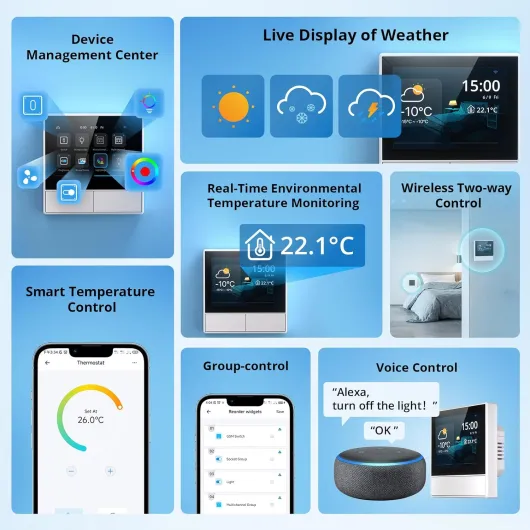
Visually, the NSPanel is pretty clean and modern. It’s a simple rectangular plate (about 8.6 x 8.6 cm) with the 3.5" screen in the middle and two physical buttons below. On the wall it looks much better than a random plastic thermostat or a row of old rocker switches. In white, it blends well in a normal hallway or living room. It doesn’t scream “DIY project” at first glance, which I appreciated.
Up close though, you can feel where they’ve saved money. The plastic casing is quite light and the buttons don’t have that solid, reassuring click you get on higher-end switches. They’re usable, but they feel a bit clunky and slightly fragile, just like one of the Amazon reviewers mentioned. It’s not falling apart or anything, but it doesn’t give a premium impression when you press it several times a day.
The 3.5" IPS screen is bright enough and readable from normal standing distance. Colours are fine, nothing special, and the UI graphics look a bit old-school. You don’t get much freedom to change the look with the stock firmware: no real theme options, not even basic colour changes, which is a shame for a product that’s basically a screen on the wall. The bezels are noticeable but not shocking; it’s clearly not a high-end tablet, but that’s expected at this price.
On the wall, once installed, it sits reasonably flush. The depth in the back box is something to watch out for: if you have a shallow box or a lot of wires, it can be a bit tight to fit it all in without bending cables awkwardly. Overall, the design is fine for a budget smart panel: looks good from a distance, feels cheap if you poke it too much.
Build quality and long-term feel
I haven’t had the NSPanel for years, obviously, but after a few weeks of use and some rough handling during flashing and installation, I have a decent idea of the build quality. The housing is light and the plastic doesn’t feel premium, but it also doesn’t feel like it’s going to crack in your hands. Mounting clips and terminals are okay; they grip the wires properly and survive being re-tightened a couple of times.
The buttons are the weak spot in terms of perceived durability. They work, but they feel a bit loose and “clicky” in a cheap way. I wouldn’t be surprised if, after a few years of heavy daily use, they start to feel worse or get slightly wobbly. That said, SONOFF gives a 2‑year manufacturer warranty, which at least shows they expect it to last a bit and not die after a few months.
The screen seems reasonably robust. It survived repeated power cycling during flashing and a few accidental hard presses without any dead pixels or weird behaviour. Brightness hasn’t dropped or flickered so far. Heat-wise, it gets slightly warm but nothing alarming, and being a low-power device, I don’t expect big thermal issues unless it’s crammed into a tiny, badly ventilated box.
In short, build quality matches the price. It’s not something I’d put in a luxury home where every detail matters, but for a normal house or flat, it’s acceptable. If you’re careful during installation and don’t mash the buttons like crazy, it should last a reasonable time. Just don’t expect the tank-like feel of high-end smart switches from brands that cost three or four times more.

Performance and everyday use: decent, but software holds it back
In terms of performance, the relays themselves work reliably. Once wired, they switch quickly, and I didn’t have random dropouts or ghost toggles. Using the physical buttons to control lights feels about as fast as a normal switch, maybe a tiny delay but nothing annoying. Over Wi‑Fi with the eWeLink app, there’s the usual half-second or so delay you expect from cloud-based control, but it’s consistent.
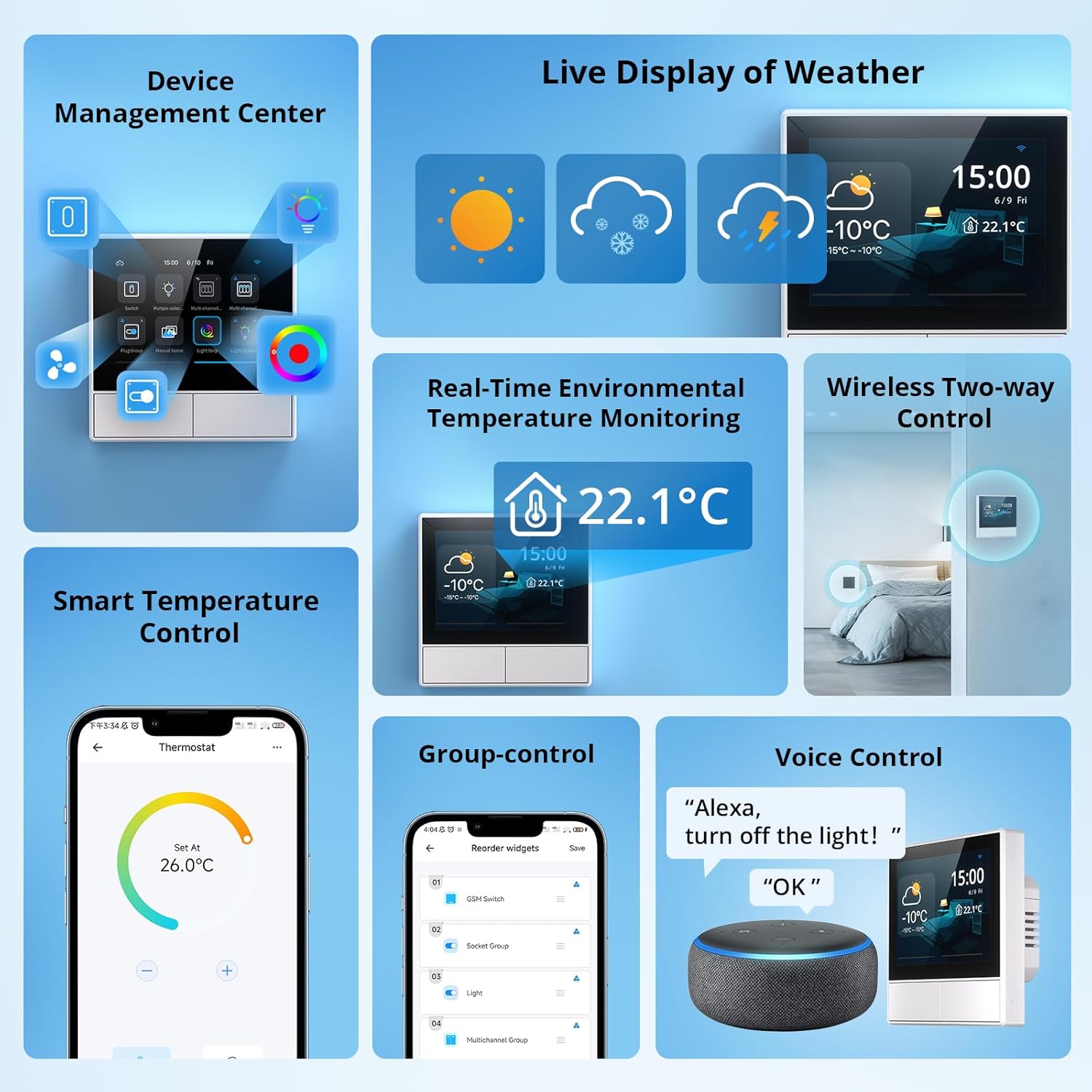
The screen interface is where you feel the limits. The touch response is okay but not super snappy. Swiping between screens or pressing small icons sometimes needs a slightly firmer press. It’s usable, but don’t expect smartphone-level fluidity. The built-in UI is also pretty rigid: a few widgets, basic temperature and weather display, and simple device tiles. You can’t really reorganize everything or deeply customize the layout unless you replace the firmware.
Voice control via Alexa/Google is straightforward. Once linked, the two channels show up as separate switches and respond reliably to commands. I had no real issues there. For automations, eWeLink scenes are basic but enough for simple stuff like “turn on this relay if temperature drops below X”. If you want complex logic, you quickly hit the ceiling of what the stock ecosystem can do.
Where the NSPanel shines is performance under custom firmware like ESPHome, especially when paired with good Home Assistant blueprints (like the Blackymas one mentioned in reviews). Then the panel becomes way more flexible: you can build your own screens, use the buttons however you want, and integrate with your whole setup. The trade-off is the time and effort to flash it and debug power/USB issues during that process. Overall, performance is solid hardware-wise, but the official software feels limited and a bit slow for what the panel could do.
What this thing actually does day to day
The SONOFF NSPanel is basically a Wi‑Fi wall switch with a 3.5" touch screen and two relays. Each relay is rated at 2A, 100–240V, so it’s fine for lights, small fans, or driving a boiler receiver/solenoid, but it’s not meant for heavy loads. In my case, I used it for lighting on one channel and a low‑power control line on the other. It sits on the wall like a normal switch but gives you a small control interface instead of just two dumb buttons.
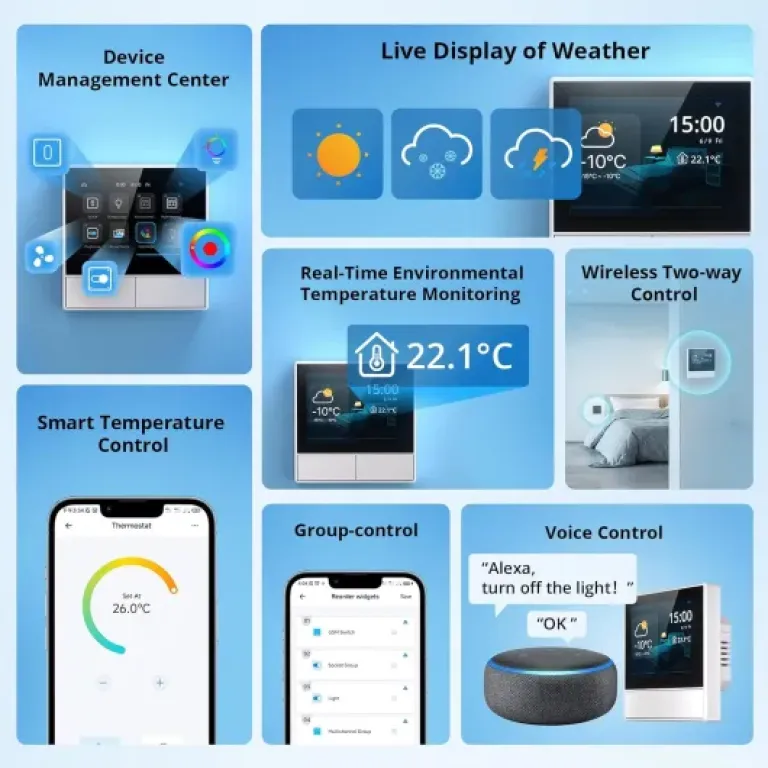
Out of the box, it connects to the eWeLink app and from there to Alexa and Google Home. You can turn the two relays on and off, trigger scenes, and see basic info like indoor temperature, weather, and time. It also has a simple thermostat mode where you set a target temperature and it toggles whatever you’ve wired or linked through scenes. It’s not as full-featured as a proper smart thermostat, but for basic heating control it does the job.
Where it gets more interesting is if you flash it with ESPHome or Tasmota and use it with Home Assistant. Several reviewers did that and I went down the same route. Once flashed, the NSPanel becomes more of a generic touchscreen plus two relays that you can fully customize. You lose the default SONOFF interface, but you gain a lot more control over the UI and how the buttons behave. The downside: flashing it is a bit of a faff and absolutely not for beginners.
So in daily use, with stock firmware, it’s a decent central switch for a SONOFF-based setup. As a generic smart home control panel, it feels limited unless you’re willing to hack it. That’s really the main thing to understand before buying it.
Effectiveness as a thermostat and smart home control panel
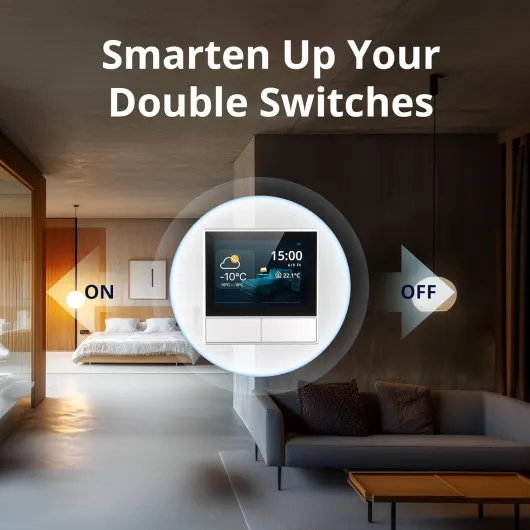
I tried the NSPanel for two main jobs: light control and basic heating control. As a simple 2‑gang light switch, it does the job. You press the physical buttons, the lights go on and off, and you can also trigger them from the app or voice assistants. Nothing fancy there, but it works. The relays are only 2A, so you need to make sure you’re not pushing them beyond their specs, especially if you’re thinking of fans or other loads.
For heating, I set it up first in stock mode to act as a basic thermostat. The built-in temperature sensor gives you indoor temperature and you can set a target value. The panel then toggles the relay or linked devices through scenes. It’s okay for simple control, like turning on an electric heater or boiler control line when the room is cold. It’s not as precise or smart as a dedicated thermostat system, but if you just want “on below 19°C, off above 21°C”, it’s fine.
Where it becomes much more effective is when you use it, like some reviewers, as a Home Assistant front-end with custom firmware. I reflashed mine with ESPHome and suddenly the panel became way more useful: I could show custom cards, have the buttons trigger scenes or scripts, and use the screen as a mini dashboard. At that point, it’s genuinely handy as a central control point in the hallway. You can check sensors, toggle lights, and see status without pulling out your phone.
The catch: the effectiveness is very different depending on how far you’re willing to go technically. Out of the box, it’s a decent but limited SONOFF control panel. Flashed and integrated into Home Assistant, it becomes a pretty solid budget touchscreen controller. If you’re not into tinkering, you won’t get the full value out of it, and as a pure thermostat or switch there are simpler options.
Pros
- Good hardware for the price: 3.5" screen, 2 relays, temperature sensor, Wi‑Fi
- Works well with Alexa/Google and integrates nicely into a SONOFF-based setup
- Very interesting and flexible once flashed with ESPHome and used with Home Assistant
Cons
- Stock software is limited, with basic UI and very little display customisation
- Requires live and neutral at the switch and relays are only 2A, which limits use cases
- Build quality of casing and buttons feels a bit cheap compared to more expensive switches
Conclusion
Editor's rating
The SONOFF NSPanel is a solid budget smart wall panel if you know what you’re getting into. As hardware, it’s quite interesting: two 2A relays, a 3.5" colour screen, a temperature sensor, Wi‑Fi, and support for Alexa and Google Home. Installed in place of a standard two-gang switch (with live and neutral available), it gives you local control plus app and voice control without too much hassle. For basic light and heating control inside the SONOFF ecosystem, it gets the job done.
Where it falls short is polish and openness. The stock software is limited, the UI feels dated, and there’s no support for SmartThings or IFTTT. Display customisation is almost non-existent. The plastic casing and buttons feel a bit cheap, and the relays are only 2A, which restricts what you can safely connect. If you buy it expecting a high-end, fully flexible wall panel that plugs into any smart home platform out of the box, you’ll probably be underwhelmed.
If you’re comfortable flashing firmware and using Home Assistant, the story changes completely. With ESPHome and good blueprints, the NSPanel becomes a very capable little touchscreen controller for not much money. In that use case, I’d rate it quite highly. So, I’d say: it’s a good pick for tinkerers and SONOFF users who want a cheap, hackable panel. People who want a polished, plug-and-play solution with wide ecosystem support should probably look elsewhere, even if it costs a bit more.