Summary
Editor's rating
Value for money: where this Beok makes sense and where it doesn’t
Design and interface: looks modern enough, but a bit old-school up close
Build quality and durability: feels cheap in the hand, acceptable on the wall
Heating control and app performance: mostly smooth, with a few quirks
What this Beok thermostat actually does (and doesn’t do)
How well it actually manages heating day to day
Pros
- Good price for a Wi-Fi thermostat with Tuya, Alexa and Google Assistant support
- Clear backlit LCD and simple 6-period daily scheduling that covers most routines
- Stable app connectivity and quick response to remote commands and voice control
Cons
- Requires neutral at the thermostat and basic wiring knowledge, not plug-and-play for everyone
- Build quality and design feel budget compared to premium brands
- Instructions and on-device menus are not very beginner-friendly, app is easier than wall controls

Specifications
View full product page →| Brand | BEOK CONTROLS |
A cheap way to make an old boiler a bit smarter
I’ve been using the Beok Smart WiFi Thermostat for a few weeks on an older gas boiler (non-combi) and I’ll be honest: I bought it because it was cheaper than the big brands and I just wanted app control and a clear display. I wasn’t expecting anything fancy, just something that turns the heating on and off when I tell it to, ideally without me having to get off the sofa. So this is very much a "regular user" take, not an installer or home automation geek review.
In day-to-day use, it’s basically replaced my old mechanical thermostat without drama. Once I wired it in and set the boiler to “continuous”, the Beok took over the show. I use the Tuya app on my phone and a couple of Alexa routines, and so far it does what it says: it heats when I ask, it stops when I ask, and I can check the temperature when I’m away. That’s the core of what I wanted.
It’s not perfect though. The interface on the wall unit is a bit old-school, and the manual isn’t the clearest if you’re not used to thermostat wiring. You also need neutral at the thermostat, which will be a problem in some older houses. And there are a lot of hidden settings (temperature offset, start differential, etc.) that you’ll probably never touch, but they make the first setup a bit intimidating if you fall into the menu by mistake.
Overall, it feels like a budget smart thermostat: the design is decent, the screen is readable, the app side is surprisingly solid thanks to Tuya, and the price is fair. If you expect polished software and ultra-simple installation like Nest or Tado, you’ll be disappointed. If you’re okay with a basic but connected thermostat and you’re not afraid of a bit of wiring, it gets the job done.
Value for money: where this Beok makes sense and where it doesn’t
For me, the main reason to pick this Beok thermostat over something like Nest or Tado is simple: price vs. basic features. You get Wi-Fi control, voice assistant support, decent scheduling, and a clear screen for a fraction of the price of the big brands. If you just want a smart on/off thermostat for a gas boiler or water underfloor heating and you’re not looking for ultra-polished apps or advanced automation, the value is pretty good.
Where the value shows the most is in combination with the Tuya ecosystem. If you already have Tuya-compatible plugs, lights, or sensors, this thermostat slots right in. One app, one account, and you can group things or build simple scenes. It’s not perfect, but it’s practical. You’re basically paying for hardware that hooks into a software platform that’s already fairly mature, which is better than some no-name apps that crash every two minutes.
That said, there are some trade-offs. The build quality is clearly budget, the instructions could be clearer for non-electricians, and you really need a neutral wire at the thermostat location. If you have to call out an electrician to run a new cable, the cost advantage shrinks quickly. Also, if you care a lot about energy reports, fancy graphs, or learning algorithms, this model doesn’t bring any of that. You’ll get basic history and control, but not deep analytics.
So in terms of value, I’d put it like this: if you’re comfortable with simple wiring, have a compatible boiler, and you mostly want remote control and flexible schedules at low cost, it’s a good deal. If you expect premium design, hand-holding setup, or advanced smart features, you’re better off saving longer and going for a higher-end system. For a straightforward, budget smart thermostat, it’s pretty solid and does what most people actually need without charging a premium for things they’ll never use.
Design and interface: looks modern enough, but a bit old-school up close
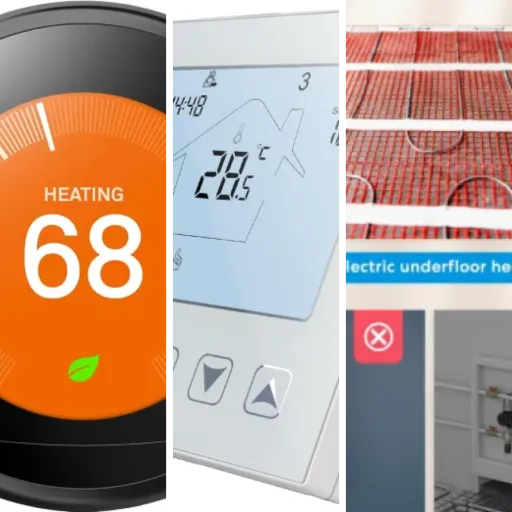
From a distance, the Beok thermostat looks pretty clean: a glossy white square with a black LCD area in the middle. On the wall, it doesn’t scream “cheap gadget”, which I appreciated. It’s about 8.5 x 8.5 cm and sticks out around 4 cm, so it’s not as slim as some premium models but it doesn’t look bulky either. The flush-mount design does mean you either need a proper back box or you’ll end up using a surface pattress like some reviewers did. I went with a standard 35 mm box and it fit fine, but there’s not a ton of room for messy wiring.
The front is a touch screen with soft keys, not physical buttons. You tap the icons for power, mode, and up/down temperature. The touch response is okay, not super sensitive but it registers taps reliably if you’re not rushing. The icons themselves are quite small and a bit dated visually, but you get used to them quickly: flame for heating, clock for program, lock icon for child lock, etc. It’s more “functional thermostat” than “fancy smart home gadget”.
The screen is backlit and stays readable even in a dark hallway, which is a big plus. You can adjust the brightness, which I actually used because at full brightness it was a bit too bright at night. When idle, it shows the room temperature in big digits and the setpoint in smaller ones, plus a few status icons. No colour screen, no animations, just basic info. Personally, I prefer this to something too flashy that tries to be a smartphone on your wall.
My only design complaints: the glossy plastic frame attracts fingerprints and dust, and the unit doesn’t feel premium in the hand when you’re mounting it. It’s light (around 200 g) and you can tell it’s mostly plastic. That said, once it’s on the wall you don’t really think about it. Compared to the price, the design is pretty solid and neutral enough to blend into most rooms. If you want something that looks like an Apple product, this isn’t it, but for a practical thermostat it’s fine.
Build quality and durability: feels cheap in the hand, acceptable on the wall
Material-wise, this is all plastic, with a glossy front frame and a matte-ish back housing. When you unpack it, it doesn’t give that heavy, solid feel you get from more expensive thermostats. It’s light, and if you press the casing a bit, you can feel a tiny bit of flex. So if you’re expecting something that feels high-end when you handle it, you’ll be a bit disappointed. But once it’s mounted, that impression fades because you’re not constantly touching or moving it.
The mounting plate and terminals are decent. The screw terminals hold the wires firmly, and I didn’t have any trouble clamping standard boiler control cables. The supplied screws, like some Amazon reviewers said, aren’t ideal for UK back boxes – the thread doesn’t match perfectly. I ended up using my own screws, which is not a big problem but a bit annoying when you’re halfway through the install. The wall plate snaps into the main body with a simple clip system that feels secure enough for normal use.
In terms of long-term durability, I obviously can’t judge years of use yet, but based on the feel, I’d say: it’s not fragile, but it’s also not bombproof. The touch panel doesn’t feel wobbly, and the backlight is even with no weird spots. I’ve tapped it plenty of times and there’s no sign of it loosening or misaligning. The child lock feature is also useful if you have kids who like to poke at shiny screens, because you can block physical changes and keep control from the app.
Given the price point, I’d describe the materials and build as “nothing special but effective”. It’s clearly a cost-optimised product, but not in a way that makes it unusable. If you’re gentle during installation and don’t overtighten the screws, it should hold up just fine on the wall. If you want a thermostat that feels like a piece of premium hardware when you hold it, this isn’t that. But once it’s in place, it looks fine and does its job without feeling flimsy during normal everyday use.
Heating control and app performance: mostly smooth, with a few quirks
On the performance side, the main question for me was: does it keep the house at a stable temperature without me constantly fiddling with it? Overall, yes. The internal temperature sensor seems reasonably accurate, but I did end up using the temperature calibration setting. Compared to a separate thermometer in the same room, the Beok was reading about 0.5–1 °C off. After a small adjustment in the menu, the readings lined up and the comfort level felt right. Not a big deal, but worth doing if you care about exact numbers.
The start temperature differential (basically the hysteresis) is adjustable, which is handy. Out of the box, it tended to let the room drift about 0.5–1 °C around the setpoint. For example, set to 20 °C, the boiler might kick in again around 19.5 °C and stop around 20.5 °C. That’s perfectly normal for most boilers and avoids rapid cycling. You can tweak this if you want tighter control, but I left it close to default because it felt fine in practice and the boiler wasn’t short-cycling.
On Wi-Fi and app performance, I was pleasantly surprised. Tuya integration is solid: the thermostat was detected quickly via Bluetooth, I added my 2.4 GHz Wi-Fi password, and it’s been stable since. No random disconnects so far. When I change the temperature from the app, the thermostat updates within a couple of seconds. Same with switching between manual and program mode. For remote use (turning the heating up before coming home), the delay is short enough that you don’t really think about it.
Voice control via Alexa works as advertised. I can say things like “Alexa, set the living room to 20 degrees” and it just does it. You can also include it in routines, which is what I did for “I’m cold” / “I’m hot” type scenes for an elderly relative. That’s honestly where the thermostat shines: once it’s set up, the person in the house doesn’t have to touch the wall unit or the app if they don’t want to. On the downside, the wall interface is less intuitive than the app, and if Wi-Fi goes down, you’ll be stuck using that. Still usable, just less friendly.
What this Beok thermostat actually does (and doesn’t do)
On paper, the Beok Smart WiFi Thermostat ticks a lot of boxes: it’s a 230V, 3A flush-mounted thermostat for gas boilers and water underfloor heating, with Wi-Fi, Tuya app support, and voice control via Alexa and Google Assistant. In the box, you get the thermostat module, the wall plate, a couple of screws, and a basic manual. No fancy extras, no external sensor, nothing over the top. It’s meant to be wired in place of a standard room thermostat, with 0-volt switching, so you usually need to bridge live to common yourself.
The main features I actually use are pretty simple: remote control via the Tuya app, voice commands with Alexa, and daily programming with up to six periods per day. You can also play with stuff like window open detection, temperature calibration, and frost protection, but these are “set once and forget” options. The LCD screen shows the current room temperature, setpoint, and a few icons. It’s not pretty in a design-magazine way, but it’s clear enough and readable in the dark thanks to the backlight.
In practice, the thermostat runs in three main modes: manual (you just set a temperature), program (it follows your daily schedule), and off/frost mode. Switching between them is easier in the app than on the wall unit. The app also lets you copy one day’s schedule to the rest of the week, which is handy. Compared to my old mechanical dial thermostat, it’s night and day: I can actually see what temperature I’ve set, and I don’t need to guess where 20 °C is on a tiny wheel.
What it doesn’t do: it doesn’t learn your habits, it doesn’t use fancy presence detection, and it doesn’t integrate deeply with other smart home stuff beyond what Tuya and Alexa/Google give you. So if you’re used to higher-end systems that optimise pre-heating based on weather or occupancy, this will feel basic. But if you just want a connected on/off control that respects a schedule and lets you tweak things from your phone, it covers the essentials without costing as much as the big brand names.
How well it actually manages heating day to day
In daily life, the big question is: does this thermostat help you keep the house comfortable and avoid wasting energy, without you having to babysit it all the time? For me, the answer is mostly yes. The 6 periods per day programming is enough for a normal routine: morning warm-up, daytime setback, evening comfort, and night setback. You can copy one day’s schedule to the others, which saves a lot of time. I set mine up in the Tuya app in about 10–15 minutes, and since then I’ve only made small tweaks.
What I liked is that the thermostat reacts fast enough when the temperature drops below the threshold. On cold mornings, it kicks the boiler in early enough that the room doesn’t feel freezing when I get up. If you want to get fancy, you can adjust the start temperature differential and temperature calibration to fine-tune comfort vs. cycling, but honestly, the default behaviour is good enough for most people. The frost protection mode is also handy for second homes or rooms you don’t use much: you can keep the temperature low but safe, and bump it up from the app before you arrive.
Compared to my old mechanical thermostat, the biggest difference is that I’m not constantly overshooting. Before, I’d crank the dial, forget it, and end up with the house at 23–24 °C. Now, it sticks closer to the 19–21 °C range I set, and I can see exactly what’s going on. That alone should save some gas over the winter. I also like being able to turn the heating off completely from bed or when I’m out and realise I left it too high. It sounds basic, but that’s the kind of thing you actually use.
On the downside, it doesn’t “learn” how long your house takes to heat up like some higher-end thermostats. So it won’t automatically start earlier to hit 20 °C at exactly 7:00 – it just follows the schedule and reacts as the temperature changes. If you have a very slow underfloor heating system, you’ll have to plan your schedule with that in mind. But for a typical radiator system and a normal boiler, the effectiveness is pretty solid: the house is warm when I expect it to be, and I don’t feel like I’m fighting the thermostat.
Pros
- Good price for a Wi-Fi thermostat with Tuya, Alexa and Google Assistant support
- Clear backlit LCD and simple 6-period daily scheduling that covers most routines
- Stable app connectivity and quick response to remote commands and voice control
Cons
- Requires neutral at the thermostat and basic wiring knowledge, not plug-and-play for everyone
- Build quality and design feel budget compared to premium brands
- Instructions and on-device menus are not very beginner-friendly, app is easier than wall controls
Conclusion
Editor's rating
After living with the Beok Smart WiFi Thermostat for a bit, my overall feeling is that it’s a practical budget option for making an old gas boiler or water underfloor heating a bit smarter. It gives you the basics that matter day to day: app control via Tuya, voice commands with Alexa/Google, up to six heating periods per day, and a clear LCD that you can read in the dark. It doesn’t feel premium, but once it’s on the wall, it looks fine and just quietly does its job.
It’s best suited for people who: already have or don’t mind installing a neutral wire at the thermostat, are comfortable doing simple wiring or paying someone once, and mainly want to turn heating on/off remotely and run a simple weekly schedule. If that’s you, the price-to-function ratio is good, and you’ll probably be happy with it. The temperature control is stable enough, and the app side is surprisingly reliable thanks to Tuya.
If you want automatic learning, deep energy stats, super-polished design, or you’re completely allergic to any kind of technical setup, this is probably not the right product. There are nicer, more user-friendly thermostats out there, but they cost a lot more. This one is more “decent but nothing more” in terms of hardware, with software that gets the basics right. For a wallet-friendly way to add smart control to a boiler, it’s a solid choice as long as you accept its limits.