
Summary
Editor's rating
Value for money: cheap, functional, but not for everyone
Design and usability: looks okay, feels cheap but usable
Battery life and power: better than expected, but keep spares
Build quality and durability: feels fragile, time will tell
Heating control and app performance: mostly solid once it’s set up
What this thermostat actually does (and doesn’t do)
Pros
- Good value: Wi‑Fi, app control, and scheduling for a low price
- Simple 2‑wire dry contact relay works well with many older combi boilers
- Tuya/Smart Life app is stable and responsive, with up to 6 time slots per day
Cons
- Cheap build quality and fragile feel, with some reports of screen issues
- Documentation and setup instructions are poor, not ideal for non‑technical users
- Alexa integration can be fiddly and requires some patience to configure

Specifications
View full product page →| Brand | BEOK CONTROLS |
A cheap way to make an old boiler a bit smarter
I’ve been testing this Beok WR‑03 smart thermostat for a few weeks on a pretty standard gas combi boiler with a 2‑wire connection. I bought it because I wanted Wi‑Fi control and basic programming without calling a plumber or spending big money on Nest or Tado. On paper it ticks all the boxes: battery powered, 2‑wire dry contact, Tuya/Smart Life app, and works with Alexa/Google. In practice, it’s a mixed but mostly positive experience.
First clear point: this is a budget thermostat and you feel it. The plastic, the screen, the menus – nothing feels premium, but it does the core job: it switches the boiler on and off at the right times and more or less at the right temperature. Once installed and paired with the app, it’s been pretty stable. I haven’t had random disconnections or crazy temperature swings.
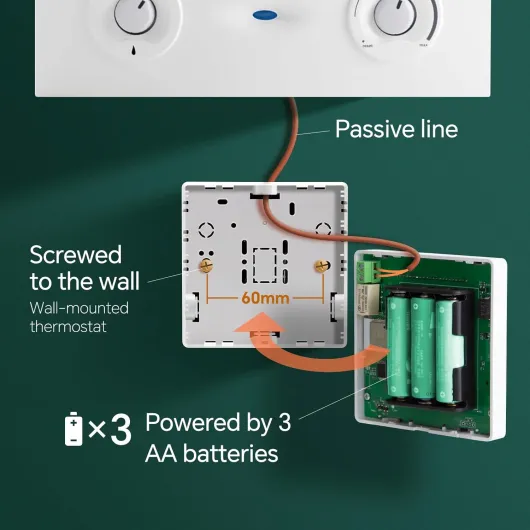
Where it gets interesting is the "smart" part. The Tuya/Smart Life integration is honestly the best thing about it. From my phone I can change the temperature, check if the heating is on, and tweak the schedule without standing in the hallway pressing tiny buttons. Voice control also works, but it took me a bit of patience to get it playing nicely with Alexa. Google Assistant was more straightforward.
Overall, if you expect a polished, super intuitive product, you’ll be a bit disappointed. If you just want something cheap that lets you control your combi boiler remotely and set a few schedules, it gets the job done. It’s not perfect, and the build quality won’t impress anyone, but for the price it’s hard to be too harsh, as long as you accept its limits.
Value for money: cheap, functional, but not for everyone
Compared to big brands like Nest, Tado, or Honeywell, the Beok WR‑03 sits in a much lower price bracket. You basically pay a fraction of the cost and still get Wi‑Fi control, app integration, and basic scheduling. That alone makes it interesting if you’re on a budget or if you’re renting and don’t want to invest too much in a property that isn’t yours. For the money, the feature set is honestly pretty solid: 6 time slots per day, manual mode, remote control, Alexa/Google support, and battery power that avoids extra wiring.
On the downside, you clearly feel where they’ve cut corners: the plastic is cheap, the documentation is weak, and the overall finish is just "good enough". If you’re not comfortable with basic wiring and app setup, you might end up frustrated, like the reviewer who couldn’t get either the Wi‑Fi or the boiler to work. There’s also the risk of defects, like the guy whose screen partially died when closing the unit. That’s the gamble with low‑cost hardware: most units are fine, but quality control isn’t always as tight.
For me, the value is good as long as you know what you’re buying. It’s a practical, no‑frills smart thermostat that does the essentials. It doesn’t look fancy, it doesn’t have smart learning algorithms, and it doesn’t give you advanced energy stats. But it lets you control your heating remotely, avoid heating an empty house, and adjust your schedule easily from your phone. Even a small reduction in wasted heating can pay back the price of the thermostat pretty quickly.
If you want something more polished, with better materials, better support, and a smoother app experience, you’ll have to pay significantly more. Personally, I see this Beok as a decent compromise: not exciting, not perfect, but good value for money if your main goal is just to make an old 2‑wire boiler a bit smarter without spending a lot.
Design and usability: looks okay, feels cheap but usable
Design-wise, the Beok WR‑03 is very basic. It’s a small white plastic box with a glossy front and an LCD screen. Nothing fancy, nothing ugly either. It blends into a white wall and doesn’t attract attention, which is fine for a thermostat. The screen is readable enough, with big digits for the temperature and smaller icons for mode, Wi‑Fi, and battery. It’s not high contrast like an e‑ink display, but I can read it from a couple of meters away without squinting.
The front buttons are capacitive touch areas rather than physical buttons. That’s a bit hit‑and‑miss: they work, but sometimes you have to tap twice, and there’s no real tactile feedback, just a beep. For initial setup directly on the device, it’s a bit annoying because you can easily overshoot a value or enter a wrong menu. Once everything is configured via the app, you don’t touch them much, so it becomes less of an issue. I mostly use the buttons only to wake up the screen and occasionally bump the temperature if my phone isn’t nearby.
The display is not always on. It turns off after a short time and you have to touch a button to light it up again. Personally, I like that, especially at night: no bright screen glowing in the hallway. Some people might prefer a constantly visible display, but given it runs on batteries, this choice makes sense. When it’s on, the backlight is decent, not blinding. I can check the temperature in the dark without lighting up the whole room.
The overall build quality is clearly budget. The plastic feels light, the mounting plate is simple, and you don’t get a feeling of robustness like you do with more expensive brands. One Amazon reviewer even mentioned part of the screen failing after closing the casing, which doesn’t surprise me entirely given the price range. Mine hasn’t had that problem so far, but I’m handling it carefully. If you’re rough with it or open/close it often, I can see things going wrong. So in short: design is functional and discreet, but don’t expect any premium feel.
Battery life and power: better than expected, but keep spares
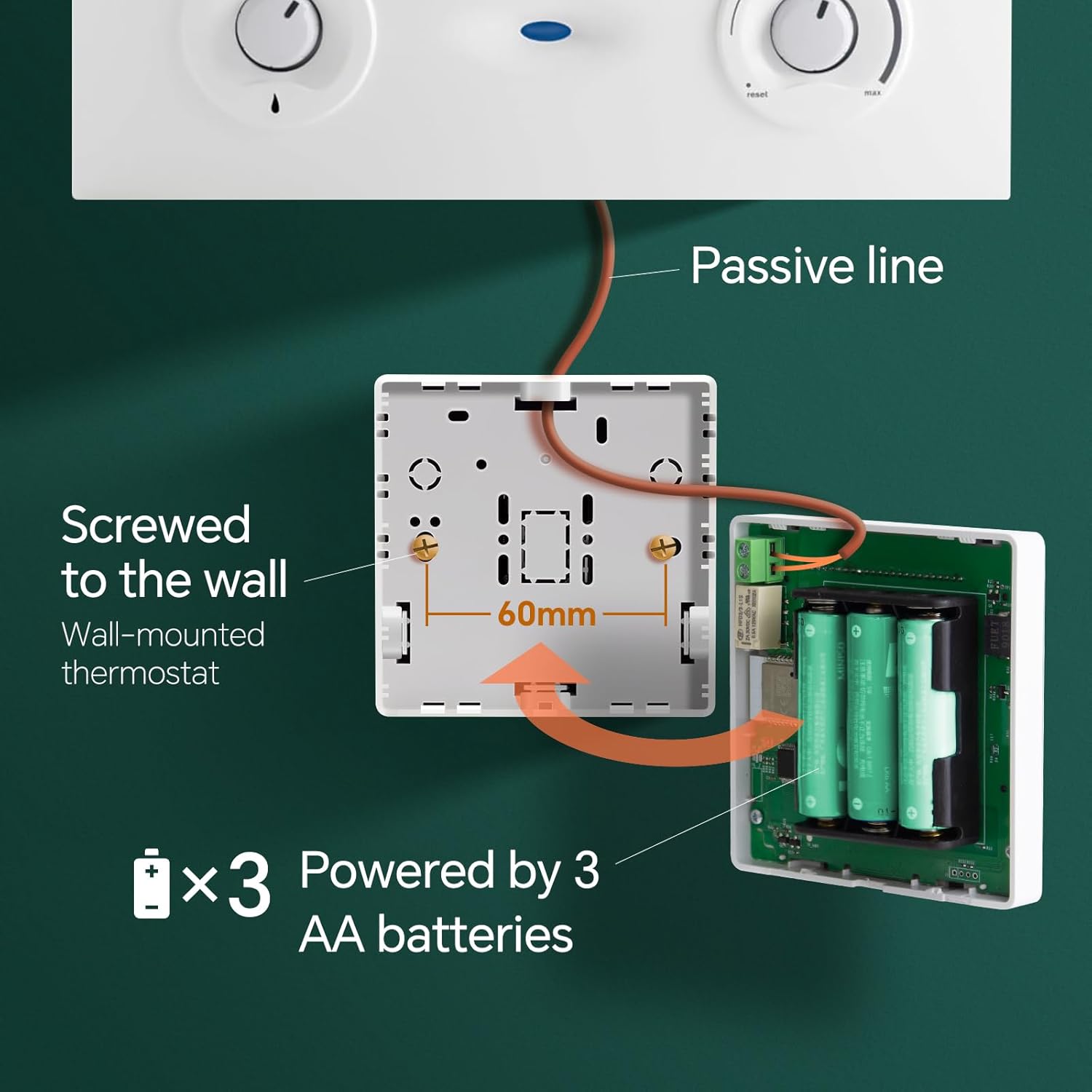
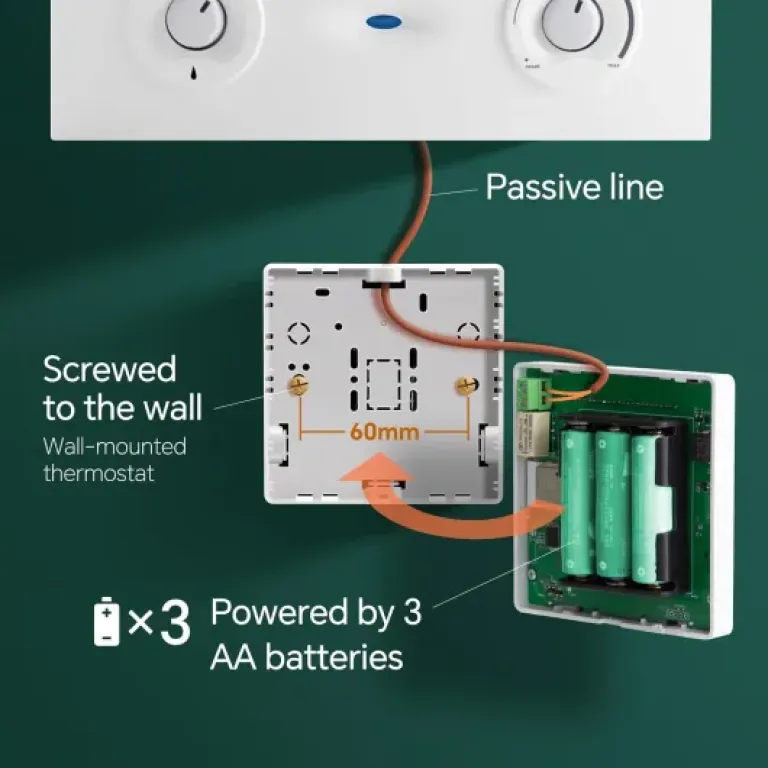
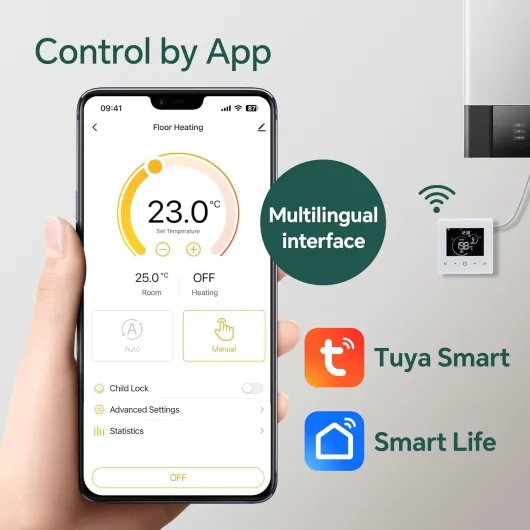
The thermostat runs on three AA 1.5 V batteries. I usually don’t like battery‑powered stuff that’s always connected to Wi‑Fi because they tend to eat through batteries quickly, so I was a bit skeptical. In practice, it’s not as bad as I feared. I put in three decent alkaline AAs and after several weeks of daily use (Wi‑Fi always on, a few app adjustments per day, some voice commands), the battery indicator has barely moved. That matches what one of the Amazon reviewers said: after months it was still around 98% with Amazon Basics batteries.
The thermostat has a low battery warning: when the level drops below 20%, the little battery icon starts flashing. That’s useful because it gives you time to replace them before the device dies and your heating stops responding. I haven’t hit that threshold yet, but I did test briefly by putting in nearly empty batteries and the warning came up as described. So at least that part works as advertised.
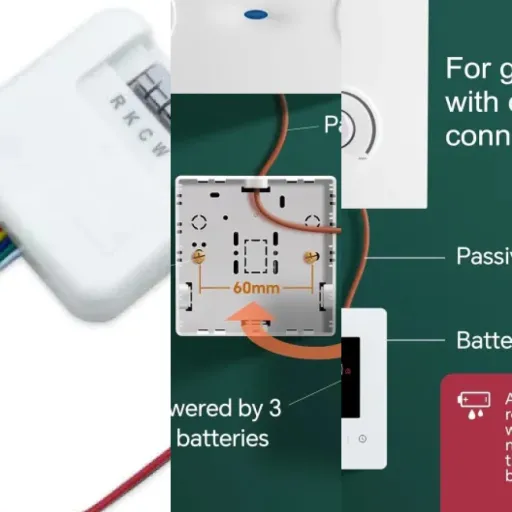
There are a couple of trade‑offs related to battery power. First, the screen is not always on to save energy, which some people might find annoying. Personally it doesn’t bother me. Second, because it’s powered independently from the boiler, you don’t need any extra mains wiring, which massively simplifies installation on older 2‑wire systems. For me, that’s a big plus: I didn’t want to pull new cables or find a nearby socket just to power a thermostat.
Overall, I’d say battery life is decent and not a big concern, as long as you use good alkaline batteries and not cheap no‑name ones. If you’re used to a wired thermostat, you’ll just need to remember to change the batteries every now and then, probably once a year or so depending on how heavily you use the Wi‑Fi features. It’s a compromise I can live with for the easier installation. Still, if you hate the idea of changing batteries in a thermostat, you might want to look at a wired model instead.
Build quality and durability: feels fragile, time will tell
Let’s be honest: the build quality is clearly on the low side. The plastic casing feels thin, and when you open it to insert the batteries or mount it on the wall, you can feel that you need to be careful not to force anything. I didn’t break anything, but I was paying attention. One French reviewer mentioned that after closing it back up, a third of the screen stopped working. I didn’t have that issue, but I can see how rough handling or misalignment could damage the screen or the internal contacts.
The wall mount is basic: a simple plastic plate that you screw into the wall, then the thermostat clips on. Once mounted, it sits reasonably flat and doesn’t wobble too much, but if you press on one side you can feel a bit of flex. This isn’t a disaster, but it reinforces the impression that it’s a budget device. I wouldn’t mount it in a high‑traffic area where people might bump into it regularly, or at kid level where it might get smacked.
On the electronics side, I haven’t noticed any glitches yet: no random reboots, no dead pixels, no relay sticking. The relay still clicks cleanly when it switches the boiler on and off. However, long‑term reliability is a question mark. It’s made in China like most things, and that’s not a problem by itself, but combined with the low‑end materials you just know it’s not built to last 15 years. I see it more as a 3–5 year device rather than a decade‑long investment, especially at this price point.
If you’re careful during installation, don’t open and close it every five minutes, and don’t mount it in a place where it can be hit, I think it’ll hold up reasonably well. But if you want something that feels solid, with a thick casing and robust buttons, this isn’t it. For me, the trade‑off is acceptable because of the low cost and the features, but I’m not under any illusion: it’s not a tank, and it probably won’t survive years of abuse.
Heating control and app performance: mostly solid once it’s set up
In terms of actual heating control, the WR‑03 does the main job: it turns the boiler on when the room is below the set temperature and off when it’s reached. Compared to my previous dumb mechanical thermostat, the temperature control feels a bit more stable. I set it to 20.5–21°C in the evening and it holds around that level with roughly 0.5–1°C swings, which is fine for a basic on/off system. No crazy overshoot or long delays. The differential settings help if you find it switching too often or not enough.
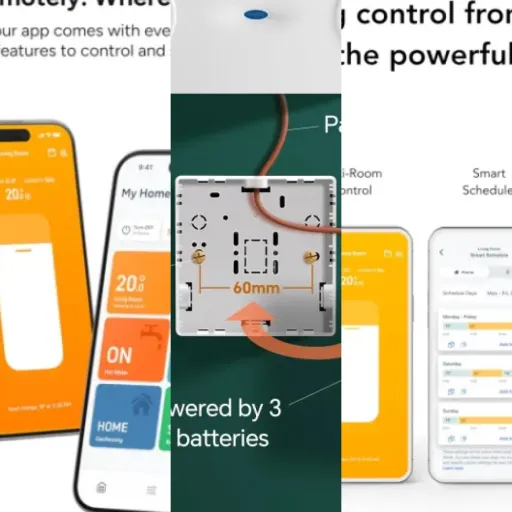
The Wi‑Fi and app side is where I was a bit cautious, but it’s been surprisingly okay. Pairing with the Smart Life / Tuya app was straightforward: 2.4 GHz network, press the right combination on the thermostat, and it appeared quickly in the app. Since then, it’s stayed connected. When I change the temperature from my phone, the thermostat reacts within a couple of seconds. Schedules sync correctly and I haven’t seen random resets or lost settings, which is usually what kills cheap smart devices for me.
Voice control is a bit more hit‑and‑miss. With Google Assistant it was pretty smooth: link Smart Life, detect the device, and I can say "set living room thermostat to 21 degrees" and it works. With Alexa it took more fiddling, similar to what one of the Amazon reviewers said. Alexa can be stubborn with third‑party devices, and I had to re‑link the skill and rename the thermostat a couple of times before it behaved. Once configured, though, commands like "Alexa, what’s the temperature in the living room?" or "Alexa, set heating to 20" work, and that’s all I really need.
The only real performance downside is that the initial configuration is not super well explained. The included documentation is brief and the translation isn’t great. If you’re not used to Tuya/Smart Life or basic boiler wiring, you might find yourself scratching your head like that Dutch reviewer who said nothing worked. In my case, once I spent a bit of time checking my boiler manual and the thermostat diagram, it was fine. But this is not a plug‑and‑play product for someone who hates tech. When it’s finally set up, though, daily performance is pretty solid for the price.
What this thermostat actually does (and doesn’t do)
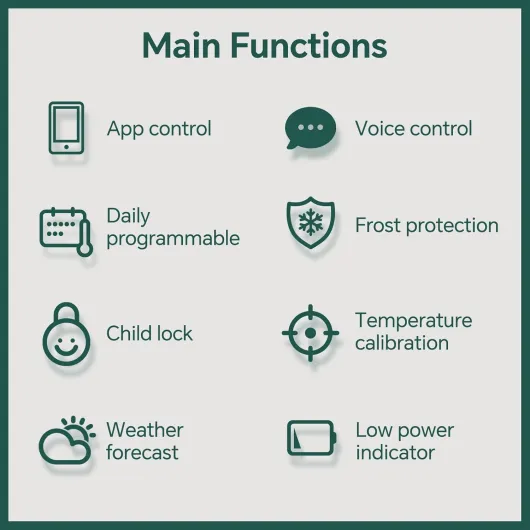
On paper, the Beok WR‑03 is a Wi‑Fi programmable thermostat for 2‑wire combi boilers. It runs on three AA batteries, uses a dry contact relay (NO/NC + COM) and connects only to 2.4 GHz Wi‑Fi. You control it via the Tuya or Smart Life app, and it’s compatible with Alexa and Google Assistant. Temperature range is 5–35°C, with calibration and differential settings (factory is 1°C, you can tweak it to 0.5°C and adjust the differential up to ±9.9°C). So technically, it gives you enough control to avoid constant on/off cycling.
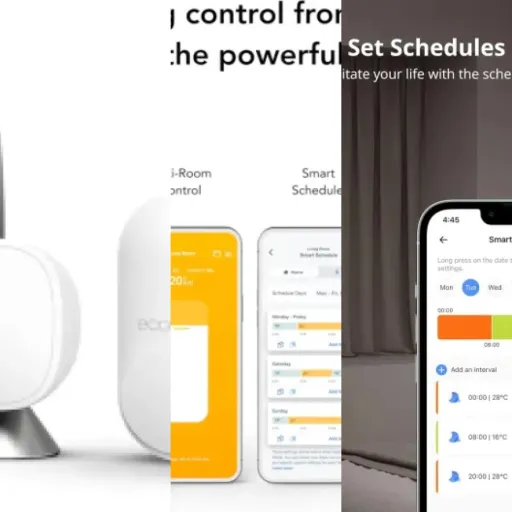
In daily use, the thermostat lets you set up to 6 time slots per day in the app. That’s more than enough for a normal routine: morning heat, daytime setback, evening comfort, night setback, etc. You can program one day and copy it to the rest of the week, then fine‑tune specific days if needed. Compared to old dumb thermostats with one or two periods, this is a real step up in flexibility, even if the interface is not the most friendly at first glance.
There’s also a manual mode where you just set a target temperature and forget about schedules. I’ve used this a lot on weekends when my routine is random: I just bump it up to 21–22°C from the app and lower it again when I leave or go to bed. The thermostat shows the current room temperature, set temperature, Wi‑Fi status, day of the week, time, and a basic little weather icon. The weather icon is mostly cosmetic, but the rest is useful at a glance.
What it doesn’t do: there’s no fancy self‑learning, no open‑therm modulation, no geofencing out of the box, and no deep energy reports. It’s basically an on/off switch with a schedule and remote control. For the price, that’s fair. If you want something that optimizes your boiler efficiency or does clever presence detection, you’re in the wrong product range. This is a straightforward thermostat that got a Wi‑Fi brain bolted on, and it behaves exactly like that.
Pros
- Good value: Wi‑Fi, app control, and scheduling for a low price
- Simple 2‑wire dry contact relay works well with many older combi boilers
- Tuya/Smart Life app is stable and responsive, with up to 6 time slots per day
Cons
- Cheap build quality and fragile feel, with some reports of screen issues
- Documentation and setup instructions are poor, not ideal for non‑technical users
- Alexa integration can be fiddly and requires some patience to configure
Conclusion
Editor's rating
After using the Beok WR‑03 for a while, my overall impression is pretty straightforward: it’s a cheap smart thermostat that does its core job correctly, with some rough edges. It switches the boiler on and off at roughly the right temperature, the Wi‑Fi connection is stable, and the Tuya/Smart Life app works better than I expected for this price range. Scheduling is flexible enough for everyday life, and being able to tweak everything from my phone is a real practical benefit.
On the flip side, the build quality is clearly budget and the documentation is weak. Installation and setup are manageable if you’re a bit handy and not scared of basic wiring and app pairing, but it’s not idiot‑proof. Voice control works, but especially with Alexa you may need to fiddle a bit. Long‑term durability is also a question mark: it feels fragile, so I wouldn’t treat it roughly or expect it to last forever.
Who is it for? People with a 2‑wire combi boiler who want simple smart control, are okay with a no‑frills plastic box on the wall, and want to spend as little as possible. Who should skip it? If you hate dealing with tech, want premium build and a super polished experience, or need advanced features like learning algorithms and detailed energy reports, you’re better off with a more expensive brand. For me, it’s a good value, pragmatic choice, as long as you go in with realistic expectations.