
Summary
Editor's rating
Value for money: where it sits versus other smart thermostats
Design: simple, a bit plain, but it blends in
Battery and power: nothing dramatic, but worth knowing
Build quality and reliability over time
Performance: does it actually heat better and save money?
What you actually get in the box (and what it really does)
Effectiveness in daily use: comfort and control vs. real-world annoyances
Pros
- Stable, comfortable temperature control with simple app and voice control
- Works even if the internet goes down; hub and thermostat communicate locally
- Good value for money with easy expansion to room-by-room control via radiator valves
Cons
- App can be slow to load and occasionally struggles to connect on first try
- No clear on/off switch in the app or on the hub; control is via temperature only
- Some smart modes (like eco) can behave unpredictably if you don’t fully understand the settings

Specifications
View full product page →| Brand | Drayton by Schneider Electric |
Smart heating without overcomplicating your life
I’ve been using the Drayton Wiser Smart Thermostat (heating only, combi boiler kit) long enough to get past the novelty and see how it behaves day to day. I’m not an installer or anything, just a regular homeowner who was fed up walking to the old wall timer and guessing when to switch the heating on. I wanted something I could poke from my phone or shout at Alexa without spending silly money.
In practice, this kit does what it says: it gives your old boiler a brain and lets you control heating from your phone, plus it talks to Alexa and Google. It’s not perfect, and the app definitely has its slow moments, but the basics are there: scheduling, boost, away mode, and some energy-saving bits like eco mode and open-window detection. After a couple of weeks, I stopped thinking about it and just used it, which is usually a good sign.
Before this, I had a dumb wireless thermostat with a clunky timer. It technically worked, but it was either roasting or freezing, and I kept forgetting to switch it back from “constant” so the heating ran all night a few times. With the Wiser, the main change is that the house temperature feels more stable, and I don’t have to be at home to tweak anything. Coming back to a cold house because you forgot the timer is basically gone.
If you’re expecting a super polished, ultra-slick app and tons of fancy graphs like some premium systems, this isn’t that. It’s more of a practical, mid-range option: pretty solid for the price, with a few quirks you just learn to live with. For a combi boiler and a simple setup, it gets the job done and feels like a decent upgrade from old-school controls.
Value for money: where it sits versus other smart thermostats
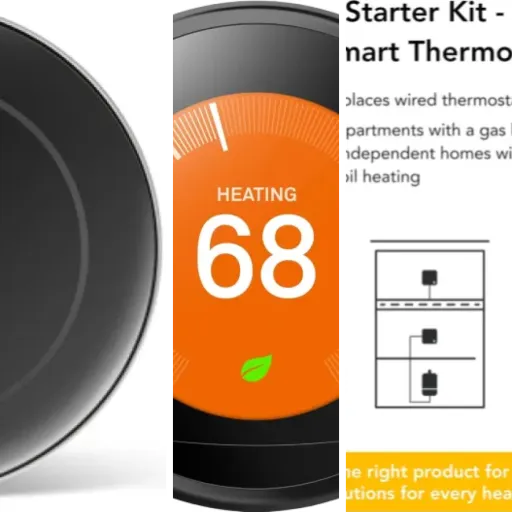
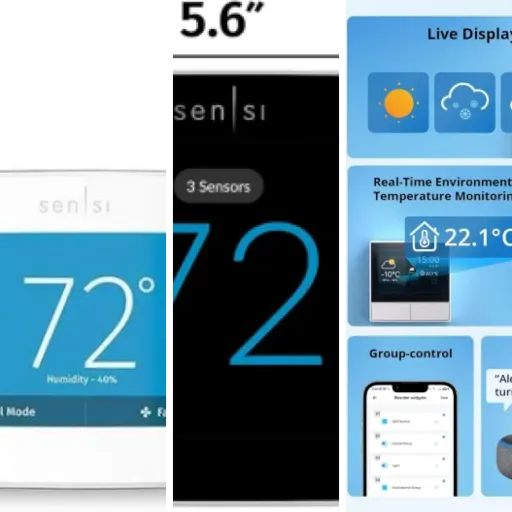
Price-wise, the Drayton Wiser kit usually comes in cheaper than the big-name smart thermostats like Nest or Hive, especially when it’s on offer. For what you pay, you’re getting: one smart thermostat, a proper wired hub that replaces your old timer, app control, Alexa/Google support, and the option to expand with radiator valves later. If you just want to modernise a combi boiler setup without dropping a small fortune, it sits in a pretty sweet middle ground.
Compared to cheaper, no-name smart thermostats you might find online, the main difference is support and ecosystem. Drayton is a known brand in heating controls, and their tech support is actually useful. I’ve seen and experienced quick, clear responses when people get stuck on wiring or Wi‑Fi issues. That alone is worth a bit of extra money to avoid being stuck in the cold with a dead app and no help. Also, the ability to bolt on smart radiator valves and smart plugs later means your first purchase isn’t a dead end.
On the flip side, you do feel the lower price in some areas: the app isn’t the slickest, and the design isn’t flashy. If you’re the kind of person who loves detailed energy graphs, highly polished interfaces and every setting under the sun, you might be happier paying more for a higher-end system. Here, the app is functional but a bit slow sometimes, and the on/off logic could be clearer. It’s not a disaster, but it’s where the corners feel slightly cut.
Overall, I’d rate the value as good for most normal users with a combi boiler who want something practical: you get reliable core heating control, decent comfort improvements, and a path to more advanced zoning later, without paying top-tier prices. If you’re super picky about software or want the fanciest design, you’ll see the compromises more. For most households, though, it’s a fair balance of cost and features.

Design: simple, a bit plain, but it blends in
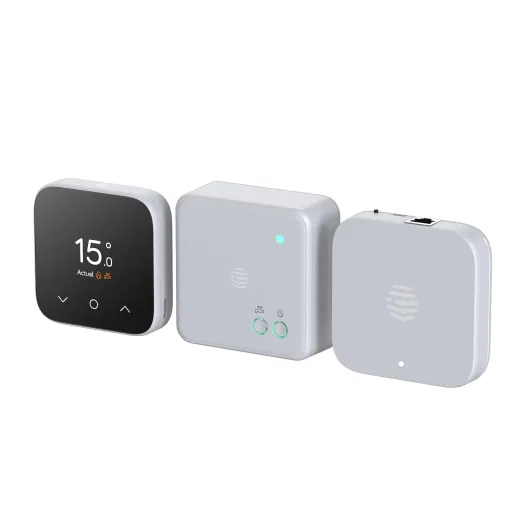
Design-wise, this is not a piece of art for your wall, and that’s okay. The thermostat is a small white, round-ish unit with a digital display, matte finish, and a couple of physical buttons. It doesn’t scream “tech gadget” like some fancier brands. Once it’s on the wall or on its stand on a shelf, it just looks like a regular thermostat that happens to be newer. If you’re into minimal, it’s fine; if you want something that looks like an iPhone on the wall, this will feel a bit basic.
The display is clear enough. You get the current temperature, target temperature, and basic icons. There’s a backlight, which is handy at night, and the numbers are readable from a normal distance. It’s not ultra high-res or super bright, but it’s perfectly usable. The buttons are simple: up/down for temperature and a couple of extra controls. Honestly, most of the time I just use the app or Alexa, so I don’t touch the thermostat that much once it’s set up.
The Heat Hub is more functional than pretty. It sits where your old controller was, on a standard wall plate, usually near the boiler or airing cupboard. You won’t be staring at it every day, so it doesn’t really matter what it looks like. There’s a status LED and a setup button. The LED behaviour during pairing (green/amber flashing, etc.) is a bit old-school, but it does the job. One detail I found slightly annoying: there’s no big obvious on/off switch on the hub. You control things via temperature setpoints and schedules, which is fine once you’re used to it, but the first week I caught myself looking for a simple OFF button.
In daily life, the design has one main advantage: it doesn’t draw attention. It blends in with white walls and standard switches. Guests don’t ask what it is, and it doesn’t clash with anything. On the downside, it feels a bit dated compared to sleeker systems. For the price, I can live with that. Functionally, the layout and clarity are good enough, and I’d rather have a slightly plain box that works than a shiny one that’s a pain to use.
Battery and power: nothing dramatic, but worth knowing
The thermostat itself runs on 2 AA batteries, which are included in the box. The hub is wired into mains (230V) like a normal programmer, so you don’t touch that once it’s installed. On battery life, I haven’t had to change them yet within the first months of use, and from other people’s feedback it seems they usually last many months, often close to a year or more depending on how often the thermostat is talking to the hub and how much you fiddle with it.
One nice point: because the thermostat is battery-powered, you can either wall-mount it or just leave it on the supplied stand and move it around a bit to find the best spot in the room. That gives you some flexibility, especially if your old thermostat location was in a silly place like a cold hallway or behind a door. Just keep in mind that if you move it too often, you’ll be pressing buttons more and waking the screen frequently, which will drain the batteries a bit faster.
There’s no fancy rechargeable setup or USB charging here – it’s old-school AA cells. Personally I’m fine with that because if the batteries die in winter, I can just raid the kitchen drawer and swap them in two minutes. I’d rather that than a built-in battery that needs special charging or replacing the whole unit. The thermostat will warn you when the battery is low, so it’s not like it suddenly dies with no warning.
Overall, on the power side, it’s fairly boring – and that’s good. The hub just sits there on mains, the thermostat sips from two AA batteries, and you mostly forget about it. As long as you change the batteries when prompted once in a while, it doesn’t really impact your daily use. It’s not a selling point, but it’s not a headache either.

Build quality and reliability over time
Physically, the thermostat and hub both feel decent but nothing fancy. The plastics are light, the finish is matte, and it doesn’t have that super solid “premium gadget” feel, but nothing about it feels flimsy or like it’s going to fall apart. The buttons have a straightforward click, and the wall bracket and stand hold the thermostat fine. It’s more like typical electrical gear you’d see from a big brand than a shiny consumer gadget.
What matters more here is reliability, and from what I’ve seen plus what other users report, the hardware side is pretty stable. Once the hub is wired correctly and paired, it just sits there doing its job. I haven’t had random disconnections between the thermostat and hub, and people who’ve had it for a couple of years mostly complain about the app rather than the hardware dying. The 18‑month warranty gives some peace of mind, even if I’d prefer two years as standard.
The main weak point, if you can call it that, is software stability and app speed. When the app is updated, sometimes performance improves, sometimes it feels like it goes backwards a bit. A few users have seen odd behaviours like the heating coming on at strange times, likely tied to eco mode or schedule logic. That’s not the hardware wearing out, but it does affect your perception of reliability: if you wake up to a hot house at 3am, you’re not going to care whether it’s the app or the thermostat at fault.
Day to day though, the system recovers well from common issues: if the internet drops, it keeps running. If the power goes out and comes back, the hub and thermostat re-sync without you having to babysit them. So in a practical sense, it feels like a robust, installer-grade bit of kit with software that’s good enough but could be smoother. I’d trust it to run my heating through winter, but I do keep an eye on app updates and settings to avoid any weird surprises.
Performance: does it actually heat better and save money?
Once it’s set up, the core performance is solid: the house keeps a more stable temperature, and the boiler doesn’t seem to be firing constantly like it used to with my old dumb thermostat. The Wiser thermostat has a decent sampling and control rate, so you don’t get that big swing of roasting hot then freezing cold. It cycles the boiler on and off more frequently, which sounds odd but actually leads to a more even temperature. I noticed after a few days that I wasn’t fiddling with the thermostat as much because the room just felt more consistent.
On the app side, I’d say performance is mixed. When it works, it’s fine: you open it, it loads in a few seconds, and you can see the current temp, tweak the schedule, or hit boost. But there are times when it’s slow to load or fails to connect on the first try. I’ve had to close and reopen the app a couple of times on some days, which matches what some other users complain about. It’s not unusable, just mildly irritating when you’re in a hurry or standing there in your coat wanting the heating on now.
The smart features are hit and miss depending on how you use them. Away Mode is genuinely handy: if you’re out longer than expected, you can drop the temperature from your phone and avoid heating an empty house. Eco Mode is supposed to optimise things for savings, but you need to be careful. Some people report the system turning on at weird times, and I’ve seen it try to pre-heat earlier than I’d like. If you want full control, you’re better off setting clear schedules and not relying too much on the system “thinking” for you. At least the open-window detection is a nice touch – it can cut the heating if it thinks you’ve opened a window, which makes sense in real life.
Regarding reliability, I like that it keeps working even if your internet dies. The hub and thermostat talk locally via your router, so a broadband outage doesn’t kill the heating. That’s a big plus compared to some cloud-dependent systems. Overall, performance is decent: it heats well, the smart bits mostly help, and the quirks are more on the software side than the hardware side. Not perfect, but perfectly usable day to day.

What you actually get in the box (and what it really does)
The kit is basically made of two main bits: the Heat Hub that replaces your old programmer/timer by the boiler, and the room thermostat that you keep in the living room or wherever you care most about the temperature. In the box you get the hub on a standard wall plate, the thermostat with a little stand and wall bracket, and two AA batteries already included. No extra sensors, no radiator valves in this kit – those are add-ons you buy separately if you want full room-by-room control later.
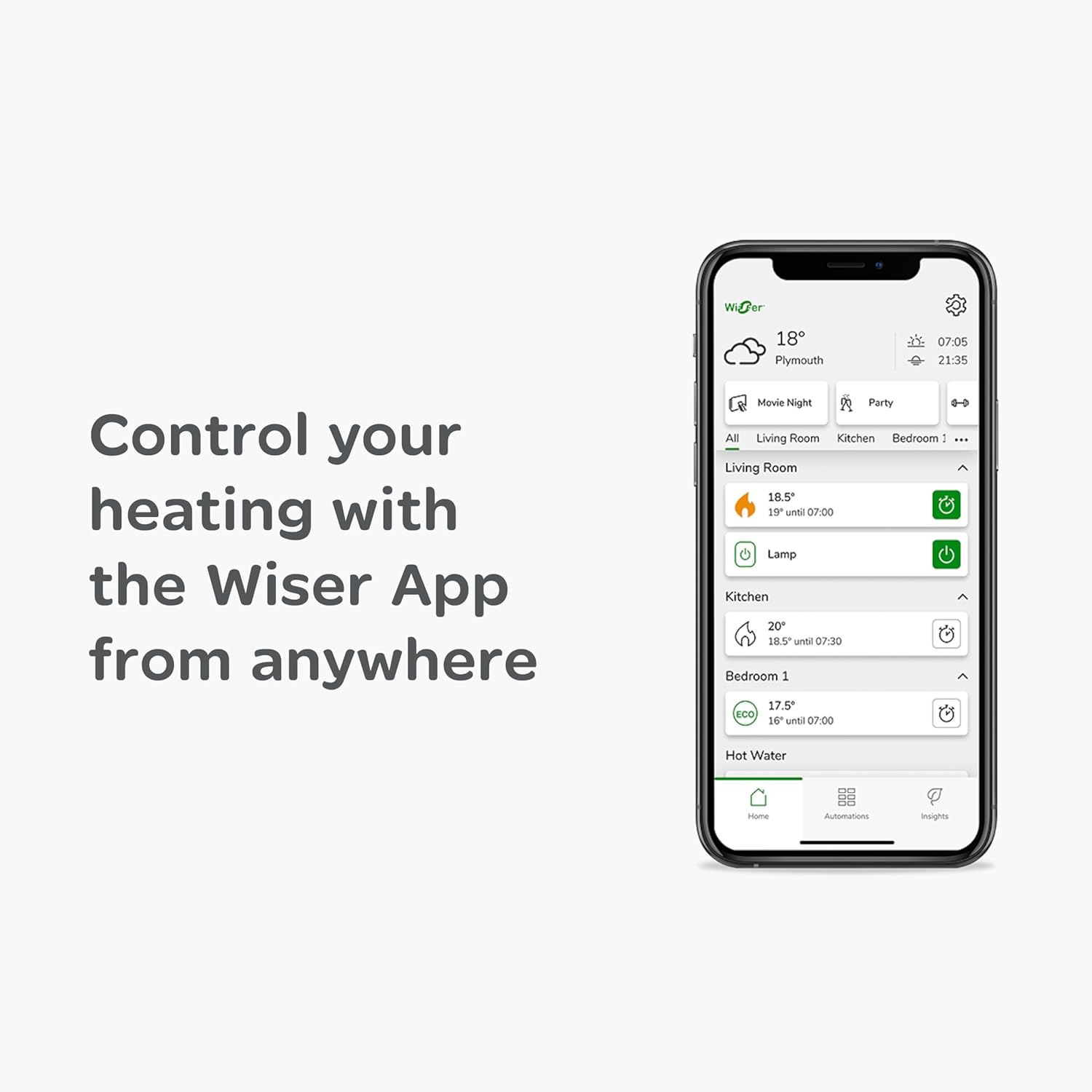
Function-wise, the hub connects to your Wi‑Fi (2.4 GHz only) and then talks wirelessly to the thermostat. The thermostat measures the temperature and sends commands to the hub, which then fires the boiler on or off. You control all of this from the Wiser app on your phone or tablet. From there you can: set schedules, change the target temperature, hit a boost, put the system into away mode, or mess with eco mode. It also supports Alexa, Google Home and IFTTT, so if you’re into voice control or automations, it plugs into that world without much drama.
The interesting part is how expandable it is. Out of the box, it’s just “whole house” control: one thermostat, one heating circuit. But the system can handle up to 16 rooms and a pile of smart radiator valves and smart plugs. So if you like it and want more control later, you don’t have to rip anything out, you just add bits on. Compared to some rival kits that force you into their full ecosystem from day one, this is more of a start simple, upgrade later approach.
Overall, the presentation is quite straightforward. The manual is not perfect, but it’s clear enough that if you’re reasonably handy and your wiring isn’t too weird, you can follow it. There’s no fancy unboxing experience or glossy packaging, it just feels like a practical, installer-style product that’s been repackaged for normal people. In my view, that’s fine: I’d rather the money went into the hardware and support than into posh cardboard.
Effectiveness in daily use: comfort and control vs. real-world annoyances
In terms of actual comfort, the difference versus an old-fashioned timer + basic thermostat is noticeable. After about a week of using the Wiser system, I realised I wasn’t constantly walking over to the controls to nudge the temperature up or down. The schedules mean it comes on before you wake up, drops when you’re usually out, and warms things back up before you get home. Once you’ve tuned the schedule to your routine, it really does make the house feel more “set and forget”.
Controlling it from the phone and Alexa is where it shines for convenience. Lying in bed and saying “Alexa, set the temperature to 20 degrees” is the kind of small luxury that spoils you quickly. If you’re away for the weekend and plans change, you can fire up the heating from wherever you are so you don’t come back to a fridge. Multiple people in the house can use the app too, which is handy if you don’t want to be the only one who can change anything.
On the downside, the way you turn the system “off” is a bit clumsy. There’s no big power button in the app; you basically drag the temperature right down. It works, but it feels slightly half-baked. Also, if you start playing with Eco Mode and some of the “smart” options without really understanding them, it can feel like the system is doing its own thing. I’ve seen it try to pre-heat earlier than I expected, and other users mention random night-time heating if settings aren’t clear. So if you’re not into tinkering, I’d say stick to simple schedules and avoid overcomplicating it.
In terms of actual energy savings, it’s hard to put a number on it without meters and spreadsheets, but the open-window detection, away mode, and more accurate temperature control should at least stop the obvious waste. I stopped leaving the heating on overnight by mistake, which alone saves a chunk. I wouldn’t buy it just for the advertised big savings figure, but as a way to make it easier to not be stupid with your heating, it’s effective. Overall, it improves comfort clearly, helps with basic efficiency, and the annoyances are more about the app design than the heating control itself.
Pros
- Stable, comfortable temperature control with simple app and voice control
- Works even if the internet goes down; hub and thermostat communicate locally
- Good value for money with easy expansion to room-by-room control via radiator valves
Cons
- App can be slow to load and occasionally struggles to connect on first try
- No clear on/off switch in the app or on the hub; control is via temperature only
- Some smart modes (like eco) can behave unpredictably if you don’t fully understand the settings
Conclusion
Editor's rating
The Drayton Wiser Smart Thermostat Heating Only kit is a solid, practical upgrade if you’ve got a combi boiler and you’re still using an old timer and basic thermostat. It won’t win any design awards and the app isn’t the fastest thing on earth, but the core job – keeping your house at a steady, comfortable temperature and letting you control it from your phone or voice assistant – it does well. Once you’ve set up your schedules and got used to how it behaves, it largely gets out of the way and just runs.
Where it makes the most sense is for people who want reliable heating control, some basic energy-saving help, and the option to expand later with smart radiator valves, without paying premium-brand prices. The hardware feels dependable, it keeps working if the internet drops, and Drayton’s support is actually helpful if you get stuck. On the downside, if you hate slightly clunky apps, or you want a super clear on/off control and highly polished software, you’ll notice its rough edges. And if you start tinkering too much with eco mode and clever features, the system can sometimes behave in ways that feel a bit unpredictable.
If you’re a homeowner or renter with a combi boiler who wants more comfort, remote control, and a path to room-by-room heating later, this is a good, down-to-earth option. If you’re a tech enthusiast chasing the slickest interface and deepest analytics, or you’re already invested in another ecosystem, you might want to look higher up the price range. For most everyday users, it’s not perfect, but it gets the job done and offers good value.