
Summary
Editor's rating
Value for money: good core features, watch the subscription
Design: simple, clean, and mostly sensible
Power and battery: wired but still runs on AAAs
Build quality and durability: feels decent, but time will tell
Performance: heating control and smart features in real life
What you actually get in the box and what it really does
Pros
- Clean, minimal design with a solid-feeling thermostat and discreet bridge
- Reliable core features: scheduling, app control, voice assistant support, and clear temperature/humidity graphs
- Matter and Thread support for better smart home integration and future-proofing
Cons
- Some advanced AI features (geofencing automation, open window automation) require a paid subscription
- Installation can be confusing on certain UK boiler setups and may need tado support to tweak backend settings
- Requires an extra bridge box plugged into your router, adding another device and power socket to your setup

Specifications
View full product page →| Brand | tado |
Smart heating without the headache… in theory
I’ve been using the tado Smart Thermostat X Starter Kit as a replacement for a basic wired room thermostat on a gas boiler. I wanted three things: control from my phone, voice control with Alexa, and a schedule that actually matches how we live, not just a crude on/off timer. On paper, this kit ticks all those boxes, plus it adds Matter/Thread support and all the usual smart-home buzzwords.
In practice, it’s a mixed bag, but mostly in a good way. The hardware feels pretty solid, the app is clear once you’ve poked around for a bit, and the basic features (scheduling, manual temperature control, remote control) work reliably. Where things get a bit messy is around installation if your system is not straightforward, and around the subscription they push for some of the AI features. It’s not unusable without the subscription, but some of the stuff they advertise loudly is behind a paywall.
I installed it myself, following the online instructions, and for my setup it was fine. It took me under an hour from opening the box to having the app turning the heating on and off. But I can see how some people, especially with more “UK style” complex setups or older boilers, might struggle or end up needing support to flip some hidden settings in the background. That’s not really what I’d call a clean DIY product.
So overall, this is a pretty solid smart thermostat if your wiring is compatible and you’re okay with a subscription being pushed at you for the full AI package. It’s not magic, and there are simpler, more UK-focused options out there like Wiser or Hive, but if you like Matter/Thread and a fairly polished app, it does the job well enough once it’s up and running.
Value for money: good core features, watch the subscription
In terms of price versus what you get, the tado Smart Thermostat X Starter Kit sits in the middle of the smart thermostat market. It’s usually cheaper than a Nest or some of the more premium systems once you factor in hubs and extras, but not the rock-bottom option either. For that money, you get: a wired thermostat, a Matter/Thread bridge, app and voice control, and decent scheduling and monitoring. For many people, that’s already enough to justify swapping out a dumb wall stat.
The catch is the subscription angle. A fair chunk of the marketing focuses on AI Assist, geofencing, automatic open window actions and energy saving features that can reach up to “55% savings” in their claims. In reality, those full automations need a paid plan. Without it, the thermostat still works, but some things become manual: you get a notification when you leave the house rather than it just auto-switching to away mode, for example. If you’re okay tapping a button when you get a notification, the free tier is fine. If you wanted everything hands-off, you’ll either pay monthly or feel short-changed.
Compared to something like Drayton Wiser or Hive, tado’s value depends on your priorities. If you care about Matter/Thread and future-proof integration with different smart home ecosystems, tado X has an edge. If you want something tuned specifically for typical UK boilers, with very clear UK-focused instructions, Wiser might be easier and sometimes cheaper. Also, Wiser doesn’t lean as hard on a subscription for core automation, which matters if you hate ongoing costs.
For me, the value is pretty good if: your boiler is compatible without weird workarounds, you’re happy doing a basic DIY install, and you’re fine running it mostly on the free features. If you end up paying an engineer plus a monthly fee, the total cost starts to look less attractive, and at that point it may be worth looking at alternatives that are simpler for UK setups or that bundle more automation without a subscription.
Design: simple, clean, and mostly sensible
Design-wise, the tado Smart Thermostat X is very minimal. It’s a square unit, around 104 x 104 mm, pretty slim at 18 mm, with a matte finish. The screen is a basic LCD with a backlight that shows temperature and some symbols, nothing fancy like a full-colour Nest-style display. Personally, I like that – it blends into a white or light-coloured wall and doesn’t scream “look at my smart gadget” every time you walk past.
The front is basically just a clean surface with touch-sensitive areas rather than big physical buttons. It’s fine for the occasional tap to adjust the temperature, but you can tell they expect you to use the app most of the time. If you’ve got someone in the house who hates phones and apps, they’ll probably find it a bit basic but still usable: you can change the set point directly on the thermostat without needing tech skills.
The Bridge X is small and pretty discreet too. It just sits near your router, powered by the included adapter, with an Ethernet cable. No big antenna, no ugly blinking disco lights. Once you’ve set it up, you basically forget it exists. The only slight annoyance is that it’s yet another little box and plug near your router, which for some people is already a mess of cables and boxes.
In terms of layout, the thermostat looks good in modern homes. If your decor is quite traditional or you had a chunky old mechanical thermostat there before, this will look a bit more “techy”, but not in a bad way. It feels like tado tried to keep things simple and neutral rather than flashy. I’d call the design practical and tidy, not something you’ll show off to friends, but you also won’t be embarrassed to have it on the wall.
Power and battery: wired but still runs on AAAs
This kit is a bit of a hybrid when it comes to power. The thermostat is a wired unit for control, but it still runs on 6 AAA batteries for its own power. Those batteries are included in the box, which is nice – you don’t have to go hunting around the drawer on installation day. The voltage rating is 24V for the control side, but that’s for the boiler interface, not powering the screen and electronics.
In terms of battery life, you’re looking at several months at least. Users with the older tado models report 6–7 months or more on three AAA cells, and this one has six, so you’re not changing them every few weeks. The app warns you when they’re getting low, and you get enough notice that you can swap them at a convenient time rather than in a panic during a cold snap. This kind of small quality-of-life touch is where tado usually does okay.
The Bridge X, on the other hand, is mains powered via the included adapter and talks to your router via Ethernet. It’s a set-and-forget box. The only real downside is that it’s one more device using up a socket and a port on your router. Nothing dramatic, but worth mentioning if your router area is already cramped or if you prefer Wi‑Fi-only gear with no hub. Personally, I’d rather have a small bridge that keeps the thermostat off Wi‑Fi and uses Thread than have the thermostat itself drop off the network every time the Wi‑Fi hiccups.
Overall, the power setup is sensible: cheap standard batteries that last a long time and a tiny bridge on mains. It’s not as neat as a fully wired 230V thermostat that never needs batteries, but the trade-off is easier retrofitting without needing a neutral wire at the thermostat location. For most people, swapping out 6 AAA batteries once or twice a year is not a big deal, though it’s another thing to remember in a house full of gadgets.
Build quality and durability: feels decent, but time will tell
The thermostat is made from PC, ABS, PMMA and nickel-plated brass for the terminals. In plain language, that’s the usual mix of hard plastics and metal contacts you see in most modern smart home gear. The plastics don’t feel flimsy or creaky when you press on the front. The matte finish doesn’t show fingerprints easily and doesn’t look cheap. There’s no metal housing or anything fancy, but I’m not expecting that in this price range.
Once it’s screwed to the wall, the unit feels stable. It doesn’t wobble when you tap it to adjust the temperature. The backplate and terminals are straightforward and hold the wires firmly if you tighten them properly. That’s important because a loose connection on a heating control can cause all sorts of intermittent issues. I’ve removed and refitted the front panel a couple of times while playing around with settings, and the clips still feel tight.
On the electronics side, tado in general has a decent track record for long-term use. There are people still running older V3+ kits after several years without hardware failures. The main complaints online tend to be about software or support, not the hardware breaking. Obviously, this X range is newer, but nothing about it feels like a cheap disposable gadget. The CE mark is there, and the kit doesn’t run hot or make buzzing noises, which is what I’d look out for with mains adapters and control gear.
Durability is also about how the product handles updates and ecosystem changes. The X range uses Matter and Thread, which means you’re less likely to be stuck with some proprietary bridge that gets abandoned. That doesn’t guarantee tado will support it forever, but it’s a better bet than something completely closed. For a thermostat you expect to last 5–10 years, that’s pretty important. Overall, I’d say the build feels reliable enough for long-term use, even if it’s not some heavy-duty industrial unit.
Performance: heating control and smart features in real life
In day-to-day use, the core performance is solid: when the thermostat says the heating is on, the boiler fires; when it says off, it stops. The temperature readings seem accurate enough compared to a separate thermometer I have in the same room (usually within 0.3–0.5°C). The app updates quickly, and manual changes from the phone or thermostat show up within a few seconds. No big delays or weird lag during normal operation.
The scheduling is where this feels like a decent upgrade over a dumb thermostat or a basic boiler timer. You can set different temperatures for different time blocks, and you can have separate schedules for weekdays and weekends, or even per day. That’s handy if your routine changes a lot. It also has frost protection, so you don’t accidentally let the house drop too low when you think the heating is off. For me, that alone is worth it because it stops the “house is roasting / house is freezing” cycle.
Where it gets more “smart” is with the optional AI Assist subscription. Geofencing can turn the temperature down automatically when everyone leaves, and back up when you’re on your way home. Open window detection can cut the heating if it thinks you’re venting the room. Without the subscription, those become more like notifications that you have to act on manually. So the baseline performance is good, but the fully automated stuff is paywalled. Personally, I’m okay running it without the subscription and just using the schedule plus occasional manual tweaks.
Stability-wise, the connection between thermostat, Bridge, and app has been reliable. No random dropouts, even though I turn my router off at night sometimes. The Matter/Thread side is more future-proof than something that only uses Wi‑Fi, and I haven’t had any real issues with it. Some people online report needing tado support to enable certain boiler modes in the background, especially with UK systems. That’s a real downside: if your boiler setup isn’t one of the easy ones, the performance depends on support actually configuring things correctly, and that’s not ideal for a product that shouts “DIY installation” on the box.

What you actually get in the box and what it really does
The Starter Kit I used is the wired thermostat version with the Bridge X. So you get: the square thermostat unit, the Bridge (that plugs into your router), 6 AAA batteries, wall screws and plugs, sticky pads, wiring labels, and both UK and EU power adapters. It’s clearly meant to be a complete starter pack for someone who already has a wired room thermostat and wants to swap it out without messing around too much at the boiler end.
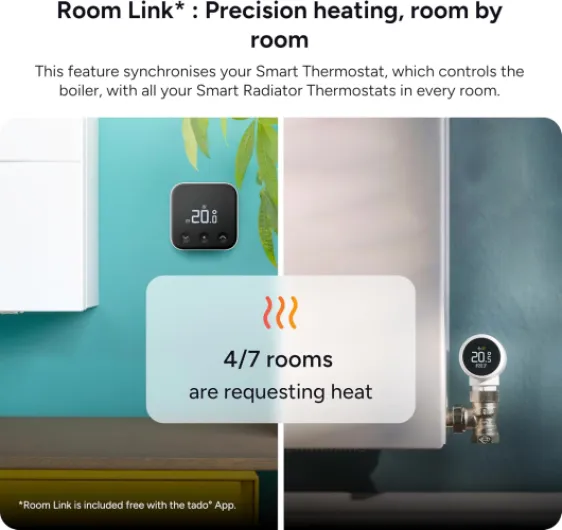
The thermostat itself controls heating only, not your hot water, and it’s suitable for gas boilers that support OpenTherm or plain relay control, plus some heat pumps and water-fed underfloor heating. If your boiler is the usual combi type with a simple wired room stat, chances are it will work. If you’ve got a more complex S-plan/Y-plan system or multiple zones, that’s where things can get tricky and you might need extra tado bits or support to configure it correctly.
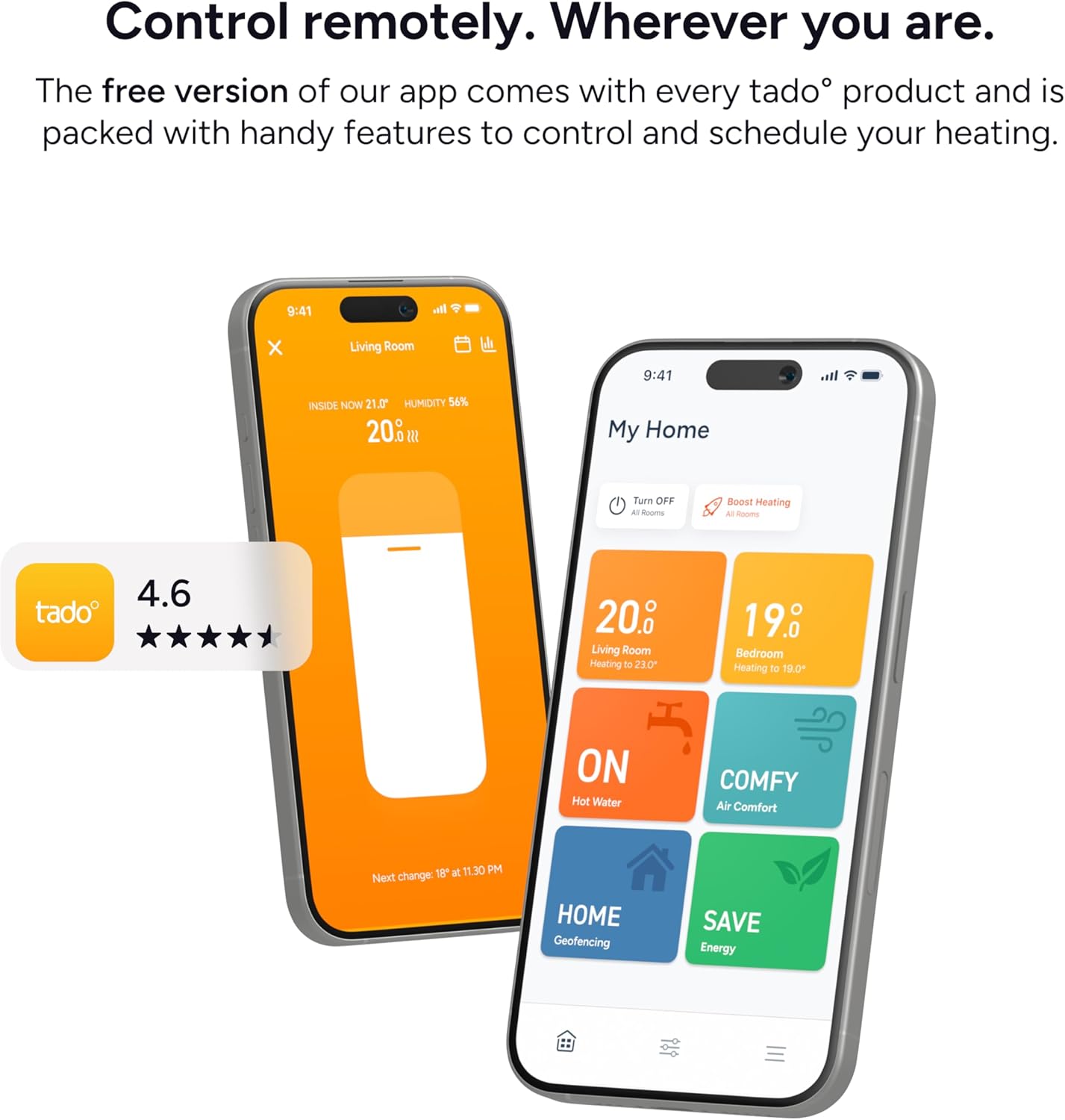
On the software side, you get the tado app (iOS and Android) with scheduling, manual control, temperature graphs, humidity graphs, and basic “Away” handling even without a subscription. You can link it to Alexa, Google Assistant, or Siri and control the temperature by voice or routines. The new X range communicates using Matter and Thread, which is nice if you’re building a modern smart home and want everything to talk to each other in a standard way.
Where it gets a bit confusing is their AI Assist stuff. Features like automatic geofencing, open window detection automation, and some of the more advanced energy insights are tied to a subscription. The device will still work fine without it, but you just get notifications instead of automatic actions. If you buy it expecting every fancy thing in the bullet points to be free forever, you’ll probably be annoyed. If you mainly want decent scheduling, app control and voice control, the free tier is already usable.
Pros
- Clean, minimal design with a solid-feeling thermostat and discreet bridge
- Reliable core features: scheduling, app control, voice assistant support, and clear temperature/humidity graphs
- Matter and Thread support for better smart home integration and future-proofing
Cons
- Some advanced AI features (geofencing automation, open window automation) require a paid subscription
- Installation can be confusing on certain UK boiler setups and may need tado support to tweak backend settings
- Requires an extra bridge box plugged into your router, adding another device and power socket to your setup
Conclusion
Editor's rating
The tado Smart Thermostat X Starter Kit is a solid choice if you want to move from a dumb wired thermostat to something you can control from your phone or smart speaker. The hardware feels decent, the app is clear once you get used to it, and the basic features – scheduling, remote control, voice control, and temperature/humidity graphs – all work reliably. The Matter/Thread support is a bonus if you’re trying to build a modern smart home setup that doesn’t depend on one brand’s ecosystem.
Where it falls down a bit is on installation complexity and subscriptions. For simple systems, the online step-by-step guide is enough and you can get it running in under an hour. But with some UK-style boilers or more complex wiring, you might hit a wall and need tado support to enable certain modes in the background. That’s not great for something that advertises DIY installation. On top of that, a bunch of the more attractive AI features – proper automatic geofencing, open window automation, deeper energy insights – sit behind a paid plan. The thermostat is still very usable without it, but you need to go in knowing that.
If you want a clean-looking thermostat, decent app, and you’re comfortable either DIY-ing or at least reading wiring diagrams carefully, this is a good option. If you’re in the UK with a more traditional multi-zone or complex system, or if you hate subscriptions on principle, you might be happier with something like Drayton Wiser or Hive that’s more tailored to that market and leans less on paid add-ons. Overall, I’d give the tado Smart Thermostat X a thumbs up for tech-savvy users with compatible boilers, and a cautious “maybe” for everyone else.