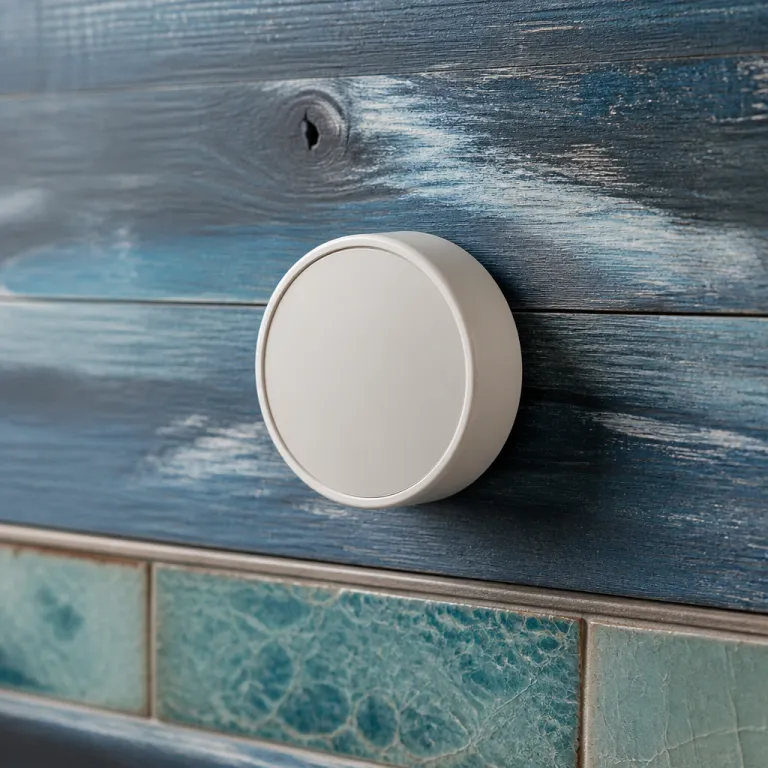
The Honeywell X2S in context: a honeywell home smart thermostat review for renters and first timers
The Honeywell X2S sits in a crowded smart thermostats aisle where marketing noise often drowns out practical needs. This honeywell home smart thermostat review focuses on what matters for a renter or first time homeowner who wants a smart home upgrade that simply works without drama. If you care more about a lower gas bill than a flashy app animation, this thermostat deserves a close look.
Honeywell home has positioned the X2S as a straightforward smart thermostat rather than a thermostat premium gadget loaded with niche features. You still get a full featured thermostat with Wi Fi control, voice assistant support, and flexible scheduling, but you skip extras like built in air quality sensors or advanced room sensors that drive up the price. That trade makes sense for many homes where a single central thermostat already keeps every room reasonably comfortable.
At about 80 dollars, the X2S undercuts an Ecobee Smart Thermostat Premium and the latest Nest thermostat models by a wide margin. Those premium smart thermostats add things like nest learning algorithms, multi stage comfort tuning, and more detailed energy usage charts, but they also assume you will dig into every app menu. The X2S instead targets people who want the best smart balance of comfort, reliability, and energy saving without turning their phone into an HVAC control panel.
This honeywell home smart thermostat review also has to place the X2S against other budget options like the Sensi smart thermostat line. A Sensi product often appeals to DIY users because of flexible wiring support and clear on screen instructions, yet it usually lacks Matter support and sometimes needs a separate power extender kit. Honeywell’s X2S leans on a universal wall plate and a required C wire to keep the electronics stable, which reduces random reboots and Wi Fi drops that plague some cheaper thermostats.
For renters, the key question is whether a home smart upgrade like this can be installed and later removed without leaving scars. The X2S uses Honeywell’s UWP wall plate, which covers most old thermostat screw holes and lets you detach the thermostat body quickly when you move out. As long as your existing wire bundle includes a C wire and you keep the old thermostat, you can reverse the installation in under fifteen minutes.
Installation and wiring: what the C wire requirement really means
Every honeywell home smart thermostat review eventually runs into the same topic, the mysterious C wire that powers most modern smart thermostats. The Honeywell X2S requires a 24 volt C wire connection, which means it draws steady power from your furnace or air handler instead of stealing power through the heating circuit. That design choice improves reliability and keeps the screen and Wi Fi radio stable, but it also narrows which homes can use this thermostat without extra work.
If your existing thermostat wiring bundle already includes a spare wire labeled C at the furnace control board, the X2S installation is straightforward. You shut off power, label each wire, mount the UWP wall plate, land each wire on the matching terminal, and snap the thermostat onto the plate. In most single family homes with forced air systems, this process takes under thirty minutes and does not require professional help or special tools.
Things get trickier in older apartments where the thermostat wire harness may only have two or three conductors. In those cases, some competing products like certain Ecobee smart models or a Sensi smart thermostat include a power extender kit that can simulate a C wire at the furnace. Honeywell does not bundle such a kit with the X2S, so you either run new wire, install a separate transformer, or choose a different thermostat amazon listing that supports power stealing.
Before buying, you should remove your existing thermostat and photograph the wiring terminals, then compare them with Honeywell’s online compatibility checker or the printed guide. If you already own a Honeywell Pro Series thermostat, resources like this Honeywell Pro Series thermostat manual PDF guide can help you understand your current setup. The same basic terminal labels apply to the X2S, so once you know whether you have R, C, W, Y, and G, you can judge compatibility confidently.
The X2S supports up to 2H/2C conventional systems and 2H/1C heat pump systems with electric backup, which covers most multi stage residential HVAC configurations in the United States. If you have a more complex boiler system, high voltage baseboard heaters, or a proprietary communicating setup, this smart thermostat will not be the best fit. In that scenario, a more advanced thermostat premium model from Ecobee or a Nest thermostat with specific compatibility modules may be necessary.
Once wired, the UWP wall plate makes future upgrades easier because many newer Honeywell home thermostats share the same plate. That means if you later move to a Honeywell T9 with room sensors or another smart home ready model, you can often reuse the existing plate and wire connections. For a renter or first time buyer, that modular approach reduces wall damage and keeps your landlord happier when you eventually move out.
Everyday use: app, assistants, and Matter in a real smart home
On the wall, the Honeywell X2S looks intentionally simple, with a clean display that shows temperature, mode, and basic status icons. The real smart features live in the First Alert app, which replaces older Honeywell home apps and ties the thermostat into a broader smart home ecosystem. During testing, the app proved stable and quick to sync, though it lacks some of the deep analytics you see in an Ecobee smart thermostat premium dashboard.
Voice control is where this honeywell home smart thermostat review finds the X2S punching above its price. The thermostat works with Amazon Alexa, Google Assistant, and Apple HomeKit, so you can say “set the living room thermostat to 21 degrees” from almost any assistant device. In practice, Alexa and Google Assistant integrations feel slightly more polished than Apple HomeKit, but all three assistants handled basic commands and scheduling changes reliably.
Matter support is the headline feature that sets this product apart from many other thermostats at this price. Matter is a new smart home standard that lets devices talk directly to each other across platforms, so your thermostat can show up in an Amazon smart display, a Google Home app, or an Apple Home dashboard without separate cloud accounts. For a renter who might move between homes and ecosystems, that flexibility is worth more than another flashy sensor.
Compared with a Nest thermostat or Nest Learning Thermostat, the X2S does not try to infer your schedule automatically. Instead, you program schedules in the app or on the thermostat, choosing 5 1 1, 5 2, 7 day, or single week patterns that match your routine. Some people prefer the nest learning approach, but others find manual scheduling more predictable, especially in homes with irregular work shifts or shared spaces.
Honeywell’s app presents energy usage data in a simpler way than Ecobee or Nest, focusing on runtime history rather than complex graphs. If you want deep breakdowns by room, you would need a system with room sensors like the Honeywell T9 or an Ecobee Smart Thermostat Premium with remote sensors. For many users, though, a clear monthly runtime summary and basic energy saving tips are enough to understand whether their thermostat settings are working.
If you are comparing across brands, it is worth reading a detailed Honeywell T9 versus Nest and Ecobee analysis such as this Honeywell T9 review against Nest and Ecobee. That kind of comparison highlights where room sensors and more advanced learning algorithms genuinely improve comfort and where they mostly add complexity. The X2S deliberately avoids those extras, betting that many homes simply need a reliable, connected thermostat that obeys clear instructions.
Comfort, scheduling, and energy saving: what you gain and what you give up
Comfort starts with stable temperature control, and the Honeywell X2S handles that core job without drama. Temperature swings stay modest, and the thermostat’s algorithms avoid rapid cycling that can wear out equipment and waste energy. For a typical three bedroom home, that means fewer hot cold complaints and a more consistent feel from room to room, even without dedicated room sensors.
Scheduling options are generous for a budget smart thermostat, with 5 1 1, 5 2, 7 day, and single week modes available. You can set different temperatures for wake, leave, return, and sleep periods, then copy that schedule across days in the app to save time. Auto away features use schedule logic rather than motion sensors, so the thermostat will not suddenly change modes just because you sat still on the couch for a movie.
Energy saving features focus on practical nudges rather than aggressive automation. The app highlights when your setpoints are far from typical energy efficient ranges and suggests small adjustments that can reduce energy usage without sacrificing comfort. Filter change reminders and basic maintenance alerts also help keep your HVAC system running efficiently, which indirectly supports lower energy bills and better air quality.
Compared with an Ecobee smart thermostat premium model, you lose granular energy reports and advanced multi stage optimization that can squeeze a bit more efficiency from complex systems. Ecobee’s room sensors can also balance temperatures between floors, which is valuable in tall townhomes or large open plan spaces. If your home has serious hot and cold spots, a thermostat with room sensors or a Nest thermostat with learning and presence detection may still be the best smart choice.
On the other hand, the X2S avoids some of the frustrations that come with more aggressive automation. Nest learning can sometimes misinterpret your habits and create schedules that feel random, especially in homes where people work irregular hours. By keeping scheduling explicit and easy to edit, Honeywell home gives you clear control, which many first time smart home users find less stressful.
For renters, the ability to lock down certain settings in the app can be useful when sharing a home with roommates. You can agree on a schedule and then limit how much the on wall controls can override it, which protects both comfort and the shared energy budget. In that sense, the X2S behaves like a practical home smart appliance rather than a gadget that invites constant tinkering.
How the X2S compares with Nest, Ecobee, and Sensi in the real world
Any honest honeywell home smart thermostat review has to answer a blunt question, why choose this over a Nest or Ecobee. The short answer is that the Honeywell X2S prioritizes reliability, Matter compatibility, and price over advanced automation and deep analytics. For many households, that trade is not just acceptable, it is preferable.
Compared with a Nest Learning Thermostat, the X2S lacks learning algorithms, occupancy detection, and some of the slickest app visuals in the category. Nest thermostats shine in homes where people want the system to infer patterns and where Wi Fi and power are rock solid. However, Nest devices do not yet support Matter in the same universal way, and their reliance on Google accounts can be a drawback for people who prefer Amazon Alexa or Apple HomeKit as their primary assistant.
Ecobee smart thermostat premium models bring built in air quality monitoring, integrated voice assistants, and powerful room sensors that can act as remote thermostats. Those features are excellent in large homes with multi stage equipment and complex comfort needs, but they push the price far above the Honeywell X2S. If you do not need air quality readouts on your thermostat or a microphone in your hallway, the X2S gives you the core smart thermostat experience at roughly half the cost.
Sensi smart thermostats occupy a similar budget space, often appearing as a thermostat amazon favorite for DIY installers. A Sensi product may support more wiring scenarios without a C wire, which helps in older homes, and its app is clear and functional. However, Sensi models generally lack Matter support and sometimes feel more like connected traditional thermostats than fully integrated smart home devices.
For renters and first time buyers, the X2S hits a sweet spot between a basic programmable thermostat and a full blown smart home hub. You get app control, voice assistant integration with Amazon Alexa and Google Assistant, and Matter support that keeps your options open if you switch ecosystems later. You give up some of the bells and whistles of Nest and Ecobee, but you also avoid their higher prices and steeper learning curves.
If you are still weighing alternatives, it can help to read hands on tests of other models, such as this Sensi Touch Wi Fi smart thermostat review. Comparing real world experiences across brands reveals that the best smart thermostat is not always the one with the longest spec sheet. Often, it is the one that quietly does its job while you forget it is even there.
Who should buy the Honeywell X2S, and who should look elsewhere
The Honeywell X2S is ideal for people who want a smart thermostat that feels like a familiar wall thermostat first and a gadget second. If you are a renter or first time homeowner with a compatible C wire system, this product offers a low friction path into the smart home world. You get reliable temperature control, app access, and assistant integration without committing to a specific ecosystem for the next decade.
This honeywell home smart thermostat review recommends the X2S most strongly for small to medium homes with relatively even room temperatures. In those spaces, the lack of room sensors is not a major drawback, and the thermostat’s straightforward scheduling and energy saving features are enough to keep bills in check. If you later move to a larger home with more complex comfort needs, you can always upgrade to a thermostat premium model with multi stage optimization and remote sensors.
You should probably look elsewhere if your system lacks a C wire and you are not willing to run new wiring or install a separate transformer. In that case, an Ecobee smart thermostat with a power extender kit or a Sensi model designed for two wire systems may be a better fit. Likewise, if you are obsessed with detailed energy usage graphs and air quality metrics, an Ecobee Smart Thermostat Premium or a high end Nest thermostat will serve you better.
For people deeply invested in a single ecosystem, the decision may hinge on assistant preferences. If you live in an Amazon smart household with Echo speakers in every room, the X2S’s Amazon Alexa integration and Matter support make it a natural fit. If you are all in on Apple HomeKit, the X2S still works well, but you might also consider how its feature set compares with other HomeKit compatible thermostats in the same price range.
In the end, the Honeywell X2S is not trying to be the smartest thermostat on the market. It aims to be the best smart choice for people who want reliable comfort, modest energy saving, and broad compatibility at a price that feels reasonable. For many homes, that is exactly the right target, because the real test of a thermostat is not the app interface, but the February gas bill.
Key figures and statistics about smart thermostats and energy
- According to the U.S. Environmental Protection Agency, properly programmed smart thermostats can reduce heating and cooling energy usage by about 8 percent on average, which can translate into significant annual savings on utility bills for a typical detached home.
- ENERGY STAR reports that heating and cooling account for roughly 40 to 50 percent of total household energy consumption in many U.S. homes, so even small thermostat driven efficiency gains have an outsized impact on overall energy costs.
- Market research from major industry analysts shows that smart thermostat shipments in North America have grown by more than 15 percent annually in recent years, reflecting strong consumer interest in connected home energy management.
- Surveys of smart thermostat owners consistently find that remote control via app and integration with voice assistants like Amazon Alexa and Google Assistant are among the top three reasons people choose smart thermostats over traditional programmable models.
- Independent field studies have observed that households which actively use scheduling and away modes on their smart thermostats achieve noticeably higher energy saving than those who only use manual setpoint changes, underscoring the value of engaging with the available features.
FAQ about the Honeywell X2S and smart thermostats
Does the Honeywell X2S work without a C wire?
No, the Honeywell X2S requires a dedicated 24 volt C wire for power and will not operate correctly without it. If your existing thermostat wiring does not include a C conductor, you would need to run new wire, install a separate transformer, or choose a different smart thermostat that supports power stealing or includes a power extender kit.
Is the Honeywell X2S compatible with Amazon Alexa, Google Assistant, and Apple HomeKit?
Yes, the Honeywell X2S integrates with Amazon Alexa, Google Assistant, and Apple HomeKit, allowing voice control and automation routines across major ecosystems. Matter support also helps the thermostat appear in multiple smart home platforms with less reliance on separate cloud integrations.
How does the Honeywell X2S save energy compared with a traditional thermostat?
The X2S supports detailed scheduling, away modes, and app based adjustments that make it easier to avoid heating or cooling an empty home. By nudging users toward efficient setpoints and providing runtime history, it helps households maintain comfort while reducing unnecessary energy usage.
What HVAC systems are supported by the Honeywell X2S?
The Honeywell X2S supports up to 2 heat and 2 cool conventional systems and up to 2 heat and 1 cool heat pump systems with electric backup. It is not designed for high voltage baseboard heaters, proprietary communicating systems, or very complex commercial style multi stage setups.
Who is the Honeywell X2S best suited for?
The Honeywell X2S is best suited for renters and first time homeowners with compatible low voltage systems who want a reliable, affordable smart thermostat. It is ideal for people who value simple control, Matter compatibility, and broad assistant support more than advanced learning algorithms or built in air quality monitoring.