
Summary
Editor's rating
Value for money: decent price if you want simple control
Design: looks modern enough, but nothing to brag about
Power and batteries: wired, but still needs cells
Build quality and how long it feels like it’ll last
Performance and temperature control in real life
What the DT3 actually is (and what it isn’t)
Pros
- Stable and fairly accurate temperature control compared to old analog thermostats
- Simple, clear interface with useful boost and eco modes
- Easy swap-in installation with wiring plate for many existing wired setups
Cons
- No Wi‑Fi, app or advanced scheduling – very limited smart features
- Still needs batteries even though it’s a wired unit
- Display only lights when touched, so you can’t see the temperature at a glance

Specifications
View full product page →| Brand | Honeywell Home |
A thermostat for people who just want the heating to work
I picked up the Honeywell Home DT3 wired thermostat because I was honestly tired of apps, Wi‑Fi dropouts and smart-home drama just to turn the heating on. My old mechanical dial thermostat was drifting by a couple of degrees and looked like it came from the 90s. I wanted something simple, digital, and reasonably accurate, without paying for features I never use. This one kept popping up with decent reviews and a fair price, so I gave it a go.
After installing it and using it daily, my first impression is that this is a no-nonsense thermostat. It doesn’t talk to your phone, it doesn’t connect to Alexa, and it doesn’t try to “learn your habits” in a fancy way. It just lets you set a temperature, add a boost or eco period, and that’s pretty much it. If you’re looking for something packed with smart features, this is the wrong product. If you just want the boiler to turn on and off at the right temperature, you’re in the right zone.
In my case, it’s running a standard gas boiler with radiators in a small three‑bed house. I replaced a tired analog Honeywell dial, so the comparison is pretty straightforward: same wiring, same boiler, only the control changed. After a few days, I could already see a difference in how often the boiler cycled and how stable the room temperature felt. Not life-changing, but definitely more controlled than my old dial that had a big dead zone.
It’s not perfect, though. The interface is simple but a bit clunky at first, and the display only lights up when you touch it, which is good for power but can be slightly annoying if you like to see the temperature at a glance. Also, despite being wired, it still needs batteries, which feels a bit silly. Overall, though, it’s a practical, low-drama option if you just want basic, reliable heating control without turning your house into a tech project.
Value for money: decent price if you want simple control
On the value side, the DT3 sits in a comfortable middle ground. It’s cheaper than most big-name smart thermostats and not that much more than a basic mechanical dial. For the money, you get accurate digital control, a clear display, some simple energy-saving modes, and a unit from a brand that’s widely used by heating engineers. If you just want reliable room temperature control and you’re not chasing every smart feature, it’s a pretty solid deal.
The main question is what you’re comparing it to. If you compare it to a £10–15 no-brand mechanical thermostat, yes, this is more expensive. But you also get better accuracy, less temperature swing, and features like boost, eco, and frost protection that can genuinely help you fine-tune comfort and energy use. Over a couple of winters, a slightly better controlled system can easily pay back the price difference in gas or electricity saved, even if it’s not dramatic. It also just feels nicer to use than a stiff old dial with no clear reading.
Compared to full smart thermostats with apps, geofencing and fancy schedules, the DT3 is obviously more limited, but also much cheaper and simpler. If you’re not the kind of person who will actually bother tweaking schedules on your phone, paying extra for those features is a bit of a waste. In that context, the DT3 hits a sweet spot: modern enough to be comfortable and efficient, basic enough that anyone in the house can understand it in two minutes.
The only thing that slightly hurts the value is the lack of built-in scheduling beyond simple boost/eco periods. If you want full weekly programming, you’ll still need a separate programmer or timer near the boiler, which some houses already have. If you don’t, then you might be better off with a different product that combines thermostat and programmer in one. But for what it sets out to be – a straightforward wired room thermostat with a few smart-ish touches – the DT3 offers good value for money and doesn’t feel overpriced for what you get.
Design: looks modern enough, but nothing to brag about
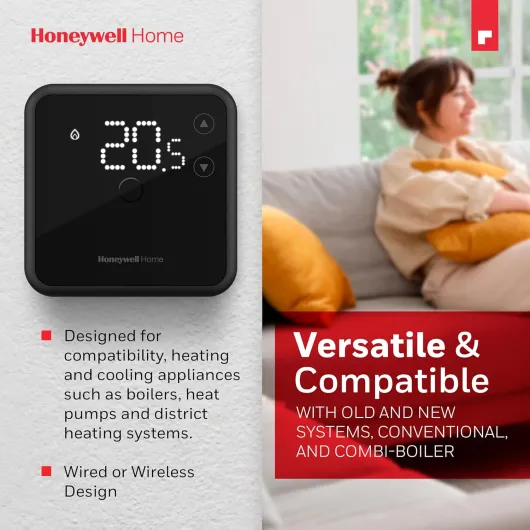
Visually, the DT3 is clean and plain. It’s a small rectangular white box with a dark display area and touch buttons underneath. Compared to my old yellowed analog dial, it’s a big step up. Compared to high-end smart thermostats with glass fronts and color screens, it obviously looks cheaper, but it doesn’t scream “budget” either. It just blends into the wall and disappears, which is kind of what I want from a thermostat. I don’t need it to be a centerpiece, I just don’t want it to look like an old light switch.
The display is LED-based with a dimming function and turns off when not in use. That means most of the time you just see a dark panel. Tap one of the capacitive touch buttons and the numbers light up, bright and readable even from a couple of meters away. This is nice in the evening because it doesn’t glow constantly. The downside is that you can’t see the temperature at a glance when you walk past unless you actually tap it. Personally, I got used to that in a few days, but if you like always-on displays, you might find it mildly annoying.
The touch buttons themselves are fine but a bit basic. They are capacitive, so you just tap, no mechanical click. They respond well enough, but you don’t get any haptic feedback, and sometimes I found myself tapping twice because I wasn’t sure it had registered. The button layout is logical: up/down for temperature, and dedicated icons for boost/eco and settings. Once you learn the icons, it’s simple. The first day, I had to glance at the manual to understand how to set the timers for boost and eco, but after that it was straightforward.
Size-wise, it’s pretty slim and doesn’t stick out too much from the wall. It feels lighter than it looks, which makes sense given it’s mostly plastic with some metal in the base. It doesn’t feel premium in the hand, but once it’s on the wall you don’t really care. Overall, the design is practical and modern enough, not stylish, but a definite upgrade over old-school thermostats. If you want something that looks like a gadget from a design magazine, this isn’t it. If you want something that quietly fits in and doesn’t look dated, it does the job.
Power and batteries: wired, but still needs cells
This part is a bit odd: the DT3 is a wired thermostat powered by the mains circuit for switching, but it still needs batteries to run the electronics and display. The spec lists it as corded electric with 1 V, but in practice you still have to put batteries in the unit. That means you don’t have to run a separate power feed for the screen, which simplifies wiring, but you do have one more thing to maintain over time. Personally, I find that slightly annoying for a wired device, but it’s not a deal-breaker.
The upside is that the thermostat is electrically isolated from the switching circuit, which can be safer and more flexible for different boiler systems. Also, if there’s a brief power cut, your settings and time periods don’t instantly vanish as long as the batteries have charge. I haven’t had it installed long enough to kill a set of batteries, but from similar Honeywell units, you’re usually talking many months, sometimes a couple of years, depending on how often you poke the screen. It’s not like a TV remote that you’re constantly hammering.
In daily use, the battery side is basically invisible. The screen only lights up when touched, which saves power, and there’s no constant backlight draining the cells. There should be a low-battery warning when they start to go, so you’re not left without control overnight. Still, if you hate changing batteries in wall devices, this might annoy you. I would have preferred a fully mains-powered design with a backup capacitor or something, but at this price point I get why they went for batteries.
Overall, I’d rate the power situation as functional but slightly irritating. It works, it’s efficient enough, and you won’t be swapping batteries every month, but it’s one extra maintenance task on top of everything else in the house. If you’re coming from a purely mechanical thermostat that never needed batteries, this will feel like a small step backwards, even though you gain better control and a clear digital display in exchange.
Build quality and how long it feels like it’ll last
In the hand, the DT3 feels light and mostly plastic, which doesn’t scream long-term tank, but also doesn’t feel flimsy. Once it’s clipped onto the wall plate, it’s solid enough – no wobble, no creaking when you tap the buttons. The plastic casing is smooth and the finish is consistent, no sharp edges or weird gaps. It’s not a premium metal device, but this is a thermostat that sits on a wall and rarely gets touched more than a few times a day, so it doesn’t need to be built like a brick.
Honeywell (Resideo) has a decent track record for heating controls. I replaced a very old Honeywell dial stat that had been on the wall for over a decade and only failed because the temperature drifted too much. Looking at the DT3, I’d expect similar lifespan, provided the electronics hold up. There’s no moving mechanical dial or relay to wear out from constant clicking; most of the work is done by solid-state components. Fewer moving parts usually means fewer failure points. The buttons being capacitive also helps – nothing to physically break unless you really abuse it.
One thing to note is that the official spare part availability is listed as 2 years in the EU, which is not huge. It doesn’t mean the unit will die after two years, just that official spares support is limited. But given the price point, if it lasts 5–8 years without issues, that’s already decent value. The wall plate and wiring terminals are reasonably chunky, so you’re not going to strip them by tightening a screw once. I re-terminated my old crusty cables and everything clamped down nicely without feeling like it would crack.
In everyday use, you’re not going to stress this thing much. It’s on a wall, out of harm’s way. As long as no one slams a door into it or kids don’t treat it like a game controller, it should be fine. I’d say build quality is solid enough for normal home use, nothing special, but I don’t see any immediate red flags. The biggest long-term question is electronic reliability, but that’s true of any modern thermostat. Based on Honeywell’s general reputation and how this feels installed, I’m reasonably confident it’ll hold up for several years at least.
Performance and temperature control in real life
Performance-wise, this is where the DT3 actually earns its keep. The temperature control is noticeably more stable than my old analog dial thermostat. With the old one, the room would often overshoot by 1–2°C and then drop again, so you were either slightly too warm or slightly too cold. With the DT3, the TPI / fuzzy logic thing it uses seems to keep the temperature much closer to what I set. I generally run it at 20°C in the living room, and the swings are now smaller – usually within about half a degree either side, judging by a separate digital thermometer I placed nearby.
The boiler cycling also changed. Before, the boiler would slam on and off in big chunks. Now it tends to run in shorter, more frequent bursts when it’s close to the target temperature. That’s the TPI algorithm doing its work. It can be a bit odd the first day if you’re used to long, loud boiler runs, but in practice it means less overshooting and probably slightly better efficiency. I can’t claim huge gas bill savings after a short time, but I do notice the rooms feel more consistent and the boiler isn’t hammering as hard.
The boost and eco modes are actually useful. Boost is handy on cold mornings or when you get home earlier than usual – you can bump the temperature up for, say, an hour without having to change your base setting. Eco lets you drop the temperature for a certain period, for example at night, without messing up your main target. It’s not a full weekly schedule, but for simple routines it’s enough. On very cold days, I’ve used boost a lot more than I expected, and it’s quicker than fiddling with the main programmer in the hallway.
In terms of responsiveness, the thermostat reacts quickly when you adjust the set point. If I go from 18°C to 21°C, the boiler kicks in within seconds. It also has frost protection, so if the temperature drops very low (handy if it’s in a hallway or a second home), it will fire the heating to prevent pipes from freezing. All in all, in actual day-to-day use, it gets the job done without drama: stable temperature, predictable behavior, and no weird glitches so far. It doesn’t do smart tricks, but for basic heating control, the performance is solid.
What the DT3 actually is (and what it isn’t)
The Honeywell Home DT3 is a wired digital room thermostat, not a full heating programmer and not a smart thermostat. That’s important to understand. It controls the temperature, not full weekly schedules like a big wall programmer would. In practice, you set your target temperature and it turns the heating on or off based on that, with a couple of extra modes like boost and eco. If you already have a separate timer/programmer near the boiler, this just replaces the old wall stat in your living room or hallway.
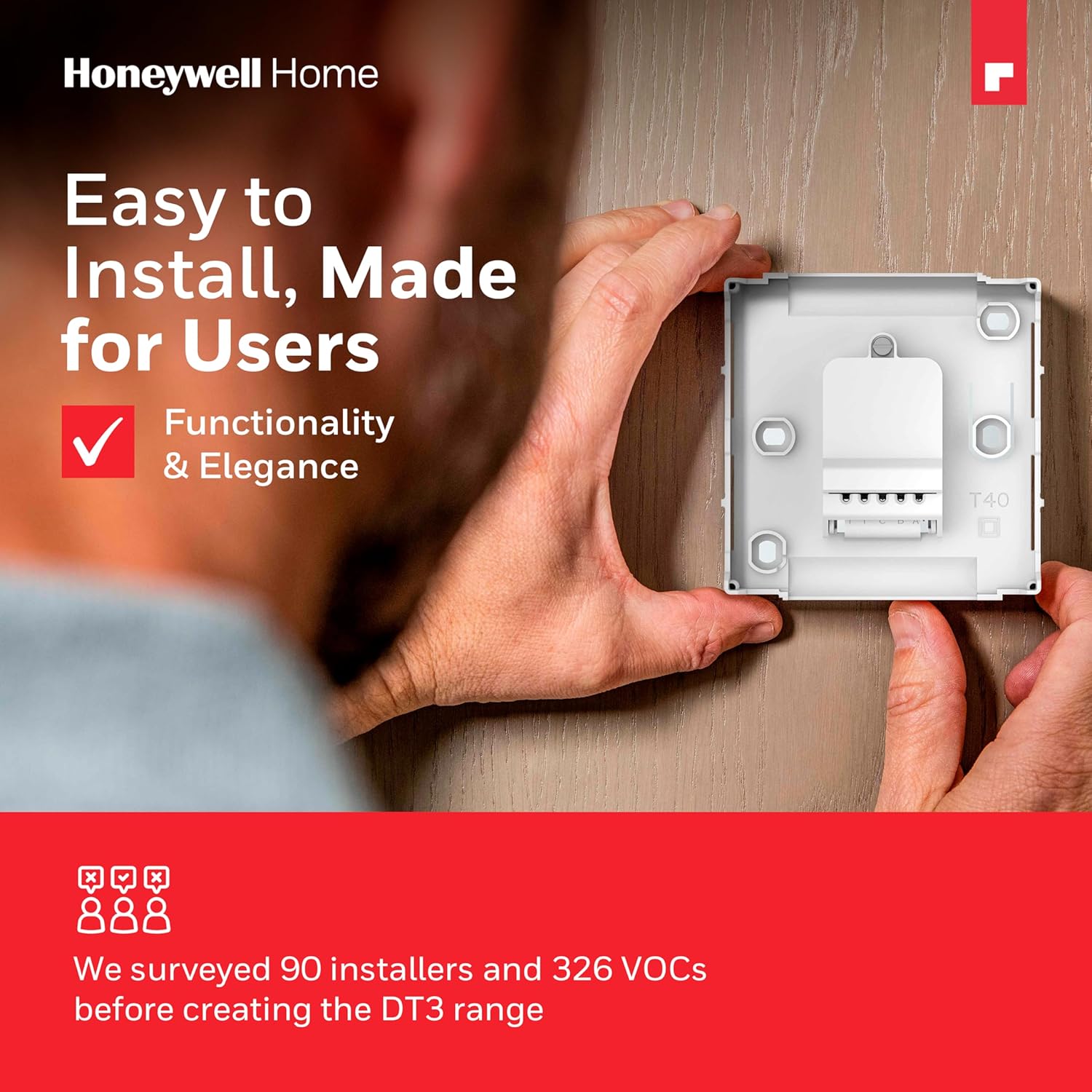
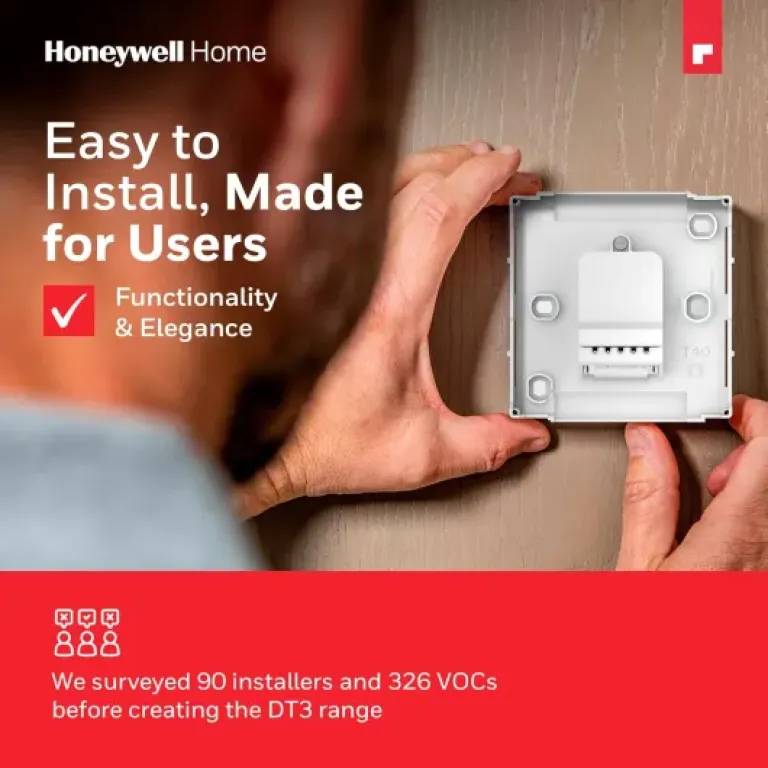
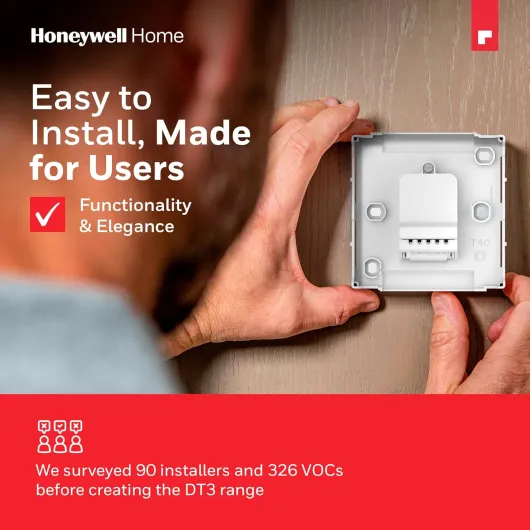
Out of the box, you get: the thermostat unit, the wall mounting/wiring plate, some screws and wall plugs, and a basic manual with QR codes for video guides. No fancy extras, no spare sensors, nothing complicated. The wiring base is actually handy: you fix that to the wall and connect the existing cables, then the thermostat just clips onto it. For anyone who’s swapped a thermostat before, it’s pretty straightforward. If you’ve never touched heating wiring, you’ll probably still want an electrician or heating engineer to do it, but at least the layout is clear.
Feature-wise, the DT3 is quite basic but not totally dumb. You get: adjustable set temperature, a boost function (temporary temperature increase for a set period), eco mode (reduced temperature for a set time), frost protection, and this TPI / fuzzy logic control that basically tries to avoid overshooting the temperature by cycling the boiler more intelligently. It also claims compatibility with heating and cooling systems, including heat pumps, zoning systems, underfloor heating and OpenTherm setups, though realistically most people will just use it on a standard boiler.
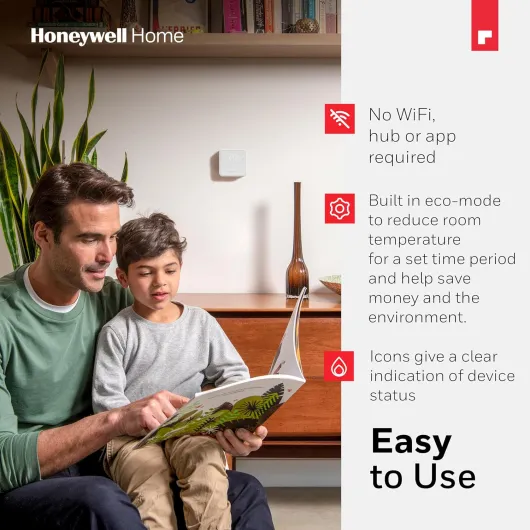
On the flip side, there is no Wi‑Fi, no app, no remote control, no voice assistant support. If you’re used to controlling your heating from your phone, this will feel like a step back. For me, that was intentional – less to go wrong. But it’s worth stressing: this is for people who are fine walking up to the wall and pressing buttons. If you expect full smart-home integration, this product just isn’t built for that and you’ll be frustrated very quickly.
Pros
- Stable and fairly accurate temperature control compared to old analog thermostats
- Simple, clear interface with useful boost and eco modes
- Easy swap-in installation with wiring plate for many existing wired setups
Cons
- No Wi‑Fi, app or advanced scheduling – very limited smart features
- Still needs batteries even though it’s a wired unit
- Display only lights when touched, so you can’t see the temperature at a glance
Conclusion
Editor's rating
The Honeywell Home DT3 is basically for people who are done with overcomplicated heating controls and just want the temperature to be right. It’s wired, simple, and reliable so far. No app, no Wi‑Fi, no gimmicks. You get a clear digital display, stable temperature control, useful boost and eco modes, and a slim design that looks fine on the wall. For a normal house with a standard boiler and an existing programmer, it does exactly what you need without turning your living room into a tech lab.
It’s not perfect. The interface is a bit basic, the display only lights up when touched, and the fact it still needs batteries even though it’s wired is slightly irritating. There’s also no full weekly scheduling built in, so if you don’t already have a programmer, this might not be the only device you need. But in terms of day-to-day use, it’s straightforward, accurate enough, and feels more consistent than old analog stats. If you’re a tech enthusiast who wants remote control, integrations and fancy graphs, this will feel limited. If you’re more the “set it and forget it” type, it hits the spot.
In short: it’s a practical, decent-value wired thermostat. Good for people upgrading from an old dial who don’t care about smart features. Not ideal if you’re starting from scratch and want full scheduling in one box, or if you’re heavily into smart-home setups. For a basic, trustworthy temperature controller that just gets the job done, it’s a solid choice.