
Summary
Editor's rating
Value for money: where it sits versus the big names
Design: looks fine, feels like a regular home appliance
Performance and everyday use: stable and predictable
What this thermostat actually offers in real life
App, smart home features, and the stuff you actually use
Installation: doable for DIY, but C‑wire is non‑negotiable
Pros
- Clear touchscreen and simple app make everyday use and scheduling straightforward
- Stable Wi‑Fi connection and solid Alexa/Google/HomeKit/SmartThings integration
- Good compatibility with typical HVAC systems and supports features like two‑stage heating and circulation control
Cons
- Requires a C‑wire for all setups, which can add installation cost or hassle
- Energy reports and alert options are fairly basic compared to some competitors

Specifications
View full product page →| Brand | Sensi |
A smart thermostat that focuses on the basics
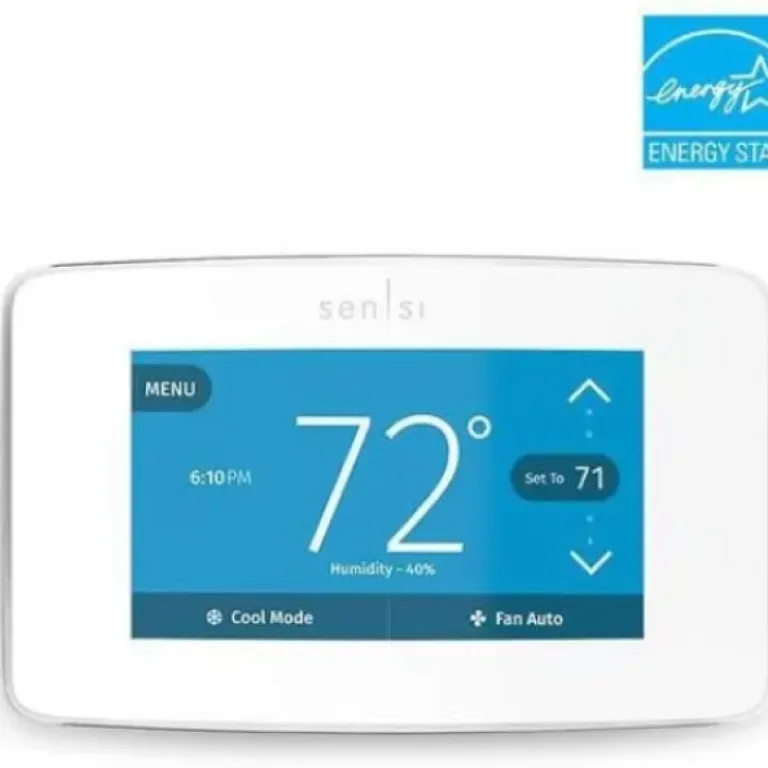
I’ve been using the Emerson Sensi Touch Wi‑Fi Thermostat (ST75W) long enough to get past the honeymoon phase and into the “does this actually make my life easier?” stage. Short answer: it mostly does. It’s not flashy like a Nest with its fancy dial and learning stuff, but in day‑to‑day use, this one feels more like a normal thermostat that just happens to be smart. If you want something you can put on the wall, forget about, and still control from your phone, that’s pretty much what this is.
Installation was probably the part I was most nervous about, because messing with furnace wires is not my idea of fun. The app walks you through it step by step with pictures, and as long as you actually have a C‑wire, it’s pretty straightforward. I’d say my install was around 30–40 minutes including me double‑checking everything twice. If you’re used to swapping light switches or outlets, this is about that level of difficulty. If you’ve never opened your furnace panel before, you’ll go slower, but it’s doable.
Once it was powered up and on Wi‑Fi, the day‑to‑day experience has been pretty smooth. The touchscreen is clear, the numbers are big, and the app is simple. That’s the main theme with this thing: it’s not trying to be clever, it just gives you remote control and scheduling without drama. Compared to some smart home gear that constantly disconnects or needs rebooting, this one has been pretty boring in a good way.
It’s not perfect though. You absolutely need a C‑wire, there’s no workaround out of the box. The interface looks a bit dated compared to newer thermostats, and the energy‑saving claims feel optimistic unless you’re really disciplined with your schedules. But for the price and the features you actually use every day—remote control, simple schedules, Alexa/Google/HomeKit support—it feels like a pretty solid, practical option rather than a showpiece gadget.
Value for money: where it sits versus the big names
Price‑wise, the Sensi Touch usually comes in cheaper than a Nest or Ecobee flagship, and that’s where it makes sense. You’re not paying for fancy learning algorithms, built‑in speakers, or a ton of sensors. You’re paying for a reliable Wi‑Fi thermostat with a touchscreen and solid app support. If you just want to control your heating and cooling remotely and set decent schedules, it feels like fair value.
Compared to my previous smart thermostat (a mid‑range Honeywell model), this one is easier to navigate and less cluttered in the app. One Amazon reviewer even replaced a Honeywell specifically because they wanted better control over circulation time, and ended up liking the Sensi more overall. That kind of sums it up: it’s not trying to be fancy, it’s trying to be practical. If you want deep analytics and tons of bells and whistles, you might feel it’s a bit basic. If you want something that you don’t have to babysit, it hits the right note.
Where the value takes a hit is if you need professional installation because of the C‑wire situation. If you have to pay an HVAC tech to run a new wire or sort out complicated furnace wiring, your total cost climbs closer to premium models. At that point, you might start comparing it more seriously to Nest or Ecobee, which offer more features at the higher price point. So the best value scenario is: you already have a C‑wire, and your system is fairly standard.
Overall, with a strong user rating (around 4.4/5 on Amazon) and a lot of people reporting stable, long‑term use, it feels like a good deal for someone who cares more about reliability and simplicity than about fancy design or advanced automation. Not cheap, not dirt‑cheap, but a sensible middle‑ground purchase that “just works” most of the time.
Design: looks fine, feels like a regular home appliance
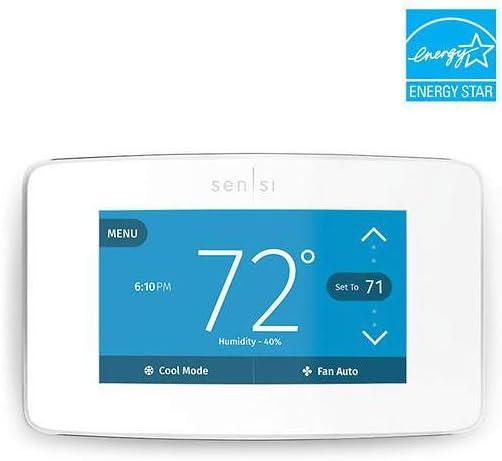
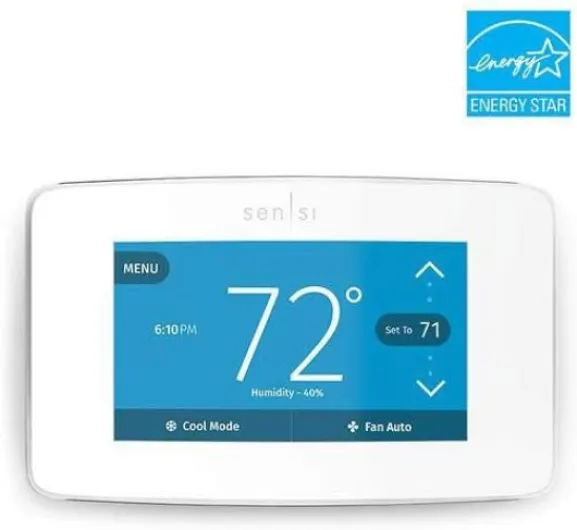
Design‑wise, the Sensi Touch is pretty neutral. It’s a white rectangle with a color touchscreen in the middle. It doesn’t scream “fancy gadget” like some other brands, but it also doesn’t look cheap or out of place. On the wall, it just looks like a slightly more modern thermostat. If you’re expecting it to upgrade your hallway aesthetic, it’s not that, but it blends in well and that’s probably what most people want.
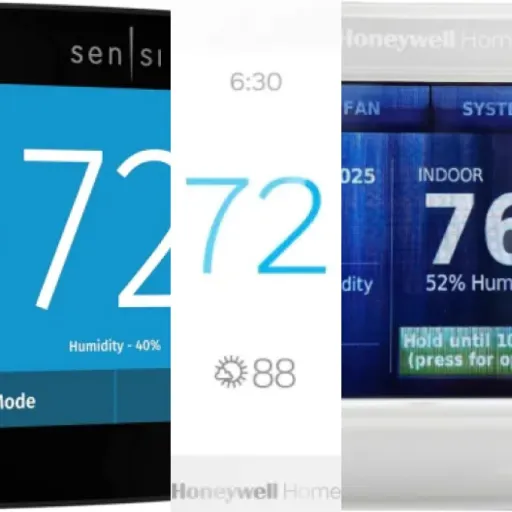
The screen itself is bright and easy to read. Big numbers for the current temperature and set point are front and center, so even from across the hallway you can tell what’s going on. Touch response is decent. It’s not smartphone‑smooth, but it’s not laggy to the point of being annoying. You tap up or down, it responds. The menu system is simple: a few clear icons, nothing buried under ten layers.
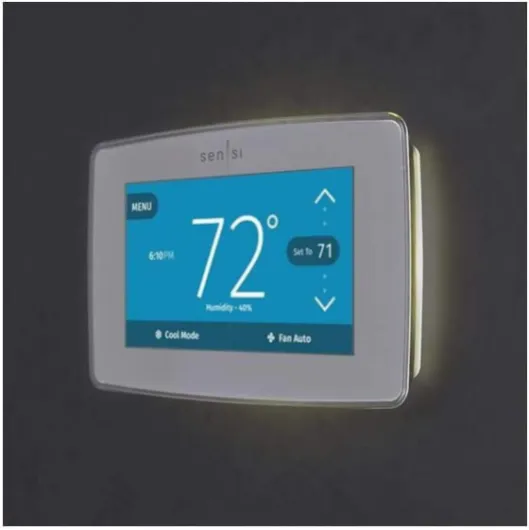
One thing I liked is the built‑in “night light” effect some users mentioned. In a dark hallway, the screen gives off a soft glow that’s actually useful when you’re walking by at night. It’s not blinding, and you can tweak the brightness in settings. Compared to the old dumb thermostat I had before (tiny monochrome display), this is a big quality‑of‑life improvement, especially if your thermostat is in a spot you walk by often.
If I nitpick, the design does feel a bit “previous generation” compared to the super‑minimal, glossy stuff on the market now. The bezel is a bit chunky, and the UI graphics are more functional than pretty. But from a practical point of view, I’ll take clear and readable over fancy animations any day. Also worth noting: it’s a standard thermostat size, so it covered the old footprint on my wall and I didn’t have to repaint or mess with wall plates, which is a small but very welcome detail.
Performance and everyday use: stable and predictable
In daily use, the Sensi Touch does the core job: it keeps the house at the temperature I set without drama. Temperature swings are minimal; when I set it to 21°C (about 70°F), it hangs around there with a small, normal range. I didn’t notice any weird overshooting or big swings, which I have seen on cheaper digital thermostats. It also handled switching between heating and cooling automatically (auto changeover) when the weather was all over the place in spring.
The Wi‑Fi connection has been stable, which is honestly one of the most important things for a smart thermostat. Once I got it connected, it stayed online. The app always finds it, even when I’m away from home. I haven’t had to restart the thermostat or re‑pair it to the network, which is more than I can say for some other smart devices in my house. Voice control through Alexa and Google Assistant works as expected: “set the thermostat to 22” just works. It’s not life‑changing, but when you’re on the couch under a blanket, it’s handy.
Scheduling is where you see the real value. You can set different temps for different times and days, and the app makes this pretty painless. I set mine to drop the temperature at night and during work hours, and raise it before I wake up or get home. It’s not fancy, but it’s reliable. Geofencing is there too—your phone’s location can trigger away/home modes—but I found it a bit hit‑or‑miss with multiple people in the house, so I mainly stick to schedules. That’s more of a general geofencing issue than something specific to Sensi.
On the downside, the energy reports are pretty basic. You can see how long your system ran, but you don’t get deep insights or cost estimates. And while they claim around 23% energy savings, that really depends on how aggressively you use schedules and how inefficient your old setup was. In my case, I’d say I noticed some savings, but nothing dramatic. Still, from a pure performance angle—holding temperature, responding quickly to changes, staying connected, and playing nice with smart assistants—it gets the job done very well.
What this thermostat actually offers in real life
On paper, the Emerson Sensi Touch ST75W ticks most of the boxes people look for in a smart thermostat. You get Wi‑Fi control, a color touchscreen, compatibility with Alexa, Google Assistant, Apple HomeKit, and SmartThings, and it claims to help you save around 23% on HVAC energy with schedules and geofencing. In reality, what you’re getting is a straightforward programmable thermostat with an app. It doesn’t “learn” your habits or try to be clever; you tell it what to do, and it does it.
The app lets you set schedules by day, adjust temperature on the fly, and see basic usage reports. Those usage reports aren’t super detailed like some energy dashboards, but they’re good enough to see how long your heating or cooling has been running each day. There’s also geofencing, which means it can automatically switch between home and away modes based on your phone’s location. It works, but I found myself using simple schedules more often because they’re more predictable.
One nice surprise is the range of systems it can handle: furnaces, AC, heat pumps, even boilers, as long as you have that C‑wire. I tested it on a standard gas furnace with central AC, and it handled two‑stage heating fine without me having to mess with any advanced settings. Other users mention tying in a humidifier and circulation fan tweaks, so it’s not just for basic setups. The flip side is, if your wiring is old or you don’t have a C‑wire, you’re either running a new wire or calling an HVAC tech—there’s no battery‑powered “cheat mode” like some cheaper thermostats.
Overall, in terms of features, it’s solid but not flashy. No overcomplicated gimmicks, no “learning” that randomly changes your temperature while you’re sleeping. If you like the idea of a smart thermostat but hate when tech tries to outsmart you, the Sensi Touch sits in a good spot: modern enough to be convenient, basic enough that you still feel in control.
App, smart home features, and the stuff you actually use
The Sensi app is not flashy, but it’s clear and easy to live with. The home screen shows the current temp, set point, mode (heat/cool/auto), and fan status. Changing anything is basically one tap and a slider. Compared to some cluttered smart home apps I’ve used, this one is refreshingly simple. You don’t need a manual to figure out how to set a schedule or switch modes.
Creating schedules is straightforward: pick days, set times, choose temps. You can copy and tweak schedules instead of rebuilding from scratch, which saves time. If you like very detailed schedules (different temps for morning, midday, evening, night), this thermostat handles that without complaining. Other users mention doing pretty complicated schedules and still finding it easy, and I’d agree. It feels more like programming a basic digital thermostat, just with a nicer interface and the ability to do it from the couch.
On the smart home side, I tested Alexa and Google Assistant, and both integrations worked. Commands like “set downstairs to 21” or “what’s the thermostat set to?” got quick responses. HomeKit support is a plus if you’re in the Apple ecosystem; it’s not something I use heavily, but just having it show up in the Home app is convenient. There’s also SmartThings support, which is good if you like automations like “when I arm the alarm, set the thermostat to away mode.”
There are a few extra features: usage reports (heating/cooling runtimes), humidity display, geofencing, and alerts. Some people mentioned wanting more alert customization, like a low‑temperature set point for freeze warnings, which I agree would be handy. There’s also no fancy filter change reminder customization out of the box, which feels like a missed opportunity for something so basic. Still, for everyday use, the key things—remote control, schedules, and voice control—are stable and simple, and that’s what most people will actually care about.
Installation: doable for DIY, but C‑wire is non‑negotiable
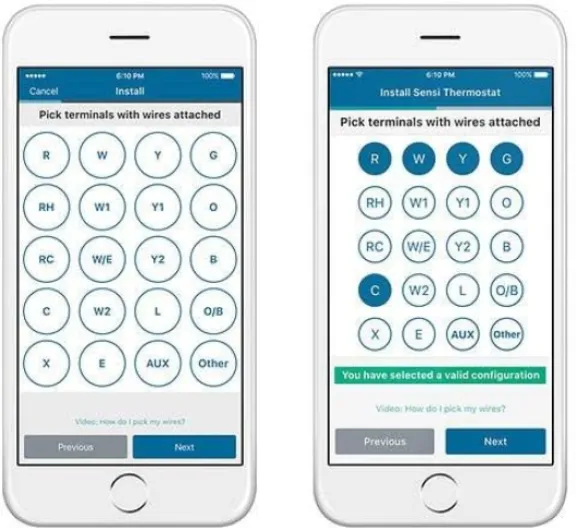
Installation is where a lot of people get stressed with smart thermostats, and this one is no different. The good news: the Sensi app really does guide you step by step. It asks what wires you have, shows you pictures that match your situation, and tells you exactly where each wire goes on the new thermostat. There’s even a built‑in level on the wall plate to help you mount it straight, which is a small touch but actually useful.
In my case, I already had a C‑wire from a previous Wi‑Fi thermostat, so it was mostly a straight swap. I shut off furnace power, labeled the wires, moved them over to the new base, and followed the app. From removing the old stat to having the new one online, it took me about 30–40 minutes. That includes me standing in front of the furnace double‑checking wire colors like a paranoid person. Other reviewers mention having to move a wire inside the furnace, and the app apparently even covers that, which is nice if you’re a bit handy.
The big catch: you must have a C‑wire. There’s no included adapter and no battery‑only mode. If your current thermostat only uses two or three wires and there’s no spare wire in the bundle, you’re probably running a new wire or calling someone who knows what they’re doing. This is not unique to Sensi, but it’s something people often discover too late. My advice: go to their compatibility page or open your existing thermostat before buying, and confirm your wiring situation.
Once physically installed, connecting it to Wi‑Fi and creating an account was straightforward. I had one hiccup where it didn’t connect on the first try, but a quick retry and it was fine. Since then, no issues. So overall: if you’re comfortable flipping breakers and following wiring diagrams, this is very installable. If the idea of opening your furnace panel makes you nervous, budget for a quick HVAC visit. The product itself is friendly to DIY, but your house wiring might not be.
Pros
- Clear touchscreen and simple app make everyday use and scheduling straightforward
- Stable Wi‑Fi connection and solid Alexa/Google/HomeKit/SmartThings integration
- Good compatibility with typical HVAC systems and supports features like two‑stage heating and circulation control
Cons
- Requires a C‑wire for all setups, which can add installation cost or hassle
- Energy reports and alert options are fairly basic compared to some competitors
Conclusion
Editor's rating
The Emerson Sensi Touch ST75W is basically a no‑nonsense smart thermostat. It doesn’t try to impress you with futuristic design or complicated learning modes. Instead, it focuses on being easy to read, easy to control from your phone, and stable on Wi‑Fi. In my experience, it hits those points well. The touchscreen is clear, the app is straightforward, and integrations with Alexa, Google Assistant, HomeKit, and SmartThings work like they’re supposed to. If you like the idea of smart control but don’t want a gadget that constantly needs tweaking, this is a solid fit.
It’s not perfect though. The hard requirement for a C‑wire means some people will either have to run new wiring or pay someone to do it. The design is more “appliance” than “cool tech,” and the energy reports and alerts are a bit basic. If you’re the kind of person who wants deep analytics, motion sensors, learning algorithms, and a super sleek look, you’ll probably be happier with a higher‑end Nest or Ecobee and just pay the extra. But if your priority is a reliable, simple, app‑controlled thermostat that works with most smart home platforms and doesn’t feel overcomplicated, the Sensi Touch offers good value and a pretty low‑stress ownership experience.