
Summary
Editor's rating
Value for money: good balance, unless you want premium extras
Design and screen: clean look, not a showpiece
Performance and everyday use: mostly smooth, with a few quirks
Installation and setup: DIY-friendly, but the C‑wire is non‑negotiable
What the Sensi Touch 2 actually does (and doesn’t do)
Does it actually save energy and make life easier?
Pros
- Clear touchscreen and simple interface that are easy to read and use
- DIY-friendly installation with an app that guides wiring and setup (if you have a C‑wire)
- Good balance of features and price, with real potential for energy savings via scheduling and remote control
Cons
- Requires a C‑wire and can be tricky or extra cost if your system doesn’t have one
- Limited advanced heat pump controls (AUX lockout and balance point settings are not very flexible)
- Occasional app connectivity/offline glitches even when home Wi‑Fi is working

Specifications
View full product page →| Brand | Sensi |
A smart thermostat for people who just want it to work
I’ve been using the Sensi Touch 2 Smart Thermostat (the black ST76W model) for a bit now, and I’ll be honest: I bought it because I wanted something smarter than my old dumb thermostat, but I didn’t feel like paying Ecobee or Nest prices. Also, I wanted something I could actually install myself without spending my Saturday swearing at the wall. So this is very much a “normal person” take, not an HVAC tech review.
In daily use, the Sensi Touch 2 feels like a pretty solid middle-ground device. It’s not flashy, it doesn’t try to run your whole smart home, but it covers the basics: scheduling, remote control from your phone, and integration with Alexa/Google Assistant. The promise is simple: save some energy, get better control, no headache. That’s what I was hoping for going in.
Compared to the old basic programmable thermostat I had, the biggest change is just convenience. I can tweak the temp from the couch or when I’m leaving work, and the touchscreen is way easier to read than those tiny segmented screens from 15 years ago. It’s the kind of upgrade you stop noticing after a week because it just becomes normal, which is usually a good sign.
It’s not perfect though. You absolutely need a C‑wire, the app sometimes says it’s offline for no obvious reason, and if you have a heat pump and like to micromanage things like auxiliary heat lockout, you might hit some limits. So overall, it gets the job done and I like it, but it’s not magic, and there are some trade-offs you should know about before buying.
Value for money: good balance, unless you want premium extras
In terms of value, the Sensi Touch 2 sits in a nice middle zone. It’s usually cheaper than the higher-end Ecobee or Nest models, but more capable and modern than the really basic programmable thermostats. If you care about having app control, a decent-looking touchscreen, and some energy-saving features without going all-in on smart home bells and whistles, the price point makes sense.
What you’re paying for here is mainly: easy DIY installation (if you have a C‑wire), a decent app, Energy Star efficiency features, and reliable day-to-day operation. You’re not paying for fancy extras like built-in voice assistants, super-detailed energy reports, weather on the main screen, or ultra-advanced heat pump tuning. For a lot of people, that’s actually a good trade: fewer gimmicks, more focus on the basics. The Amazon rating sitting around 4.4/5 with over a thousand reviews lines up with that – most people are satisfied, a few run into specific technical limitations.
Where the value drops a bit is if you have a more complex system and care a lot about fine control. The reviewer who switched to Ecobee because of AUX lockout and outdoor temp display clearly got more of what they wanted from the pricier unit. If that stuff matters to you, paying more up front for a thermostat with deeper heat pump controls might be smarter than fighting with settings and workarounds here.
For a typical homeowner with a standard furnace/AC or a basic heat pump setup, I’d say the Sensi Touch 2 offers good value for money. It modernizes your system, probably trims your energy usage if you use it properly, and doesn’t require a subscription or sell your data according to the brand’s privacy claims. If you’re on a tight budget and don’t care about app control, a cheaper programmable thermostat will still work. If you want every smart feature under the sun, spend more and go premium. But in the middle, this one makes sense.
Design and screen: clean look, not a showpiece
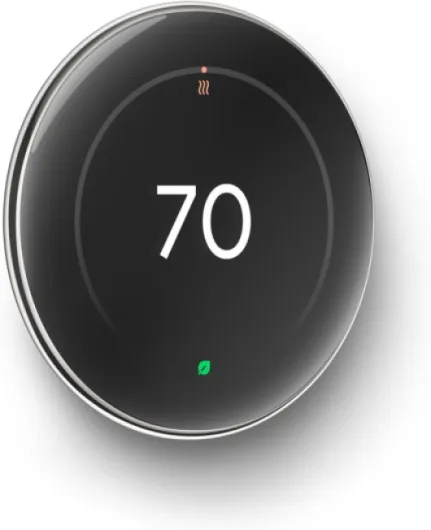
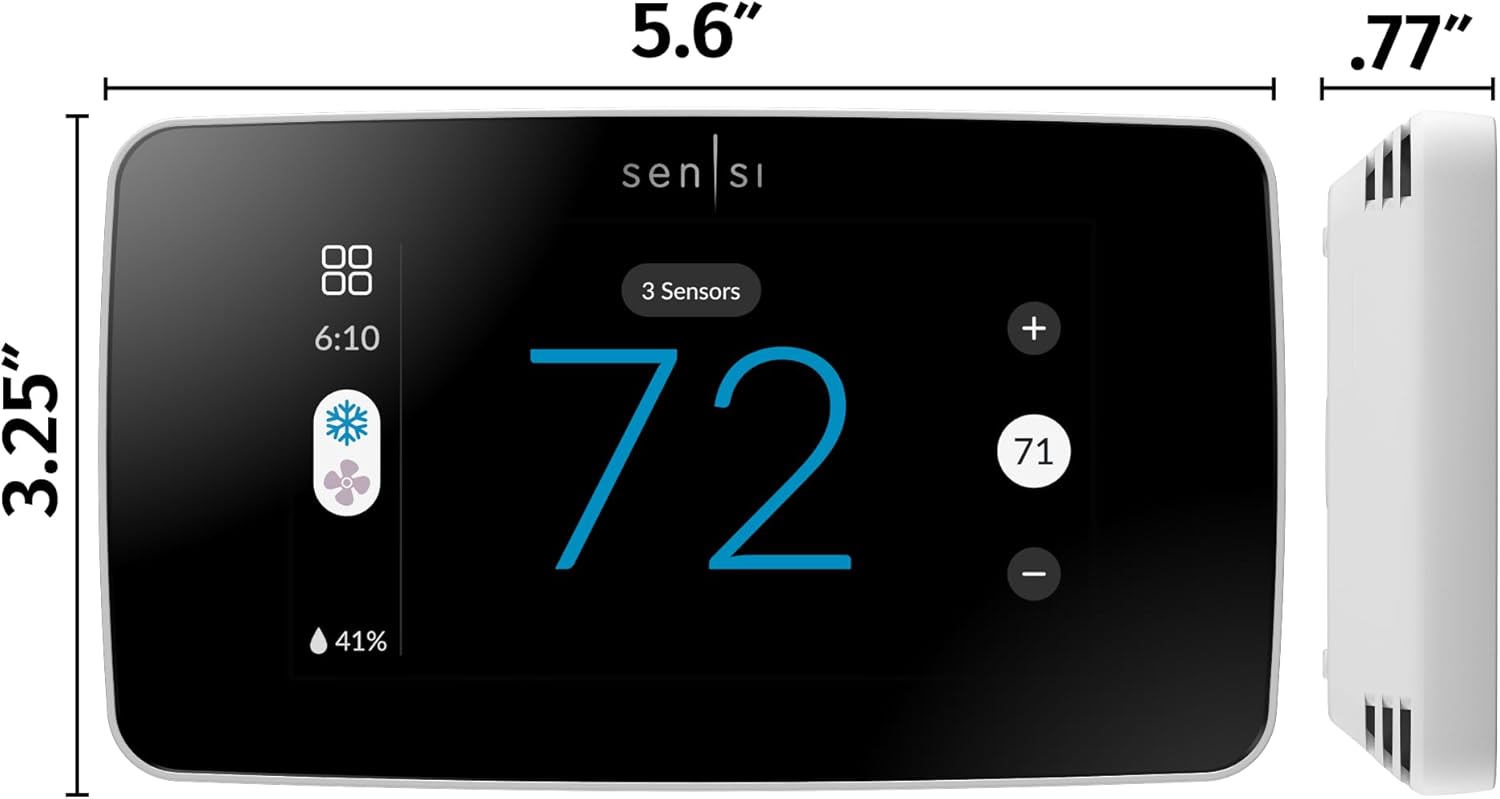
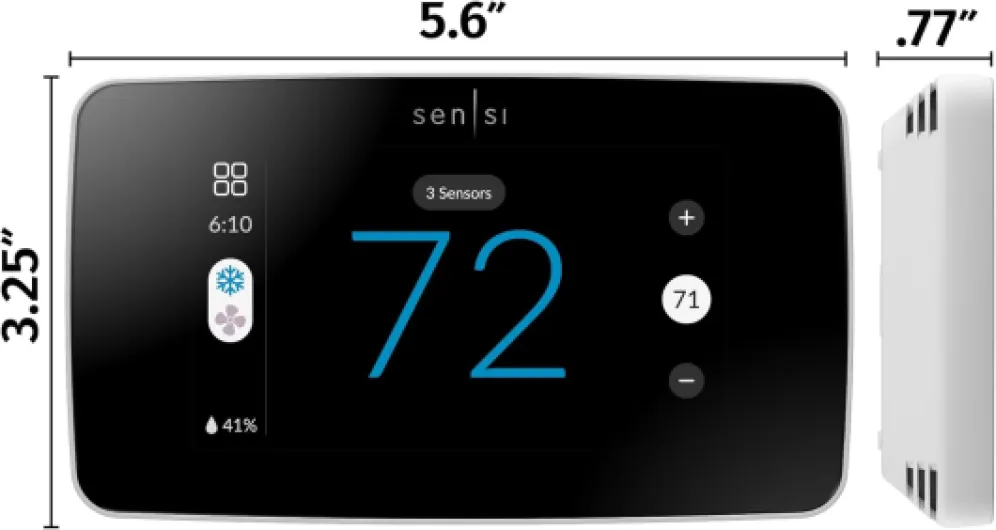
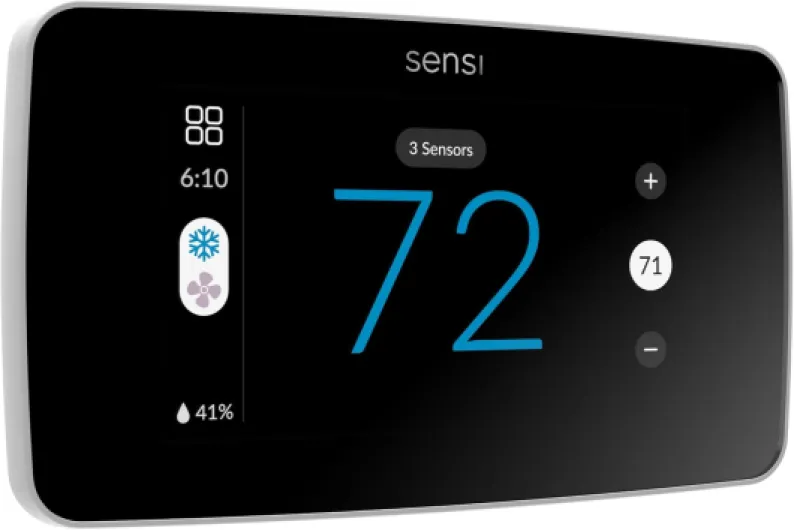
Design-wise, the Sensi Touch 2 is pretty straightforward. It’s a black rectangular unit with a color touchscreen on the front. No fancy metal ring, no glossy sculpture vibe like Nest. On the wall it just looks like a modern, fairly flat thermostat. I’d call it clean and low-profile rather than stylish. If you’re not trying to make the thermostat the centerpiece of your living room, that’s totally fine.
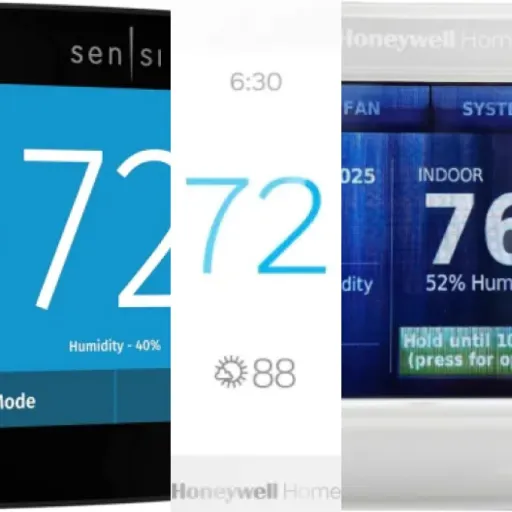
The touchscreen itself is the main interface, and it’s actually one of the parts I liked the most. The text is clear, the numbers are big enough to read from a few feet away, and the layout is pretty logical. You’ve got current temp, set temp, and mode clearly shown. I didn’t have to dig into a manual just to change a simple setting, which is more than I can say for some older Honeywell units I’ve used. One user mentioned they liked the display a lot, and I’m in the same boat: it’s not flashy, but it’s easy on the eyes and simple to navigate.
On the downside, some people would probably like more info on the main screen. One reviewer pointed out that it doesn’t show the outside temperature right there, which sounds minor but if you’re used to seeing weather info on something like an Ecobee, it does feel like a step back. You can see more details in the app, but the thermostat itself is mostly focused on just the indoor temp and basic status. Personally, I don’t stare at my thermostat that much, so I didn’t care, but it’s worth mentioning.
In terms of wall presence, the black color is nice if you have lighter walls and want some contrast. If you’re covering up an older, larger thermostat footprint, you might want the optional back plate that one reviewer mentioned. Without it, you may see old paint lines or screw holes. So visually, I’d say solid, modern, and practical, but not something that’s going to impress your design-obsessed friends. It looks like a good appliance, which is basically what it is.
Performance and everyday use: mostly smooth, with a few quirks
Performance is where this thing matters, and overall it does the core job well. It keeps the house at the temp I set, responds quickly to changes from the touchscreen or the app, and doesn’t randomly reboot or lose its mind. Day to day, I just don’t think about it, which is kind of the goal. The Wi‑Fi control is handy: I’ve adjusted the temp from bed, from the driveway, and from work when I forgot to turn the AC down. The changes usually hit the thermostat within a few seconds.
Scheduling is straightforward. You can set different temps for different times of day and different days of the week. After playing with it for a few days, I had a weekday and weekend pattern dialed in. The geofencing feature (location-based temp control) is there, but you have to actually set it up and give the app permission. When it works, it’s nice – the house starts heating or cooling as you head home – but personally I found a simple schedule more predictable. Might just be my routine being pretty fixed.
On the upside, a lot of users, including me, found that the thermostat works well with more complex systems like heat pumps. One reviewer with a heat pump and LP gas backup mentioned it did a good job automatically switching between the heat pump and auxiliary gas for efficiency, which is exactly what you want. In my case, the heat pump doesn’t slam into AUX heat as aggressively as with the old dumb thermostat, so the system runs a bit longer on the pump and uses less backup heat. That’s a nice practical win.
On the downside, there are two things that bug me. First, the app sometimes claims the thermostat is offline even though the Wi‑Fi in the house is fine. It usually reconnects on its own, but it’s annoying when you just want to tweak the temp and see that message. Second, if you’re picky about advanced heat pump controls like AUX lockout temps, this model feels limited. That one negative review about not being able to set a lower AUX lockout than around -4°C is valid. If your heat pump is rated for really low outdoor temps and you want to squeeze every bit of efficiency, you might be better off with something like an Ecobee that gives you more control.
Installation and setup: DIY-friendly, but the C‑wire is non‑negotiable
Installation is where a lot of smart thermostats fall apart for normal people, and this is actually one of the Sensi Touch 2’s stronger points. The app walks you through the process step by step, and it’s written in plain language. You take a photo of your old wiring, tell the app which wires you have, and it gives you clear instructions on where each one goes on the new thermostat. One reviewer said they felt comfortable doing a DIY install with no prior experience, and I had the same experience. It’s not fun, but it’s manageable.
The big catch: you absolutely need a C‑wire (common wire). This thermostat is 24V and relies on that wire for power. If your existing thermostat only has a couple of wires and no C‑wire, you’re either running a new wire, using a separate adapter, or calling an electrician/HVAC tech. That’s not Sensi being weird; most modern smart thermostats are like this. But it’s something you should check before you click buy. Pull your old thermostat off the wall and see what’s actually connected.
During my install, turning off the right breakers was key. One reviewer mentioned popping a fuse because they didn’t kill all the power to the AC system, and I can totally see that happening. You really want to switch off both the furnace/air handler and the outdoor unit breaker to be safe. Once the wires were in and the base was on the wall, the rest was simple: attach the faceplate, power it up, and then follow the app’s prompts for system setup and Wi‑Fi pairing via Bluetooth.
The only slightly annoying part was getting the thermostat to connect reliably to my Wi‑Fi. It worked, but I had one or two retries before it stuck. Some users with more complex network setups ran into suggestions like port forwarding from Sensi support, which is overkill for most people. In a normal home Wi‑Fi scenario, though, it should be fine. Overall, I’d rate installation as DIY-friendly if you have a C‑wire and are comfortable flipping breakers and handling low-voltage wires. If you’re not, an electrician or HVAC tech can knock this out quickly, and at least the wiring labels and instructions are clear.
What the Sensi Touch 2 actually does (and doesn’t do)
So in practice, the Sensi Touch 2 is a Wi‑Fi smart thermostat with a color touchscreen that you can control with an app. You can set schedules, adjust temps remotely, check basic usage reports, and hook it into Alexa or Google Assistant. It’s also Energy Star certified, and Sensi claims you can save about 23% on HVAC energy if you actually use the scheduling and remote control features properly. I can’t say if the 23% number is exact, but I did notice my system runs a bit less compared to when I was just manually bumping the temp up and down.
The app is really the brain of the thing. During setup, it walks you through step-by-step, and that part is genuinely helpful. It even uses Bluetooth to detect the thermostat and get Wi‑Fi set up, which sounds minor but avoids some of the usual smart home pairing nonsense. Once it’s running, you can do the basics easily: change mode (heat/cool/auto), set target temps, create a 7‑day schedule, and check some stats about how long your system has been running.
Where it’s a bit more limited is in the advanced controls. If you have a simple furnace and AC, you’ll probably never notice. But if you’ve got a heat pump with auxiliary gas or electric backup, you might care about things like balance points and AUX lockout temps. One of the Amazon reviews called this out: the AUX lockout bottoming out around -4°C to -5°C. If your heat pump is rated to handle way colder temps and you want to minimize gas usage, that’s a real limitation. That’s the kind of detail you only hit if you’re picky or your installer knows their stuff.
Overall, the feature set is good enough for most people: remote control, scheduling, app control, basic energy reports, and compatibility with room sensors if you want more even temps in different rooms. But if you’re expecting deep customization like some Ecobee models offer (weather on the screen, lots of fine-grain heat pump controls, more detailed graphs), this one feels more basic. It’s positioned right between old-school programmable stats and the more premium smart thermostats, and that’s exactly how it behaves in daily life.

Does it actually save energy and make life easier?
Effectiveness for me comes down to two things: did it make my heating and cooling more efficient, and did it make controlling the system less of a hassle? On both of those, I’d say it does a good job, as long as you actually use the features and don’t just treat it like a regular thermostat. Once I set up a proper 7‑day schedule and stopped constantly fiddling with the temperature, the system ran in a more predictable way and I saw fewer long, wasteful runs.
Sensi claims up to about 23% savings on HVAC energy if you use scheduling, remote access, and the energy features properly. I didn’t run lab tests, but my energy bills did dip a bit compared to the same season last year, and the run-time reports in the app show fewer hours at max output. One Amazon reviewer specifically mentioned that their gas usage dropped a lot because the thermostat handled switching between the heat pump and auxiliary gas more intelligently. That lines up with what I’ve seen: the system doesn’t jump to backup heat as quickly, which is exactly how you save money.
The app’s usage reports are basic but useful. You can see how many hours the system ran in heating or cooling mode, and that helps you tweak your schedule. For example, after a week I realized my morning heat setting was too aggressive, so I nudged it down a degree and shifted it earlier. That small change cut down on AUX heat kicking in. If you’re into data-heavy graphs and fine-grain analysis, this will feel light. But if you just want a rough idea of how hard your system is working, it’s enough.
One thing I do like is the “smart maintenance” angle: filter reminders and some basic alerts. It’s not fancy, but having the thermostat remind you to swap the filter is actually helpful. My old setup relied on me remembering, which never happened on time. Overall, I’d say it’s effective at what most people care about: more comfort control, some real potential for savings, and fewer manual adjustments. If you’re chasing maximum optimization and want to fine-tune everything, this might feel a bit limited, but for regular use it hits the mark.
Pros
- Clear touchscreen and simple interface that are easy to read and use
- DIY-friendly installation with an app that guides wiring and setup (if you have a C‑wire)
- Good balance of features and price, with real potential for energy savings via scheduling and remote control
Cons
- Requires a C‑wire and can be tricky or extra cost if your system doesn’t have one
- Limited advanced heat pump controls (AUX lockout and balance point settings are not very flexible)
- Occasional app connectivity/offline glitches even when home Wi‑Fi is working
Conclusion
Editor's rating
Overall, the Sensi Touch 2 Smart Thermostat is a solid choice if you just want a modern, app-controlled thermostat that’s practical and not overly fancy. It handles the basics well: clear touchscreen, decent app, reliable temperature control, and some real potential for energy savings if you actually use schedules and remote access. The DIY install is realistic for most people as long as you have a C‑wire and you’re willing to flip breakers and follow the app step-by-step.
It’s not perfect. The app sometimes reports it as offline even when your Wi‑Fi is fine, and the advanced settings for heat pumps and auxiliary heat are limited compared to something like Ecobee. If you’re the type who wants precise control over AUX lockout temps or you really want outside weather info right on the thermostat screen, this model will probably frustrate you. That’s exactly what pushed at least one user to switch brands.
If you have a fairly standard HVAC setup and you want a smart thermostat that gets the job done without costing a fortune, this is a good fit. If you’re a power user, very picky about heat pump behavior, or you like lots of on-screen data and deep configuration, I’d skip this and go for a more advanced unit. For most everyday users, though, it’s a good, no-nonsense upgrade that makes your heating and cooling easier to live with.