Ecobee smart thermostats with Apple HomeKit and multi platform control
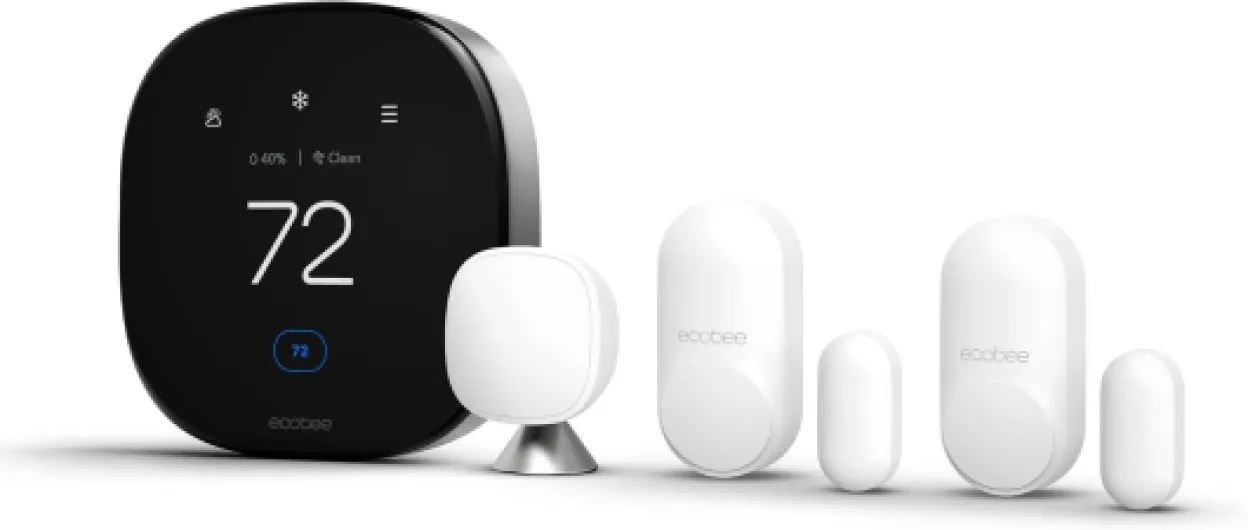
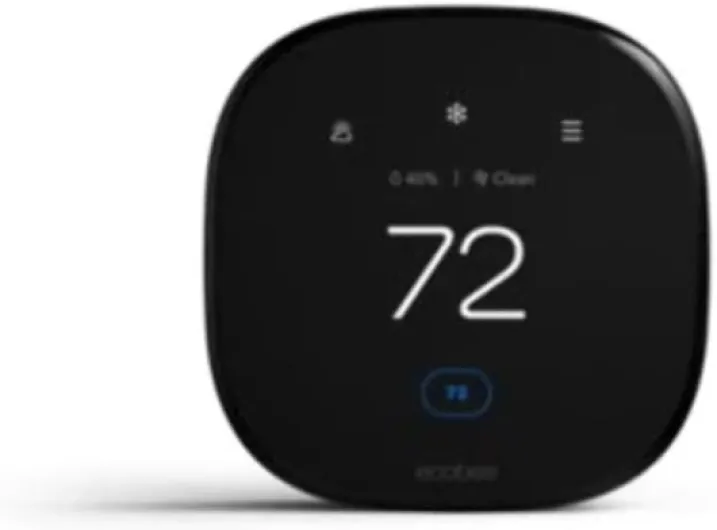
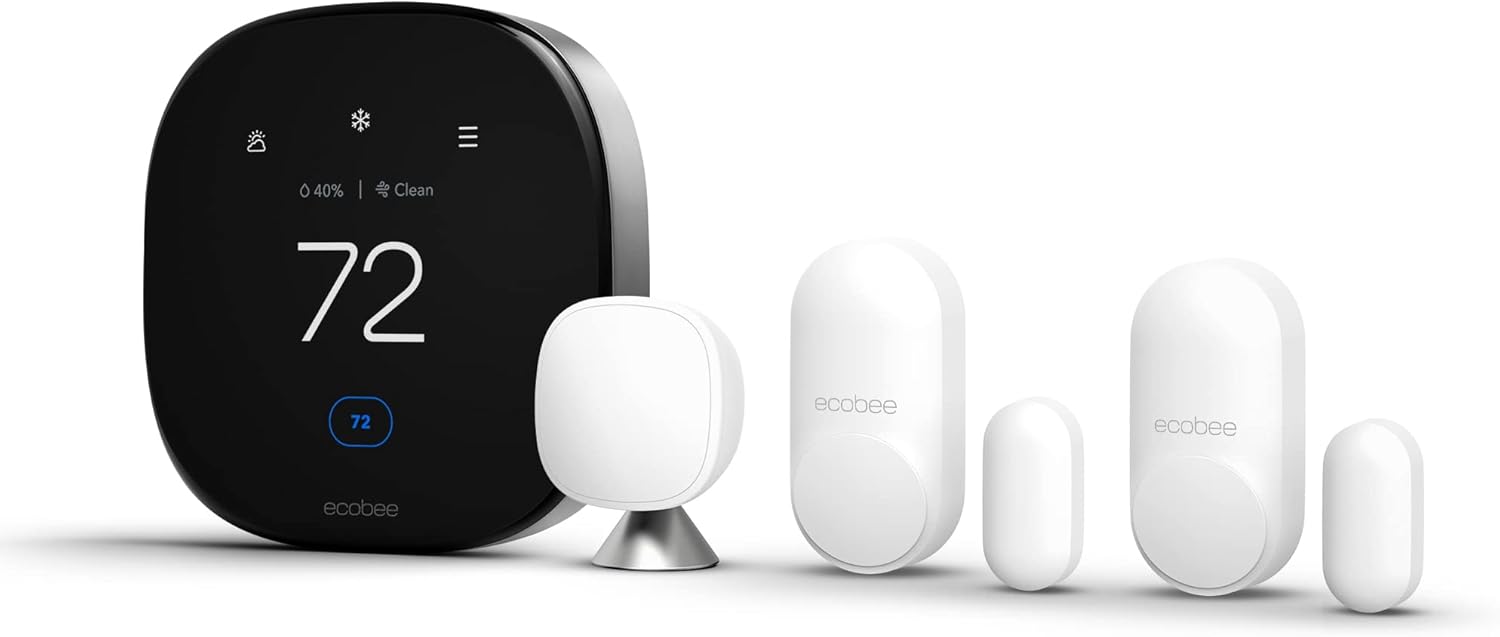
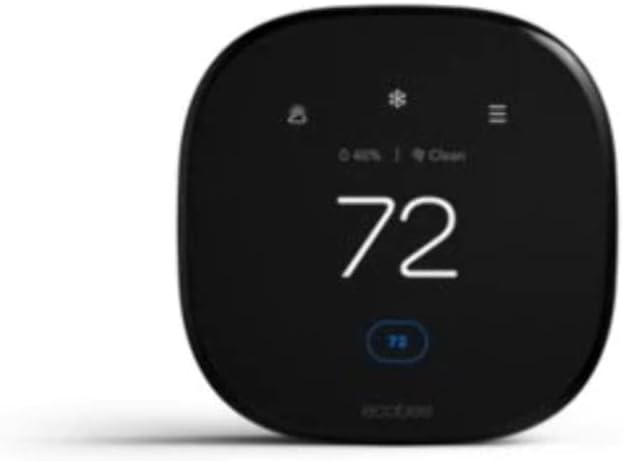
Ecobee smart thermostats have become a reference point for people who want the best smart thermostats compatible with Apple HomeKit. The Ecobee Smart Thermostat Premium combines a responsive touch screen, integrated air quality monitoring, and a powerful app for detailed control. Because this thermostat works with Apple HomeKit, Amazon Alexa, and Google Assistant, it fits naturally into mixed households that already use Amazon Echo speakers or Google Nest displays.
One strength of the Ecobee SmartThermostat line is its focus on room sensors. Instead of measuring temperature only at the thermostat with the screen, Ecobee SmartSensor accessories track temperature and occupancy in bedrooms, offices, or nurseries, then adjust heating and cooling to match where people actually are. This approach often reduces energy use while keeping occupied rooms more comfortable than a single‑point learning thermostat from older generations.
Buyers comparing Ecobee Smart Thermostat Premium models with a Nest Learning Thermostat 3rd gen (model T3007ES) often focus on comfort over a full season. A detailed long‑term comparison of Nest versus Ecobee comfort, such as the kind of Nest 4th gen versus Ecobee Premium comfort review you might read after a year of use, highlights how different algorithms handle shoulder seasons and night setbacks. Ecobee tends to emphasize sensor‑driven control, while Nest learning focuses more on schedule prediction and automatic adjustments based on your manual changes.
For Apple users, the fact that Ecobee thermostats are fully compatible with Apple HomeKit means you can adjust temperature from the Apple Home app, from an Apple Watch, or with Siri on HomePod. At the same time, the Ecobee app on iOS and Android offers deeper analytics, including energy reports, runtime estimates, and alerts about potential heating issues. This dual approach lets you keep quick actions in HomeKit while reserving advanced configuration for the dedicated app.
Installation of an Ecobee smart thermostat usually requires a common wire, often called a C‑wire, to power the screen and Wi‑Fi radio. If your existing thermostat wire bundle lacks a C‑wire, Ecobee often includes a Power Extender Kit that can be installed at the furnace control board. Many homeowners can handle this wiring themselves, but if your heating system is complex or you are unsure about the wire labels, hiring a professional installer will avoid mistakes that could damage the thermostat or the heating equipment.
Nest thermostats, Google integration, and HomeKit workarounds
Google Nest thermostats remain some of the most recognizable smart thermostats on the market. The classic Nest Learning Thermostat popularized the idea that a smart thermostat could study your habits, build a schedule automatically, and trim energy use without constant manual control. Newer Nest Thermostat models are more affordable, though they sometimes offer fewer premium features than the original Learning Thermostat design.
Officially, Nest thermostats do not natively work with Apple HomeKit, which complicates the search for the best smart thermostats compatible with Apple HomeKit. However, many households still choose a Google Nest Thermostat because it integrates tightly with Google Assistant, Android phones, and Google smart displays. To bridge the gap, some advanced users rely on HomeKit bridges or hubs that are compatible with both ecosystems, but this adds complexity and is not ideal for everyone.
When you compare Nest thermostat models with Ecobee Smart Thermostat Premium devices, you will notice different design philosophies. Nest emphasizes a minimalist dial interface and a strong focus on learning, while Ecobee leans into touch screens, room sensors, and built‑in air quality readings. For buyers who want the absolute best smart thermostats compatible with Apple HomeKit, Ecobee usually wins on native integration, while Nest wins for people deeply invested in Google Assistant and Google services.
High‑end smart thermostats, whether from Google Nest, Ecobee, or other brands, often justify their premium price with better build quality, more sensors, and richer software. If you are considering a flagship thermostat, it is worth reading a dedicated guide to top high‑end smart thermostats that compares comfort, reliability, and long‑term support. Such comparisons help you understand whether an advanced thermostat with extra features will genuinely improve your daily comfort or simply add complexity.
For Apple‑focused homes, a Nest thermostat can still coexist with Apple devices, even if it is not directly compatible with Apple HomeKit. You can run the Google Home app on an iPhone, use voice control through Google Assistant on a smart speaker, and manage schedules from the Nest app. The trade‑off is that you lose the unified Apple Home dashboard, so your thermostat control lives in a separate app rather than alongside lights, locks, and cameras.
Other notable smart thermostats that work with Apple HomeKit
Beyond the well‑known Ecobee Smart Thermostat and Nest thermostat lines, several other smart thermostats deserve attention from Apple users. Models such as the Emerson Sensi Touch Smart Thermostat (ST75), Honeywell Home T9 Smart Thermostat (RCHT9610WFSW2003), and some European brands offer full compatibility with Apple HomeKit. These thermostats often target buyers who want reliable temperature control and app access without paying for every possible premium feature.
The Sensi Touch Smart Thermostat, for example, combines a bright touch screen with straightforward scheduling and strong compatibility with existing heating systems. It works with Apple HomeKit, Amazon Alexa, and Google Assistant, which means you can control heating and cooling with voice commands from multiple ecosystems. Many Sensi Touch thermostat owners appreciate that the app focuses on clarity rather than complex automation, making it easier for less technical family members to adjust settings.
Honeywell Home smart thermostats that are compatible with Apple HomeKit, such as the Honeywell Home T9, typically emphasize robust hardware and long‑term reliability. While some models lean more toward Amazon Alexa or Google Assistant integration, others include HomeKit support so that Apple users can manage temperature from the Apple Home app. When you compare these thermostats with Ecobee smart or Google Nest devices, pay attention to whether they offer extras such as air quality monitoring, geofencing, or adaptive recovery for faster heating.
For many households, the best smart thermostats compatible with Apple HomeKit are not necessarily the most expensive ones. A mid‑range thermostat with solid HomeKit support, a clean app, and dependable heating control can outperform a more complex flagship model that nobody in the family understands. Think carefully about whether you truly need advanced features like built‑in speakers, on‑device voice assistants, or multi‑stage humidity control.
As you evaluate these alternative smart thermostats, confirm that each thermostat on your shortlist supports your specific heating system type. Some models handle only single‑stage heating, while others manage multi‑stage heating and cooling, heat pumps, or even electric underfloor systems. Reading the technical specifications and, if necessary, consulting an installer will prevent surprises after you have already removed the old thermostat from the wall.
Installation, wiring, and avoiding compatibility traps
Installing a smart thermostat that works with Apple HomeKit is often easier than people expect. Most modern thermostats include clear labels for each wire, step‑by‑step app guidance, and compatibility checkers that confirm whether your heating system will work. Still, the details matter, especially when you move from a simple thermostat with basic on‑off control to a connected thermostat that needs constant power.
The most common obstacle is the missing common wire, or C‑wire, which supplies continuous power to Wi‑Fi enabled thermostats. If your existing thermostat wire bundle lacks this conductor, some smart thermostats include adapters or power extender kits that can be installed at the furnace control board. When in doubt, taking a clear photo of the current thermostat wiring and the furnace terminals before you start will help you or a professional match each wire correctly.
Heat pump systems introduce extra complexity, because they often use more wires and different control logic than simple boilers. A detailed guide to heat pump thermostat compatibility traps explains how mis‑wiring can reduce efficiency, disable auxiliary heating, or even damage equipment over time. Before you choose the best smart thermostats compatible with Apple HomeKit for a heat pump, verify that the thermostat explicitly supports your system type, including any dual‑fuel or multi‑stage configurations.
Once the wiring is correct, the next step is pairing the thermostat with your Wi‑Fi network and your preferred platforms. For Apple users, that means adding the thermostat to the Apple Home app, then optionally linking it with Amazon Alexa or Google Assistant if you also use those ecosystems. A high‑end model that works with multiple platforms lets you say “Hey Siri”, “Alexa”, or “Hey Google” to adjust the same temperature, which is convenient in mixed device households.
After installation, spend some time fine‑tuning schedules, temperature set points, and any learning features. A smart thermostat with adaptive algorithms, such as a learning thermostat or an Ecobee smart model with occupancy sensors, may need a few weeks to understand your patterns. During that period, monitor comfort and energy use, and do not hesitate to adjust settings if the automatic behavior does not match your expectations.
Energy savings, comfort, and air quality with HomeKit thermostats
One of the main reasons people search for the best smart thermostats compatible with Apple HomeKit is the promise of lower energy bills. A well‑configured smart thermostat can reduce heating and cooling costs by automatically lowering temperature when you are away and optimizing recovery times. Over a full year, these small adjustments add up, especially in regions with long heating seasons or hot summers.
Comfort, however, is just as important as raw energy savings. Smart thermostats that use room sensors, such as Ecobee Smart Thermostat Premium models, can prioritize occupied rooms and avoid the classic problem of a warm hallway and a cold bedroom. Learning thermostat features, whether in a Nest Learning Thermostat or another brand, help maintain stable temperatures without constant manual control, which many households appreciate.
Air quality has become a growing focus in premium smart thermostats that work with Apple HomeKit. Some higher‑end models include sensors for volatile organic compounds, carbon dioxide estimates, or humidity, then use this data to suggest ventilation or adjust heating and cooling strategies. When a thermostat with air quality monitoring is integrated into the Apple Home app, you can see temperature and air quality metrics alongside other smart home devices, which encourages more holistic management of your indoor environment.
For people who use multiple platforms, a smart thermostat that works with Apple HomeKit, Amazon Alexa, and Google Assistant offers flexibility. You might use Siri on an iPhone, Amazon Alexa on a kitchen speaker, and Google Assistant on a living room display, all controlling the same thermostats. This multi‑platform control ensures that everyone in the household can adjust temperature in the way that feels most natural to them.
When you evaluate energy performance claims, focus on transparent data and clear explanations rather than vague promises. Manufacturers that provide detailed energy reports in their app, explain how schedules affect consumption, and offer realistic savings ranges tend to be more trustworthy. Over time, tracking your own bills before and after installing a smart thermostat will give you the most accurate picture of how much your specific home benefits from these technologies.
Buying guide checklist for Apple HomeKit smart thermostats
Choosing among the best smart thermostats compatible with Apple HomeKit becomes easier when you follow a structured checklist. Start by confirming that each thermostat on your shortlist is officially compatible with Apple HomeKit, supports your heating system type, and fits your existing wall plate or space. Then compare whether each smart thermostat works with Amazon Alexa, Google Assistant, and other platforms you already use.
Next, decide how important premium features are for your household. A top‑tier model with air quality sensors, built‑in speakers, or advanced learning algorithms may justify its price if you value data and automation. On the other hand, a simpler smart thermostat that still works with Apple HomeKit and offers a clean app might deliver the best balance of cost, comfort, and ease of use.
Pay attention to the quality of the mobile app and the clarity of the interface. A smart thermostat with a confusing app or slow responsiveness will frustrate you, no matter how advanced its hardware may be. Reading recent user feedback about app stability, update frequency, and customer support responsiveness can reveal whether a brand treats its software as seriously as its thermostats.
Installation support should also influence your decision. Look for brands that provide clear wiring diagrams, compatibility tools, and access to trained support staff who can answer questions about wire labels or heating configurations. If you are not comfortable working with thermostat wires, factor the cost of professional installation into your budget from the beginning.
Finally, consider long‑term support and ecosystem fit. A smart thermostat that receives regular firmware updates, maintains compatibility with Apple HomeKit, and continues to work with Amazon Alexa and Google Assistant will remain useful for many years. By weighing these factors carefully, you can select the best smart thermostats compatible with Apple HomeKit for your home, rather than simply buying the most heavily advertised model.
Key statistics about smart thermostats and HomeKit adoption
- According to the International Energy Agency’s 2018 report on energy use in buildings (IEA, “The Future of Cooling”, 2018), heating and cooling account for more than half of energy use in the average home, which explains why smart thermostats can significantly influence overall household consumption.
- Studies from the U.S. Environmental Protection Agency and ENERGY STAR, updated in 2022 (EPA/ENERGY STAR, “Smart Thermostats: Specification Version 1.0”), report that programmable and smart thermostats can reduce heating and cooling costs by around 8 to 16 percent when schedules are set correctly, highlighting the financial impact of proper configuration.
- Market research from firms such as Statista, based on 2023 data (Statista, “Number of smart thermostats in households worldwide 2017–2023”), shows that tens of millions of smart thermostats are now installed worldwide, with adoption growing steadily as more models become compatible with platforms like Apple HomeKit, Amazon Alexa, and Google Assistant.
- Surveys of smart home users indicate that comfort and convenience often rank as highly as energy savings, with many respondents citing remote temperature control via app or voice assistants as a primary reason for installing smart thermostats.
- Analysts tracking smart home ecosystems note that multi‑platform devices, which work with Apple HomeKit, Amazon Alexa, and Google Assistant simultaneously, tend to see higher adoption because they reduce the risk of ecosystem lock‑in for households with mixed devices.
Quick comparison of popular HomeKit thermostat options
| Model |
Approx. price range (USD) |
HomeKit support |
Key pros |
Key cons |
| Ecobee Smart Thermostat Premium |
$$$ (upper mid‑range) |
Native HomeKit |
Room sensors, air quality monitoring, strong app, multi‑platform control |
Requires C‑wire or Power Extender Kit, higher upfront cost |
| Ecobee SmartThermostat with Voice Control |
$$ (mid‑range) |
Native HomeKit |
Built‑in Alexa, good learning features, reliable occupancy sensing |
Interface less refined than Premium, may be overkill for small spaces |
| Emerson Sensi Touch (ST75) |
$$ (mid‑range) |
Native HomeKit |
Simple interface, broad HVAC compatibility, easy installation |
Fewer advanced sensors, limited analytics compared with Ecobee |
| Honeywell Home T9 |
$$ (mid‑range) |
Selected versions support HomeKit |
Optional room sensors, strong hardware, reliable scheduling |
App experience varies by region, check exact model for HomeKit badge |
| Nest Learning Thermostat (3rd gen) |
$$$ (upper mid‑range) |
No native HomeKit (bridge required) |
Elegant design, powerful learning algorithms, deep Google integration |
No direct HomeKit support, best suited to Google‑centric homes |