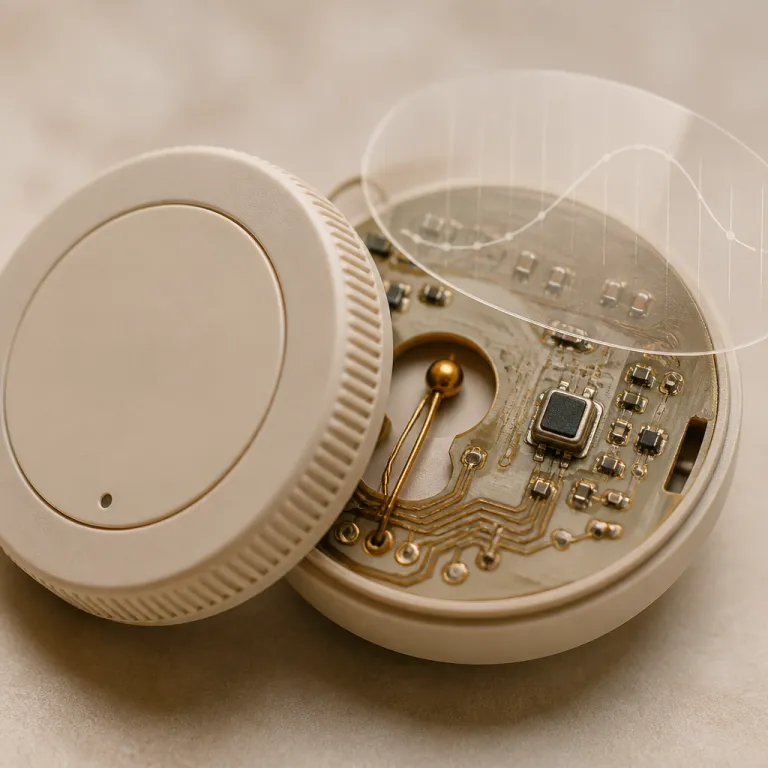
How a smart thermostat learning algorithm actually watches your first month
Your smart thermostat starts by tracking every temperature change you make manually. During the first days, the smart thermostat learning algorithm logs when you walk over, tap the thermostat, and nudge the temperature up or down. Those early moves teach the thermostat when you feel too warm or too cold, not just what the wall temperature sensor reports.
With a Nest thermostat or other learning thermostat models, the device also tracks occupancy patterns quietly. It notes when motion sensors see you in the hallway, when the heating cooling system cycles, and how quickly the nest temperature drifts once the furnace or heat pump shuts off. For example, many homes cool at roughly 0.5 to 1.0 °C per hour when the system is idle, and the thermostat uses that measured drift to time preheating. That is why the first full week often feels chaotic, because the thermostat will still be guessing at how your home’s systems respond to outdoor swings.
Most customers in the United States expect instant comfort and lower energy bills on day one. In reality, the first generation of any learning algorithm behaves like a rookie technician, still figuring out your home’s quirks over several days. If you want the algorithm to help save energy later, you need to live normally during that first month and resist the urge to micromanage every single degree.
What Nest actually learns: schedule, occupancy, and temperature drift
Google Nest thermostats collect three main streams of data during the first month. They track your preferred setpoints at different times of day, the occupancy patterns from the built in motion sensor, and the way indoor temperature drifts when the system is idle. That trio lets the smart thermostat learning algorithm build a schedule that predicts when you are home, when you are asleep, and how aggressively it can coast without sacrificing comfort.
In practice, a Nest thermostat or other Nest thermostats will log every time you turn the dial or tap the touch strip. The thermostat will then correlate those manual changes with the current nest temperature, the outdoor conditions pulled from the internet, and whether the sensor sees movement in front of the screen. Over roughly 10 to 14 days, the algorithm starts proposing a schedule that mirrors your real life, instead of a generic factory program that assumes a nine to five office routine in the United States.
Google leans heavily on this data driven approach, while competitors like Ecobee rely more on room sensors and geofencing than pure schedule learning. According to their public support documentation, both brands use similar inputs—setpoints, occupancy, and temperature drift—but weight them differently. The key takeaway is simple, because the thermostat gen of algorithms learns patterns, not intentions, so confusing patterns will always produce confusing schedules.
The cold start problem: why the first two weeks often feel worse
Many customers install a smart thermostat and feel less comfortable during the first two weeks. That cold start period is when the smart thermostat learning algorithm has the least data but the most freedom to experiment. It will try different setback depths, different preheat times, and different responses to sudden temperature swings, sometimes overshooting in both directions.
With Nest Learning Thermostat models, including the latest generation Nest devices, the pattern is consistent. The thermostat will aggressively test how quickly your heating cooling system can raise the nest temperature in the morning and how slowly the house cools when the furnace stops at night. For instance, it might test a 3 °C setback from 21 °C down to 18 °C overnight, then measure how long it takes to climb back to 21 °C before you wake up. If you read full marketing claims on Amazon or the Google app store, you might expect instant perfection, but the algorithm simply cannot predict your habits before it has watched at least several days of real behavior.
Some homeowners react by overriding the schedule constantly through the Nest app or Google app. Every time you slam the temperature up or down in frustration, the thermostat will log that as a new preference and may shift the learned schedule in the wrong direction. For a more measured approach, follow a testing mindset similar to a hands on Nest Learning Thermostat evaluation, where you change only one or two habits at a time and then watch how the system responds over several days.
When the algorithm plateaus and why manual tweaks start to win
After roughly a month, most smart thermostat learning algorithm models reach a plateau. By that point, the thermostat will have seen weekday and weekend patterns, early mornings, late nights, and at least one minor weather swing. The schedule it proposes then becomes more stable, and big changes usually come only when you change your routine or move to a new season.
This is where manual fine tuning starts to outperform pure automation for many customers. Once the Nest thermostat or similar learning thermostat has built a reasonable baseline, you can edit the schedule blocks directly in the Nest app or on the wall unit. As a concrete example, a typical winter weekday schedule in the United States might hold 20 to 21 °C from 6:30 a.m. to 8:30 a.m., drop to 17 to 18 °C while the house is empty, then return to 20 to 21 °C from late afternoon until bedtime. Small changes of 0.5 to 1.0 °C at key times of day often save energy without sacrificing comfort, especially if you pair the thermostat with at least one remote temperature sensor in a problem room.
Homeowners who read full technical documentation tend to get better long term results, because they understand what the thermostat will and will not change automatically. The algorithm rarely adjusts for unusual events like guests staying for several days or a new work from home schedule unless you reinforce those patterns consistently. At some point, the smartest move is to lock in a polished schedule that reflects your real life and then let the thermostat handle only the small, day to day optimizations.
When learning backfires: guests, seasons, and the case for fixed schedules
Learning systems can be fragile when your life does not follow a neat pattern. A week of guests, a heat wave, or a sudden cold snap can push the smart thermostat learning algorithm into drawing the wrong conclusions. The thermostat will dutifully record every late night override and every midday setback, then bake those anomalies into what it thinks is your new normal.
For some households in the United States, a non learning setup with a fixed schedule and geofencing works better. You program a simple heating cooling plan, then let your phone’s location and a basic occupancy sensor handle away mode. In that scenario, the thermostat will not try to infer your habits from noisy data, which can actually help save more energy than a confused learning thermostat that keeps reheating an empty house after your guests leave.
If you struggle with uneven temperatures between floors, pairing a smart thermostat with remote sensors and, in some cases, smart vents can be more impactful than any algorithm tweak. A detailed guide on solving upstairs downstairs temperature gaps shows how a well placed temperature sensor can save energy and improve comfort simultaneously. In the end, the smartest control is not the shiniest app interface, but the February gas bill that quietly shrinks while your home still feels comfortable every day.
FAQ
How long does a smart thermostat need to learn my schedule ?
Most learning thermostat models need about two to four weeks of normal use to build a reliable schedule. During that period, the smart thermostat learning algorithm watches when you adjust the temperature, when motion sensors see activity, and how quickly your home heats or cools. Comfort usually stabilizes after the first month, when the thermostat will make only smaller adjustments.
Can a smart thermostat really help save energy without making me uncomfortable ?
Yes, but only if the schedule and setbacks match your real routine. A Nest thermostat or similar smart thermostat can save energy by lowering the temperature when you are away and preheating just before you return. Pairing the thermostat with at least one remote temperature sensor often improves comfort enough that you can tolerate slightly deeper setbacks.
What should I avoid doing during the first days after installation ?
Try not to change the temperature constantly in response to every small discomfort. The smart thermostat learning algorithm interprets each manual change as a preference, so rapid swings can confuse the schedule. Instead, make deliberate adjustments, wait several hours, and let the thermostat read the results before changing things again.
Are all smart thermostat learning systems the same ?
No, different brands use different data and strategies to control heating and cooling. Google Nest thermostats lean heavily on schedule learning and motion detection, while some competitors rely more on room sensors and geofencing. The best choice depends on your wiring, your home’s layout, and how predictable your daily schedule is.
When is a fixed schedule better than a learning thermostat ?
A fixed schedule often works better if your routine is irregular or your home hosts frequent guests. In those cases, a learning thermostat may misinterpret unusual days as new habits and waste energy. A simple programmable thermostat with geofencing can be easier to manage and still reduce bills effectively.